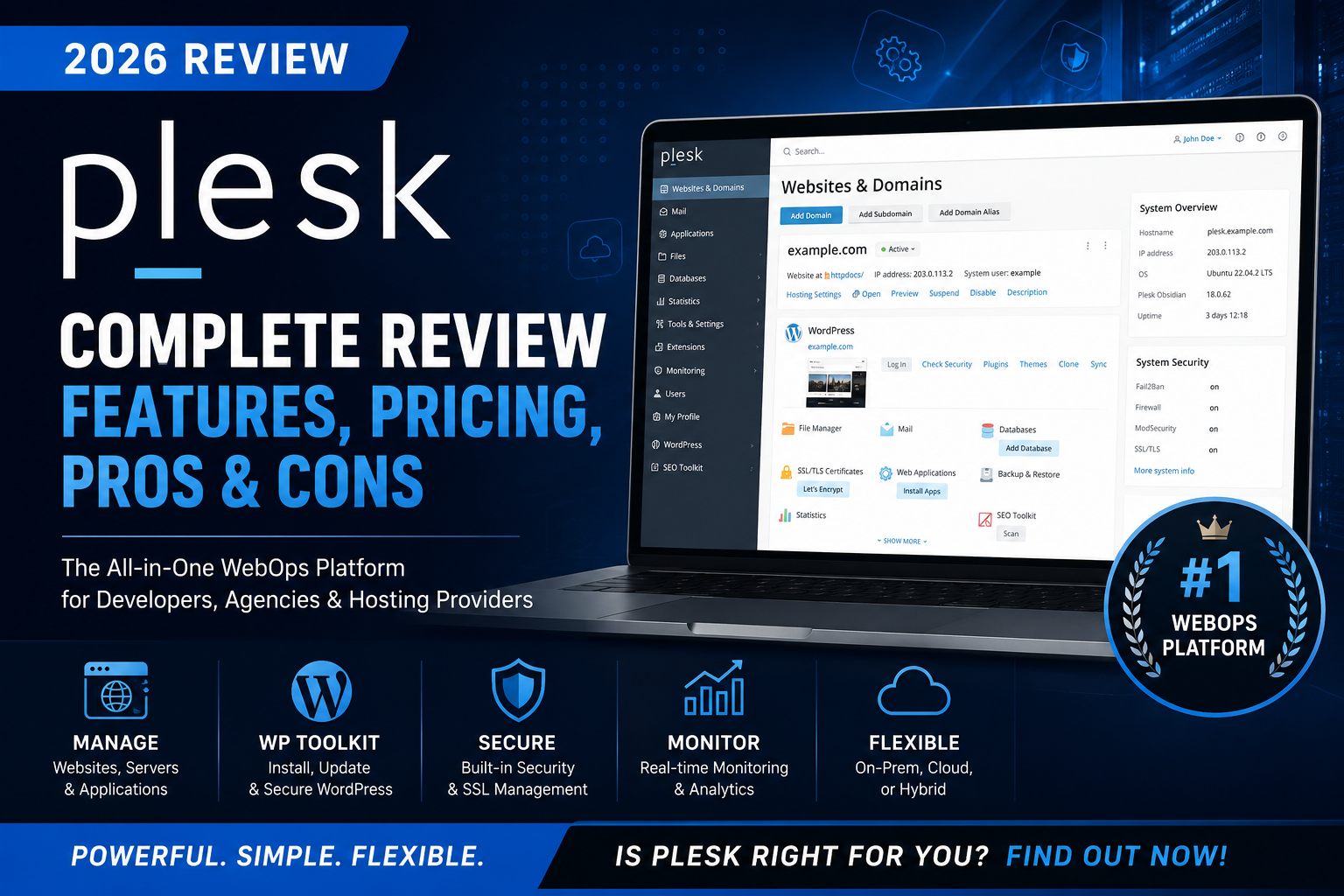
Read our in-depth Plesk Review covering features, pricing, performance, pros & cons, and alternatives to see if Plesk is the right hosting control panel for you.
https://esapplication.com/
Introduction
Choosing a hosting control panel is about much more than finding an interface to manage websites. It directly affects how efficiently you deploy applications, maintain servers, secure client data, and scale your infrastructure over time. Having worked extensively with Plesk across cloud servers, VPS environments, and dedicated hosting, I’ve come to see it as a complete WebOps platform rather than just another control panel. It combines server administration, website management, developer tools, and security features into a single ecosystem that simplifies day-to-day operations without limiting advanced users.
One of the things I appreciate most about Plesk is its balance between usability and flexibility. Routine tasks such as creating websites, configuring email accounts, installing SSL certificates, managing databases, and scheduling backups can all be completed through an intuitive interface. At the same time, developers benefit from features like Git integration, Docker support, WordPress Toolkit, staging environments, and automated updates, allowing them to build and maintain modern web applications more efficiently. Instead of relying on multiple third-party utilities, Plesk centralizes essential tools into one dashboard, reducing administrative overhead while improving productivity.
In this Plesk Review, I’ll evaluate the platform based on real-world experience rather than marketing claims. We’ll explore its key features, pricing, performance, ease of use, security, customer feedback, and overall value for money. Whether you’re a freelancer managing a few websites, a digital agency handling multiple client projects, or a hosting provider responsible for large-scale infrastructure, this review will help you decide if Plesk is the right solution for your needs in 2026.
Quick Verdict
After using Plesk extensively to manage websites, WordPress installations, and cloud servers, I can confidently say that it is one of the most polished hosting control panels on the market. It successfully combines server management, website administration, security, and developer tools into a single platform that is intuitive enough for beginners while still offering the flexibility that experienced administrators expect. Whether you’re deploying new websites, configuring email services, managing databases, or automating routine maintenance, Plesk provides a streamlined workflow that saves both time and effort.
One of its biggest strengths is the balance between simplicity and functionality. Features such as WordPress Toolkit, Git integration, Docker support, SSL automation, scheduled backups, and a rich extension marketplace eliminate the need for many third-party tools. The interface remains clean and well organized even when managing multiple websites, making it suitable for freelancers, digital agencies, and hosting providers alike.
That said, Plesk isn’t the perfect choice for everyone. Licensing costs can become expensive as your hosting environment grows, and some advanced capabilities require paid extensions or higher-tier licenses. Users who only manage a single small website on shared hosting may also find its feature set more comprehensive than they actually need.
Overall, Plesk delivers an excellent balance of usability, performance, security, and scalability. If you’re looking for a professional hosting control panel that supports both Linux and Windows while offering powerful tools for modern web development, Plesk remains one of the strongest options available in 2026 and is a worthwhile investment for users who value efficiency and long-term flexibility.
What Is Plesk?
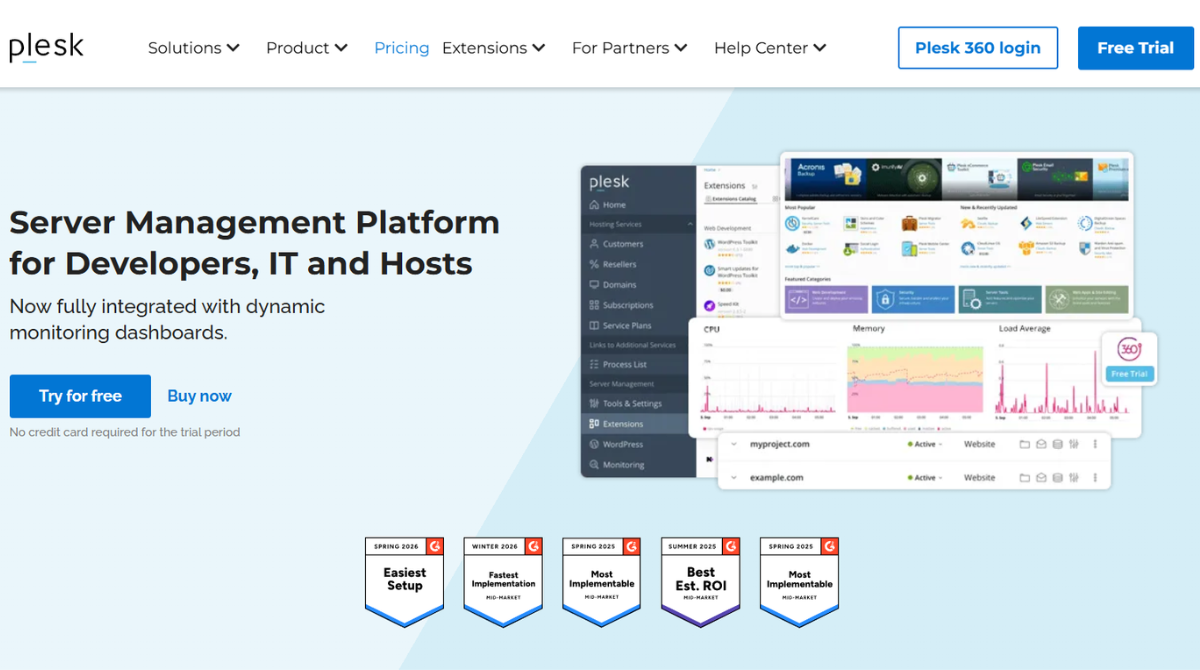

Plesk is a comprehensive WebOps and hosting control panel designed to simplify the management of websites, servers, applications, email services, and development environments from a single interface. While many people view it as an alternative to cPanel, my experience shows that Plesk has evolved far beyond a traditional hosting control panel. It provides a centralized platform where server administrators, developers, agencies, and hosting providers can automate routine tasks while maintaining full control over their infrastructure.
One of the biggest advantages of Plesk is its ability to support both Linux and Windows servers, making it a flexible solution for organizations running different operating systems. Instead of switching between command-line tools and multiple management applications, users can perform everyday tasks—such as creating websites, configuring domains, managing databases, setting up email accounts, installing SSL certificates, and scheduling backups—from a single dashboard. This significantly reduces administrative complexity, especially when managing dozens or even hundreds of websites.
From a developer’s perspective, Plesk offers much more than basic hosting management. It includes built-in Git integration, Docker support, Node.js and PHP management, WordPress Toolkit, staging environments, automatic updates, and an extensive extension catalog that expands the platform’s capabilities. These tools make it suitable not only for maintaining production servers but also for building, testing, and deploying modern web applications more efficiently.
What impressed me most after using Plesk extensively is how well it balances accessibility with advanced functionality. Beginners can quickly learn the interface without needing deep server administration knowledge, while experienced professionals still have access to powerful automation, security controls, and customization options. Whether you’re running a personal project, managing client websites, or operating a commercial hosting business, Plesk provides a scalable environment that grows alongside your infrastructure. That combination of usability, flexibility, and professional-grade features is the reason Plesk continues to be one of the most respected server management platforms available today.
Who Should Use Plesk?
Plesk isn’t designed for just one type of user. After managing multiple production servers with the platform, I’ve found that its greatest strength lies in its ability to adapt to different workflows, whether you’re running a personal website or maintaining enterprise-level hosting infrastructure.
For web developers, Plesk provides a productive environment with built-in support for Git, Docker, multiple PHP versions, Node.js, and staging environments. These features simplify development, testing, and deployment without requiring constant command-line management, making day-to-day operations significantly more efficient.
Digital agencies will also benefit from Plesk’s centralized management capabilities. Handling dozens of client websites becomes much easier thanks to automated backups, SSL certificate management, user permissions, and the WordPress Toolkit. Instead of switching between different hosting dashboards, agencies can manage everything from a single interface while reducing maintenance time.
If you’re a hosting provider or system administrator, Plesk offers the flexibility needed to manage multiple customers, servers, and applications securely. Support for both Linux and Windows servers, combined with security features such as ModSecurity, Fail2Ban, Security Advisor, and automated updates, makes it a reliable platform for large-scale environments.
Plesk is also an excellent option for business owners and freelancers who want more control than traditional shared hosting provides. Although it includes many advanced features, the interface remains intuitive enough that users without extensive Linux administration experience can confidently manage websites, email accounts, domains, databases, and backups.
Overall, I recommend Plesk to anyone looking for a scalable hosting control panel that grows alongside their projects. Whether you’re launching your first VPS, managing multiple WordPress websites, developing modern web applications, or operating a commercial hosting business, Plesk delivers the right combination of ease of use, automation, security, and professional-grade functionality to support long-term growth.
Key Features
After using Plesk to manage everything from personal websites to production servers hosting multiple client projects, I’ve found that its biggest advantage isn’t a single standout feature—it’s how all of its tools work together. Rather than forcing administrators to rely on separate applications for security, deployment, backups, and website management, Plesk integrates these capabilities into one unified platform. Here are the features that have had the greatest impact on my daily workflow.
Centralized Server & Website Management
The core of Plesk is its centralized management dashboard. From a single interface, you can create websites, manage domains, configure DNS records, administer email accounts, monitor storage usage, and maintain databases without constantly switching between different control panels or SSH sessions.
This becomes particularly valuable when managing multiple projects. Instead of logging into individual hosting accounts, everything is organized under one dashboard with clearly separated subscriptions and user permissions. For agencies and hosting providers, this significantly reduces administrative overhead while making routine maintenance much faster.
WordPress Toolkit
The WordPress Toolkit is arguably Plesk’s strongest feature. It transforms WordPress management from a repetitive manual process into a streamlined workflow.
Through a single interface, you can install WordPress, enable automatic updates, clone websites, create staging environments, harden security settings, scan for vulnerabilities, and manage plugins and themes across multiple installations. During my testing, this eliminated the need for several third-party WordPress management tools that I previously relied on.
For anyone maintaining multiple WordPress websites, the time savings alone can justify choosing Plesk over many competing control panels.
Built-in Security Tools
Security is one area where Plesk consistently performs well. Instead of expecting users to install every protection manually, the platform includes several built-in security features that help protect both servers and websites.
These include SSL certificate management through Let’s Encrypt, Fail2Ban integration, ModSecurity web application firewall support, IP access restrictions, automatic security updates, and the Security Advisor, which scans your server configuration and recommends improvements based on industry best practices.
While experienced administrators may still customize their own security stack, these built-in tools provide an excellent baseline that helps reduce common configuration mistakes.
Developer-Friendly Environment
One of the reasons I continue using Plesk is that it supports modern development workflows instead of focusing solely on traditional shared hosting.
Git integration allows code to be deployed directly from repositories, making updates more consistent and easier to track. Docker support simplifies testing applications in isolated containers, while Node.js, PHP version management, Python support, and Composer integration make it suitable for a wide variety of development projects.
This flexibility enables developers to build, test, and deploy applications from a single platform rather than managing multiple disconnected services.
Automated Backups and Recovery
Reliable backups are essential for any production environment, and Plesk handles this process exceptionally well.
You can schedule automatic backups, create manual restore points before making significant changes, and restore either entire servers or individual websites when necessary. Backup destinations can include local storage as well as remote cloud services, providing additional protection against hardware failures or accidental data loss.
During long-term use, having automated backups configured within the control panel has proven far more convenient than relying on external scripts or manual backup routines.
Multi-Platform Support
Unlike many competing hosting control panels that primarily target Linux servers, Plesk supports both Linux and Windows environments.
This flexibility is especially valuable for organizations that host different types of applications or maintain mixed server infrastructures. Whether you’re running Apache, Nginx, IIS, PHP applications, or ASP.NET websites, the management experience remains largely consistent across operating systems.
For businesses planning future infrastructure changes, this cross-platform compatibility provides additional flexibility without requiring a completely new management solution.
Extension Marketplace
Another feature I appreciate is the extensive extension ecosystem. Plesk can be expanded with official and third-party extensions that integrate directly into the control panel.
Popular extensions include Cloudflare integration, advanced backup solutions, monitoring tools, security enhancements, SEO utilities, migration assistants, and developer-focused applications. Rather than forcing every user into the same workflow, Plesk allows you to customize the platform according to your specific requirements.
Although some extensions require additional licensing, the marketplace makes it easy to extend the platform as your business grows.
User and Client Management
For agencies, freelancers, and hosting providers, user management is a major strength. Plesk allows administrators to create separate accounts with customized permissions, ensuring that clients only access the resources relevant to them.
This permission system reduces the risk of accidental configuration changes while making collaboration between administrators, developers, and customers much more efficient. Combined with subscription management and resource allocation, it becomes an effective solution for managing multiple clients from a single server.
Overall Impression
After working with Plesk extensively, what stands out most isn’t any individual feature but how seamlessly everything fits together. Server management, website administration, security, development tools, backups, and automation all operate within the same interface, creating a workflow that feels both efficient and professional. While some advanced functionality requires higher-tier licenses or paid extensions, the overall feature set is comprehensive enough to meet the needs of freelancers, agencies, developers, and hosting providers alike. For anyone looking for a modern hosting control panel that can scale with growing projects, Plesk offers one of the most complete feature sets available today.
Ease of Use
One of the reasons Plesk has remained my preferred hosting control panel is its ability to simplify complex server management tasks without sacrificing professional functionality. Having worked with several control panels over the years, I found that Plesk strikes an excellent balance between ease of use and advanced administration. Even when managing multiple websites across different servers, the interface remains organized, responsive, and easy to navigate.
The dashboard follows a logical structure, grouping websites, domains, databases, email accounts, security settings, backups, and server tools into clearly labeled sections. This reduces the learning curve considerably compared to platforms that rely heavily on command-line operations or scattered configuration menus. Common tasks such as creating a new website, installing an SSL certificate, setting up email accounts, or restoring a backup can usually be completed within a few clicks.
Another aspect I appreciate is the consistency of the user experience. Whether I’m deploying a WordPress website, configuring PHP versions, managing Git repositories, or monitoring server resources, the workflow feels predictable and well integrated. The WordPress Toolkit, in particular, simplifies maintenance by allowing plugin updates, security hardening, cloning, and staging from a centralized interface instead of requiring separate management tools.
For experienced administrators, Plesk doesn’t hide advanced functionality behind an overly simplified interface. SSH access, Docker integration, scheduled tasks, custom PHP settings, and server-level configurations remain easily accessible whenever deeper control is required. This makes it suitable for both routine website management and more technical development workflows.
That said, first-time users who have never managed a VPS or dedicated server may still need some time to understand hosting concepts such as DNS records, databases, and web server configurations. Fortunately, Plesk provides clear navigation, built-in documentation, and contextual guidance that make the onboarding process much smoother than many competing control panels.
Overall, I consider Plesk one of the most user-friendly server management platforms available today. It successfully combines a clean interface with powerful administrative capabilities, allowing beginners to become productive quickly while giving experienced users the flexibility needed to manage complex hosting environments efficiently.
Pricing

Plesk follows a subscription-based licensing model rather than a one-time purchase, with several plans designed to meet different hosting needs. Instead of offering a single package for everyone, the platform separates its licenses based on the number of websites you manage and the type of users it targets. This makes it easier for individuals, agencies, and hosting providers to choose a plan that matches their infrastructure without paying for unnecessary resources.
From my experience, the entry-level license is suitable for freelancers, developers, or small businesses managing only a handful of websites. As your portfolio grows, higher-tier plans remove many of the limitations on website management while unlocking additional capabilities that become valuable in multi-client environments. Hosting companies, in particular, benefit from licenses that support a large number of domains, reseller functionality, and advanced administrative tools.
One thing worth mentioning is that Plesk isn’t the cheapest hosting control panel on the market. If your only goal is to host a single personal website, the licensing cost may feel difficult to justify, especially when free alternatives are available. However, after working with Plesk for an extended period, I found that the platform delivers value through the time it saves. Features such as WordPress Toolkit, automatic SSL management, scheduled backups, Git integration, Docker support, and centralized server administration reduce manual work and often eliminate the need for several third-party tools.
Another factor to consider is the extension marketplace. While the core platform includes an impressive collection of features, some advanced functionality is available through paid extensions or premium editions. Depending on your workflow, this can increase the overall cost of ownership. Fortunately, most users can operate efficiently using the standard feature set without immediately purchasing additional add-ons.
Overall, I believe Plesk offers strong value for professionals who manage multiple websites or production servers. Although the licensing cost is higher than some competitors, the platform justifies its price through automation, reliability, security, and productivity improvements. For agencies, developers, managed service providers, and businesses running mission-critical websites, the long-term efficiency gains often outweigh the initial subscription cost, making Plesk a worthwhile investment rather than simply another hosting expense.
Customer Reviews
Plesk has earned a strong reputation across major software review platforms, with most users highlighting its ease of use, comprehensive feature set, and ability to simplify server administration. On G2, the platform maintains an average rating of around 4.4/5 from hundreds of verified reviews, while Capterra rates it at approximately 4.7/5. TrustRadius also gives Plesk an impressive score of 9.4/10, reflecting consistently positive feedback from IT professionals, developers, and hosting providers.
The most frequently praised aspect is Plesk’s intuitive interface. Many reviewers appreciate being able to manage websites, domains, databases, email accounts, DNS records, and SSL certificates from a single dashboard. Users also mention that built-in tools such as WordPress Toolkit, automated backups, Git integration, and security features significantly reduce administrative work and improve deployment efficiency. These capabilities make Plesk particularly attractive to agencies and businesses managing multiple websites.
Criticism generally focuses on pricing rather than functionality. Several reviewers note that licensing costs can increase as additional domains or premium extensions are required, making Plesk less budget-friendly for small projects. Others mention that the platform may consume more resources on lower-specification servers and that new users still face a moderate learning curve when working with advanced server configurations.
Based on both my own experience and the overall community feedback, Plesk is widely regarded as a reliable and mature hosting control panel. While its subscription cost may not suit every budget, most users agree that the productivity gains, integrated management tools, and professional feature set justify the investment for developers, agencies, and organizations managing production environments.
Pros & Cons
After using Plesk in real-world hosting environments, I believe its strengths clearly outweigh its limitations, particularly for professionals managing multiple websites or servers.
Pros
- Clean, intuitive interface that simplifies server administration.
- Supports both Linux and Windows servers.
- Excellent WordPress Toolkit with staging, cloning, and security management.
- Built-in Git, Docker, Node.js, and multiple PHP version support for developers.
- Strong security features, including Let’s Encrypt, ModSecurity, Fail2Ban, and Security Advisor.
- Automated backups, scheduled maintenance, and centralized management improve productivity.
- Extensive extension marketplace for additional functionality.
Cons
- Licensing costs can become expensive as your infrastructure grows.
- Some advanced capabilities require paid extensions or higher-tier licenses.
- New users may need time to understand server administration concepts.
- Resource usage can be higher than lightweight control panels on lower-end VPS instances.
Overall, Plesk delivers an excellent balance of usability, automation, and enterprise-grade functionality. While it isn’t the most affordable hosting control panel available, the productivity gains and comprehensive feature set make it a worthwhile investment for developers, agencies, system administrators, and hosting providers who require a reliable long-term management platform.
Best Alternatives
Although Plesk is one of the most complete hosting control panels available, it isn’t necessarily the perfect choice for every user. Depending on your budget, operating system, and technical requirements, several alternatives may better suit your hosting environment.
The most direct competitor is cPanel, which remains the industry standard for Linux-based shared hosting. It offers a familiar interface, broad compatibility with hosting providers, and an extensive ecosystem of third-party integrations. If you’re already using traditional shared hosting or your hosting company exclusively supports cPanel, switching may not provide enough additional value to justify the migration.
For users looking to reduce licensing costs, DirectAdmin is an attractive alternative. It provides a lightweight interface, lower resource consumption, and significantly cheaper licensing while still covering the essential features required for website and server management. However, it lacks some of the advanced automation and developer tools that make Plesk particularly appealing.
If you’re comfortable working with Linux and want to minimize expenses, CyberPanel is another strong option. Built around OpenLiteSpeed, it delivers excellent performance and includes support for Let’s Encrypt, Docker, and WordPress management. While it offers impressive value, its interface and overall user experience are less polished than Plesk, especially for organizations managing multiple clients.
For experienced Linux administrators who prefer complete control over their servers, Webmin and Virtualmin provide highly customizable management environments. These platforms are powerful but require more technical expertise and generally involve a steeper learning curve.
After using several hosting control panels over the years, I still consider Plesk the best all-around solution for agencies, developers, and businesses that value automation, security, cross-platform compatibility, and a modern user experience. While alternatives like cPanel, DirectAdmin, and CyberPanel each have their own strengths, Plesk offers the most balanced combination of usability, professional features, and long-term scalability for managing production hosting environments.
Is Plesk Worth It?
In my opinion, Plesk is absolutely worth the investment if you regularly manage multiple websites, VPS instances, or production servers. While its licensing cost is higher than some alternatives, the platform delivers far more than a traditional hosting control panel. Features such as WordPress Toolkit, Git integration, Docker support, automated backups, built-in security tools, and centralized server management significantly reduce manual administration and improve long-term productivity.
That said, Plesk isn’t the best fit for everyone. If you only host a single personal website or have a very limited budget, a simpler or free control panel may provide better value. However, for developers, digital agencies, managed hosting providers, and businesses that require reliability, automation, and scalability, Plesk easily justifies its price.
After extensive hands-on experience, I consider Plesk one of the most complete and future-ready hosting control panels available. Its combination of usability, professional-grade features, and cross-platform compatibility makes it an excellent long-term solution for anyone serious about managing modern web infrastructure.
Final Verdict
After thoroughly evaluating Plesk in real-world hosting environments, I believe it remains one of the strongest hosting control panels available today. Its greatest advantage isn’t just the extensive list of features, but how effectively those features work together to simplify server administration, website management, security, and application deployment. The platform successfully balances an intuitive user experience with the advanced functionality that developers, agencies, and hosting providers expect.
Although the licensing cost is higher than some competitors and certain premium capabilities require additional subscriptions, the long-term productivity gains often justify the investment. Features like WordPress Toolkit, Git integration, Docker support, automated backups, and built-in security tools help reduce manual work while improving operational efficiency.
If you’re managing multiple websites, client projects, VPS instances, or production servers, Plesk is an excellent long-term choice. While budget-conscious users with basic hosting needs may find simpler alternatives sufficient, professionals seeking a reliable, scalable, and future-ready WebOps platform will find that Plesk delivers outstanding value and remains one of the best investments in modern server management.
FAQs
1. Is Plesk better than cPanel?
Neither platform is universally better—the right choice depends on your needs. Plesk stands out with its support for both Linux and Windows servers, built-in WordPress Toolkit, Docker integration, and modern developer tools. cPanel remains an excellent option for traditional Linux shared hosting environments, but Plesk generally offers greater flexibility for developers, agencies, and businesses managing diverse hosting infrastructures.
2. Can beginners use Plesk?
Yes. Although Plesk includes many advanced features, its interface is well organized and beginner-friendly. Everyday tasks such as creating websites, managing domains, installing SSL certificates, setting up email accounts, and scheduling backups can all be completed through an intuitive dashboard. Users with no previous server administration experience can usually become comfortable after a short learning period.
3. Does Plesk support WordPress?
Absolutely. Plesk includes the powerful WordPress Toolkit, which allows you to install, clone, update, secure, and manage multiple WordPress websites from a single interface. It also supports staging environments, automatic updates, plugin management, and security hardening, making it one of the platform’s strongest features.
4. Does Plesk work on both Linux and Windows?
Yes. Unlike many hosting control panels that primarily support Linux, Plesk is fully compatible with both Linux and Windows Server. This makes it an excellent choice for organizations running mixed server environments or applications built on different technology stacks.
5. Is Plesk worth paying for?
If you manage multiple websites, client projects, or production servers, Plesk offers excellent value. While its licensing cost is higher than some alternatives, the integrated management tools, automation features, developer-friendly environment, and strong security capabilities often save enough time to justify the investment over the long term.
6. Who should choose Plesk?
Plesk is best suited for web developers, digital agencies, managed hosting providers, system administrators, and businesses that require a reliable, scalable hosting management platform. It may be more than casual users need, but for professional hosting environments, it remains one of the most complete and efficient control panels available.