Explore Shockbyte pricing in 2026, compare Minecraft server plans, RAM options, features and extra costs, and find the best plan for your server.
If you’re researching Shockbyte pricing in 2026, the first thing you’ll notice is that there are a lot of plans to choose from.
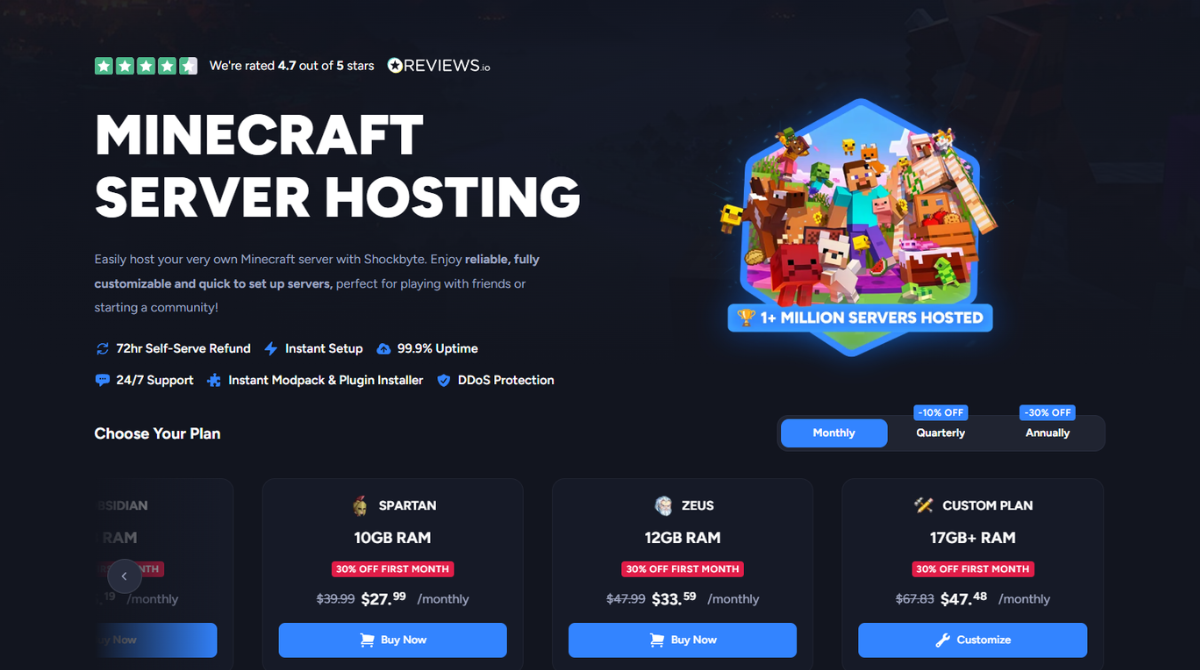
Shockbyte’s standard Minecraft hosting currently starts at $3.99 per month for 1GB RAM and scales through 2GB, 3GB, 4GB, 6GB, 8GB, 12GB and larger custom configurations.
But finding the best Shockbyte plan isn’t simply about choosing the cheapest server.
The amount of RAM you need depends on what you intend to run: a small Vanilla Minecraft world has very different requirements from a heavily modded server with dozens of players.
In this Shockbyte Pricing 2026 guide, we’ll break down the current Shockbyte plans, explain what you get for your money, discuss potential additional costs, and help you decide which server configuration makes the most sense.
Shockbyte Pricing 2026: Quick Overview
Shockbyte uses a straightforward RAM-based pricing structure for its standard Minecraft hosting.
| Plan | RAM | Regular Price | Current First-Month Price* | Best For |
|---|---|---|---|---|
| Dirt | 1GB | $3.99/mo | $2.79 | Very small/basic servers |
| Sand | 2GB | $7.99/mo | $5.59 | Small Vanilla servers |
| Cobblestone | 3GB | $11.99/mo | $8.39 | Small groups |
| Iron | 4GB | $15.99/mo | $11.19 | General-purpose servers |
| Gold | 5GB | $19.99/mo | $13.99 | Growing servers |
| Redstone | 6GB | $23.99/mo | $16.79 | Plugins/light modding |
| Diamond | 7GB | $27.99/mo | $19.59 | More demanding servers |
| Emerald | 8GB | $31.99/mo | $22.39 | Mods & plugins |
| Obsidian | 9GB | $35.99/mo | $25.19 | Larger modded servers |
| Spartan | 10GB | $39.99/mo | $27.99 | Larger communities |
| Zeus | 12GB | $47.99/mo | $33.59 | Heavy workloads |
| Custom | 17GB+ | From $67.83/mo | From $47.48 | Advanced servers |
*Promotional pricing can change. Always check the latest price before purchasing.
One thing we like about the Shockbyte Minecraft pricing structure is how granular it is.
Instead of forcing users to make large jumps between RAM tiers, Shockbyte provides configurations at 1GB increments across much of its lineup.
That makes it easier to select a plan closer to what your server actually needs.
Our advice: Don’t select a Shockbyte plan based on player count alone. Mods, plugins, Minecraft version, world generation, view distance, and player activity can all affect resource usage.
View Current Shockbyte Plans & Pricing →
How Does Shockbyte Pricing Work?
The standard Shockbyte hosting plans are primarily differentiated by the amount of RAM allocated to your server.
More RAM generally gives you additional headroom for larger player groups, plugins, mods, and more demanding server configurations.
However, RAM shouldn’t be treated as the only measure of performance.
Minecraft can also be CPU-intensive, particularly when generating chunks, running complex plugins, or managing heavily modded worlds.
Monthly vs Longer Billing Periods
Shockbyte offers monthly billing as well as longer billing periods.
Promotional pricing may reduce your initial payment, while longer commitments may also qualify for discounts.
Because promotions can change, always check the final checkout price before purchasing.
The promotional price you see today may not be the same as your normal recurring monthly cost.
For that reason, throughout this guide we focus primarily on regular monthly pricing rather than presenting temporary discounts as the permanent Shockbyte cost.
Shockbyte Minecraft Hosting Plans Explained
You probably don’t need to analyze every Shockbyte plan individually.
It’s easier to divide the lineup into several groups based on the type of Minecraft server you’re trying to build.
1GB–3GB: Best for Small Minecraft Servers
The Dirt, Sand, and Cobblestone plans provide between 1GB and 3GB of RAM.
These are the entry-level options in the standard Shockbyte Minecraft plans lineup.
They make the most sense for:
- Small private servers
- A few friends
- Lightweight Vanilla Minecraft
- Testing a server
- Less demanding worlds
- Users who want to keep hosting costs low
The 1GB Dirt plan is particularly inexpensive, but we wouldn’t automatically recommend choosing it simply because it’s the cheapest option.
Minecraft resource requirements can increase quickly as you add players, plugins, or customization.
For many users, starting with 2GB or 3GB may provide more breathing room.
4GB–6GB: The Sweet Spot for Many Servers
The Iron, Gold, and Redstone plans provide 4GB, 5GB, and 6GB of RAM respectively.
This is arguably the most interesting section of the Shockbyte lineup.
These plans can make sense for:
- Established Vanilla servers
- Small-to-medium communities
- Servers using plugins
- Light modding
- Growing Minecraft worlds
- Users who want additional resource headroom
If you’re unsure where to begin and don’t intend to run a particularly demanding modpack, this range is worth considering first.
7GB–8GB: Better for Mods and Plugins
Shockbyte’s Diamond and Emerald plans increase RAM to 7GB and 8GB.
This range is particularly interesting for users planning:
- Modded Minecraft
- Multiple plugins
- More demanding modpacks
- Larger worlds
- Growing communities
- Higher server activity
Shockbyte supports a wide range of Minecraft server types and modded environments, so users planning more advanced customization may find this range more appropriate.
9GB–12GB: Larger and More Demanding Servers
The Obsidian, Spartan, and Zeus plans provide 9GB, 10GB, and 12GB of RAM.
These plans make more sense when you’re running:
- Large modpacks
- Heavily customized servers
- Larger communities
- Numerous plugins
- Resource-intensive worlds
- Servers with higher simultaneous activity
Don’t buy 12GB simply because it sounds faster.
If your workload only needs 4GB or 6GB, allocating dramatically more RAM doesn’t automatically solve CPU-side bottlenecks or poorly optimized plugins.
17GB+ Custom Plans
For workloads beyond the standard tiers, Shockbyte offers larger custom configurations.
These plans are aimed at users whose requirements have outgrown typical Minecraft hosting packages.
For most small private servers, they’re unnecessary.
For established communities or very demanding modded environments, however, having a clear upgrade path is useful.
What Do You Get With a Shockbyte Plan?
Looking only at dollars per GB doesn’t tell the entire story.
Shockbyte includes a range of hosting and server-management capabilities alongside its Minecraft plans.
- Instant server setup
- 99.9% uptime
- 24/7 support
- DDoS protection
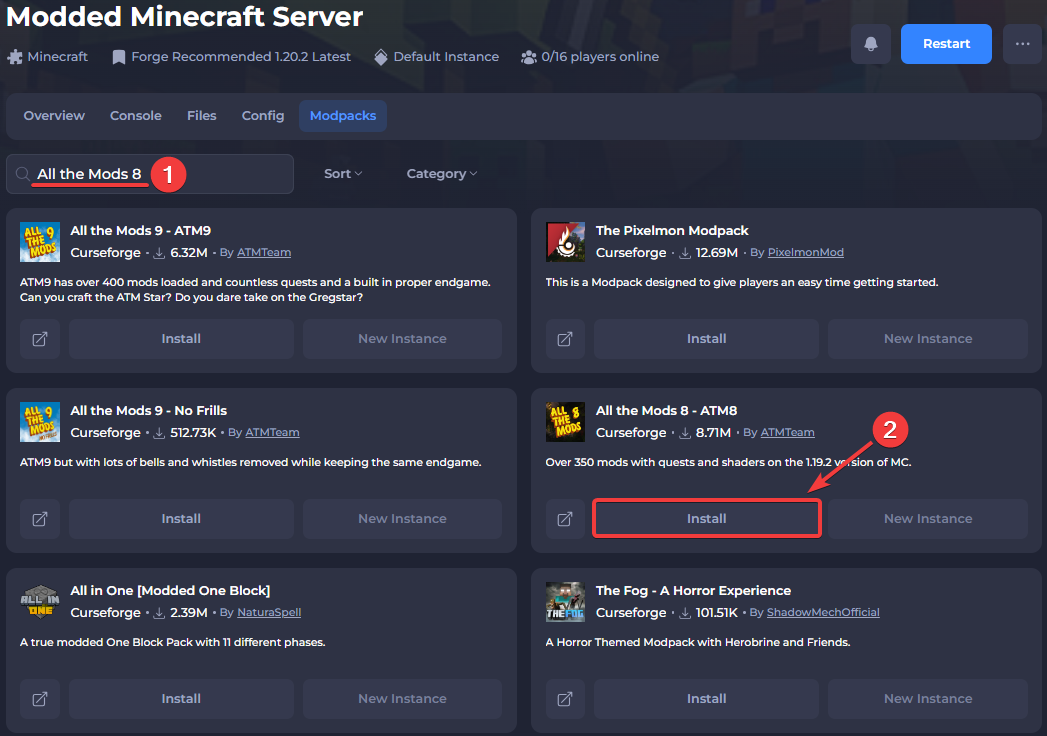
- Modpack and plugin installation
- Java and Bedrock support
- Multiple Minecraft server types
- Modded Minecraft support
Real-Time Console
The console allows administrators to monitor server activity and work with server commands.
This becomes particularly useful when troubleshooting plugins, mods, crashes, or other server problems.
Modpack Installer
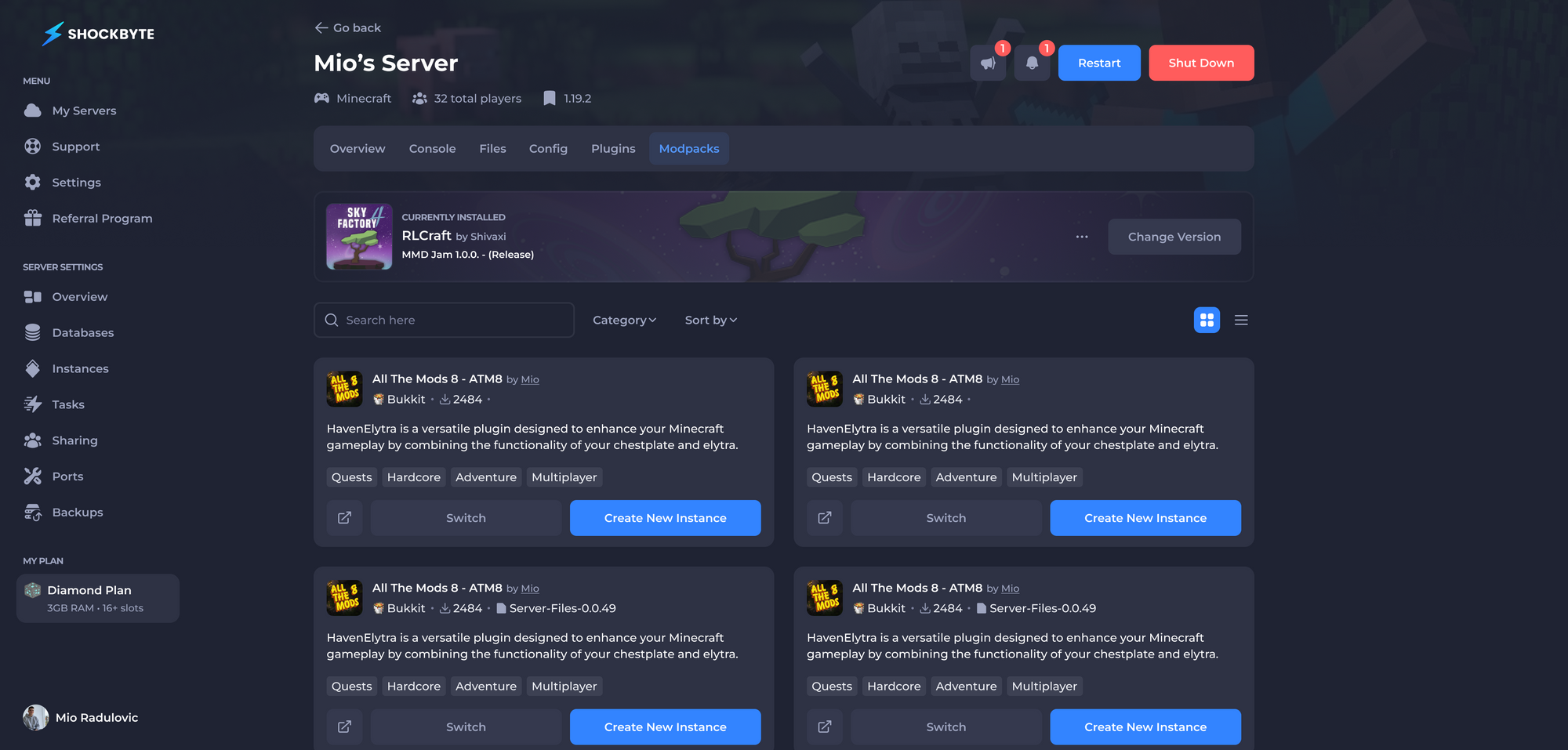
Shockbyte integrates modpack installation into its server-management experience.
That’s particularly useful for users buying hosting specifically to run modded Minecraft.
Server Instances
Server Instances can make it easier to maintain different server configurations rather than treating your hosting environment as one permanent setup.
For example, you might want one environment for Vanilla Minecraft and another for a modded setup.
Config Manager and Backups
Shockbyte also integrates configuration-management and backup functionality into its control panel.
These features matter when evaluating Shockbyte pricing and value because you’re paying for more than a block of RAM.
How Much RAM Do You Need for Shockbyte?
This is probably the most important question in the entire guide.
Unfortunately, there’s no single perfect answer.
| Server Type | Suggested Starting Range |
|---|---|
| Very small/basic Vanilla | 1–2GB |
| Small Vanilla server | 2–3GB |
| Vanilla + plugins | 3–4GB+ |
| Growing server | 4–6GB+ |
| Lightly modded | 4–6GB+ |
| Modded Minecraft | 6–8GB+ |
| Larger modpacks | 8GB+ |
| Larger communities | 8–12GB+ |
| Heavy/advanced workloads | 12GB+ |
These are general starting ranges, not guarantees.
Actual requirements depend on factors including:
- Minecraft version
- Number of concurrent players
- Plugins
- Mods
- Modpacks
- View distance
- World size
- Chunk generation
- Server type
- Player activity
For example, ten players on a relatively lightweight Vanilla server and ten players running a demanding modpack are two completely different workloads.
That’s why we don’t recommend choosing a Shockbyte RAM plan based purely on an advertised player number.
Which Shockbyte Plan Should You Choose?
Best Shockbyte Plan for a Very Small Server
Dirt 1GB or Sand 2GB
If you’re experimenting with Minecraft hosting or running a very lightweight private world, the entry-level plans provide the cheapest starting point.
Best Shockbyte Plan for Beginners
Cobblestone 3GB or Iron 4GB
These plans provide more flexibility without immediately moving into the more expensive tiers.
Best Shockbyte Plan for Most Minecraft Servers
Iron 4GB to Redstone 6GB
This is the range we’d look at first for a typical server that goes beyond a minimal Vanilla setup.
You have enough flexibility to choose 4GB, 5GB, or 6GB rather than being forced into a large upgrade.
Best Shockbyte Plan for Modded Minecraft
Redstone 6GB to Emerald 8GB+
The exact requirement still depends heavily on the modpack.
Large packs may require significantly more resources.
Best Shockbyte Plan for Growing Communities
Emerald 8GB to Zeus 12GB
This range provides more room for additional players, plugins, mods, and increasing world complexity.
Best for Advanced Servers
12GB or Custom 17GB+
If you already know that your workload is unusually demanding, the higher tiers provide a clearer upgrade path.
For everyone else, buying a huge configuration “just in case” usually isn’t necessary.
Shockbyte Additional Costs: What Should You Know?
This is an important part of understanding the real Shockbyte server cost.
The headline RAM price isn’t necessarily the only number you should consider.
Depending on the configuration and options you select, your final cost may be affected by:
- Billing period
- Backup configuration
- Server Instance options
- Upgrades
- Other optional server configurations
The best practice is simple:
Review the final checkout total before paying.
Don’t assume every optional feature shown in the control panel or checkout is included in the base advertised price.
When comparing Shockbyte with another provider, compare an equivalent configuration, features, and billing period rather than simply comparing the cheapest advertised numbers.
Shockbyte Discounts and Promotions
Shockbyte frequently uses promotional pricing.
At the time of this guide, its standard Minecraft plans are being advertised with first-month discounts.
Promotions can change, so always check the current offer before purchasing.
Check Current Shockbyte Deals →
Is There a Cheaper Shockbyte Option?
Yes.
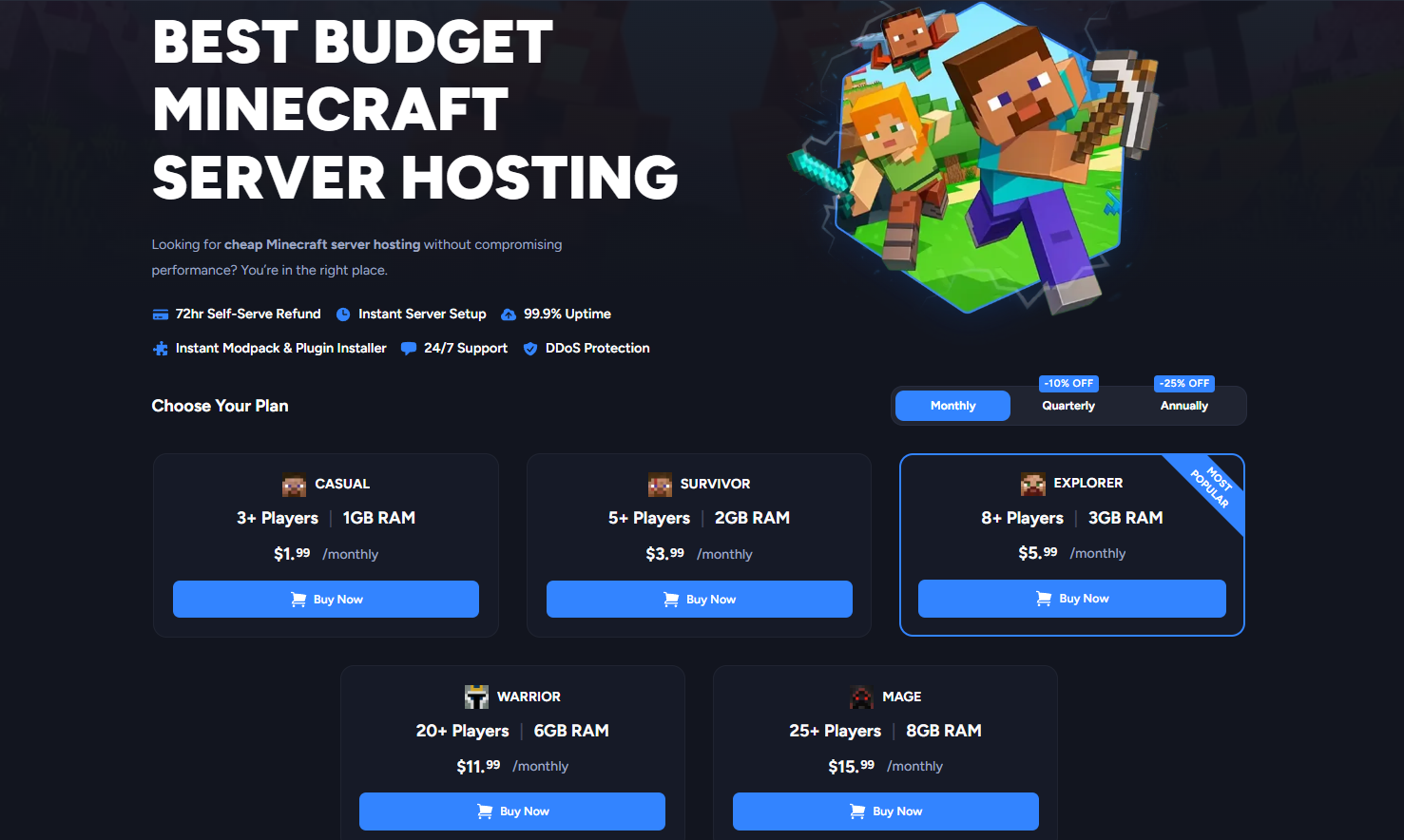
Shockbyte also offers a separate Budget Minecraft Server Hosting lineup.
| Budget Plan | RAM | Price |
|---|---|---|
| Casual | 1GB | $1.99/mo |
| Survivor | 2GB | $3.99/mo |
| Explorer | 3GB | $5.99/mo |
| Warrior | 6GB | $11.99/mo |
| Mage | 8GB | $15.99/mo |
The budget range is worth investigating if keeping costs as low as possible is your priority.
However, don’t automatically assume the budget and standard products are identical in every respect. Compare the exact specifications and included options before purchasing.
Shockbyte Refund Policy
Shockbyte currently offers a 72-hour refund policy for eligible new services.
Three days isn’t a particularly long evaluation period.
If you’re unsure whether a plan has enough resources, test the server promptly rather than waiting until the end of the refund window.
Is Shockbyte Expensive?
Not necessarily.
But we also wouldn’t describe Shockbyte as automatically being the cheapest Minecraft host at every configuration.
Its stronger pricing argument is flexibility.
The standard lineup gives you a wide range of RAM tiers, making it easier to choose a plan close to your actual resource requirements.
If you need 5GB, for example, you don’t necessarily need to pay for an 8GB plan.
For us, that’s one of the strongest aspects of the Shockbyte plans and pricing structure.
Shockbyte Pricing vs Competitors
Price shouldn’t be evaluated in isolation.
Different game server hosts compete on different strengths.
A provider may offer a lower entry price but fewer server locations, a different control panel, fewer configuration options, or a different refund policy.
Shockbyte’s strongest pricing advantages are:
- Large selection of RAM tiers
- Competitive entry-level pricing
- Separate lower-cost budget hosting
- Custom configurations for larger workloads
- Strong Minecraft customization support
- Clear upgrade path
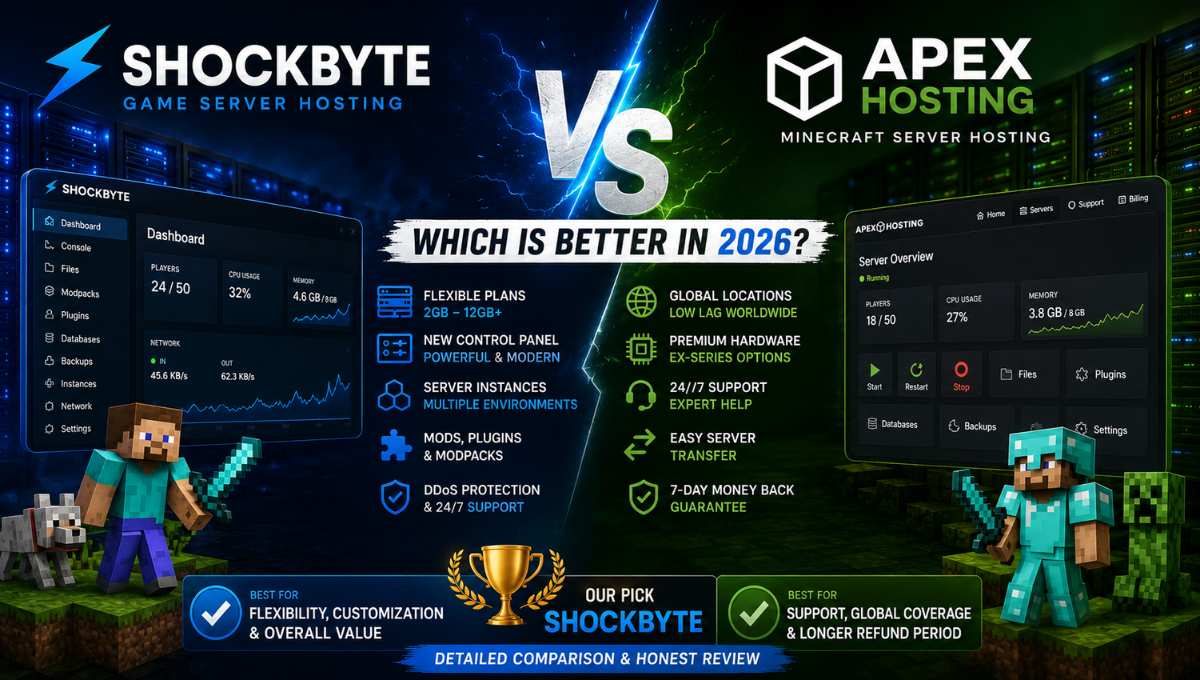
If you’re also considering Apex Hosting, read our Shockbyte vs Apex Hosting: Which Is Better in 2026? comparison for a deeper look at pricing, hardware, mods, server locations, support, and overall value.
Is Shockbyte Worth the Price in 2026?
For many Minecraft users, yes.
Shockbyte isn’t interesting simply because it sells RAM.
Its value comes from combining flexible server configurations with Minecraft-focused management features.
You get access to tools such as a real-time console, modpack and plugin installation, Server Instances, configuration management, and backups within the broader Shockbyte hosting environment.
That makes Shockbyte particularly appealing to users who expect their server to evolve.
You might begin with a small Vanilla world, add plugins later, move into mods or modpacks, and eventually require additional resources as your community grows.
However, pricing is only one part of deciding whether the service is right for you.
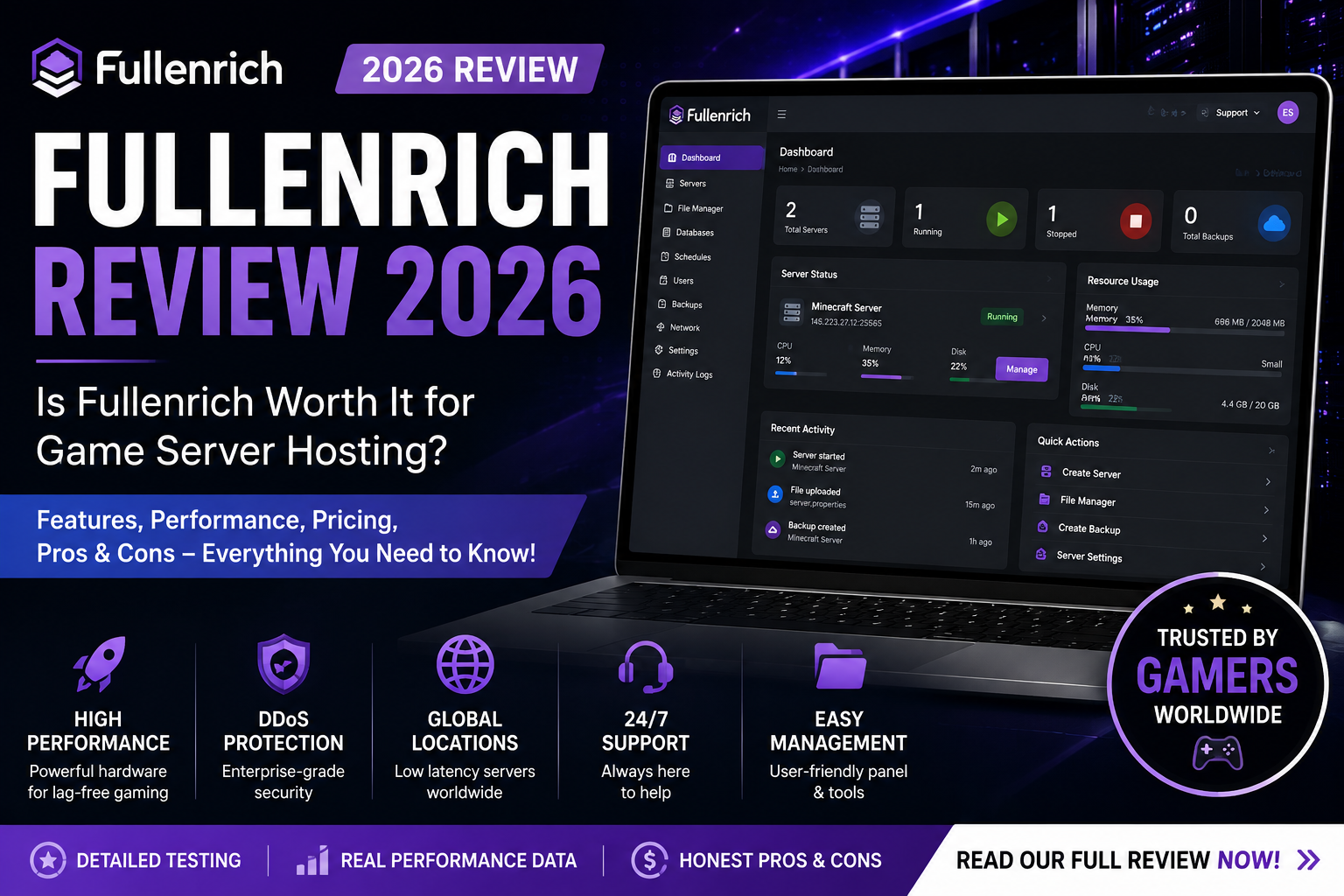
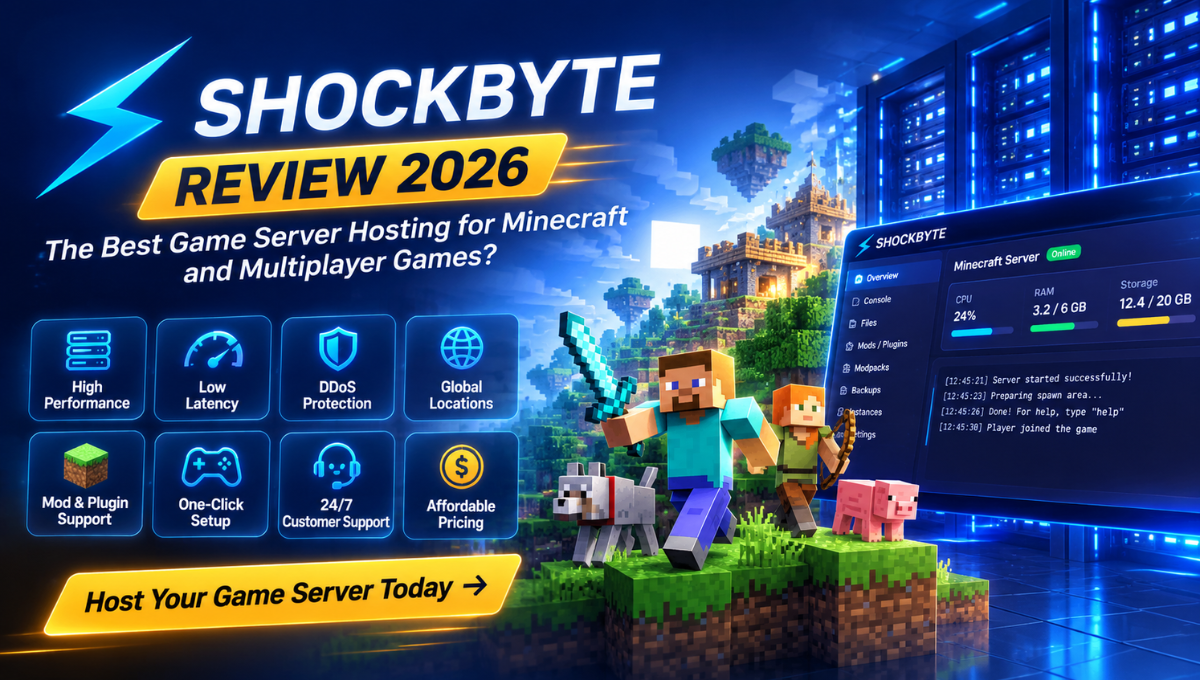
For our complete analysis of its performance, hardware, control panel, mods, server locations, ease of use, and customer support, read our Shockbyte Review 2026: Is It Worth It for Game Server Hosting?
Final Recommendation: Which Shockbyte Plan Should You Buy?
There isn’t one Shockbyte plan that makes sense for everyone.
For a small private Vanilla world, 2GB–3GB may be a sensible place to investigate.
For a more typical Minecraft server with plugins or room to grow, we’d look more closely at the 4GB–6GB range.
For modded Minecraft, 6GB–8GB+ is a more realistic starting area depending on the modpack.
And for larger communities or resource-intensive servers, 8GB–12GB+ provides considerably more headroom.
The key is not to buy the largest server you can afford.
It’s to choose a plan appropriate for the workload you’re actually running.
Our Shockbyte Pricing Verdict
Best Budget Starting Point: 2GB–3GB
Best Range for Most Users: 4GB–6GB
Best for Mods & Plugins: 6GB–8GB+
Best for Larger Communities: 8GB–12GB+
Best for Advanced Workloads: Custom 17GB+
Overall Pricing Flexibility: Excellent
If you’re ready to choose a server, compare the latest prices and promotions directly with Shockbyte before purchasing.
View Current Shockbyte Plans & Pricing →
Frequently Asked Questions About Shockbyte Pricing
How Much Does Shockbyte Cost?
Shockbyte’s standard Minecraft hosting currently starts at $3.99 per month for 1GB RAM and increases as more RAM is allocated. Separate budget Minecraft hosting options may start even lower.
What Is the Cheapest Shockbyte Plan?
The cheapest standard Minecraft plan is currently the 1GB Dirt plan, while Shockbyte also offers a separate lower-cost budget hosting lineup.
How Much RAM Do I Need for a Shockbyte Minecraft Server?
It depends on your Minecraft version, number of players, plugins, mods, modpacks, world activity, view distance, and other server settings.
Small Vanilla servers can start relatively low, while heavily modded environments may require 6GB, 8GB, or significantly more.
Is 4GB RAM Enough for a Minecraft Server?
For many relatively modest Minecraft servers, 4GB can be a reasonable starting point.
However, heavily modded servers, larger communities, and demanding modpacks may require considerably more RAM.
Which Shockbyte Plan Is Best for Modded Minecraft?
There is no universal plan for every modpack.
For many modded servers, 6GB–8GB+ is a more realistic starting range, while larger or more demanding modpacks may require additional resources.
Can I Upgrade My Shockbyte Plan Later?
Yes. Shockbyte offers multiple plan sizes and larger custom configurations, giving users room to scale as their resource requirements grow.
Does Shockbyte Offer a Money-Back Guarantee?
Shockbyte currently provides a 72-hour refund option for eligible new services, subject to its current terms and conditions.
Is Shockbyte Worth the Money?
For users who value flexible RAM options, Minecraft-specific management tools, mod and plugin support, and a clear upgrade path, Shockbyte can provide very good overall value.