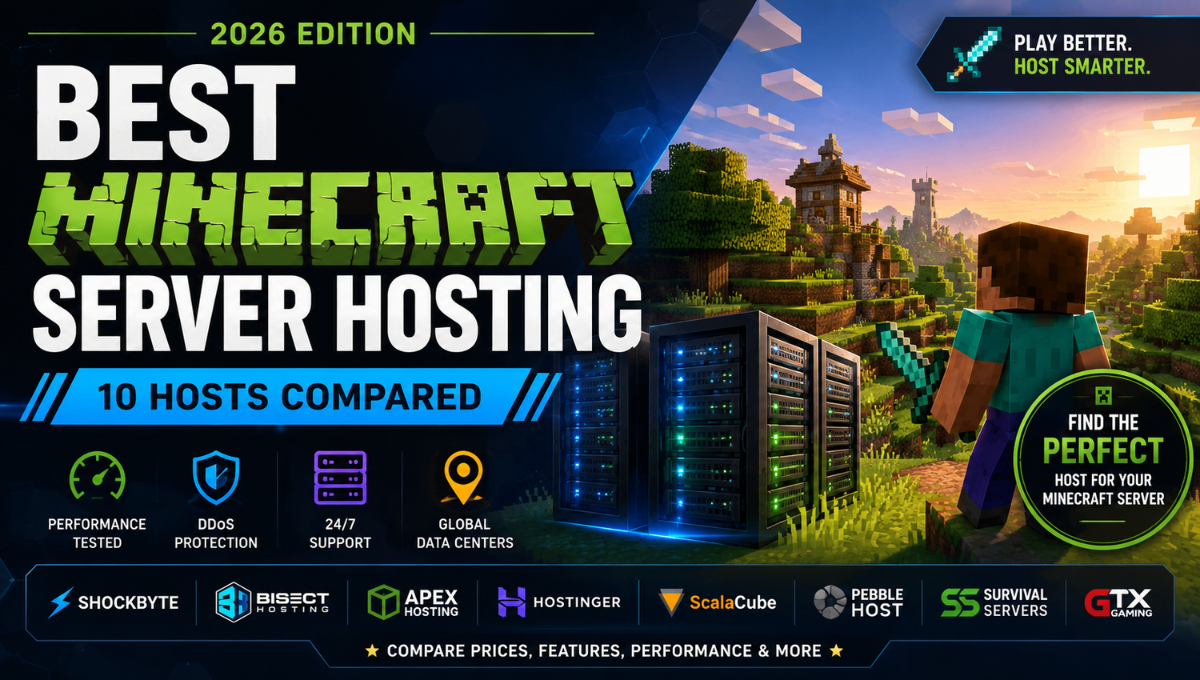
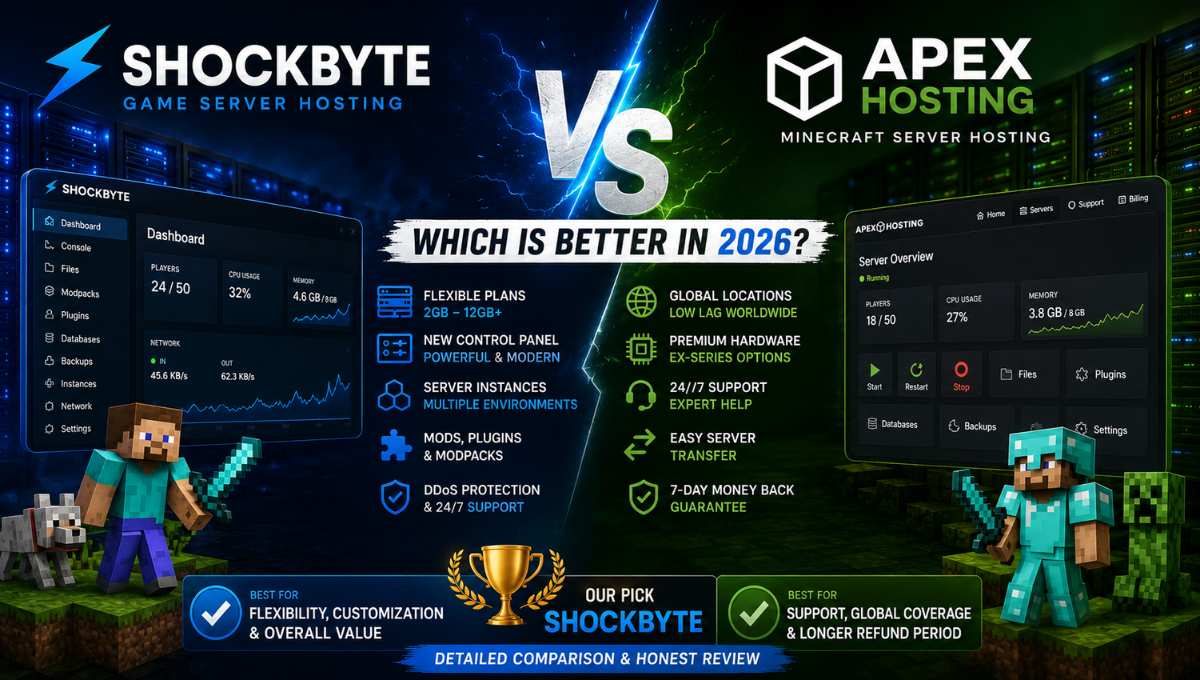
Choosing between Shockbyte and Apex Hosting isn’t easy.
Both are established game server hosting providers with strong Minecraft support, mod and plugin compatibility, DDoS protection, 24/7 support, and server management tools.
But they approach the market somewhat differently.
Apex Hosting emphasizes a polished Minecraft hosting experience, strong support resources, and premium hosting options. Shockbyte, meanwhile, focuses heavily on flexibility, game-server customization, a modern control panel, and a broad range of configurations.
After comparing their pricing, hardware, performance, control panels, mod support, server locations, support, and overall value, Shockbyte is our slightly stronger overall choice for 2026.
Apex Hosting remains an excellent alternative, particularly for users who value its longer refund period and specific premium hosting options.
But for users looking for a strong combination of features, customization, scalability, and overall value, Shockbyte gets our recommendation.
Shockbyte vs Apex Hosting: Quick Verdict
If you want the shortest possible answer:
Choose Shockbyte if you want: flexible Minecraft plans, strong mod and plugin support, a modern game-server control panel, server instances, extensive customization, and a platform that can grow with your server.
Choose Apex Hosting if you want: a polished Minecraft-focused experience, a longer refund window, and access to its premium EX-Series options.
Our Winner: Shockbyte
| Category | Shockbyte | Apex Hosting | Winner |
|---|---|---|---|
| Pricing Flexibility | 4.8/5 | 4.6/5 | Shockbyte |
| Performance & Hardware | 4.7/5 | 4.7/5 | Tie |
| Ease of Use | 4.7/5 | 4.7/5 | Tie |
| Mods & Plugins | 4.8/5 | 4.7/5 | Shockbyte |
| Server Management | 4.8/5 | 4.6/5 | Shockbyte |
| Server Locations | 4.6/5 | 4.8/5 | Apex Hosting |
| Support | 4.4/5 | 4.7/5 | Apex Hosting |
| Refund Policy | 4.0/5 | 4.8/5 | Apex Hosting |
| Overall Value | 4.8/5 | 4.6/5 | Shockbyte |
Overall Winner: Shockbyte
The difference isn’t huge, and Apex Hosting wins several categories. But Shockbyte’s combination of flexibility, server-management features, customization, and value gives it the edge for the audience we think will benefit most from game server hosting.
Shockbyte vs Apex Hosting Pricing: Which Offers Better Value?
Pricing is one of the first areas most buyers will compare.
It’s also an area where you shouldn’t look only at the cheapest number displayed on either website.
You need to compare the amount of RAM, included features, introductory discounts, recurring cost, and the type of server you’re planning to run.
Shockbyte Pricing
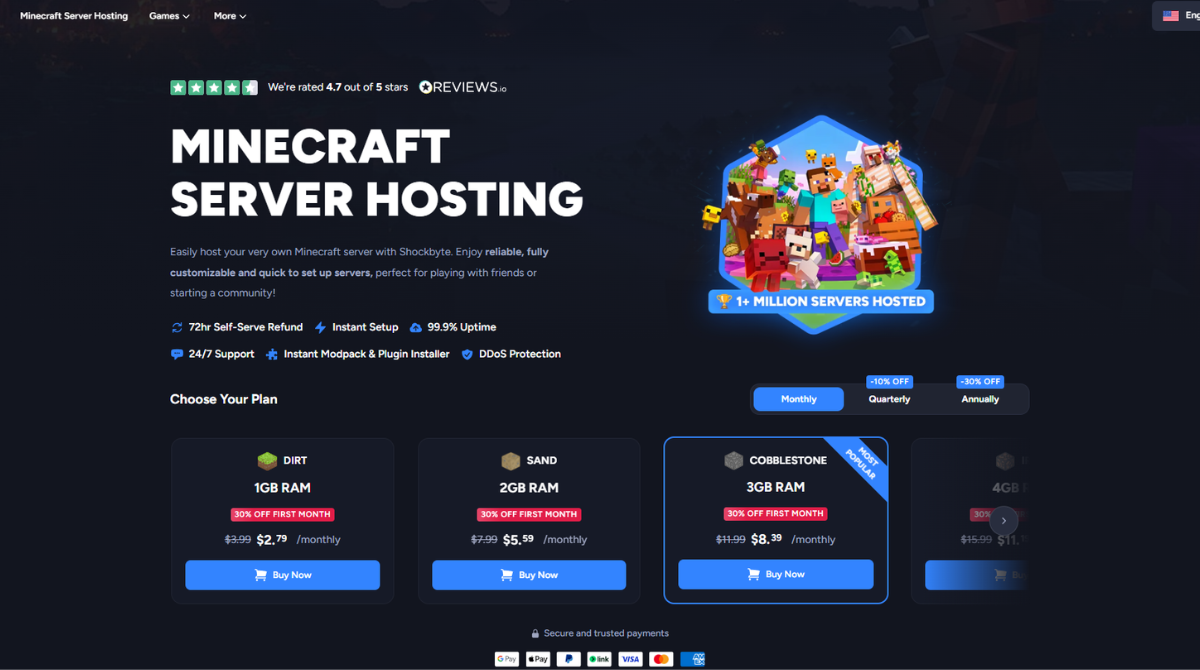
Shockbyte offers a particularly broad selection of RAM-based Minecraft plans.
| Shockbyte Plan | RAM | Regular Price |
|---|---|---|
| Sand | 2GB | $7.99/month |
| Cobblestone | 3GB | $11.99/month |
| Iron | 4GB | $15.99/month |
| Gold | 5GB | $19.99/month |
| Redstone | 6GB | $23.99/month |
| Diamond | 7GB | $27.99/month |
| Emerald | 8GB | $31.99/month |
| Obsidian | 9GB | $35.99/month |
| Spartan | 10GB | $39.99/month |
| Zeus | 12GB | $47.99/month |
Shockbyte also offers larger custom configurations for more demanding servers.
This broad plan ladder is useful because users can move between smaller RAM increments instead of jumping directly between widely separated tiers.
Apex Hosting Pricing
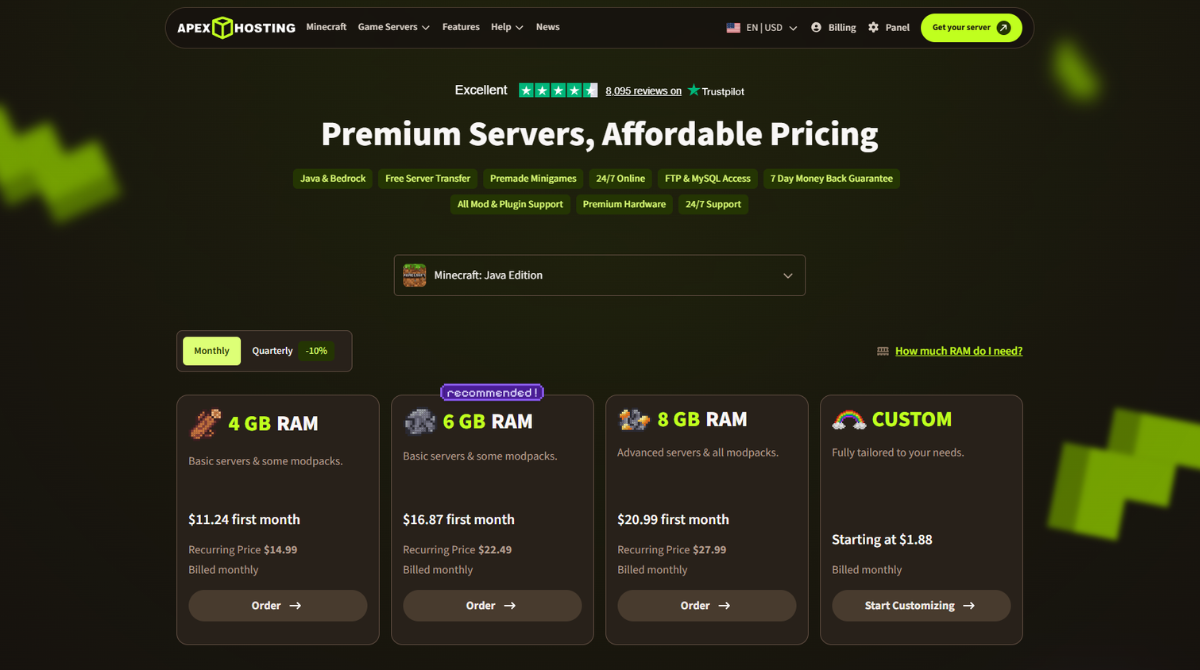
| Apex Plan | RAM | First Month | Recurring Price |
|---|---|---|---|
| Standard | 4GB | $11.24 | $14.99/month |
| Standard | 6GB | $16.87 | $22.49/month |
| Standard | 8GB | $20.99 | $27.99/month |
Apex Hosting also offers larger configurations and its higher-performance EX-Series.
Equivalent RAM plans can be highly competitive on Apex, so it would be misleading to simply say that Shockbyte is always cheaper.
Where Shockbyte Wins on Pricing
Shockbyte’s main advantage is choice and granularity.
If 5GB is enough for your server, you don’t necessarily need to jump straight to 6GB or 8GB. As your server grows, Shockbyte also provides 7GB, 8GB, 9GB, 10GB, 12GB, and larger custom options.
This makes it easier to choose a configuration closer to your real requirements.
Pricing Winner: Shockbyte
Check Shockbyte Plans & Current Pricing →
Shockbyte vs Apex Hosting Performance and Hardware
Pricing doesn’t matter much if the server performs poorly.
For Minecraft in particular, performance depends on much more than the amount of RAM included with a hosting plan.
Important factors include:
- CPU performance
- Single-thread performance
- RAM
- Storage
- Network quality
- Server location
- Plugins
- Mods
- Chunk generation
- World complexity
- Player activity
Shockbyte Hardware
Shockbyte uses modern AMD server processors across different locations, along with NVMe SSD storage and DDoS protection.
Its infrastructure is designed specifically for game-server workloads rather than generic website hosting.
The exact processor can vary by location, which is worth considering when choosing a server.
Apex Hosting Hardware
Apex Hosting also provides modern game-server infrastructure, DDoS protection, and premium hosting configurations.
Its EX-Series is aimed at users who need more demanding Minecraft performance.
What Actually Matters for Minecraft?
More RAM does not automatically mean a faster Minecraft server.
A heavily modded server may place significant pressure on the CPU even when plenty of memory is still available.
Likewise, excessive entities, high view distance, world generation, poorly optimized plugins, or demanding mods can cause server-side lag regardless of the hosting provider.
Both providers offer infrastructure capable of supporting serious Minecraft workloads when appropriately configured.
Performance Winner: Tie
Shockbyte vs Apex Hosting Control Panel and Ease of Use
Both providers make game server hosting significantly easier than managing a generic VPS.
Shockbyte Control Panel
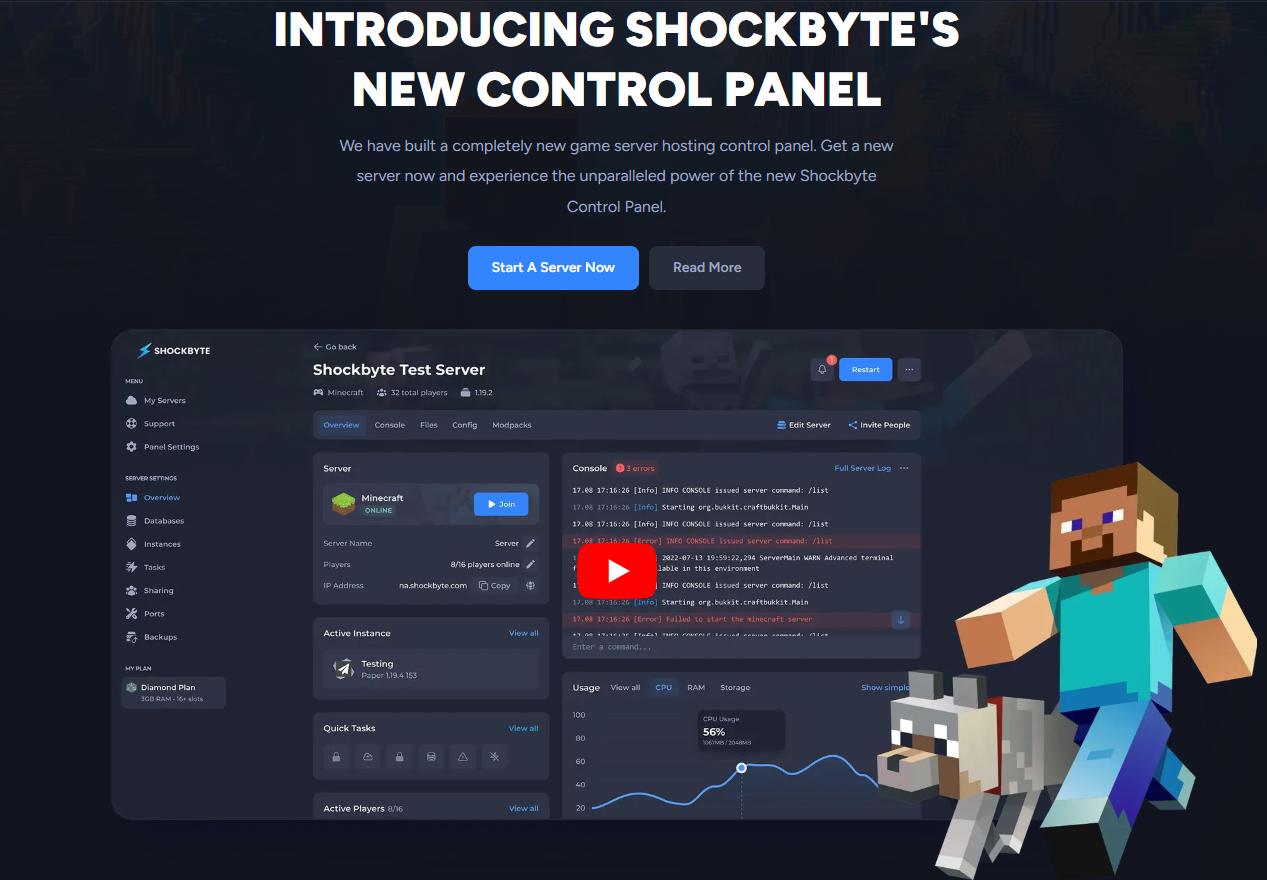
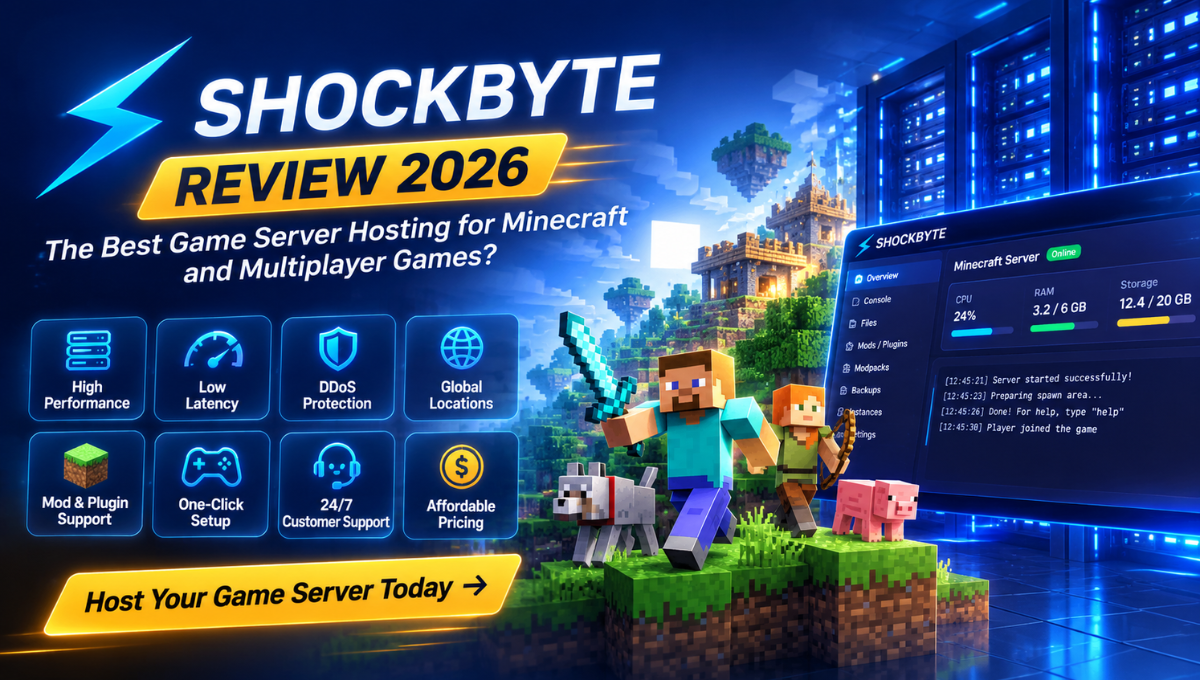
Shockbyte’s newer control panel is one of the strongest parts of its current hosting platform.
It brings together important server-management features such as:
- Real-time console
- File management
- Configuration tools
- Plugins
- Mods
- Modpacks
- Backups
- Server Instances
- Resource monitoring
- Plan management
This gives beginners a relatively straightforward way to manage a server while retaining enough control for more experienced administrators.
Shockbyte Server Instances
Server Instances is one Shockbyte feature that stands out.
Instead of treating one hosting account as a single permanent server configuration, you can maintain different environments.
For example, you could keep:
- A Vanilla Minecraft environment
- A modded server
- A testing setup
- A different Minecraft version
This can be particularly useful for players who frequently experiment with different server configurations.
Apex Hosting Control Panel
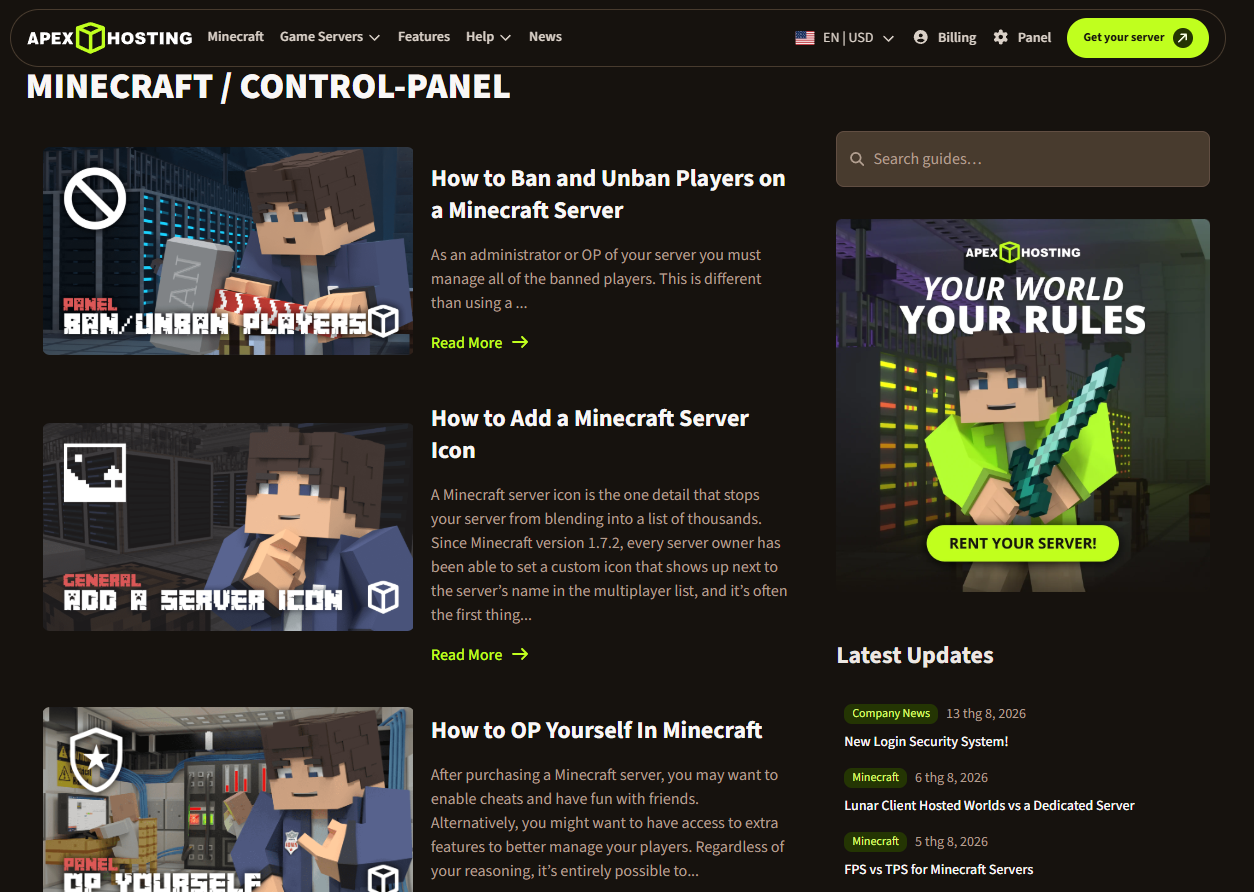
Apex Hosting is also beginner-friendly and provides a polished Minecraft-focused server-management experience.
It includes support for mods and plugins, FTP access, database functionality, server transfers, and other common management features.
Ease of Use Winner
Apex Hosting is polished and beginner-friendly, while Shockbyte’s newer control panel and Server Instances provide excellent flexibility.
Winner: Tie
Shockbyte vs Apex Hosting Mods, Plugins and Modpacks
Customization is one of the most important areas for Minecraft hosting.
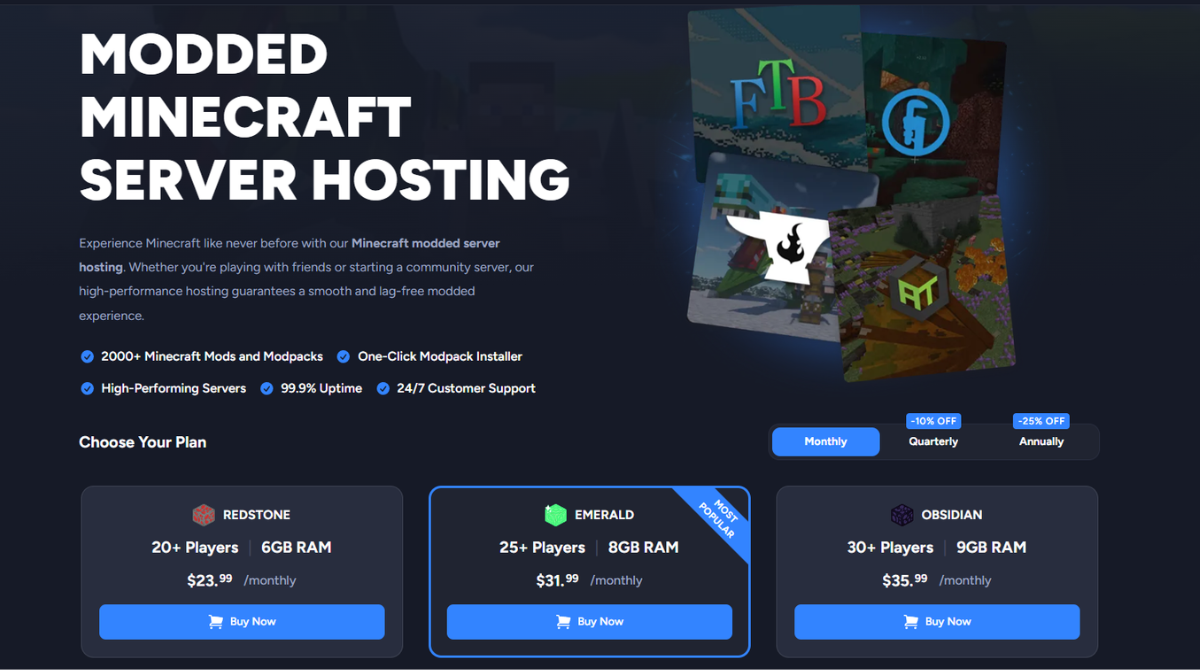
Both providers support mods and plugins, but we give Shockbyte a slight advantage because of how these features integrate with its broader server-management environment.
Why Shockbyte Gets the Edge
Shockbyte combines:
- Mods
- Plugins
- Modpacks
- File management
- Real-time console access
- Server Instances
This gives users more flexibility when experimenting with different server types or configurations.
Apex Hosting is still very capable for modded Minecraft, so the difference here is relatively small.
Mods & Plugins Winner: Shockbyte
Explore Shockbyte Minecraft Hosting →
Shockbyte vs Apex Hosting Server Locations and Latency
Server location can have a direct effect on network latency.
The closer your server is to the majority of your players, the better the connection experience will generally be.
Shockbyte Server Locations
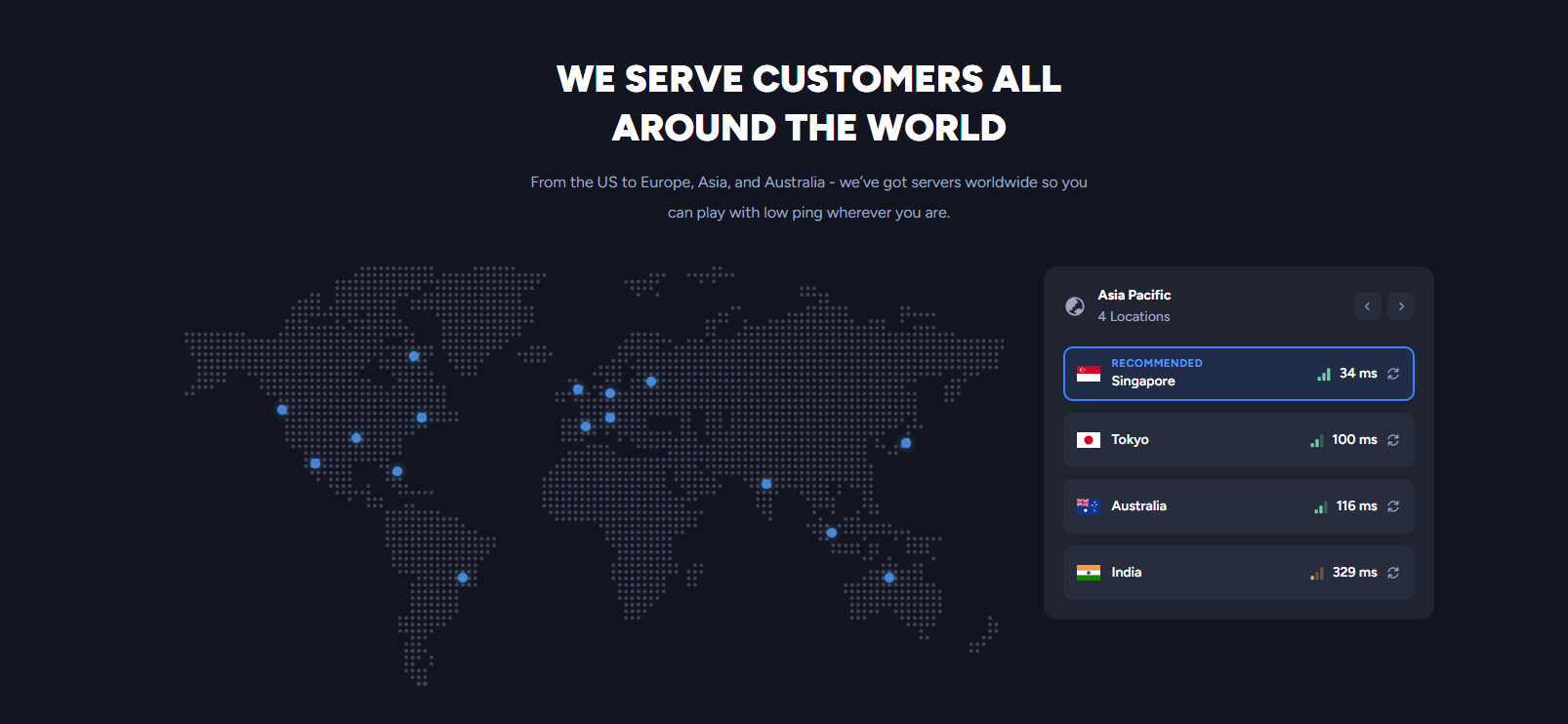
Shockbyte provides multiple hosting locations across key geographic regions.
For many customers, the most important question isn’t how many locations a provider has overall, but whether it has a suitable location near their player base.
Apex Hosting Server Locations
Apex Hosting has a strong global hosting footprint and receives our advantage in this category.
For communities with players spread across multiple countries or regions, its broader location coverage can be valuable.
Server Location Winner
Winner: Apex Hosting
Shockbyte vs Apex Hosting DDoS Protection and Uptime
DDoS protection is particularly important for public game servers.
Both Shockbyte and Apex Hosting include protection against DDoS attacks as part of their hosting infrastructure.
Both also focus on maintaining high server availability for persistent multiplayer environments.
Winner: Tie
Shockbyte vs Apex Hosting Backups and Server Management
Backups can protect months of server progress from problems such as corrupted worlds, failed updates, plugin conflicts, broken mods, or configuration mistakes.
Shockbyte integrates backups with its broader management environment, alongside Server Instances, file management, configuration tools, and resource monitoring.
This makes Shockbyte particularly attractive to users who expect to modify and experiment with their servers over time.
Server Management Winner: Shockbyte
Shockbyte vs Apex Hosting Customer Support
Both providers offer 24/7 customer support and extensive documentation.
Shockbyte Support
Shockbyte provides direct support together with a large Knowledge Base covering Minecraft hosting, billing, hardware, plugins, mods, configuration, and troubleshooting.
Apex Hosting Support
Apex Hosting places strong emphasis on its beginner-oriented support experience and gets our advantage in this category.
If premium support is your number-one priority, Apex Hosting may be the better fit.
Customer Support Winner: Apex Hosting
Shockbyte vs Apex Hosting Refund Policy
This is one category where Apex Hosting has a clear advantage.
Shockbyte currently provides a 72-hour refund period for eligible new services, subject to its refund terms.
Apex Hosting offers a 7-day refund window for eligible server plans.
Seven days provides significantly more time to evaluate a new hosting service.
Refund Policy Winner: Apex Hosting
Shockbyte vs Apex Hosting for Minecraft
Small Private Minecraft Server
Our Choice: Shockbyte
Shockbyte’s broad range of server configurations makes it easy to choose resources close to the requirements of a small private server.
Modded Minecraft
Our Choice: Shockbyte
Both providers support modded Minecraft, but Shockbyte’s combination of mods, plugins, modpacks, file management, and Server Instances gives it a small advantage.
First-Time Server Owner
Our Choice: Tie
Both services are significantly easier than manually managing a VPS and provide beginner-friendly server-management tools.
Growing Minecraft Community
Our Choice: Shockbyte
Shockbyte’s granular RAM configurations and upgrade options make it particularly suitable for communities that expect their resource requirements to increase over time.
User Who Prioritizes Support
Our Choice: Apex Hosting
Apex gets our recommendation if support quality is more important to you than server-management flexibility.
User Who Wants More Time to Test
Our Choice: Apex Hosting
The seven-day refund window gives Apex Hosting a clear advantage over Shockbyte’s 72-hour period.
Shockbyte Pros and Cons
Shockbyte Pros
- Wide range of Minecraft configurations
- Modern control panel
- Excellent mod and plugin support
- Modpack support
- Server Instances
- NVMe storage
- DDoS protection
- Flexible upgrade path
- Strong server-management features
- Suitable for beginners and advanced users
- Good overall value
Shockbyte Cons
- 72-hour refund period is short
- Support isn’t its clearest advantage over Apex
- Choosing the correct server resources can be confusing for beginners
- Some additional options can increase the total cost
Apex Hosting Pros and Cons
Apex Hosting Pros
- Polished Minecraft hosting experience
- Beginner-friendly
- Strong mod and plugin support
- Premium hosting options
- 24/7 support
- Strong global server footprint
- 7-day refund window
- Server transfer options
- FTP and database access
Apex Hosting Cons
- Fewer standard RAM increments than Shockbyte
- Some users may not need its premium options
- Shockbyte offers greater flexibility in several server-management areas
Who Should Choose Shockbyte?
Choose Shockbyte if you:
- Want flexible server configurations
- Run modded Minecraft
- Use plugins and modpacks
- Want Server Instances
- Expect your server to grow
- Want strong control-panel functionality
- Prefer more granular RAM choices
- Want a strong balance between features and price
- Run a private or small-to-medium gaming community
For these users, Shockbyte is our preferred choice.
Who Should Choose Apex Hosting?
Apex Hosting makes more sense if:
- Support is one of your highest priorities
- You want a longer refund period
- You need a specific Apex server location
- You want access to its EX-Series
- You value a highly polished Minecraft-focused experience
Apex Hosting is still an excellent provider. This comparison is close because both companies offer strong Minecraft hosting.
Shockbyte vs Apex Hosting: Final Verdict
Our Winner: Shockbyte
After comparing the two providers, Shockbyte gets our overall recommendation, but only by a relatively small margin.
Apex Hosting wins several important categories.
It offers a longer refund period, gets our support advantage, and has an excellent global hosting footprint.
But Shockbyte wins in areas we believe many Minecraft server owners will appreciate over the longer term:
- Plan flexibility
- Mods and customization
- Server management
- Server Instances
- Upgrade flexibility
- Overall value
Shockbyte’s current Minecraft lineup provides a broad selection of server configurations, while its modern control panel combines console access, file management, customization, backups, and other management functions inside a game-focused environment.
For someone running a small private world today but expecting to add plugins, install modpacks, experiment with different configurations, or grow into a larger community later, that flexibility is valuable.
Apex Hosting remains an excellent alternative.
But if we had to choose one provider for the broadest range of Minecraft users in 2026, we’d choose Shockbyte.
Final Scores
Shockbyte: 4.7/5 — Our Winner
Apex Hosting: 4.6/5 — Excellent Alternative
Best Overall: Shockbyte
Best for Mods & Customization: Shockbyte
Best for Server Management: Shockbyte
Best for Flexible Plans: Shockbyte
Best for Support: Apex Hosting
Best Refund Policy: Apex Hosting
Best Overall Value: Shockbyte
Ready to Build Your Minecraft Server?
Shockbyte combines flexible server plans, extensive Minecraft customization, a modern control panel, DDoS protection, NVMe storage, and server-management tools in one hosting platform.
Check Shockbyte Plans & Current Pricing →
Frequently Asked Questions
Is Shockbyte Better Than Apex Hosting?
For our overall comparison, yes, but the difference is small.
We prefer Shockbyte for plan flexibility, customization, server management, and overall value. Apex Hosting has advantages in areas such as its refund period, support experience, and server-location coverage.
Is Shockbyte Cheaper Than Apex Hosting?
Not always.
Equivalent RAM configurations can be highly competitive on Apex Hosting. Shockbyte’s main pricing advantage is the flexibility of its plan structure and the large number of RAM increments available.
Which Is Better for Modded Minecraft?
Both providers are capable of hosting modded Minecraft.
We give Shockbyte a slight advantage because its mod and plugin support integrates particularly well with its control panel, file-management tools, and Server Instances.
Which Is Better for Beginners?
Both are beginner-friendly.
Apex Hosting provides a polished hosting experience, while Shockbyte combines beginner-friendly management with more room for advanced customization.
Which Has the Better Refund Policy?
Apex Hosting.
Its seven-day refund period gives customers more time to evaluate the service than Shockbyte’s 72-hour refund window.
Which Is Better for a Growing Minecraft Server?
We prefer Shockbyte.
Its wide range of RAM configurations and larger custom options make it easier to scale resources as your server grows.
Can I Move My Existing Minecraft Server to Shockbyte?
Yes. Existing Minecraft server files can be migrated to Shockbyte, and the company provides server-management and transfer guidance through its support resources.
Is Apex Hosting Still Worth It in 2026?
Yes.
Apex Hosting remains a strong Minecraft hosting provider. We simply think Shockbyte offers the better overall balance for users who prioritize flexibility, customization, server management, and long-term scalability.
Want a deeper look at Shockbyte before making your decision?
Read our complete Shockbyte Review 2026, where we take a closer look at its pricing, performance, hardware, control panel, server locations, mod and plugin support, ease of use, customer support, and overall value. It’s a useful next read if you want to understand Shockbyte in more detail before choosing a game server hosting plan.
Read Our Full Shockbyte Review 2026 →