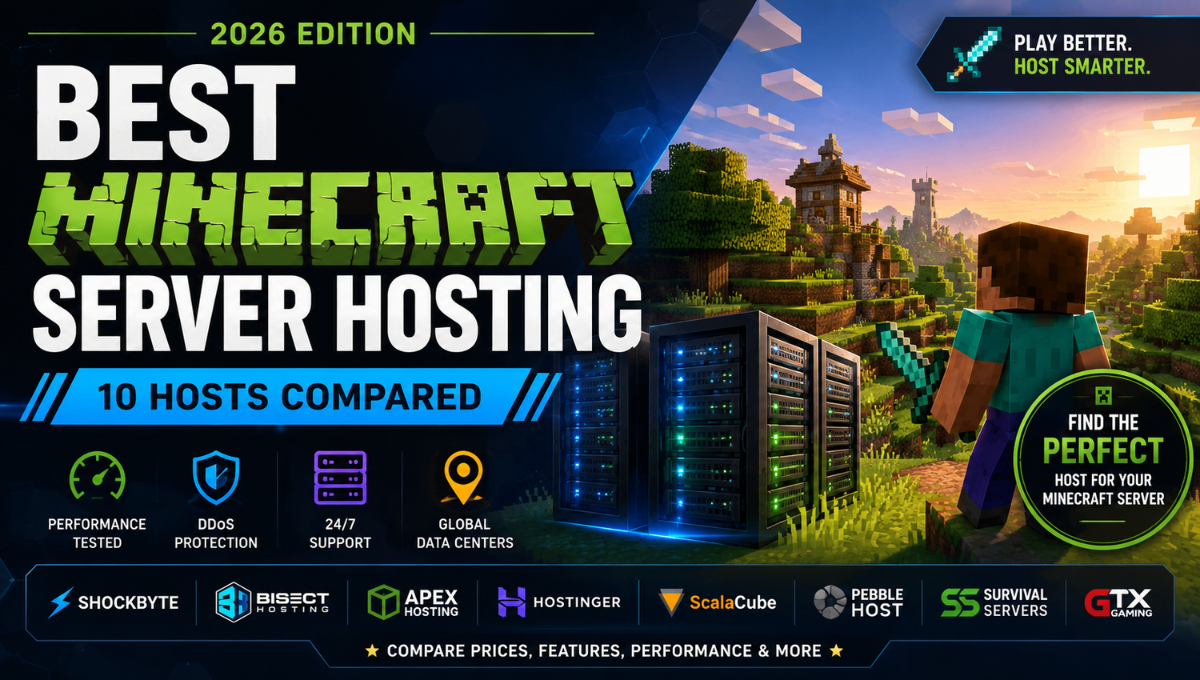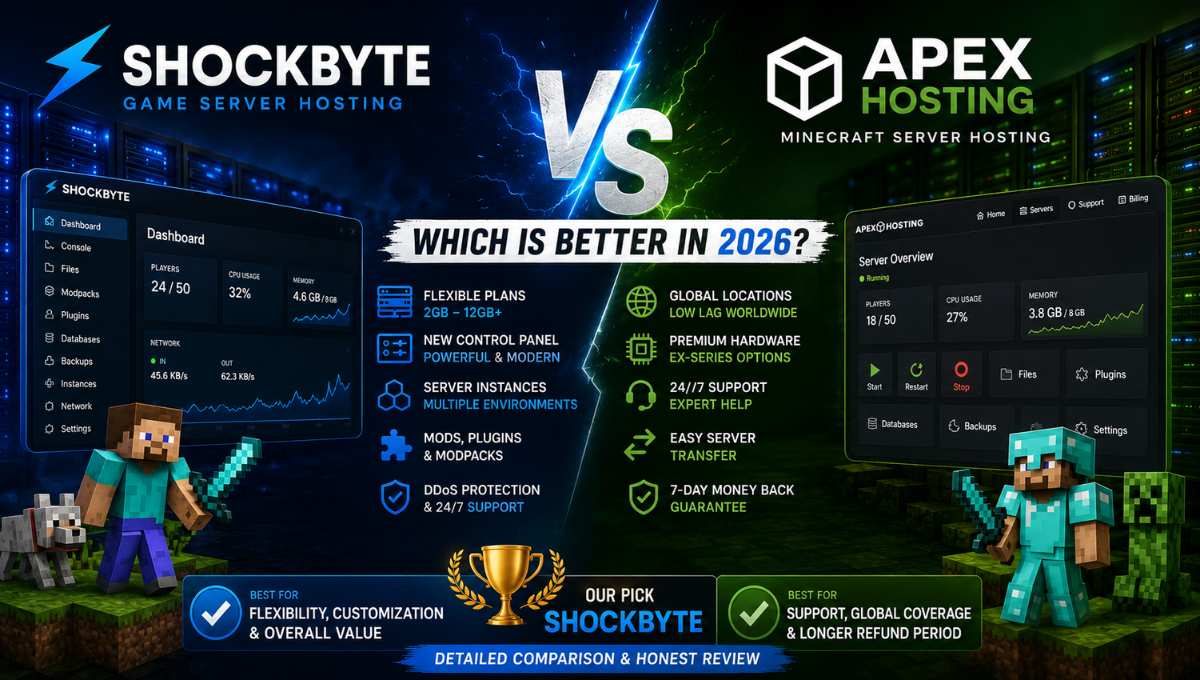
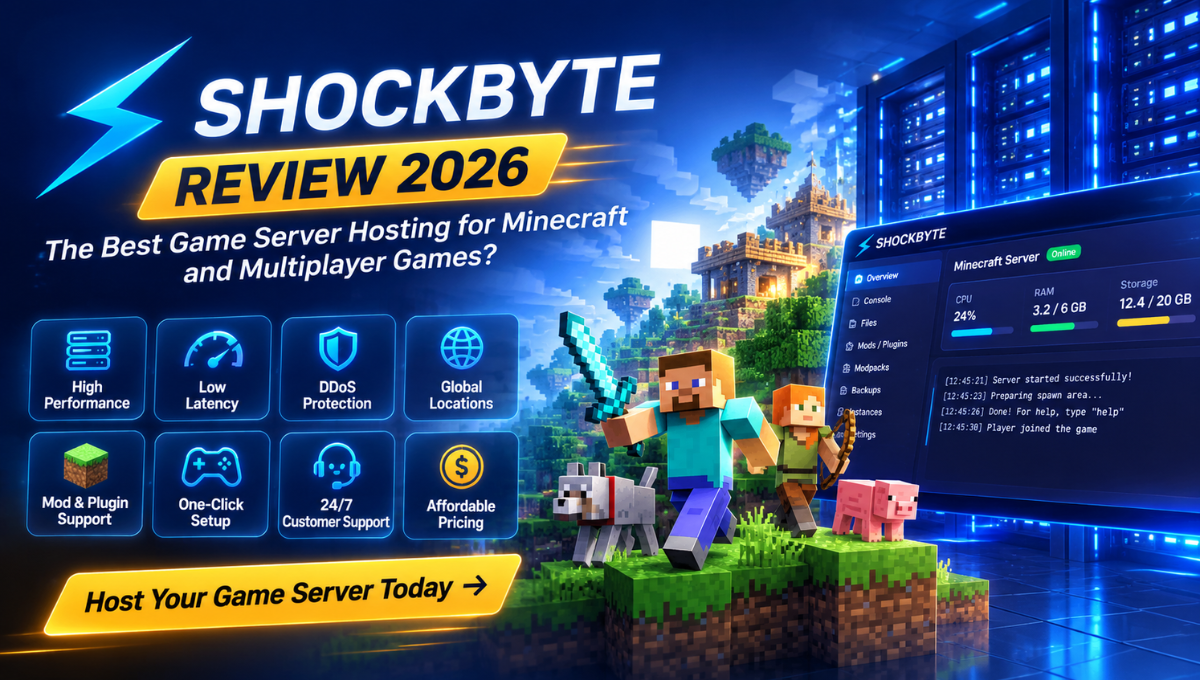
Shockbyte has been a recognizable name in game server hosting since 2013, building much of its reputation around affordable Minecraft hosting. Today, the company supports a much broader range of multiplayer games while continuing to focus on competitive pricing, straightforward server management, and customization.
The appeal is easy to understand. Instead of configuring and maintaining a VPS yourself, Shockbyte provides a purpose-built game hosting environment with server deployment, management tools, DDoS protection, mod and plugin support, multiple server locations, and 24/7 support.
But low pricing alone doesn’t make a good game server host.
Real-world performance depends on much more than the amount of RAM included with a plan. CPU performance, storage, server location, network latency, game configuration, mods, plugins, world complexity, and player activity can all affect the experience.
In this Shockbyte Review 2026, we’ll examine its pricing, control panel, ease of use, hardware, performance, server locations, customization options, and customer support to determine whether Shockbyte is worth choosing.
Shockbyte Review 2026: Our Verdict
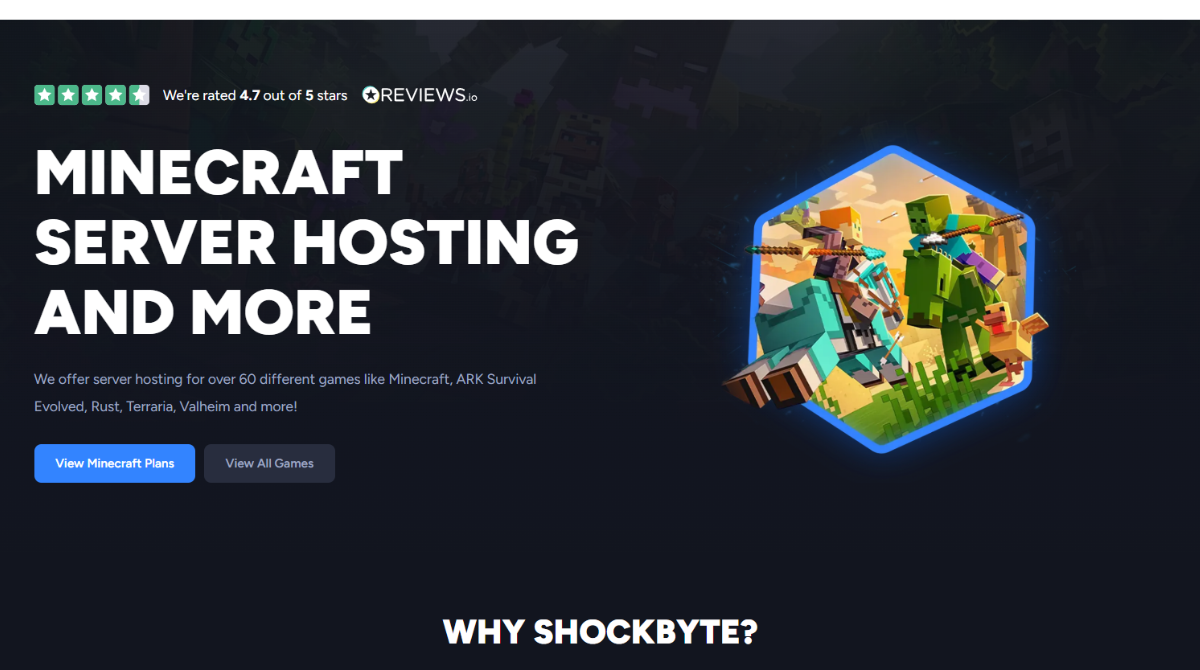
Shockbyte is one of the stronger value-focused options for gamers who want their own multiplayer server without dealing with the complexity of managing the underlying infrastructure.
Minecraft remains its biggest strength.
Shockbyte combines a wide selection of RAM configurations with extensive support for plugins, mods, and modpacks. This makes it suitable for everything from a small private Vanilla world to considerably more customized community servers.
The underlying infrastructure is competitive as well. Shockbyte uses modern AMD server processors across different locations, NVMe SSD storage, high-speed networking, and DDoS protection.
Its newer control panel is another important improvement. Routine tasks such as managing the server console, working with files, changing configurations, handling backups, installing supported content, and switching between server environments can be performed without manually administering a Linux server.
There are some weaknesses.
The 72-hour refund period is relatively short, entry-level plans aren’t suitable for every workload, and customer support receives more mixed feedback than Shockbyte’s pricing and feature set.
For most Minecraft players and small-to-medium gaming communities, however, the overall package is compelling.
Overall Rating: 4.6/5
| Category | Rating |
|---|---|
| Pricing & Value | 4.7/5 |
| Ease of Use | 4.7/5 |
| Features | 4.7/5 |
| Performance & Hardware | 4.6/5 |
| Modding & Customization | 4.8/5 |
| Customer Support | 4.2/5 |
Best for: Minecraft players, groups of friends, modded servers, beginners, and small-to-medium gaming communities.
Not ideal for: Users who prioritize premium hands-on support, highly specialized infrastructure, or complete operating-system-level control.
Ready to Start Your Own Game Server?
Shockbyte combines affordable game server hosting with fast setup, DDoS protection, mod and plugin support, and multiple global server locations. Explore the available plans and choose the configuration that fits your game and community.
Check Shockbyte Plans & Pricing →
Shockbyte Pros and Cons
Pros
- Competitive entry-level pricing
- Fast server deployment
- Modern game-focused control panel
- Excellent Minecraft support
- Strong plugin, mod, and modpack support
- NVMe SSD storage
- Modern AMD server hardware
- Multiple global server locations
- DDoS protection included
- 99.9% uptime SLA
- Suitable for beginners
- Upgrade options for growing servers
Cons
- 72-hour refund window is relatively short
- Entry-level plans aren’t suitable for demanding workloads
- Support response experiences can vary
- Choosing the right amount of RAM can be confusing for beginners
- Promotional prices can differ from long-term recurring costs
Bottom Line: Shockbyte’s strength is balance. It combines affordable pricing with the features most game server owners actually need while retaining enough flexibility for users who want more advanced control.
Shockbyte Plans and Pricing
Pricing is one of Shockbyte’s biggest advantages.
Instead of offering only a few broad Minecraft packages, Shockbyte provides a large selection of RAM-based plans. This gives users considerably more flexibility when matching server resources to their actual workload.
A private Vanilla server for a few friends doesn’t need the same resources as a busy community server running multiple plugins or a demanding modpack.
Shockbyte Minecraft Server Pricing
Shockbyte’s standard Minecraft plans include:
| Plan | RAM | Regular Price |
|---|---|---|
| Dirt | 1GB | $3.99/month |
| Sand | 2GB | $7.99/month |
| Cobblestone | 3GB | $11.99/month |
| Iron | 4GB | $15.99/month |
| Gold | 5GB | $19.99/month |
| Redstone | 6GB | $23.99/month |
| Diamond | 7GB | $27.99/month |
| Emerald | 8GB | $31.99/month |
| Obsidian | 9GB | $35.99/month |
| Spartan | 10GB | $39.99/month |
| Zeus | 12GB | $47.99/month |
Larger custom configurations are also available for servers requiring additional resources.
Shockbyte regularly runs introductory promotions, so your first payment may be lower than the standard monthly price.
For a long-running server, however, the recurring price matters far more than the first-month discount. Always compare the normal monthly cost before deciding whether a plan fits your budget.
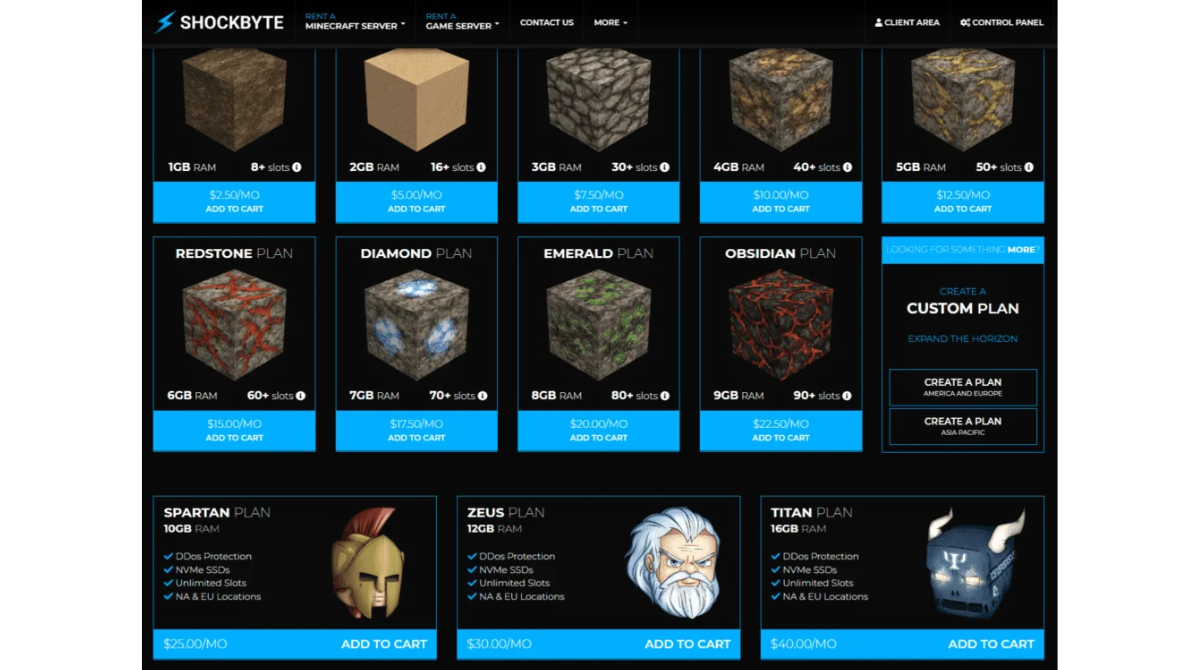
Find the Right Shockbyte Plan for Your Server
Whether you’re hosting a small Minecraft world for friends or building a larger modded community, Shockbyte offers multiple server configurations so you can start with the resources you need and upgrade as your server grows.
Which Shockbyte Plan Should You Choose?
One of the most common mistakes first-time Minecraft server owners make is choosing a plan based entirely on player count.
Player count matters, but it doesn’t tell the whole story.
A Vanilla server with 10 players can require considerably fewer resources than another 10-player server running a large modpack, multiple plugins, high view distance, automated farms, and extensive world generation.
Your actual requirements depend on factors such as:
- Minecraft version
- Server software
- Number of simultaneous players
- Plugins
- Mods
- Modpack size
- View distance
- Simulation distance
- World size
- Chunk generation
- Entities and mobs
- Redstone and automated farms
Small Vanilla Minecraft Servers
If you’re creating a straightforward Vanilla server for a small group of friends, starting toward the lower end of Shockbyte’s range makes sense.
There’s little reason to pay for resources you don’t need.
At the same time, choosing a plan with virtually no headroom can cause problems as your world grows or additional players join.
Minecraft Servers With Plugins
Plugins can increase resource requirements considerably depending on what they do.
A few lightweight administration plugins may have little impact, while a server running permissions, economies, anti-cheat tools, minigames, custom gameplay systems, and other functionality can require more resources.
Growing community servers should generally leave more headroom than simple private worlds.
Modded Minecraft Servers
Modded Minecraft can be substantially more demanding than Vanilla.
Large modpacks may require significantly more RAM, while certain mods can also increase CPU load.
If you plan to run a large modpack, don’t choose the smallest hosting plan simply because it has the lowest monthly price.
And remember that RAM isn’t the only performance factor. Adding memory won’t necessarily fix lag caused by CPU-intensive mods, world generation, excessive entities, or poor optimization.
Growing Community Servers
If you’re building a public community rather than a temporary private world, plan for growth.
Shockbyte allows upgrades, so you don’t need to massively overprovision from day one. However, some reasonable headroom can prevent your server from constantly operating near its resource limits.
The best plan isn’t necessarily the cheapest option.
It’s the least expensive configuration that comfortably handles your expected workload.
What’s Included With Shockbyte Hosting?
- Instant server setup
- DDoS protection
- 99.9% uptime SLA
- 24/7 customer support
- Mod support
- Plugin support
- Modpack installation tools
- Shockbyte Control Panel
- Server configuration tools
- Multiple server locations
Shockbyte also offers refund eligibility for qualifying new services during the first 72 hours.
That’s useful, but the evaluation period is relatively short. Three days is enough to deploy a server and perform basic testing, but it’s not particularly generous compared with a longer money-back guarantee.
Is Shockbyte Good Value for Money?
For the right workload, yes.
Shockbyte’s value doesn’t simply come from offering a cheap entry-level Minecraft server.
The more important advantage is the flexibility of its plan range.
Small servers can avoid paying for resources they don’t need, while larger communities have a straightforward path toward higher-resource configurations.
Pricing & Value Rating: 4.7/5
Shockbyte Ease of Use
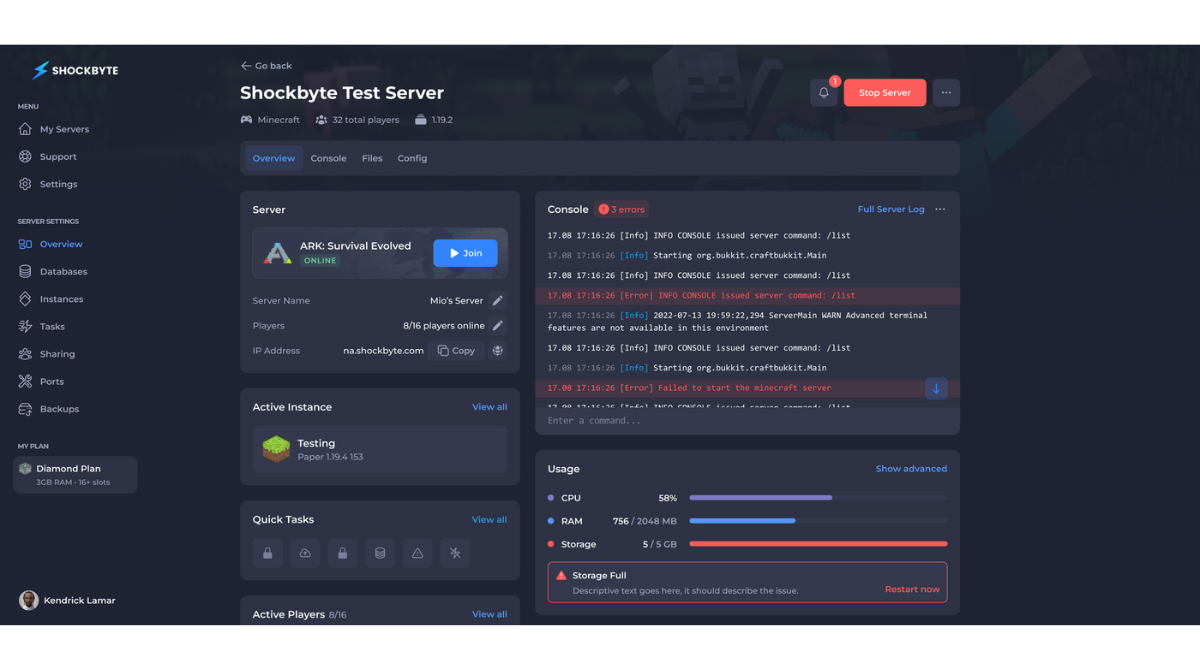
Running a game server on a generic VPS can involve much more technical work than many players expect.
You may need to configure the operating system, Java versions, firewall rules, networking, server software, startup scripts, security, updates, and backups.
Shockbyte removes much of that infrastructure management.
Setting Up a Shockbyte Server
Shockbyte is designed to get users from purchasing a hosting plan to managing their game server without manually building the infrastructure underneath it.
You select the game, choose your server resources, and manage the resulting environment through Shockbyte’s hosting platform.
That makes the initial learning curve considerably easier than self-hosting on a VPS.
The Shockbyte Control Panel
One of the more important changes to Shockbyte is its redesigned game server control panel.
The panel brings together the functions most server owners regularly need instead of exposing users primarily to generic server infrastructure.
You can manage server status, work with files, access configurations, use the console, manage backups, and handle other routine administrative tasks from one environment.
Real-Time Server Console
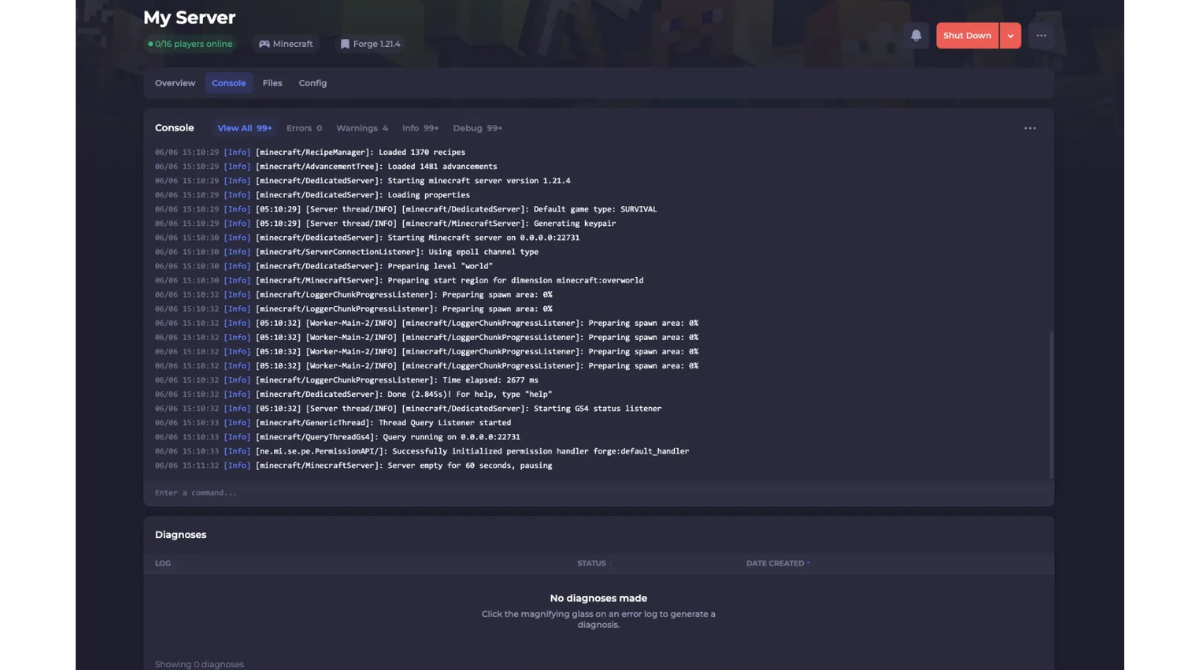
The real-time console allows you to monitor server activity and execute commands directly.
- Monitor server activity
- Execute administrative commands
- Identify errors
- Investigate crashes
- Troubleshoot plugins
- Troubleshoot mods
- Review server logs
Shockbyte Mods, Plugins and Modpacks
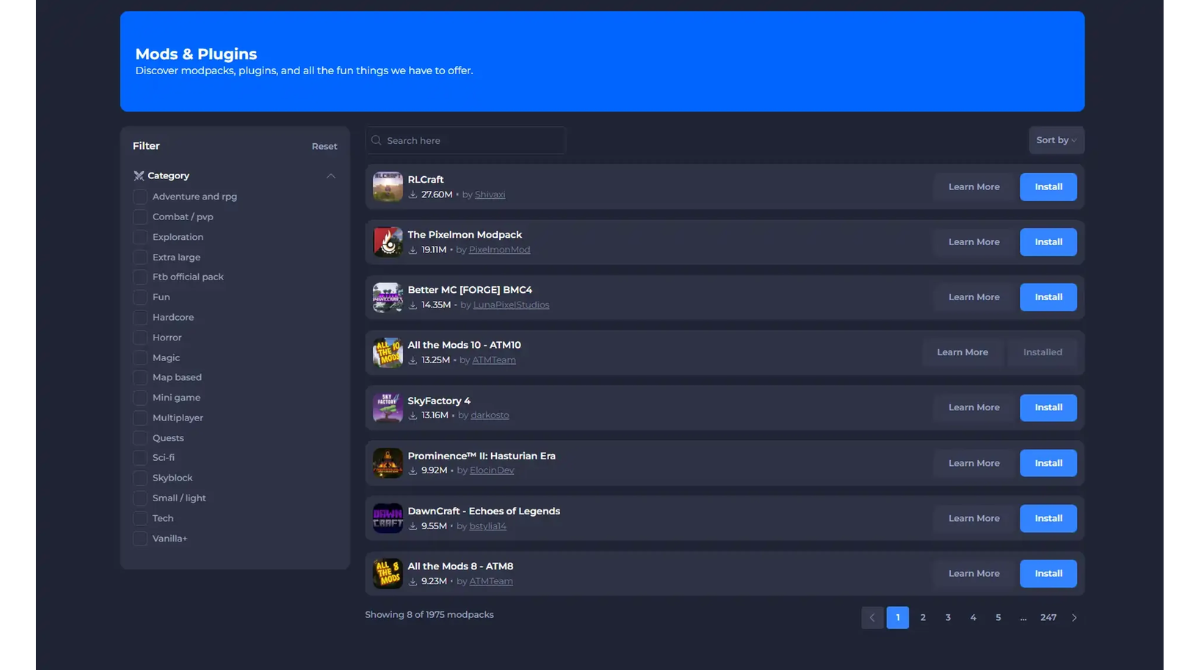
Customization is one of Shockbyte’s strongest areas.
You’re not restricted to a basic Vanilla Minecraft experience.
Shockbyte supports plugins, mods, and modpacks, allowing users to create everything from lightly customized survival servers to significantly modified multiplayer communities.
Minecraft Plugins
Plugins can add new server functionality while retaining the core Minecraft experience.
- Permissions
- Economies
- Administrative tools
- Custom commands
- Player management
- Anti-cheat systems
- Minigames
- Community features
Minecraft Mods
Mods can make much deeper changes to the game.
They can introduce new mechanics, items, environments, technology systems, progression, creatures, or entirely different gameplay experiences.
Minecraft Modpacks
Modpacks combine multiple mods into a preconfigured experience.
Shockbyte provides installation tools designed to reduce the amount of manual downloading and file management required.
However, easy installation doesn’t remove the hardware requirements. Large modpacks can consume significantly more RAM and CPU resources than Vanilla Minecraft.
Explore Shockbyte Minecraft Hosting →
Shockbyte Server Instances
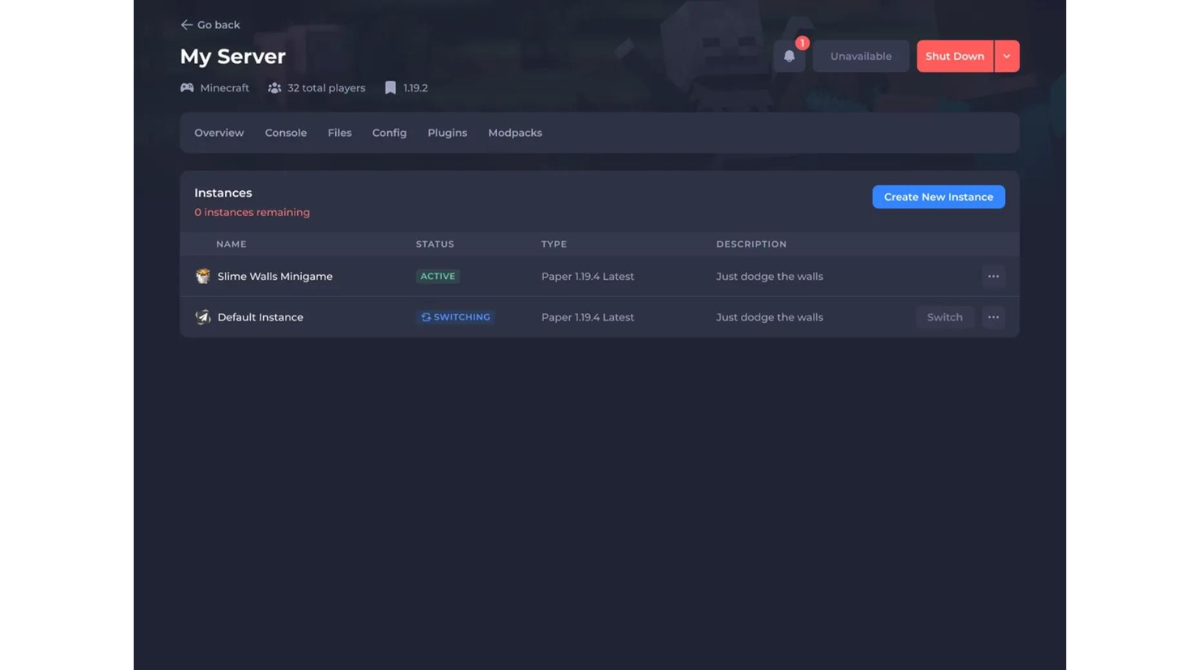
Server Instances is one of the more interesting capabilities in Shockbyte’s newer management environment.
Instead of treating your hosting environment as one permanent server configuration, you can maintain different setups.
- A Vanilla Minecraft environment
- A modded server
- A testing server
- A different Minecraft version
Shockbyte Backups and Configuration Management
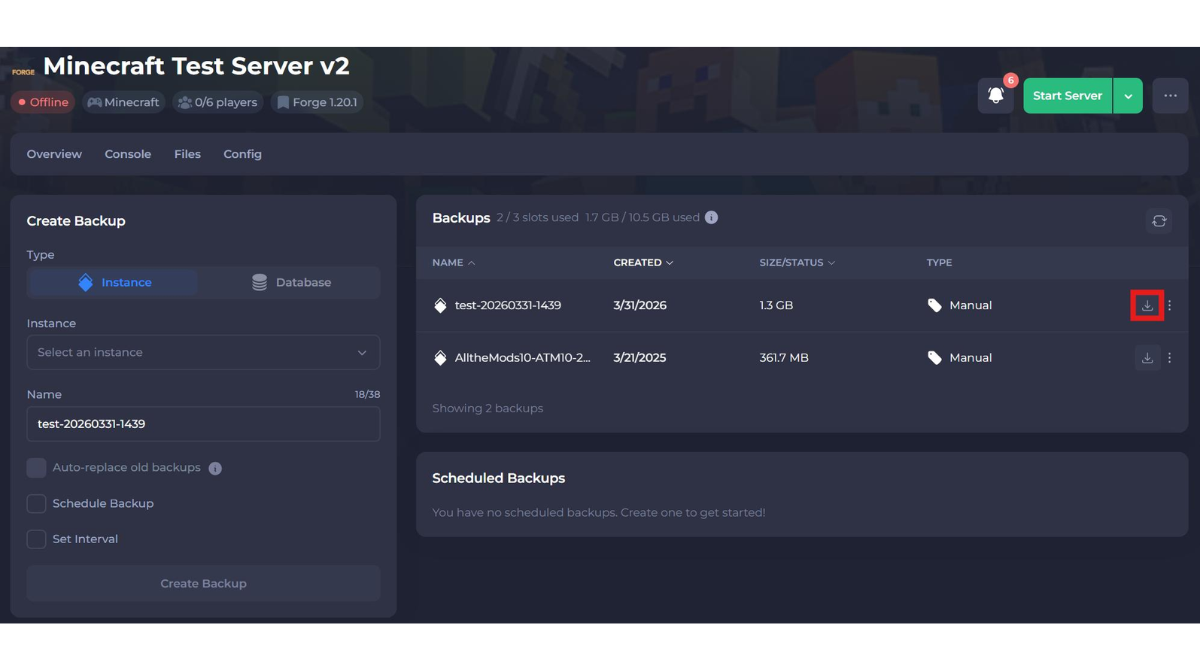
Shockbyte provides tools to simplify common configuration tasks while still giving more advanced users access to server files when necessary.
Backups are equally important. A corrupted world, failed update, plugin conflict, broken mod, or configuration mistake can potentially result in lost progress.
For anything important, I recommend keeping independent copies of critical world data and configuration files whenever possible.
Is Shockbyte Beginner-Friendly?
Yes.
A first-time server owner can launch and manage a basic Minecraft server without learning Linux administration first.
At the same time, Shockbyte doesn’t prevent you from moving into more advanced management later.
As your knowledge grows, you can work with plugins, mods, configuration files, console commands, backups, and other advanced settings.
Ease of Use Rating: 4.7/5
Shockbyte Speed and Performance
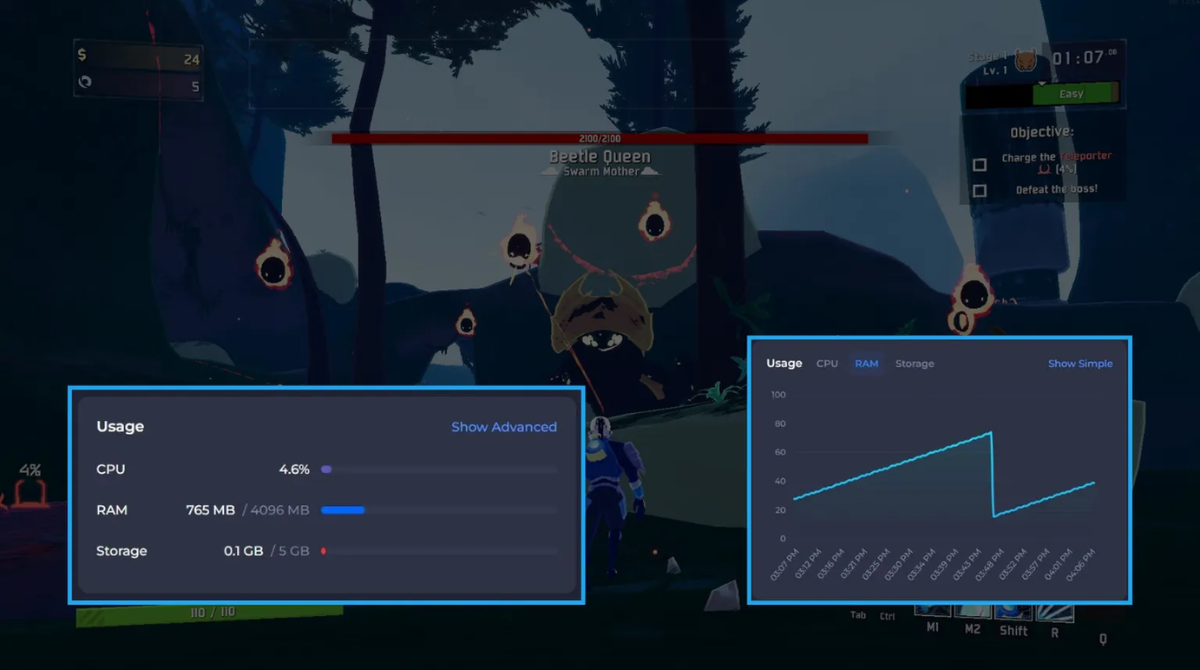
Performance is one of the most important considerations when choosing any game server host.
It’s also one of the easiest areas to oversimplify.
There isn’t one performance number that can accurately describe every Shockbyte server.
Minecraft, Rust, ARK, Palworld, and other games place different demands on hardware. Even two Minecraft servers with identical RAM allocations can perform very differently depending on their configurations.
Performance depends on several interacting factors:
- CPU
- RAM
- Storage
- Network quality
- Server location
- Game engine
- Plugins
- Mods
- World complexity
- Player activity
- Server configuration
Shockbyte CPU Performance
Shockbyte uses modern AMD EPYC and AMD Ryzen processors across different parts of its infrastructure.
The exact CPU can vary by server location, which is worth remembering when comparing specifications.
Why CPU Performance Matters for Minecraft
Minecraft hosting is frequently marketed around RAM.
RAM matters, but CPU performance can be equally important.
Minecraft’s server workload can place substantial demand on the main server thread.
- Chunk generation
- World simulation
- Entity processing
- Redstone
- Plugins
- Mods
- Player activity
That’s why adding more RAM doesn’t automatically improve TPS or fix every type of lag.
Shockbyte NVMe SSD Storage
Shockbyte uses NVMe SSD storage.
For game hosting, fast storage is useful for tasks such as:
- World loading
- World saving
- Chunk data
- Server files
- Plugin data
- Databases
- Backups
Shockbyte Server Locations
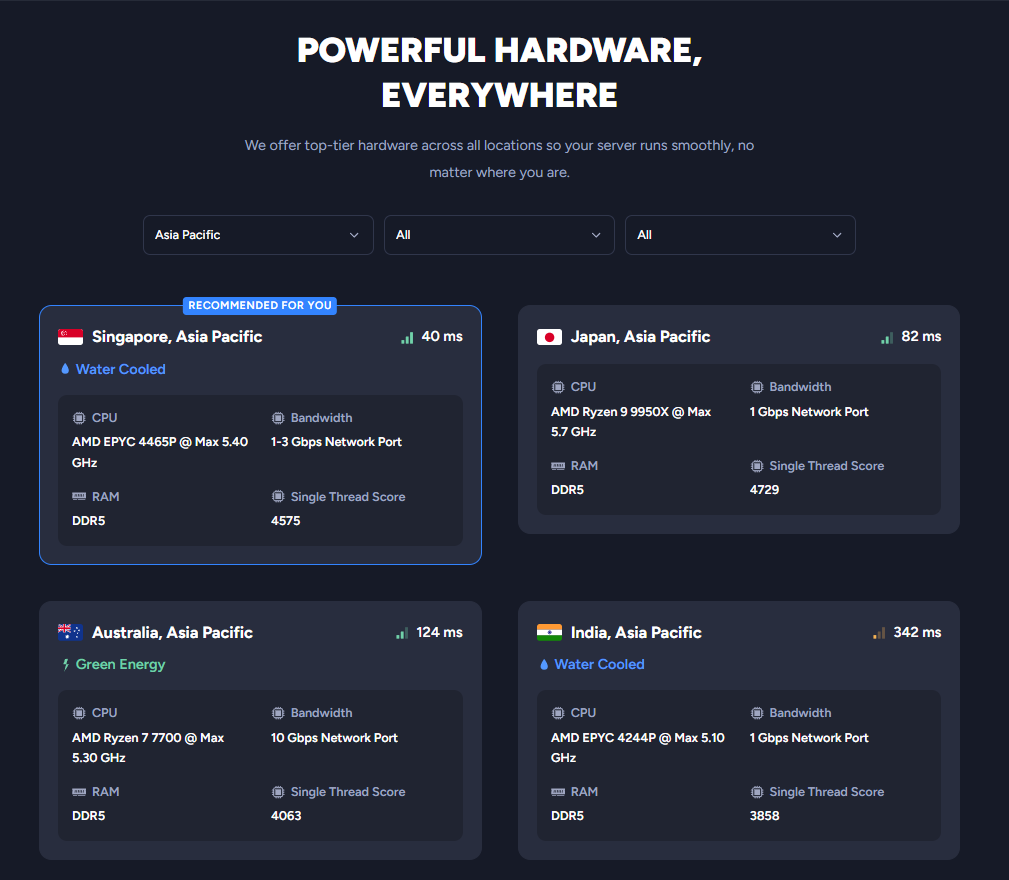
Server location can have a major effect on latency.
Shockbyte operates infrastructure across multiple geographic regions, allowing users to select a location closer to their player base.
The goal is simple: choose a server reasonably close to the majority of your players.
Choosing the Right Shockbyte Server Location
If most of your community is in Europe, choose a suitable European server.
If your players are primarily in North America, a North American location generally makes more sense.
For players in parts of Asia, an Asian location such as Singapore may provide better latency than a server hosted in the US or Europe.
Ping vs Server Lag
High ping usually relates to network latency, physical distance, routing, or congestion.
Server lag is more likely to involve CPU load, insufficient resources, plugins, mods, excessive entities, world generation, or other server-side workloads.
These problems require different solutions.
Shockbyte DDoS Protection
Shockbyte includes DDoS protection with its hosting.
For a public community, this is particularly important because a DDoS attack can overwhelm a server or network connection and prevent legitimate players from connecting.
Shockbyte Uptime
Shockbyte advertises a 99.9% uptime SLA for its standard Minecraft hosting.
However, hosting uptime and individual game-server stability are not exactly the same thing.
Your server can still experience problems because of:
- Broken mods
- Plugin conflicts
- Game updates
- Configuration errors
- Resource exhaustion
- Software crashes
How Good Is Shockbyte Performance in Practice?
Shockbyte’s underlying specifications provide a strong technical foundation.
Modern AMD processors, NVMe storage, multiple server locations, high-speed networking, and DDoS protection are all positive.
However, hardware specifications shouldn’t be turned into unrealistic performance claims.
It’s impossible to say that every Shockbyte plan will deliver a specific TPS, ping, or player capacity without testing the exact game, location, configuration, and workload.
The most accurate conclusion is that Shockbyte provides competitive game-server infrastructure, while actual results still depend heavily on choosing the right plan, location, and configuration.
Performance & Hardware Rating: 4.6/5
Shockbyte Customer Support
Customer support matters in game hosting because server issues can range from simple configuration questions to complicated technical problems.
Shockbyte provides 24/7 support alongside a substantial Knowledge Base and other self-help resources.
Shockbyte Knowledge Base
A good Knowledge Base can save considerable time.
You may need help with tasks such as:
- Installing a plugin
- Configuring a mod
- Changing server properties
- Updating Minecraft
- Changing server versions
- Managing players
- Restoring a backup
- Troubleshooting an error
Shockbyte 24/7 Customer Support
Shockbyte offers customer assistance around the clock.
That’s important because game servers don’t only experience issues during regular business hours.
Direct support provides an escalation path when documentation isn’t enough.
Where Shockbyte Support Could Improve
Customer support is the area where Shockbyte receives more mixed feedback.
There are many positive customer experiences, but response times and delays resolving more complicated issues also appear among recurring criticisms.
That doesn’t necessarily mean the support is poor.
It means support isn’t the strongest reason to choose Shockbyte.
If you’re comfortable handling basic server-management tasks and using documentation, this is less likely to be a major problem.
Customer Support Rating: 4.2/5
Shockbyte Review 2026: Final Verdict
After looking at Shockbyte’s pricing, ease of use, control panel, hardware, performance, and customer support, the overall picture is fairly clear.
Shockbyte remains a strong game server hosting option in 2026, particularly for Minecraft.
Its biggest advantage is balance.
You can start with an inexpensive private server, manage it without becoming a system administrator, customize it with plugins or mods, and upgrade as your requirements grow.
The infrastructure is competitive too.
Modern AMD processors, NVMe storage, multiple server locations, DDoS protection, and a 99.9% uptime SLA provide the kind of technical foundation we’d expect from a serious game hosting provider.
Shockbyte isn’t perfect.
The 72-hour refund window is restrictive, support response experiences can vary, and the cheapest server configuration isn’t appropriate for every workload.
But those weaknesses don’t fundamentally undermine the value of the service.
Who Should Choose Shockbyte?
Minecraft Players
Minecraft remains one of the strongest reasons to consider Shockbyte.
The combination of multiple RAM configurations, plugins, mods, modpacks, management tools, and scalable hosting makes it suitable for many different Minecraft environments.
Groups of Friends
If you simply want an always-online world that your friends can join without waiting for one person to host locally, Shockbyte is an accessible solution.
Modded Minecraft Players
Shockbyte’s mod and modpack support makes it particularly attractive to users who want more than Vanilla Minecraft.
Small and Medium Gaming Communities
Growing communities benefit from DDoS protection, persistent availability, backups, management tools, and the ability to upgrade resources.
First-Time Server Owners
The game-focused control panel lowers the technical barrier to entry.
You can learn server administration gradually instead of being forced to understand the entire infrastructure stack before you start playing.
Who Should Consider a Shockbyte Alternative?
- Users who prioritize premium hands-on support
- Businesses needing highly specialized managed infrastructure
- Enterprise-level hosting customers
- Users who need complete operating-system-level control
- Experienced administrators who prefer managing their own VPS
- Users who want a significantly longer refund period
Is Shockbyte Worth It in 2026?
For its target audience, yes.
Shockbyte isn’t worth recommending simply because its entry-level pricing is low.
What makes Shockbyte compelling is what surrounds the price.
You get modern hardware, NVMe storage, DDoS protection, multiple server locations, extensive Minecraft customization, game-specific management tools, and the ability to scale without managing the underlying infrastructure yourself.
For a small group of friends, that means getting a persistent Minecraft server online without unnecessary technical complexity.
For modded-server owners, it means access to customization tools and higher-resource configurations.
For growing communities, it means having a platform that can scale beyond the smallest entry-level plan.
For users who want a balance between affordability, performance, customization, and ease of use, Shockbyte remains one of the stronger game server hosting options to consider in 2026.
Overall Rating: 4.6/5
Pricing & Value: 4.7/5
Ease of Use: 4.7/5
Features: 4.7/5
Performance & Hardware: 4.6/5
Modding & Customization: 4.8/5
Customer Support: 4.2/5
Best For: Minecraft players, groups of friends, modded servers, first-time server owners, and small-to-medium gaming communities.
Final Recommendation: Recommended.
Check Shockbyte Plans & Current Pricing →
Frequently Asked Questions About Shockbyte
Is Shockbyte Legit?
Yes. Shockbyte has been operating since 2013 and is an established company specializing in game server hosting.
Is Shockbyte Good for Minecraft?
Yes. Minecraft is one of Shockbyte’s strongest products. The platform supports Vanilla servers as well as plugins, mods, modpacks, and more advanced configurations.
How Much Does Shockbyte Cost?
Shockbyte’s standard Minecraft hosting currently starts at $3.99 per month for its 1GB Dirt plan, with prices increasing as more RAM is allocated.
Promotional pricing may reduce the initial payment, so check both the introductory and regular prices before purchasing.
How Much RAM Do I Need for a Shockbyte Minecraft Server?
There isn’t one universal answer.
The amount of RAM you need depends on your Minecraft version, server software, number of players, plugins, mods, modpacks, world activity, view distance, and other settings.
Does Shockbyte Support Minecraft Mods?
Yes. Shockbyte supports modded Minecraft and provides tools designed to make installing and managing mods and modpacks easier.
Does Shockbyte Support Plugins?
Yes. Shockbyte supports Minecraft server environments that use plugins, allowing server owners to add permissions, administration tools, economies, custom commands, player-management features, and other functionality.
Does Shockbyte Include DDoS Protection?
Yes. DDoS protection is included with Shockbyte’s game server hosting infrastructure.
Can I Upgrade My Shockbyte Server Later?
Yes. Starting with an appropriate configuration and upgrading as your player base or workload grows can be more economical than purchasing a much larger server immediately.
Does Shockbyte Offer a Money-Back Guarantee?
Shockbyte currently provides a 72-hour refund option for eligible new services, subject to its refund policy and applicable conditions.
Is Shockbyte Good for Modded Minecraft?
Yes. Mod and modpack support is one of Shockbyte’s main advantages.
However, heavily modded servers can consume considerably more RAM and CPU resources, so entry-level plans may not be appropriate.
Is Shockbyte Good for Beginners?
Yes. Shockbyte’s game-focused control panel removes much of the infrastructure management associated with running a VPS.
Beginners can start with basic server management and gradually learn more advanced tasks.
Is Shockbyte Worth It?
For Minecraft players, groups of friends, modded servers, and small-to-medium gaming communities, Shockbyte offers very good value.
Its combination of affordable pricing, modern infrastructure, extensive customization, and relatively easy server management makes it one of the game server hosting providers worth considering in 2026.
Ready to Try Shockbyte?
Choose your game, select the resources you need, pick a suitable server location, and get your multiplayer server online. Check Shockbyte’s latest plans and current offers before choosing your configuration.