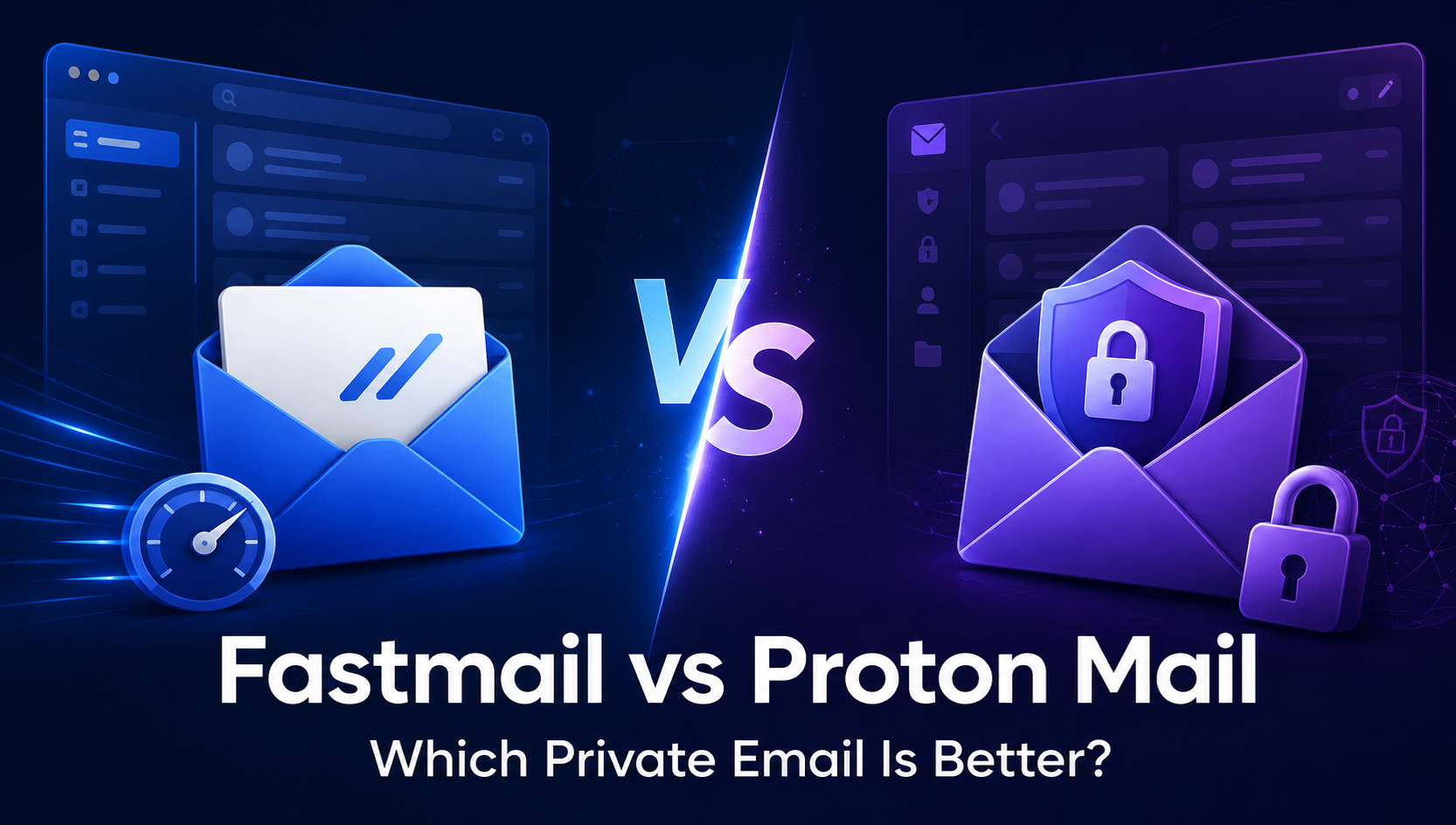
Fastmail vs Proton Mail compared for privacy, encryption, pricing, custom domains, apps, and business use. Find the right private email service.
https://esapplication.com/
Last fact-checked: Jul 19, 2026
If you are ready to move away from Gmail or Outlook, Fastmail and Proton Mail are two of the strongest paid email alternatives. Both remove advertising from the inbox, support custom domains, and offer calendars and contacts. However, they solve the privacy problem in fundamentally different ways.
Fastmail is designed to make everyday email fast, flexible, and compatible with the tools you already use. Proton Mail puts encryption first, even when that introduces extra steps or limits how conventional email clients work.
So which one should you choose? This Fastmail vs Proton Mail comparison examines privacy, security, search, custom domains, aliases, apps, pricing, business features, and real-world usability.
Quick Verdict
Fastmail is the better choice for most people who want a private, ad-free replacement for Gmail or Outlook. It offers a faster conventional email experience, excellent search, flexible custom-domain management, numerous additional addresses, integrated calendars and contacts, and direct compatibility with third-party email apps.
Proton Mail is the better choice if end-to-end encryption and provider-blind mailbox storage are non-negotiable. Messages between Proton users are end-to-end encrypted automatically, while messages received from outside Proton are stored with zero-access encryption. It also offers a permanent free plan and access to a broader privacy ecosystem.
Choose Fastmail if your priority is daily productivity, custom domains, interoperability, and ease of use. Choose Proton Mail if your priority is maximum mailbox privacy, encrypted communication, and the Proton ecosystem.
Best overall for everyday email: Fastmail
Start a free Fastmail trial and test it with your real workflow before moving your primary inbox.
[Try Fastmail Free ]
Fastmail vs Proton Mail at a Glance
| Category | Fastmail | Proton Mail | Winner |
|---|---|---|---|
| Best for | Everyday email and productivity | Encryption-first communication | Depends on your priority |
| Free plan | No permanent free plan | Yes | Proton Mail |
| Free trial | Up to 30 days | Paid features may be trialed through offers | Fastmail |
| Advertising | No ads | No ads | Tie |
| End-to-end encryption | Not enabled by default | Automatic between Proton users | Proton Mail |
| Encrypted mailbox storage | Encryption at rest | Zero-access encryption | Proton Mail |
| Email search | Fast server-side search | Private local content index | Fastmail for convenience |
| Custom domains | Yes | Yes on paid plans | Tie |
| Address and alias flexibility | Extensive address and Masked Email tools | Built-in addresses plus hide-my-email aliases | Depends on plan and workflow |
| Third-party desktop clients | Direct IMAP and SMTP support | Requires Proton Mail Bridge | Fastmail |
| Third-party mobile clients | Supported | Bridge is not available on mobile | Fastmail |
| Calendar and contacts | Integrated with open-standard support | Encrypted Proton apps | Depends on ecosystem preference |
| Broader product suite | Focused on mail, calendar, contacts, and files | VPN, Drive, Pass, Calendar, and more | Proton Mail |
| Data residency | Primary residency in the EU or US | Proton infrastructure and Swiss privacy framework | Depends on requirements |
Five Key Differences You Should Know
1. Fastmail optimizes the email workflow; Proton Mail optimizes mailbox privacy
Fastmail behaves like a polished, privacy-respecting version of conventional email. Its servers can index your mailbox to deliver fast search, filtering, and integrations. Proton Mail intentionally prevents its servers from reading mailbox contents, using zero-access encryption and end-to-end encryption where supported.
2. Proton Mail provides stronger content confidentiality
Email between Proton accounts is end-to-end encrypted automatically. Fastmail protects data in transit and at rest, but it does not provide default provider-blind end-to-end encryption. If your threat model includes the email provider itself, Proton Mail has the decisive advantage.
3. Fastmail works more naturally with other email applications
Fastmail supports standard protocols such as IMAP and SMTP, making it easy to connect Outlook, Apple Mail, Thunderbird, and other clients. Proton Mail users need the desktop-only Proton Mail Bridge to translate between an encrypted Proton mailbox and a conventional email client.
4. Fastmail is generally more convenient for multiple domains and addresses
Both services support custom domains on eligible paid plans. Fastmail stands out for straightforward domain administration, shared addresses, catch-all workflows, and Masked Email integrations. Proton combines native addresses with hide-my-email aliases powered by its broader alias ecosystem.
5. Proton offers a wider privacy suite
Fastmail focuses on email, calendars, contacts, and related productivity features. Proton offers an ecosystem that can include Mail, Calendar, Drive, VPN, Pass, and other privacy-focused products. Proton Unlimited becomes more attractive when you plan to use several of those services.
What Is Fastmail?

Fastmail is an independent, subscription-funded email provider founded in 1999. It offers private, ad-free email alongside calendars, contacts, file storage, custom addresses, and business administration.
Its core philosophy is practical privacy: customers pay for the service, so Fastmail does not need to fund the inbox with behavioral advertising. At the same time, it preserves the convenience people expect from a modern email platform, including powerful search, rules, scheduled sending, snooze, offline access, and support for third-party apps.
Fastmail is particularly appealing to professionals, families, freelancers, website owners, and small businesses that need custom-domain email without the complexity of running their own mail server.
What Is Proton Mail?
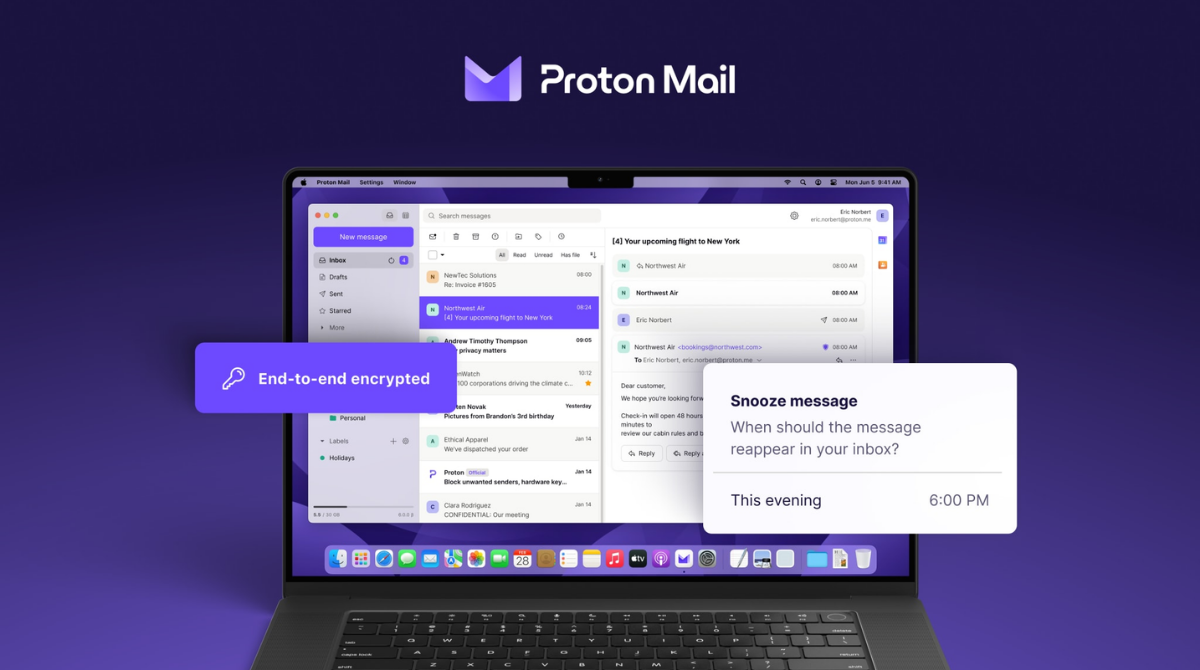
Proton Mail is an encryption-focused email provider created in Switzerland in 2014. Its defining feature is a zero-access architecture designed so Proton cannot read the contents of stored mail. Messages sent between Proton accounts are end-to-end encrypted automatically.
For messages exchanged with conventional providers, the protection depends on how the message is sent. Incoming external mail is stored with zero-access encryption after Proton receives it. Outgoing messages to non-Proton recipients normally rely on standard mail transport unless you use features such as password-protected email or configured PGP.
Proton Mail is part of a larger privacy ecosystem. Depending on your subscription, the same account may include encrypted cloud storage, a VPN, a password manager, and an encrypted calendar. This makes Proton attractive to people trying to reduce their dependence on large advertising-funded platforms.
Ease of Use and Interface
Both services offer clean web and mobile applications, but Fastmail feels closer to a conventional premium inbox.
Fastmail places speed and information density at the center of the experience. You can organize messages with folders or labels, build detailed rules, snooze conversations, schedule messages, mute threads, and work with keyboard shortcuts. Mail, calendars, and contacts are available in one cohesive application.
Proton Mail has improved substantially and is easy to use for ordinary sending and receiving. Its interface will feel familiar to anyone coming from Gmail. The main differences become visible when you use advanced search, third-party clients, or external encrypted communication. Those workflows sometimes require local indexing, Proton Mail Bridge, passwords, or PGP configuration.
This does not make Proton Mail difficult. It reflects a different engineering priority. Encryption reduces what the server can do on your behalf, while Fastmail accepts more server-side processing to provide a smoother workflow.
Winner: Fastmail. It is the more frictionless daily inbox, especially for people who handle large volumes of email.
Privacy and Encryption
This is the most important part of the comparison—and the area where vague marketing language causes the most confusion.
Fastmail encrypts connections and protects stored data, operates without inbox advertising, and says it does not sell customers’ personal information. However, Fastmail is not a zero-access email provider. Its system can process message contents to provide server-side functions such as search, spam filtering, and rules. That also means the provider could technically access mailbox content under limited operational or lawful circumstances.
Proton Mail is designed so stored mailbox contents are protected with zero-access encryption. Proton does not hold the decryption keys needed to read that encrypted content. Messages sent from one Proton account to another are end-to-end encrypted, so the message remains encrypted between the sender and recipient.
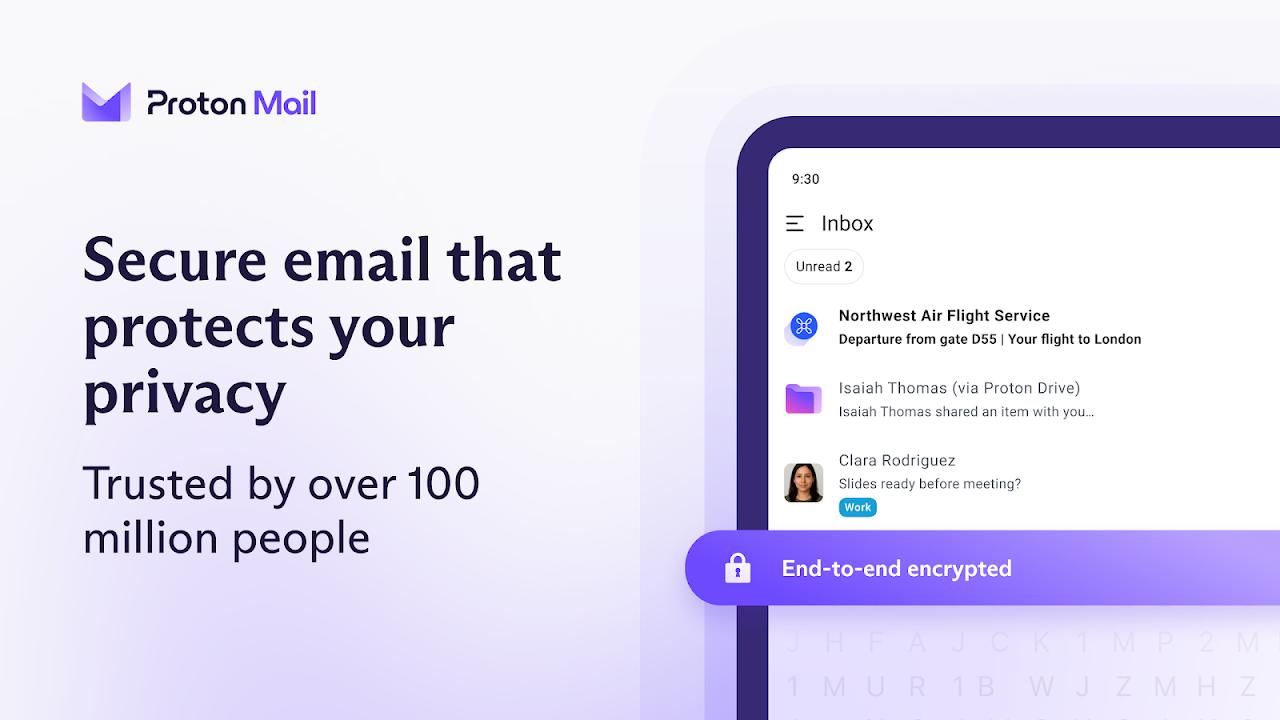
There is an important limitation: ordinary email sent to a Gmail, Outlook, Fastmail, or other non-Proton address is not automatically end-to-end encrypted. It travels through the normal email network, typically protected by TLS while in transit when both servers support it. Proton users can create a password-protected message for a non-Proton recipient when stronger protection is needed.
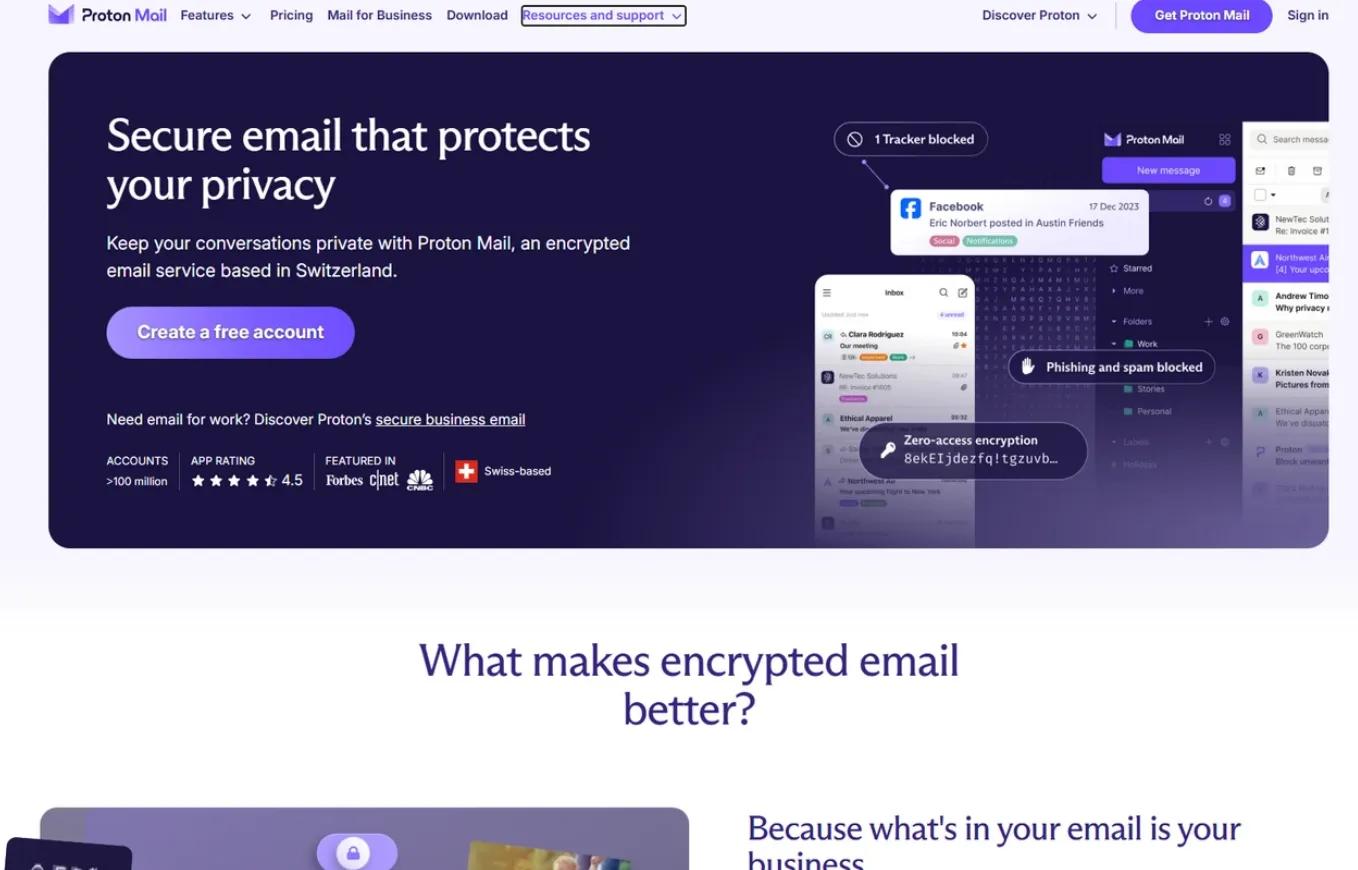
Jurisdiction also differs. Fastmail is an Australian company, while Proton is based in Switzerland. Laws and legal processes matter, but jurisdiction alone should not replace an evaluation of architecture, account security, recovery settings, recipient behavior, and device protection.
Winner: Proton Mail. Its zero-access storage and automatic end-to-end encryption between Proton users provide meaningfully stronger content privacy.
Security Features
Both providers support modern account-security practices, including two-factor authentication. Both also protect users from spam and malicious email, although their exact filtering systems and controls differ.
Proton Mail’s strongest security advantage is cryptographic: the provider is structurally limited in its ability to read encrypted mailbox contents. It also supports password-protected messages for recipients outside Proton and works with PGP-based encryption.
Fastmail’s advantage is operational flexibility. It supports security keys, detailed account access information, robust spam controls, and Masked Email, which can reduce exposure of your primary address. A unique address for each service can limit tracking and make compromised addresses easier to disable.
Neither provider can protect you if an attacker controls an unlocked device, steals an active session, or persuades you to reveal credentials. Use a unique password, enable two-factor authentication, secure account recovery, and encrypt your devices regardless of which service you choose.
Winner: Proton Mail for mailbox confidentiality; tie for essential account-security tools.
Email Search and Performance
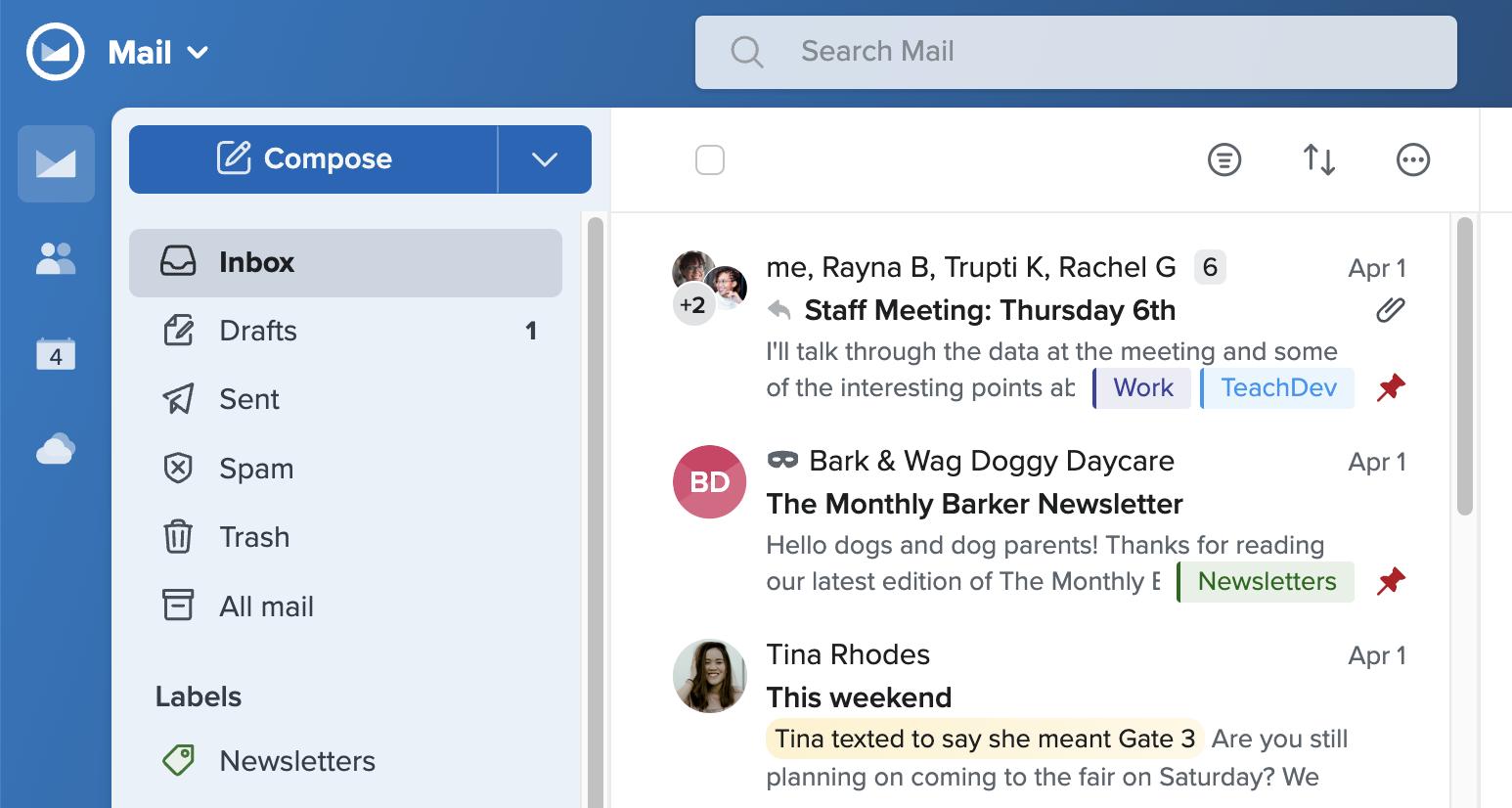
Fastmail’s search is one of its strongest practical advantages. Because it can index messages on the server, it can search large mailboxes quickly across devices without building a separate local index in each browser.
Proton Mail preserves its encryption model by performing message-content search locally. When you enable content search in the web application, your messages are downloaded, decrypted, and indexed in encrypted browser storage. This can take time and use additional resources, particularly with a large mailbox. A separate index may be needed for another browser or device.
Proton’s approach is not inferior engineering; it is the cost of preventing the server from indexing readable message contents. Nevertheless, users who treat email as a long-term searchable archive will usually find Fastmail more convenient.
Winner: Fastmail. Proton protects more from the server, while Fastmail delivers the faster and simpler search experience.
Custom Domains, Addresses, and Aliases
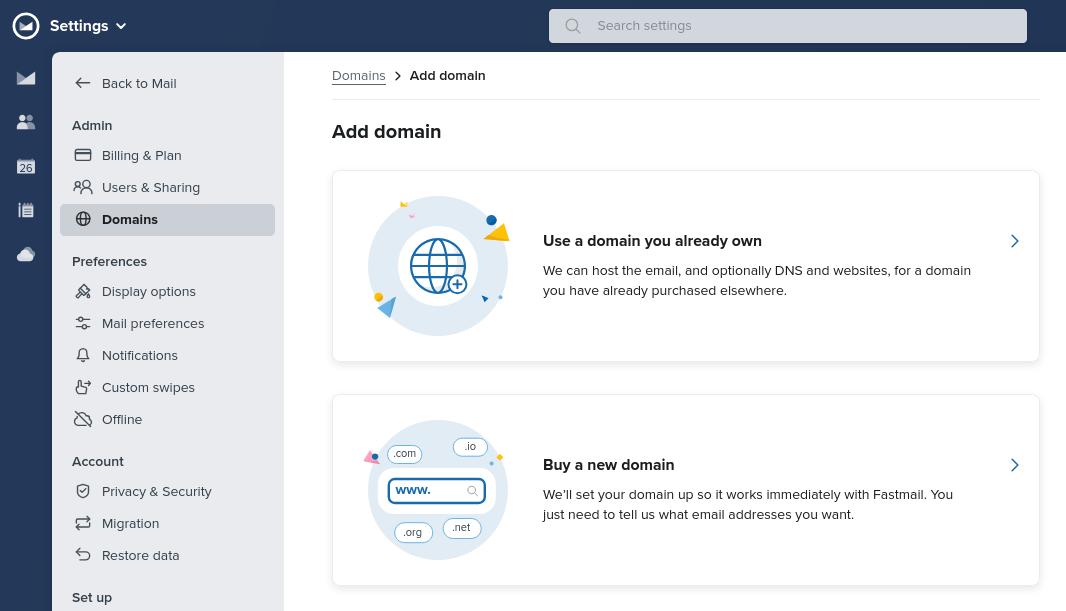
Both Fastmail and Proton Mail let paying customers send and receive mail with a domain they own, such as [email protected]. In both cases, setup involves verifying the domain and updating DNS records, including MX records and recommended authentication records such as SPF, DKIM, and DMARC.
Fastmail is particularly strong for people managing several identities, projects, or brands. It provides extensive additional-address tools, catch-all support, shared business addresses, and Masked Email integrations with password managers. This can be useful if you want a different address for every website without managing a separate inbox for each one.
Proton Mail supports custom domains on paid plans. The number of domains and conventional sending addresses depends on the plan. It also offers hide-my-email aliases, with deeper alias functionality connected to Proton Pass and SimpleLogin technology.
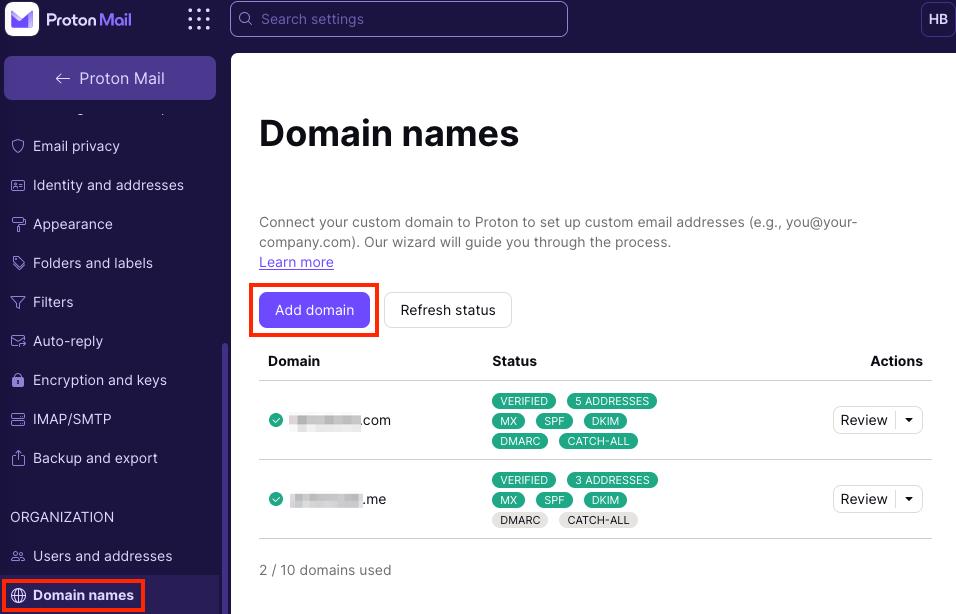
The better option depends on the kind of alias you need:
- Choose Fastmail for conventional addresses, multiple-domain workflows, shared mailboxes, catch-all routing, and compatibility with existing clients.
- Choose Proton Mail if disposable aliases are part of a broader Proton privacy setup and encrypted storage matters more than open-client flexibility.
Winner: Fastmail for domain administration and everyday address flexibility.
Want to test your domain before committing? Fastmail offers a trial so you can verify DNS, import mail, and evaluate deliverability first.
[Start Your Fastmail Trial ]
Calendar and Contacts
Fastmail includes calendars and contacts within the same experience as email. It supports shared calendars, invitations, address books, and common synchronization standards. This makes it easier to use Fastmail data with compatible third-party calendar and contact applications.
Proton Calendar and Proton Contacts prioritize encrypted storage inside Proton’s ecosystem. This is valuable for users who want more of their personal data protected by the same privacy model, but it can be less flexible when a workflow depends on standard third-party synchronization.
Winner: Fastmail for compatibility; Proton for an encryption-focused ecosystem.
Apps and Third-Party Email Clients
Fastmail provides web, iOS, and Android apps and supports direct connections from third-party clients through standard protocols. If you prefer Apple Mail, Outlook, Thunderbird, or another compatible client, Fastmail is generally straightforward to configure.

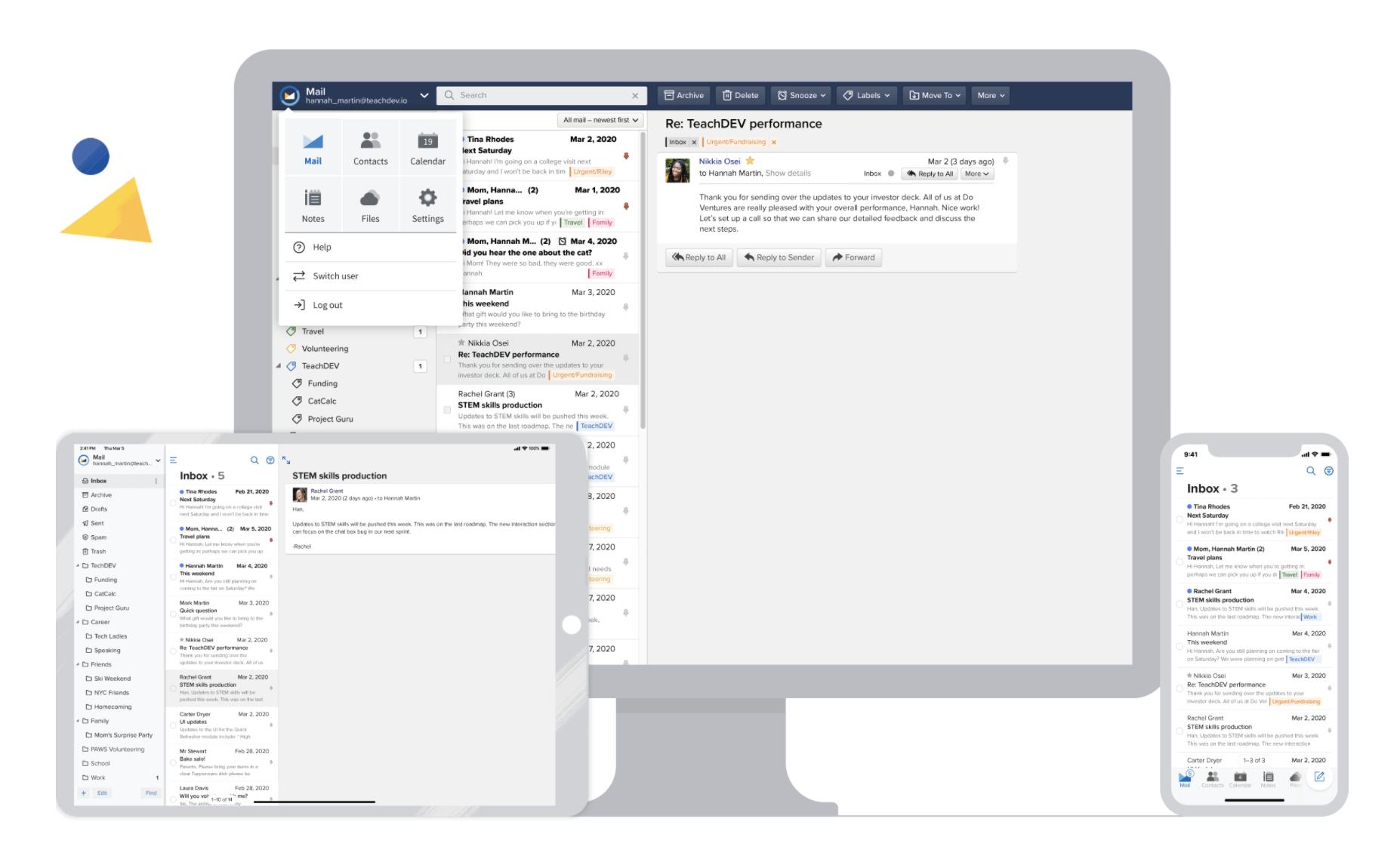
Proton Mail also provides polished web and mobile apps. To use a conventional desktop client, paid users install Proton Mail Bridge on Windows, macOS, or Linux. Bridge decrypts mail locally and presents local IMAP and SMTP services to the email application. Officially supported clients include major versions of Outlook, Apple Mail, and Thunderbird, depending on the operating system.
Bridge is not available for mobile clients. On a phone or tablet, you normally use Proton’s own mobile app rather than connecting the mailbox directly to Apple Mail or another IMAP application.
Winner: Fastmail. It provides considerably more freedom to choose an email application on desktop and mobile.
Fastmail vs Proton Mail Pricing
Pricing changes by region, billing term, tax, and promotion. The figures below are US reference prices checked in August 2026; confirm the checkout price before publishing or purchasing.
Fastmail personal pricing
| Plan | Monthly billing | Annual equivalent | Users | Included storage |
|---|---|---|---|---|
| Individual | $6/month | $5/month | 1 | 60 GB total |
| Duo | $10/month | $8/month | 2 | 120 GB total |
| Family | $14/month | $11/month | Up to 6 | Up to 360 GB total |
Fastmail’s total shown above combines mail/calendar/contact storage with file storage. It also offers longer commitments that may reduce the effective monthly price. Personal plans include the productivity tools most individuals expect, and Fastmail offers a trial of up to 30 days.
Fastmail business pricing
| Plan | Monthly billing | Annual equivalent | Total storage per user | Best for |
|---|---|---|---|---|
| Basic | $4/user/month | $3/user/month | 6 GB | Low-storage email needs |
| Standard | $6/user/month | $5/user/month | 60 GB | Most teams using custom domains |
| Professional | $10/user/month | $9/user/month | 150 GB | More storage and email retention |
Fastmail allows organizations to select tiers based on their requirements, while higher plans add capabilities such as custom business addresses, third-party client support, greater storage, and retention features.
Proton Mail personal pricing
| Plan | Typical price | Storage | Key positioning |
|---|---|---|---|
| Proton Free | $0 | Up to 1 GB Mail storage after setup steps | Basic private email |
| Mail Plus | About $4.99 monthly or $3.99/month annually | 15 GB | Paid email features and a custom domain |
| Proton Unlimited | About $12.99 monthly or $9.99/month annually | 500 GB | Mail plus the broader Proton suite |
Promotional prices can differ, and storage in broader Proton plans may be shared across Proton services.
Which service offers better value?
- Best free option: Proton Mail. Fastmail does not offer a permanent free tier.
- Best paid email-only experience: Fastmail Individual offers strong value if email, calendar, contacts, custom addresses, and client compatibility are your priorities.
- Best privacy-suite value: Proton Unlimited can be compelling if you would otherwise pay separately for encrypted storage, a VPN, and a password manager.
- Best family simplicity: Compare Fastmail Family’s flat price for up to six users with Proton’s current family offering and the other Proton services your household will actually use.
- Best business value: Fastmail is attractive for teams prioritizing conventional email workflows, shared addresses, and client support; Proton is stronger for teams with a defined encryption requirement.
Do not choose solely by advertised storage. Consider how much of that storage is dedicated to mail, whether you need multiple users or domains, and whether bundled products replace services you already pay for.
Fastmail vs Proton Mail for Business
Fastmail is the more natural fit for many small and midsize organizations. It offers custom business addresses, shared email addresses, shared calendars, company contacts, user administration, and familiar client compatibility. Professional adds extra storage and retention features for organizations with compliance or archival needs.
Proton’s business plans make more sense when encrypted data and privacy policy are central purchasing requirements. Teams can use custom domains and administrative controls while integrating with the wider Proton ecosystem. However, organizations that depend heavily on third-party mail, calendar, CRM, archiving, or mobile-client workflows should test compatibility before migrating.
For a design agency, ecommerce team, consulting firm, or family business that mainly wants private and reliable custom-domain email, Fastmail is usually easier to deploy. For a legal, investigative, security, or privacy-sensitive organization, Proton’s architecture may justify the additional workflow constraints.
Winner: Fastmail for general business productivity; Proton Mail for encryption-led organizations.
Migration and Setup
Both providers offer documentation and tools for moving from another email service. A safe migration normally involves creating users and addresses, importing historical messages, verifying delivery, configuring the domain, and only then switching MX records.
Fastmail is designed to make migration from mainstream providers approachable. Its trial is particularly useful because you can test the interface, import a mailbox, connect devices, and validate a custom domain before making it your permanent destination.
Proton also supports imports and custom-domain migration, but encrypted storage and Bridge-based workflows may require more planning. If you are moving a team, create the required Proton addresses before changing MX records to reduce the risk of undeliverable mail.
Regardless of provider, keep your old service active during the transition, lower DNS TTL in advance when appropriate, verify SPF/DKIM/DMARC, and retain an independent backup until the migration is complete.
Winner: Fastmail for a conventional migration; tie if the team has already standardized on Proton apps.
Customer Support
Fastmail advertises 24/7 expert support from real people across current plans and maintains extensive setup documentation. Proton maintains a substantial support center covering mail, encryption, domains, Bridge, migration, and the rest of its ecosystem; response options and priority can vary by plan.
Support quality is difficult to rank without comparable tickets submitted at the same time. Fastmail’s narrower product focus can make email-specific troubleshooting feel more direct, while Proton has to support a much larger suite.
Fastmail Pros and Cons
Pros
- Fast and polished everyday email experience
- Excellent server-side search
- Strong custom-domain and address management
- Direct IMAP and SMTP compatibility
- Works with third-party desktop and mobile clients
- Integrated email, calendar, and contacts
- No advertising or inbox data mining for ads
- Personal, family, and business options
Cons
- No permanent free plan
- No default end-to-end encryption
- Provider can technically process mailbox contents
- Smaller ecosystem than Proton
- Australian jurisdiction may concern users with specialized threat models
Proton Mail Pros and Cons
Pros
- Zero-access encrypted mailbox storage
- Automatic end-to-end encryption between Proton users
- Permanent free email plan
- Password-protected email for external recipients
- Swiss jurisdiction
- Broad privacy suite with VPN, Drive, Pass, and Calendar
- Hide-my-email alias options
Cons
- Content search requires a local index
- Third-party desktop clients require Bridge
- Bridge is unavailable for mobile email clients
- Some features depend on higher-priced plans
- Custom workflows can require more setup
- The broader suite may be unnecessary if you only want email
Which One Should You Choose?
Choose Fastmail if:
- You want a private, paid replacement for Gmail or Outlook.
- You manage one or more custom domains.
- You rely on Outlook, Apple Mail, Thunderbird, or another email client.
- You search years of email frequently.
- You use multiple identities, aliases, or catch-all addresses.
- You want email, calendar, and contacts to work with existing applications.
- You run a small business that values simplicity over maximum encryption.
Choose Proton Mail if:
- End-to-end encrypted communication is your highest priority.
- You want the provider to be unable to read stored message contents.
- You need a permanent free private-email option.
- You want Mail, VPN, Drive, Pass, and Calendar from one privacy-focused company.
- You are comfortable using Proton’s own mobile applications.
- You accept local indexing or Bridge as a privacy trade-off.
- Swiss jurisdiction is important to your risk assessment.
Recommendations by Use Case
| Use case | Better choice | Why |
|---|---|---|
| Replacing Gmail for everyday use | Fastmail | Faster conventional workflow and easier migration |
| Maximum mailbox privacy | Proton Mail | Zero-access storage and E2EE between Proton users |
| Custom-domain email | Fastmail | Flexible domain, address, catch-all, and client workflows |
| Free private email | Proton Mail | Permanent free plan |
| Outlook or Apple Mail users | Fastmail | Direct protocol support without a desktop bridge |
| Large searchable email archive | Fastmail | Server-side indexing across devices |
| Integrated privacy ecosystem | Proton Mail | VPN, Drive, Pass, Calendar, and Mail |
| Small-business email | Fastmail | Shared tools and familiar client compatibility |
| Sensitive communications | Proton Mail | Stronger provider-blind content protection |
| Families focused mainly on email | Fastmail | Straightforward multi-user family plan |
Final Verdict
Fastmail and Proton Mail are both credible alternatives to advertising-funded email, but they are not interchangeable.
Fastmail is the better overall choice for most people who want excellent email with better privacy. It is fast, easy to search, flexible with custom domains and addresses, and compatible with the applications people already use. It asks you to trust the provider with server-side processing in exchange for a substantially smoother experience.
Proton Mail is the better choice for people who want privacy enforced through encryption rather than policy alone. Its zero-access mailbox design and end-to-end encryption between Proton users provide stronger content confidentiality, but advanced search and third-party-client access involve additional local components.
For most individuals, families, freelancers, and small businesses leaving Gmail or Outlook, I recommend starting with Fastmail. For journalists, security professionals, activists, or anyone whose threat model includes the email provider, Proton Mail is the more appropriate option.
Because Fastmail offers a trial, you do not need to decide based only on a feature table. Import a sample of your mail, connect your domain or preferred email app, and see whether it improves your actual workflow.
Ready to try Fastmail?
Test the inbox, search, calendars, custom addresses, and mobile apps before committing.
[Try Fastmail Free]
Frequently Asked Questions
Is Fastmail better than Proton Mail?
Fastmail is better for everyday email productivity, search, custom domains, and third-party application support. Proton Mail is better for zero-access storage and end-to-end encrypted communication. The right choice depends on whether convenience or maximum mailbox privacy matters more to you.
Is Proton Mail more secure than Fastmail?
For protecting stored message contents from the provider, Proton Mail offers the stronger architecture. Its mailbox uses zero-access encryption, and messages between Proton users are end-to-end encrypted. Fastmail still provides strong conventional security, but it can process mailbox content on its servers.
Does Fastmail offer end-to-end encryption?
Fastmail does not provide default end-to-end encryption for ordinary email. It protects data in transit and at rest while retaining server-side access needed for features such as fast search and filtering.
Does Fastmail have a free plan?
No. Fastmail is a subscription-funded service without a permanent free tier. It currently offers a trial of up to 30 days, allowing you to evaluate the service before paying.
Which is better for a custom email domain?
Both support custom domains on eligible paid plans. Fastmail is usually better for users who manage multiple conventional addresses, catch-all routing, shared mailboxes, or third-party clients. Proton Mail is better when encrypted storage is the main requirement.
Can I use Fastmail with Outlook or Apple Mail?
Yes. Eligible Fastmail plans support standard email protocols and third-party applications, including common clients such as Outlook and Apple Mail. Check the selected plan because certain business capabilities vary by tier.
Can I use Proton Mail with Outlook or Apple Mail?
Paid Proton users can connect supported desktop clients through Proton Mail Bridge on Windows, macOS, or Linux. Bridge is not available for third-party mobile email clients.
Which service has better email search?
Fastmail provides the more convenient search experience because it indexes mail on its servers. Proton Mail can search message content privately by building an encrypted local index in the browser, which can require more time and device storage.
Which is better for business email?
Fastmail is generally better for organizations prioritizing familiar email workflows, shared addresses, calendars, and third-party client support. Proton Mail is better for organizations with a specific requirement for zero-access storage and encrypted communication.
Can I migrate from Proton Mail to Fastmail?
Yes. The exact method depends on your Proton plan and export options. You can move historical messages, configure addresses, and then update your domain’s MX records. Keep both services active until you have confirmed that mail import and delivery work correctly.
Is Fastmail worth paying for in 2026?
Fastmail is worth considering if you value an ad-free inbox, fast search, custom-domain email, flexible addresses, calendars, and third-party client support. Proton Mail Free is a better option if you need basic private email without a subscription.
CTA Replacement Guide
Replace every instance of:
with your complete Fastmail referral URL. Keep the surrounding CTA text or adapt it to match your website’s button style.
Recommended CTA anchor texts
- Try Fastmail Free
- Start Your Fastmail Trial
- Test Fastmail for 30 Days
- Switch to Fastmail
- Explore Fastmail Plans
Editorial note
Pricing and plan inclusions can change. Recheck the official Fastmail and Proton pricing pages before publication and whenever the article’s year is updated.