Nextiva Review 2026: Pricing, Features, Pros, Cons & Who Should Use It
Read our Nextiva review for current pricing, VoIP and contact center features, XBert AI, pros, cons, alternatives, and the best plan for your business.
https://esapplication.com/
1. Introduction
Nextiva has grown far beyond a conventional VoIP provider. Its current platform brings business calling, SMS, video, team messaging, digital customer channels, contact center tools, analytics, and artificial intelligence into one communications ecosystem.
That breadth is both Nextiva’s greatest strength and its biggest source of confusion. A small business looking for a phone number sees plans starting at $15 per user per month, while a support operation may need a $75-per-agent contact center product, add-ons, integrations, and a negotiated contract. The entry price does not tell you what a realistic deployment will cost.
This Nextiva review examines what the platform actually does, how its plans differ, where its AI tools fit, what users like and dislike, and whether it offers better value than RingCentral, Dialpad, Quo, or Zoom Phone.
2. Quick Verdict
Nextiva is a strong choice for businesses that want dependable calling and customer communications in one scalable platform. It combines business voice, texting, video, internal messaging, call routing, customer-facing channels, analytics, and optional contact center capabilities. Its 24/7 support and guided implementation are especially valuable for organizations moving away from a traditional phone system.
However, Nextiva is not the simplest or cheapest option. The most attractive advertised price usually assumes annual billing, advanced functionality is concentrated in higher tiers, and some businesses will need paid add-ons or a custom quote. Small teams that only need a shared number and basic texting may find Quo or Zoom Phone easier and less expensive.
Our recommendation
- Best for: Small and midsize businesses that need reliable voice now and may expand into customer experience or contact center tools.
- Skip it if: You only need a low-cost business number, want transparent month-to-month pricing, or dislike sales-assisted purchasing.
- Best starting plan: Core for basic unified communications; Engage for growing customer-service teams.
Nextiva is worth considering when support, scalability, and consolidated communication matter more than getting the lowest possible price.
[See Nextiva Plans — INSERT YOUR NEXTIVA AFFILIATE LINK]
3. Nextiva at a Glance
| Category | Details |
|---|---|
| Product type | Business communications, UCaaS, VoIP, and contact center platform |
| Founded | 2008 |
| Headquarters | Scottsdale, Arizona, United States |
| Best for | Small businesses, multisite organizations, sales and service teams |
| Entry business phone price | From $15/user/month with annual billing |
| Small-business plans | Core, Engage, and Scale |
| Contact center pricing | Essential from approximately $75/agent/month; higher tiers by quote |
| Main channels | Voice, SMS, video, chat, email, social, and reviews, depending on plan |
| AI tools | Transcription, summaries, Agent Assist, AI Receptionist, and AI Voice Agent |
| Applications | Web, desktop, and mobile |
| Integrations | Microsoft Teams, Salesforce, HubSpot, Zoho, and others, subject to plan |
| Support | 24/7 support advertised across current plans |
| Free plan | No |
| Best alternative for small teams | Quo |
| Best alternative for enterprise UCaaS | RingCentral |
4. Five Things to Know Before Buying Nextiva
The $15 price is not the whole story
The entry price generally applies to Core with annual billing. Month-to-month pricing is higher, while texting volume, advanced routing, customer channels, and AI capabilities may require a higher plan or add-on.
Nextiva now covers several product categories
Nextiva sells a business phone platform, unified communications, customer experience tools, contact center software, AI agents, SIP trunking, and online fax. Make sure a sales quote covers the product you actually evaluated.
Support is a major selling point
Nextiva emphasizes 24/7 assistance and guided implementation. That can make the platform easier to adopt than a self-service service, particularly when porting numbers or creating complex call flows.
Advanced features are tier-dependent
Do not assume that every feature shown across Nextiva’s website is included in Core. CRM integrations, high SMS allowances, advanced analytics, intelligent routing, contact center functions, and AI tools can depend on the plan or add-ons.
Contract details matter
Before signing, verify billing frequency, term length, renewal language, cancellation procedure, implementation fees, equipment costs, number-porting responsibilities, usage limits, and add-on pricing in writing.
5. What Is Nextiva?
Nextiva is a cloud communications and customer experience company. It began as a business VoIP provider but now positions its platform around the full customer conversation.
For a small business, Nextiva can replace an office PBX with software that runs on computers and mobile devices. Employees receive business calls, send texts, join meetings, manage voicemail, and communicate internally without using personal phone numbers.
For larger teams, Nextiva adds omnichannel contact center capabilities. Agents can handle calls, chat, email, messaging, and other interactions from a shared workspace, while supervisors use routing, monitoring, quality management, workforce tools, and analytics.
The platform’s newer AI layer includes tools designed to transcribe conversations, summarize calls, guide agents, answer routine questions, qualify callers, and schedule appointments.
6. How Does Nextiva Work?
Nextiva delivers phone and customer communication services through the internet. Instead of depending on an on-premises phone server, a company creates users in the Nextiva admin portal, assigns phone numbers, and defines how calls should move through the organization.
A basic setup typically includes these steps:
- Select or port business numbers.
- Add users and extensions.
- Configure business hours and call routing.
- Build an auto attendant or call menu.
- Install desktop and mobile apps.
- Connect desk phones where required.
- Configure voicemail, SMS, and integrations.
- Test inbound, outbound, emergency, and after-hours flows.
Employees can then make and receive calls through a computer, mobile application, or compatible desk phone. More advanced deployments add queues, skills-based routing, CRM screen pops, supervisor dashboards, recordings, analytics, and AI automation.
7. Nextiva’s Main Products
Nextiva’s catalog can be divided into five major areas.
Business Phone
The core cloud phone system provides business calling, phone numbers, voicemail, routing, texting, video meetings, and team communication. It is the most relevant product for small businesses replacing landlines or another VoIP provider.
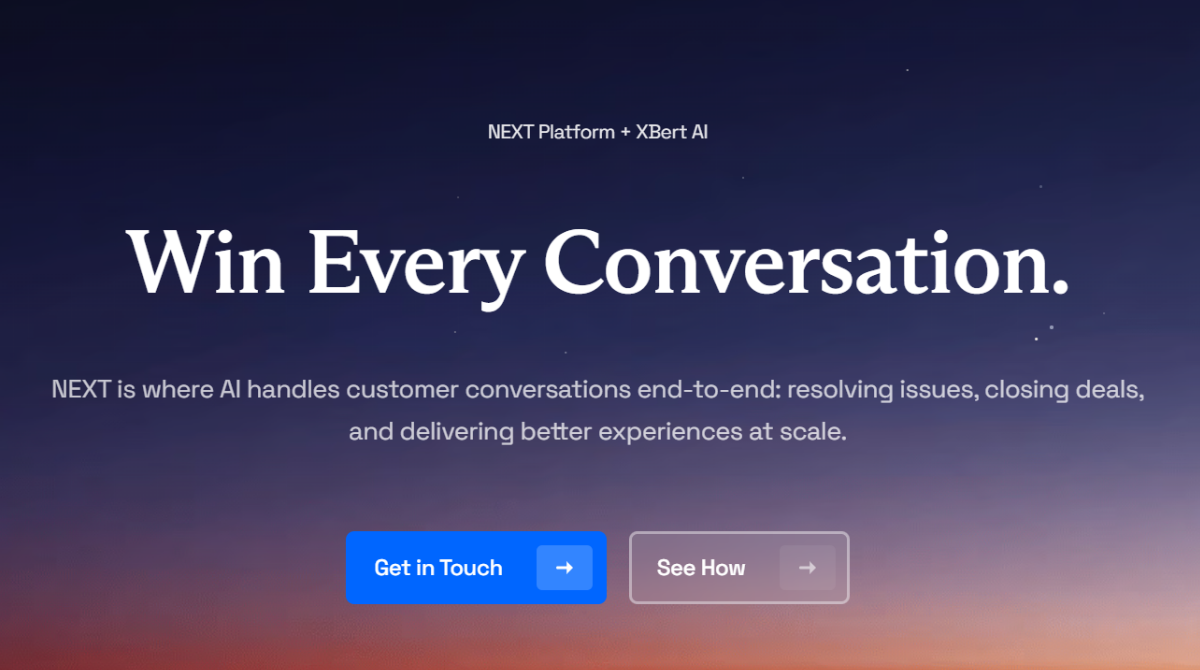
NEXT Platform
NEXT brings unified communications and customer experience functions together. The goal is to give teams one view of calls, messages, customer history, and automated interactions instead of switching among disconnected applications.
Contact Center
Nextiva Contact Center is built for customer-service and sales operations that need queues, omnichannel routing, supervisor tools, outbound dialing, quality management, reporting, workforce management, and automation.
XBert and AI tools
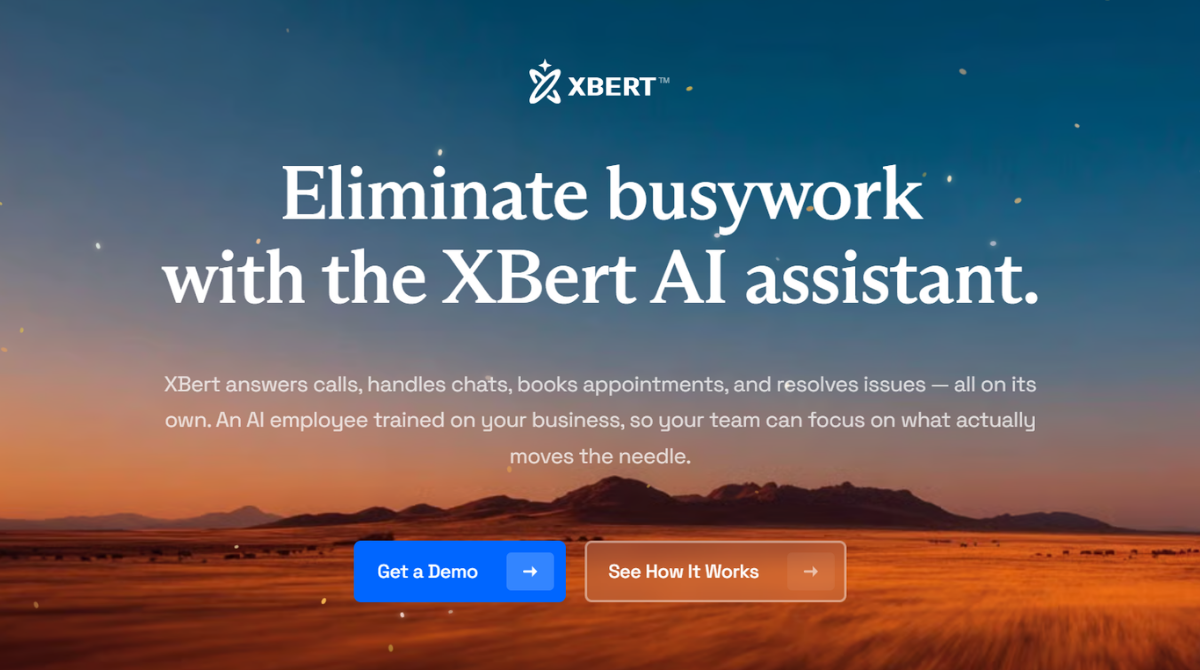
XBert is Nextiva’s AI employee concept for handling customer conversations. Depending on configuration, AI can answer calls, respond to common questions, collect information, qualify leads, schedule appointments, and hand conversations to humans.
Additional services
Nextiva also offers SIP trunking for organizations retaining legacy PBX equipment, virtual fax services, business phone hardware, local and toll-free numbers, and various integrations.
8. Business Phone and VoIP Features
Nextiva’s phone product provides the essential features expected from a modern cloud system:
- Inbound and outbound calling
- Local and toll-free numbers
- Number porting
- Extensions
- Voicemail and voicemail-to-email
- Auto attendants
- Ring groups and call queues
- Call forwarding and transfers
- Business-hours and after-hours routing
- Caller ID controls
- Call history
- Mobile and desktop calling
- Video meetings and screen sharing
- Team chat
The platform is more capable than a basic virtual-number app. A business can use it to design department menus, send calls to multiple locations, route after-hours callers, and keep a consistent public number across office, remote, and mobile employees.
The trade-off is complexity. A solo operator may never use much of the admin system, while a growing organization benefits from the same controls. Nextiva makes the most sense when professional call handling is operationally important rather than merely convenient.
9. Voice, SMS, Video, and Team Messaging
Nextiva lets employees handle several communication modes from one account.
Voice remains the foundation. Calls can be answered from a desk phone, desktop application, or smartphone. Teams can transfer callers, monitor availability, and keep business calls separate from personal service.
Business SMS is available, but allowances and collaborative texting functions vary by plan. Core is designed for basic needs, while Engage and Scale are more appropriate when customer texting is a meaningful channel. Confirm campaign registration, 10DLC requirements, included messages, carrier fees, and overage charges before relying on published headline limits.
Video meetings and screen sharing are useful for internal collaboration and smaller client conversations. Nextiva can reduce the need for a separate meeting subscription, but companies running large webinars should compare participant, duration, recording, and administration limits against dedicated products.
Team messaging gives employees a business workspace for internal conversations and files. It is useful for teams that want voice, presence, chat, and meetings together, although organizations deeply standardized on Slack or Microsoft Teams may prefer integration rather than replacement.
10. Call Routing and Auto Attendant
Call management is one of Nextiva’s strongest areas. Businesses can create menus that direct callers to sales, support, billing, or individual employees. Routing can change by time, location, department, agent skill, or availability, depending on the product and tier.
Common workflows include:
- Sending calls to several employees simultaneously
- Routing calls sequentially until someone answers
- Forwarding after-hours calls to an answering service
- Holding callers in a queue
- Sending VIP customers to a specialized group
- Directing Spanish-speaking callers to bilingual agents
- Offering callbacks during high-volume periods
Core handles ordinary small-business call flows. More advanced queue management, intelligent routing, journey orchestration, supervisor assistance, and predictive or progressive dialing belong to higher-tier or contact center products.
11. Contact Center Features
Nextiva Contact Center is a separate level of product rather than merely an upgraded office phone plan. It is designed for teams where customer conversations are a managed operation.
Capabilities can include:
- Omnichannel interaction routing
- Voice, web chat, SMS, email, and messaging channels
- Skills-based and priority routing
- Interactive voice response
- Agent and supervisor dashboards
- Call monitoring, whisper, and barge
- Recording and quality management
- Progressive and predictive dialing
- Real-time and historical analytics
- Customer journey orchestration
- Workforce forecasting and scheduling
- Secure payment workflows
- AI transcription, summaries, and assistance
The Essential contact center offering starts at roughly $75 per agent per month, while Professional and Premium generally require a quote. The final price depends on seats, channels, usage, support, workforce tools, integrations, AI, and contract term.
Nextiva is compelling when a company expects to grow from business phone service into a full contact center. A team needing only a small inbound queue should compare Engage with specialized call center products before paying for enterprise capabilities.
12. XBert AI Receptionist and AI Tools
Nextiva’s AI capabilities extend beyond call transcription and generated summaries. XBert AI is positioned as an AI employee that can autonomously handle routine customer conversations instead of merely suggesting responses to human agents.
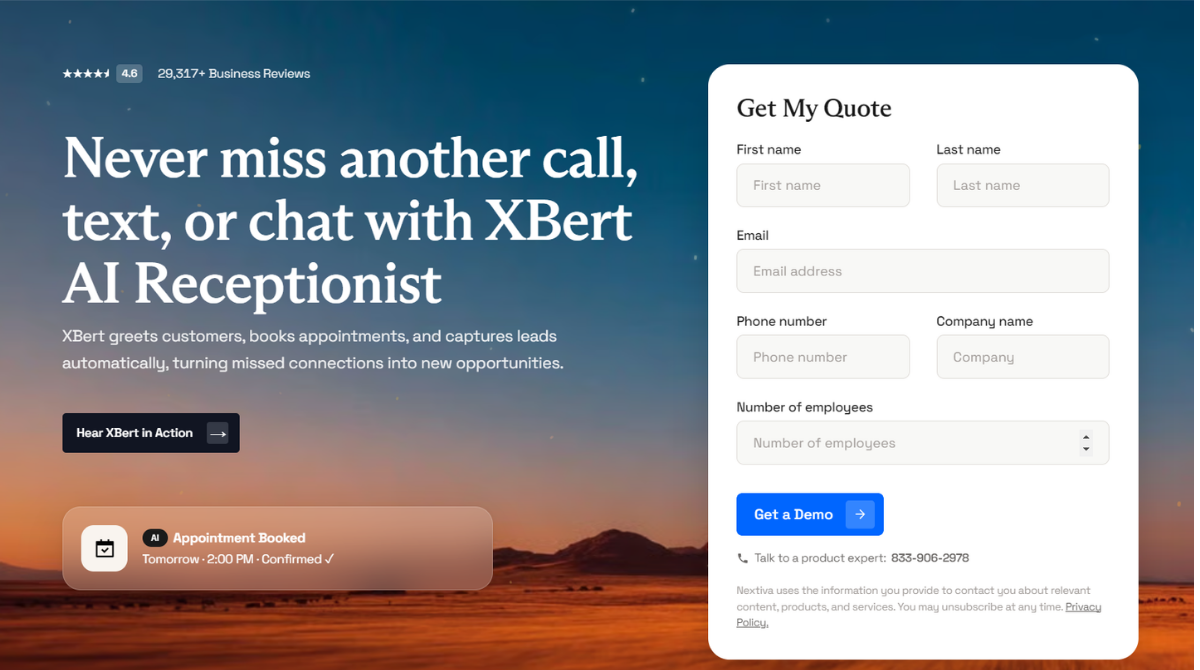
XBert can work across phone, SMS, and web chat to:
- Answer customer inquiries around the clock
- Respond to frequently asked questions
- Capture and qualify sales leads
- Collect caller details and intent
- Book, confirm, and reschedule appointments
- Send follow-up information
- Transfer complex requests to employees
- Provide the receiving employee with conversation context
- Generate transcripts, summaries, and performance insights
This makes XBert particularly useful for appointment-based and local service businesses that regularly lose opportunities because calls or messages go unanswered. It may help home-service companies, medical and dental offices, real estate teams, salons, restaurants, repair shops, fitness centers, and professional-service firms maintain customer coverage outside normal working hours.
XBert AI Pricing
XBert is currently available as a standalone product or as an add-on to an eligible Nextiva plan. The standard offer starts at $99 per month and includes 100 qualifying AI conversations. Additional conversations are currently charged at $0.99 each.
A qualifying conversation may be counted based on call duration or the number of interactions within an SMS or web-chat thread. Because usage definitions, promotions, and overage terms can change, businesses should review the current offer before subscribing.
Is XBert AI Right for Your Business?
XBert offers a practical way to automate frontline conversations without immediately hiring additional staff. However, an AI receptionist still requires careful configuration and ongoing supervision.
Before going live, test:
- Names, accents, interruptions, and background noise
- Appointment availability and double-booking prevention
- Routing and escalation when no employee is available
- Emergency and sensitive customer requests
- Recording consent and disclosure requirements
- Incorrect or incomplete answers
- CRM and calendar synchronization
- Conversation counting and overage alerts
XBert should transfer uncertain, sensitive, or complex requests to a human rather than attempting to resolve everything automatically. Reviewing transcripts and customer outcomes during the first few weeks can help identify knowledge gaps and improve its responses.
Could XBert help your business capture more calls and appointments?
Explore XBert AI and View the Current Offer
13. Integrations
Nextiva connects with widely used business applications, including Microsoft Teams, Salesforce, HubSpot, Zoho, and selected healthcare and vertical platforms. Integrations can surface customer information, log calls, support click-to-dial, and reduce manual entry.

Availability varies by product and plan. A logo on an integrations page does not guarantee that every function is included in Core. Before buying, ask for a demonstration of your exact workflow:
- Does the integration create and update contacts?
- Are calls and messages logged automatically?
- Does an inbound call show the correct CRM record?
- Are recordings and transcripts attached?
- Is two-way synchronization supported?
- Is there an additional monthly charge?
- Does it work in the mobile app?
Companies with custom requirements can evaluate APIs and webhooks, but API availability, rate limits, and professional-service costs should be confirmed.
14. Mobile and Desktop Apps
The Nextiva application lets employees use their business identity from a computer or smartphone. Users can make calls, check voicemail, exchange messages, view contacts, and move between devices.

This is valuable for remote and hybrid teams because a personal mobile number stays private. Employees can answer the company line while away from a desk and maintain a centralized interaction history.
Feedback across review platforms is generally positive about convenience and unified access, but some users report lag, synchronization issues, or inconsistent mobile behavior. App experience can depend on the device, operating system, network, notification settings, and product generation. Test the current app with real users during implementation rather than relying only on a demo.
15. Analytics and Reporting

Nextiva provides reporting for call activity, queues, agents, channels, and customer interactions. Small businesses can track missed calls, volume, duration, answer rates, and team performance. Contact centers gain deeper real-time and historical reporting.
Useful metrics may include:
- Average speed of answer
- Abandonment rate
- First-contact resolution
- Agent availability and occupancy
- Queue volume
- Handle and hold time
- Transfer rate
- Customer sentiment
- Channel performance
- Campaign results
Reporting depth varies by plan. Ask whether dashboards are real-time, exportable, schedulable, customizable, and available through an API. Also confirm data-retention periods because historical reporting may be limited or priced separately.
![What Is Average Handle Time? [AHT Formula & Tips Included]](https://images.openai.com/static-rsc-4/TqdYEMPF8ZIqwts8MpAk87dH43O9Kqwpyfg2lvS-0pcwYumUuiLo25_GRT4nKiM-RbE3pGM93QhtIcYH41Yo2Ai2P_4ZAhoFEUJaLjl4XDWbgmX3-e2iLUsTNG0fjsxFyWFCxAyxoq6jybZzXF_z4xco084KqCgPsb91n-Vgg_EfLBC25BuCQyg0CiktkWTV?purpose=fullsize)
16. Security and Compliance
Nextiva advertises security and compliance capabilities for industries handling sensitive customer information. Depending on the service and configuration, this can include controls related to HIPAA, PCI-DSS, and other frameworks.
Compliance is not automatic simply because a vendor supports a standard. Your company remains responsible for user access, device security, recording policies, retention, integrations, consent, and how employees handle data.
Before signing, verify:
- Encryption in transit and at rest
- Single sign-on and multifactor authentication
- Role-based access control
- Audit logs
- Recording storage and retention
- Data residency
- Business associate agreement availability
- PCI-compliant payment workflows
- Backup and disaster-recovery commitments
- Incident notification terms
Healthcare, financial, legal, and government buyers should obtain documentation for the exact purchased service rather than relying on general marketing claims.
17. Setup and Ease of Use
A small, straightforward Nextiva deployment can be completed quickly. Complex routing, multiple locations, hundreds of users, CRM integrations, or number-porting projects require more planning.
Nextiva’s guided onboarding is an advantage for businesses without an internal telecom specialist. The admin portal contains powerful controls, but the number of options can create a learning curve. It is easier than managing an on-premises PBX, yet less minimal than startup-oriented phone apps.
Create a written call-flow diagram before implementation. Include business hours, departments, failover destinations, voicemail, holidays, queues, emergency paths, and escalation. This prevents the configuration process from turning into trial and error.
Ease-of-use verdict: Friendly for ordinary users; moderately complex for administrators building advanced workflows.
18. Call Quality and Reliability
Nextiva is widely associated with reliable business voice, and the company markets a network engineered toward 99.999% availability. Actual call quality still depends on the customer’s internet connection, Wi-Fi coverage, router configuration, devices, and local network congestion.
Before migration, run Nextiva’s network-readiness tests and evaluate:
- Available bandwidth
- Latency
- Jitter
- Packet loss
- Quality-of-service settings
- Firewall compatibility
- Power and internet redundancy
Organizations where phones are mission-critical should consider backup internet, cellular failover, uninterruptible power supplies, and documented outage routing. A cloud provider can have an excellent network while a local Wi-Fi problem still ruins calls.
19. Customer Support
Customer support is one of Nextiva’s clearest differentiators. Current product pages advertise 24/7 assistance, and many customers praise onboarding and helpful representatives.
Not every experience is positive. Public reviews also mention long waits, transfers between teams, billing disputes, and difficulty resolving cancellation or contract questions. This variation is normal for a large provider but reinforces the importance of documenting commitments.
Support should be evaluated in two dimensions: technical help and account administration. A provider may resolve call-routing problems quickly while contract changes require a separate billing or retention team.
20. Nextiva Pricing Explained
Nextiva pricing varies by billing term, user count, product, promotion, and add-ons. The following US reference prices were checked in August 2026.
Small-business communication plans
| Plan | Advertised annual price | Best for | Key additions |
|---|---|---|---|
| Core | From $15/user/month | Basic business communications | Voice, SMS, video, routing, team chat, and apps |
| Engage | From $25/user/month | Growing customer-service teams | More customer channels, reporting, live chat, and inbound call center tools |
| Scale | From $75/user/month | Advanced CX operations | Broader AI, routing, automation, analytics, and journey tools |
Month-to-month prices can be significantly higher. Current materials have shown Core around $23 and Engage around $50 when billed monthly, but quotes and promotions change.
Contact center pricing
| Plan | Reference price | Positioning |
|---|---|---|
| Essential | From about $75/agent/month | Entry omnichannel contact center |
| Professional | Contact sales | Advanced self-service, supervisor tools, dialing, and channels |
| Premium | Contact sales | Expanded routing, channels, workforce, security, and enterprise capabilities |
Which plan offers the best value?
Core provides good value for a business that wants professional phone service, texting, meetings, and team communication. Engage is likely the practical sweet spot for companies actively managing customer conversations. Scale and Contact Center should be justified through routing, automation, staffing, quality, or revenue outcomes—not selected because they look more complete.
Prices and promotions can change. Request a written quote showing the full first-year and renewal cost.
[Check Current Nextiva Pricing ]
21. Additional Costs and Contract Considerations
The subscription price may not represent total cost. Ask about:
- Month-to-month versus annual pricing
- Minimum contract term
- Automatic renewal
- Taxes and regulatory recovery fees
- Phone numbers and toll-free usage
- SMS registration and carrier charges
- International calling
- Devices, rentals, shipping, and replacements
- Professional implementation
- Integrations and API access
- Call recording and storage
- Faxing
- AI receptionist usage
- Extra contact center channels
- Number porting and early termination
The safest approach is to create a requirements list and ask Nextiva to mark each item as included, add-on, usage-based, or unavailable. Request renewal pricing rather than evaluating only the introductory period.
22. Nextiva Pros and Cons
Pros
- Combines voice, SMS, video, team messaging, and customer channels
- Scales from business phone service to a full contact center
- Strong call routing and administration
- 24/7 support advertised across current plans
- Desktop and mobile applications
- Guided onboarding and number porting assistance
- AI receptionist and agent-assistance options
- Integrations with popular CRM and business platforms
- Useful reporting and analytics
- Suitable for remote, multisite, and growing organizations
Cons
- Pricing can be difficult to understand
- Best advertised rates require annual billing
- Advanced features are concentrated in expensive tiers
- Some integrations and capabilities cost extra
- May be excessive for a solo user or very small team
- Sales-assisted purchasing can slow comparison
- Mobile-app experience receives mixed feedback
- Contract and cancellation complaints appear in public reviews
- International requirements need careful verification
23. What Real Users Say
Nextiva maintains strong aggregate ratings on major software and consumer-review platforms, but the written comments reveal more useful patterns than the average score.
Common positive themes
- Helpful onboarding representatives
- Reliable everyday calling
- Easy call routing and voicemail configuration
- Convenient desktop and mobile access
- Responsive technical support
- One platform for multiple communication channels
- Ability to add users and locations as the business grows
Common negative themes
- Confusion about contracts and renewals
- Higher total cost than expected
- Difficult cancellation experiences
- Long waits or transfers in some support cases
- Mobile-app lag or synchronization problems
- Features requiring upgrades or add-ons
Reviews should not be treated as a controlled product test. Some are invited, some reflect older versions, and complex deployments naturally generate more support issues. Use them to identify questions for a demo and contract review.
24. Nextiva vs Competitors
Nextiva vs RingCentral
RingCentral offers a mature global communications ecosystem and a broad integration catalog. Nextiva competes strongly on customer support and its combined CX direction. Choose RingCentral for global scale and extensive ecosystem requirements; choose Nextiva when guided service and a path from business phone to customer experience are more important.
Nextiva vs Dialpad
Dialpad is known for a modern interface and deeply embedded AI features. Nextiva offers a broader customer-experience platform and a strong support proposition. Choose Dialpad for an AI-forward, streamlined UCaaS experience; choose Nextiva for broader service workflows and hands-on implementation.
Nextiva vs Quo
Quo, formerly OpenPhone, is simpler and often better suited to startups and small teams that primarily need shared calling and texting. Nextiva offers more advanced routing, administration, contact center options, and scalability. Choose Quo for speed and simplicity; choose Nextiva for operational depth.
Nextiva vs Zoom Phone
Zoom Phone is attractive to organizations already using Zoom and those seeking cost-effective cloud calling. Nextiva adds broader customer channels, routing, service, and CX capabilities. Choose Zoom Phone for straightforward calling inside the Zoom ecosystem; choose Nextiva for a more complete customer-communication platform.
25. Which Nextiva Plan Should You Choose?
Choose Core if:
- You need professional business calling.
- Basic texting, meetings, chat, and routing are sufficient.
- You do not need an inbound contact center.
- You want the lowest Nextiva entry price.
Choose Engage if:
- Customer conversations happen across several channels.
- You need live chat, enhanced reporting, or inbound call-center functionality.
- Texting and customer engagement are important.
- Your team has outgrown basic phone queues.
Choose Scale if:
- You need advanced routing, AI, automation, and customer journey capabilities.
- The platform will support a revenue or service operation.
- You can quantify the return from reduced handling time or improved conversion.
Choose Contact Center if:
- Agents spend most of their day handling customer interactions.
- Supervisors need monitoring, quality management, dialing, workforce tools, and omnichannel routing.
- You require a dedicated CCaaS deployment rather than an office phone system.
26. Who Should Use Nextiva?
Nextiva is well suited to:
- Small and midsize businesses replacing traditional phones
- Growing teams that expect to add users or locations
- Sales and support departments
- Healthcare, legal, real estate, insurance, retail, automotive, and home-service organizations
- Remote and hybrid teams
- Companies that value 24/7 support
- Businesses needing professional call routing
- Organizations planning to grow into a contact center
- Teams seeking voice, text, video, and customer channels from one vendor
27. Who Should Skip Nextiva?
Consider another service if:
- You are a solo operator who only needs one inexpensive number.
- You want a permanent free plan.
- Month-to-month flexibility is more important than discounted annual pricing.
- Your team wants a minimal self-service setup with few administration options.
- Most communication already happens inside Zoom or Microsoft Teams.
- You need a highly specialized international phone footprint that has not been confirmed.
- You are unwilling to review contract and renewal terms carefully.
- You need advanced AI or contact center features at entry-level pricing.
28. Is Nextiva Worth It? Final Recommendation
Nextiva is worth the price when business communication is important enough to justify a managed, scalable platform. It gives organizations a reliable path from basic cloud phone service to unified communications, customer engagement, AI automation, and a full contact center.
Its value is less convincing for a tiny team that only needs inexpensive calls and texts. In that case, much of Nextiva’s platform becomes unused overhead, and simpler competitors are easier to buy and administer.
For most small businesses, start by comparing Core and Engage. Core covers the essentials, while Engage is more appropriate when customer messaging, live chat, reporting, and inbound service workflows matter. Do not move to Scale or Contact Center without identifying the operational result that will pay for it.
Our final rating:
| Category | Score |
|---|---|
| Features | 4.6/5 |
| Call management | 4.7/5 |
| Ease of use | 4.3/5 |
| Integrations | 4.2/5 |
| Customer support | 4.5/5 |
| Pricing transparency | 3.6/5 |
| Scalability | 4.7/5 |
| Overall | 4.4/5 |
Bottom line: Nextiva is one of the better choices for US businesses that want dependable communications, strong routing, human support, and room to grow. Just make sure the written quote—not the headline price—contains everything your team needs.
Ready to evaluate Nextiva? Request a quote for the exact users, channels, integrations, and AI capabilities you need.
[Explore Nextiva ]
29. Frequently Asked Questions
Is Nextiva a VoIP service?
Yes. Business VoIP is one of Nextiva’s core services, but the company also provides unified communications, messaging, video, customer experience, contact center, AI, SIP trunking, and online fax products.
How much does Nextiva cost?
Nextiva’s Core plan is currently advertised from $15 per user per month with annual billing. Engage starts around $25, and Scale starts around $75. Monthly billing, contact center products, add-ons, usage, and contract terms can increase the final cost.
Does Nextiva offer a free plan?
No. Nextiva does not offer a permanent free plan. Demo, promotional, or trial availability can change, so check the current offer before purchasing.
Is Nextiva good for small businesses?
Yes, particularly for businesses that need professional call routing, multiple users, remote access, texting, and reliable support. It may be excessive for a solo operator who only needs a basic virtual number.
Does Nextiva include business texting?
Nextiva offers business SMS, but message allowances, shared texting, registration requirements, and advanced functionality vary by plan. Confirm the limits and carrier fees for your use case.
Can Nextiva replace a traditional office phone system?
Yes. Nextiva can replace an on-premises PBX with cloud calling, extensions, auto attendants, queues, voicemail, routing, desktop applications, mobile applications, and compatible desk phones.
Does Nextiva have an AI receptionist?
Yes. Nextiva offers XBert and related AI capabilities for answering calls, handling common questions, collecting information, scheduling appointments, and routing customers. Pricing and included usage should be confirmed.
Is Nextiva a call center or contact center platform?
It offers both lightweight call-center functions in some business plans and a dedicated omnichannel Contact Center product for larger sales and service operations.
Does Nextiva integrate with CRM software?
Nextiva integrates with platforms such as Salesforce, HubSpot, and Zoho, but availability and depth can vary by plan. Ask for a live demonstration of the exact integration before signing.
Is Nextiva better than RingCentral?
Nextiva may be better for organizations prioritizing support, guided implementation, and its unified customer-experience direction. RingCentral may be better for companies needing a particularly broad global ecosystem. The best choice depends on locations, integrations, channels, and contract pricing.
Can I keep my existing business number?
In most cases, eligible numbers can be ported to Nextiva. Do not cancel the old service until the port is confirmed, and verify portability, authorization documents, timing, and temporary routing with Nextiva.
Does Nextiva require a contract?
Month-to-month options may be available, but the lowest advertised prices generally assume annual billing or a longer commitment. Review the order form for term, renewal, and cancellation language.
Is Nextiva worth it in 2026?
Nextiva is worth considering for businesses that value reliable voice, professional call management, 24/7 support, and a platform that can scale into customer experience and contact center use. It is less compelling for very small teams seeking the cheapest possible phone line.
CTA Replacement Guide
Replace every instance of:
INSERT YOUR NEXTIVA AFFILIATE LINK
with your complete Nextiva referral or affiliate URL.
Recommended CTA anchor text:
- See Nextiva Plans
- Check Current Nextiva Pricing
- Request a Nextiva Quote
- Explore Nextiva
- Get Started With Nextiva
Editorial and Affiliate Disclosure
This article should include your normal affiliate disclosure before publication. Pricing, promotions, plan names, integrations, usage limits, and product availability can change. Recheck the official Nextiva pricing and product pages whenever updating the publication year.