Professional Crocoblock review: JetEngine, filters, forms, WooCommerce tools, pricing, pros/cons, and alternatives—decide if Crocoblock is worth it.
Is It Worth It?
If you’ve ever tried to build a “simple” WordPress website that turned into something more ambitious—like a directory, marketplace, booking site, membership portal, software review database, or a WooCommerce store with custom product layouts—you already know the breaking point: standard WordPress + a page builder can’t handle dynamic data elegantly.
At that stage, you typically face two paths:
-
Developer route: Advanced custom fields, custom post types, template overrides, custom queries, and ongoing maintenance.
-
Plugin-stack route: A long list of plugins from different vendors—forms, filters, CPT tools, listing tools—often leading to conflicts and a fragile site.
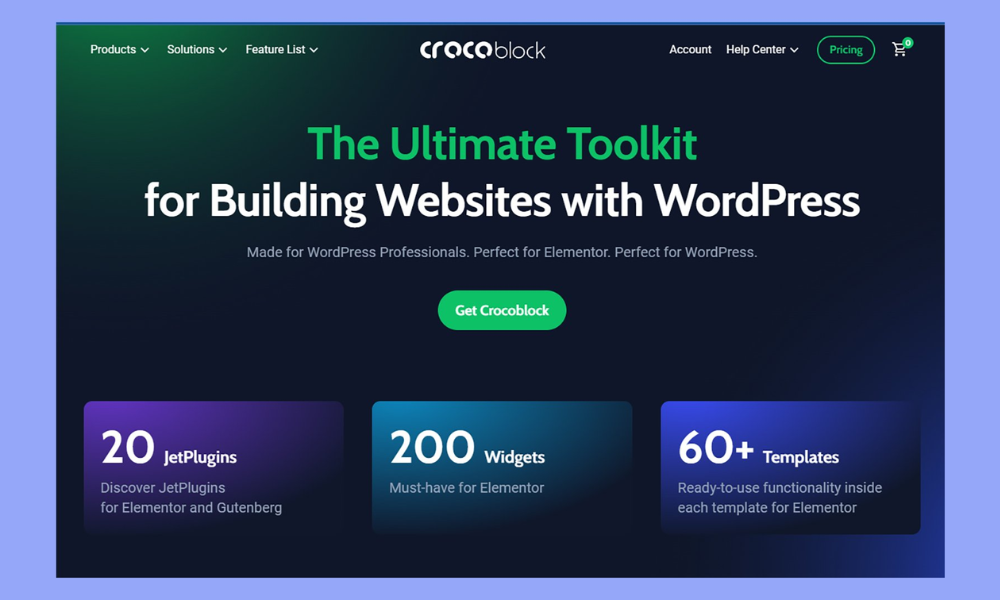
Crocoblock is designed to be a third path: a unified ecosystem of “JetPlugins” that helps you build dynamic, data-driven WordPress websites with far less custom code and fewer “random plugin” dependencies. The platform positions itself as made for WordPress professionals and emphasizes its scale—21 JetPlugins, 200 widgets, and 200+ templates, plus a 30-day money-back guarantee.
This Crocoblock review is written for people who care about long-term maintainability, performance tradeoffs, and ROI—not just feature lists. You’ll get a tight, practical evaluation: where Crocoblock shines, where it adds complexity, and who should (and shouldn’t) invest in it in 2026.
What Is Crocoblock?
Crocoblock is a premium WordPress toolkit made up of multiple plugins (JetPlugins) focused on:
-
Dynamic content (custom post types, meta fields, relationships)
-
Dynamic templates & listings
-
Advanced filtering and search
-
Form workflows (including front-end submissions)
-
WooCommerce customization
-
Booking/appointments and other advanced site functions (depending on which JetPlugins you use)
Crocoblock is compatible with Elementor, and it also supports Gutenberg with a subset of plugins, plus partial support for Bricks. Crocoblock’s pricing FAQ explicitly notes: full compatibility with Elementor, 14 JetPlugins for Gutenberg, and 6 integrated JetPlugins for Bricks (including JetEngine, JetSmartFilters, JetSearch, JetFormBuilder, JetAppointment, and JetBooking).
The problem Crocoblock solves (in plain business terms)
For many WordPress sites, the real requirement isn’t “pretty pages.” It’s structured data and dynamic interactions:
-
A property listing needs fields (price, location, beds, agent) and filters.
-
A software directory needs structured features, categories, ratings, and comparisons.
-
A booking site needs availability, forms, and automation.
-
A WooCommerce store may need custom layouts, conditional displays, and optimized pages.
Crocoblock is built to make those outcomes achievable without building everything from scratch.
Who Crocoblock is for
Crocoblock is best suited for:
-
WordPress builders who want more than static pages
-
Freelancers/agencies building multiple sites
-
Operators building content databases (directories, listings, comparison sites)
-
WooCommerce stores needing deep customization
-
Teams that want consistency (one ecosystem instead of “plugin soup”)
Quick Overview & Unique Value Proposition
A fair way to evaluate Crocoblock is to compare it to the “classic WordPress stack” for dynamic sites:
-
CPT / fields plugin (e.g., ACF, Meta Box)
-
Template system (builder theme or custom templates)
-
Filtering plugin (often separate)
-
Forms plugin (separate)
-
WooCommerce builder (separate)
-
Listings / loops plugin (separate)
Crocoblock’s proposition is: reduce fragmentation. Instead of mixing and matching tools with different UX patterns and update schedules, you get a platform designed to work together—built around JetPlugins and dynamic site-building workflows. That consistency is one of the biggest “hidden benefits” for professional site builders, especially when you’re maintaining multiple client sites.
On the official site, Crocoblock frames its scope as a professional toolkit and highlights adoption and trust signals: “100K+ sites,” “4.9-star rating on Trustpilot,” “Secured via Patchstack,” and a “30-day money-back guarantee.”
Whether or not you care about those numbers, the bigger point is: Crocoblock is positioning itself as an ecosystem, not a single-purpose plugin.
Key Features & Functional Strengths
1) JetEngine: the centerpiece of the ecosystem

If Crocoblock were a company with one “core product,” it would be JetEngine.
JetEngine is what enables the underlying system of:
-
Custom post types
-
Meta fields
-
Custom content structures
-
Dynamic output templates
-
Relationships between content entities
One of JetEngine’s defining features is Relations—the ability to connect content types like posts, users, taxonomies, and custom content types. Crocoblock’s own knowledge base explains that JetEngine’s relations allow connecting and editing related items for posts, custom content type items, users, and taxonomies, and even adding meta fields to relations.
Why it matters: relationships are what separate “a blog with categories” from “a real database-like site.” If you’re building something like:
-
properties ↔ agents
-
courses ↔ instructors
-
software ↔ integrations
-
restaurants ↔ cities ↔ cuisine types
…relationships are the difference between a clunky site and a scalable one.
Practical advantage: JetEngine lets non-developers build structured content models that previously required custom code and custom queries.
2) Dynamic templates and listings (scalability for content-heavy sites)

Once your content is structured, you need to display it consistently across the site.
Crocoblock’s system is designed to help you build:
-
Listing cards
-
Archive layouts
-
Single templates
-
Repeatable dynamic blocks
This is critical for SEO and operations, because it keeps your site maintainable:
-
If you change the design once, it propagates across many pages.
-
If you add a new field, you can output it across templates without rebuilding everything.
For affiliate sites—especially directories and review hubs—this is the kind of scalability that supports long-term growth.
3) JetSmartFilters: conversion-level filtering for UX
Filtering isn’t “nice to have” if you’re building a directory, marketplace, or product catalog. It’s the difference between a visitor bouncing and a visitor finding what they want.
Crocoblock includes JetSmartFilters as one of the key integrated plugins (and notably, it’s one of the plugins listed as integrated with Bricks, too).
Where JetSmartFilters tends to shine:
-
Multi-criteria filtering (category + attributes + ranges)
-
Fast browsing experience (especially for large inventories of content)
-
Better UX for high-intent users
If your business model depends on users finding the right item quickly (and clicking your affiliate link), filtering becomes revenue infrastructure.
4) JetFormBuilder: forms as part of your data system

Most WordPress form plugins are built to capture leads. That’s fine, but dynamic sites often need forms to do more than “send an email.”
Crocoblock supports JetFormBuilder, and it’s explicitly called out as one of the JetPlugins integrated with Bricks.
In a Crocoblock-style workflow, forms can be used for:
-
Front-end submissions (users submit listings)
-
User-generated content
-
Multi-step workflows (application-type forms)
-
Data capture that feeds into your CPT structure
In other words, forms become part of your site’s operating system.
5) WooCommerce customization and advanced site builds
Crocoblock’s ecosystem is often used to push WooCommerce beyond “default shop layout.”
While Crocoblock’s official messaging highlights broad dynamic site capability, many builders adopt it primarily because they want:
-
Custom product pages
-
Custom category layouts
-
Stronger merchandising sections
-
Design flexibility without theme limitations
If you run ecommerce + content together (blog + store + directory), the value of a unified toolkit increases—because your system stays consistent across content types.
6) Builder compatibility as a strategic advantage
One understated strength: Crocoblock isn’t “Elementor only” anymore.
Per Crocoblock’s pricing FAQ:
-
Fully compatible with Elementor (JetPlugins work without requiring Elementor Pro)
-
14 JetPlugins available for Gutenberg
-
Partial support for Bricks with 6 JetPlugins integrated (JetEngine, JetSmartFilters, JetSearch, JetFormBuilder, JetAppointment, JetBooking)
Business implication: builder ecosystems change. Performance trends, licensing, and UI preferences shift. Partial multi-builder support reduces lock-in risk.
Real-World Performance & User Experience
Setup complexity: the price of power
Crocoblock can feel “heavy” to first-time users—not necessarily because it’s poorly designed, but because dynamic websites require planning.
To get the best results, you need to think in systems:
-
What content types exist?
-
What fields do they need?
-
What relationships exist?
-
What templates should scale across archives/singles?
-
What filters do users need?
If you expect to “install Crocoblock and instantly have a perfect directory,” you’ll be disappointed. But if you approach it like a framework—where you build your content model first—Crocoblock becomes a serious productivity multiplier.
Day-to-day usability: where it saves time
Crocoblock’s time savings usually show up in:
-
Faster template iteration (dynamic blocks)
-
Less custom PHP/JS
-
Fewer plugin conflicts (compared to mixing vendors)
-
Repeatable site builds across niches (great for agencies)
For affiliate builders, the workflow advantage is significant: you can create structured review databases and comparison layouts that scale to hundreds or thousands of pages without redesigning each page manually.
Performance: realistic expectations
Crocoblock isn’t “a lightweight plugin.” It’s an ecosystem. Your site’s speed will depend heavily on:
-
Hosting quality
-
Caching/CDN setup
-
How many JetPlugins you activate
-
How complex your dynamic queries and filters are
In practical terms: Crocoblock can absolutely run fast—but it rewards professional setups more than budget hosting environments.
Pricing & Cost Analysis

Crocoblock offers All-Inclusive yearly and lifetime subscription plans, giving access to the full product set and updates, and includes a 30-day money-back guarantee.
The main pricing page contains additional plan and compatibility details, including builder support notes.
Because pricing can change and promotions are common, you should treat any “exact price” mentioned in third-party reviews as a snapshot. The most reliable source is always Crocoblock’s pricing page and knowledge base.
Plan logic (how to decide)
Most buyers should decide based on two variables:
-
How many sites you manage
-
Single site: you need the “one-site” economics to make sense.
-
Multiple sites: unlimited plans often become cheaper than piecing together alternatives.
-
How long you’ll use the ecosystem
-
1–2 projects: yearly makes sense.
-
Agency/long-term operator: lifetime may be more cost-effective over time.
Transparency rating
8.5/10
Crocoblock communicates its plan structure and includes a money-back policy.
The main transparency challenge is that buyers must understand which JetPlugins they actually need (many users don’t), and how builder compatibility affects their workflow.
ROI analysis (who gets the most value)
Crocoblock delivers the strongest ROI when:
-
Your site is dynamic and content-heavy (directory/review database)
-
You build multiple sites (freelancer/agency)
-
You need filters, forms, and dynamic listings as core functionality
-
You want to reduce custom development costs
-
Your revenue depends on UX (affiliate conversion, ecommerce conversion)
If you only need a basic marketing site, Crocoblock is often overkill.
Comparison With Alternatives
Vs Elementor Pro
Elementor Pro is primarily a design and page-building tool. Crocoblock is primarily a dynamic data and site-building ecosystem (though it also includes design widgets/templates).
The reality:
-
Elementor Pro helps you design beautiful pages.
-
Crocoblock helps you turn WordPress into a data-driven platform and build dynamic templates around that.
Many professionals use both, but Crocoblock’s own FAQ notes that JetPlugins work with Elementor without requiring Elementor Pro—meaning Crocoblock can add dynamic site power even on Elementor free setups.
When Elementor Pro alone is enough: brochure sites, simple landing pages, lightweight blogs.
When Crocoblock is the better fit: directories, databases, advanced filtering, structured content at scale.
Vs ACF + Custom Code
ACF + code is still the “maximum flexibility” route. But maximum flexibility has costs:
-
developer dependency
-
slower iteration cycles
-
higher maintenance burden
Crocoblock offers a middle ground:
-
high flexibility
-
faster deployment
-
less custom code
-
integrated UI workflows
If you’re a non-developer or you want to ship quickly, Crocoblock tends to be more practical. If you’re a developer building a very custom product with unique architecture, ACF + custom templates can be cleaner and lighter.
Pros & Cons
Pros
-
Excellent for dynamic WordPress sites (listings, directories, databases)
-
JetEngine relations enable scalable structured content models
-
Broad builder compatibility strategy (Elementor + Gutenberg subset + Bricks partial)
-
Large ecosystem: 21 JetPlugins, 200 widgets, 200+ templates (strong coverage)
-
30-day money-back guarantee lowers risk
Cons
-
Learning curve if you’ve never built structured/dynamic sites
-
Can be overkill for simple sites
-
Performance depends on hosting + implementation quality
-
Ecosystem mindset: you must be willing to “build the model,” not just design pages
Who Should Use Crocoblock — And Who Should Avoid It
You should use Crocoblock if you are:
-
Building a directory, marketplace, or listing site
-
Building a software review database (great for affiliate SEO)
-
Running a content-heavy site with structured templates
-
Building advanced WooCommerce experiences
-
A freelancer/agency managing multiple WordPress builds
You should avoid Crocoblock if you:
-
Only need a simple blog or brochure website
-
Don’t plan to use dynamic fields/filters/templates
-
Prefer a minimal plugin footprint above all else
-
Have zero time for setup and learning
Real Use Case Examples
Use case 1: Affiliate software directory (perfect match)
If you run a site like a “Capterra-style clone” or a niche comparison hub, Crocoblock can structure:
-
software listings (CPT)
-
features (fields)
-
categories and use cases (taxonomies)
-
ratings/reviews (relationships)
-
filters (feature checkboxes, pricing ranges, integrations)
Then you can produce hundreds of SEO-friendly pages from a single template system.
Use case 2: Real estate or services directory
Properties ↔ agents ↔ neighborhoods is a classic relationships model. JetEngine relations are built specifically for this kind of “connected data” architecture.
Use case 3: WooCommerce store with editorial content
If your business is content + commerce:
-
dynamic product sections inside blog posts
-
custom product templates
-
conversion-driven layouts
Crocoblock can reduce theme limitations and speed up iteration.
Final Verdict — Should You Use Crocoblock or Not?
Crocoblock is worth it when your website is more like a platform than a set of pages.
If your site needs dynamic data, listings, filters, structured templates, and scalable content production, Crocoblock is one of the most complete WordPress ecosystems available in 2026—especially because JetEngine relationships enable real database-style site models, and the toolkit supports multiple builders in different degrees.
If your site is basic, Crocoblock will feel expensive and complex.
My verdict score: 8.8/10
-
9+ for agencies and dynamic-directory builders
-
7–8 for single-site owners who only need moderate dynamic features
-
<7 for simple sites that don’t need structured content models
Frequently Asked Questions (FAQ)
Does Crocoblock work with Elementor?
Yes—Crocoblock states full compatibility with Elementor, and JetPlugins don’t require Elementor Pro.
Does Crocoblock work with Gutenberg?
Partially. Crocoblock notes 14 JetPlugins available for Gutenberg.
Does Crocoblock work with Bricks?
Partially. Crocoblock lists six JetPlugins integrated with Bricks: JetEngine, JetSmartFilters, JetSearch, JetFormBuilder, JetAppointment, JetBooking.
Is there a money-back guarantee?
Yes—Crocoblock’s documentation states a 30-day money-back guarantee for all-inclusive plans.
Is Crocoblock good for SEO?
It can be—especially for large sites—because structured data + dynamic templates help you scale consistent, indexable pages. The key is implementing clean architecture and avoiding thin content.
✅ Try Crocoblock (low-risk test)
If you’re building a dynamic WordPress site (directory, listings, marketplace, or advanced WooCommerce), Crocoblock is worth testing to see if the JetPlugins workflow matches your build style.
✅ Check pricing and builder compatibility before buying
Before you commit, review the latest Crocoblock pricing and confirm which builder (Elementor, Gutenberg, Bricks) and JetPlugins you actually need.
✅ Visit my site for more reviews and comparisons
If you want more in-depth reviews, tool comparisons, and practical site-building strategies, visit https://esapplication.com.