Pabbly Review 2026: In-depth analysis of features, pricing, automation power, and real-world use cases. Discover if Pabbly is worth it for scaling your business.
In business, manual tasks are “hidden fees” that eat your margins. For years, Zapier has been the “Blue Chip” of automation, but its high task costs are becoming a heavy burden on ROI. Enter Pabbly – the “Zero-Commission” alternative. With a legendary Lifetime Deal and a 5-in-1 suite, Pabbly promises the same power as the giants but at a fraction of the long-term cost.
As a veteran trader who values cold data over marketing hype, I’ve “backtested” Pabbly to see if it’s a genuine breakout for your workflow or just a budget “bull trap.” Let’s dive into the fundamentals.
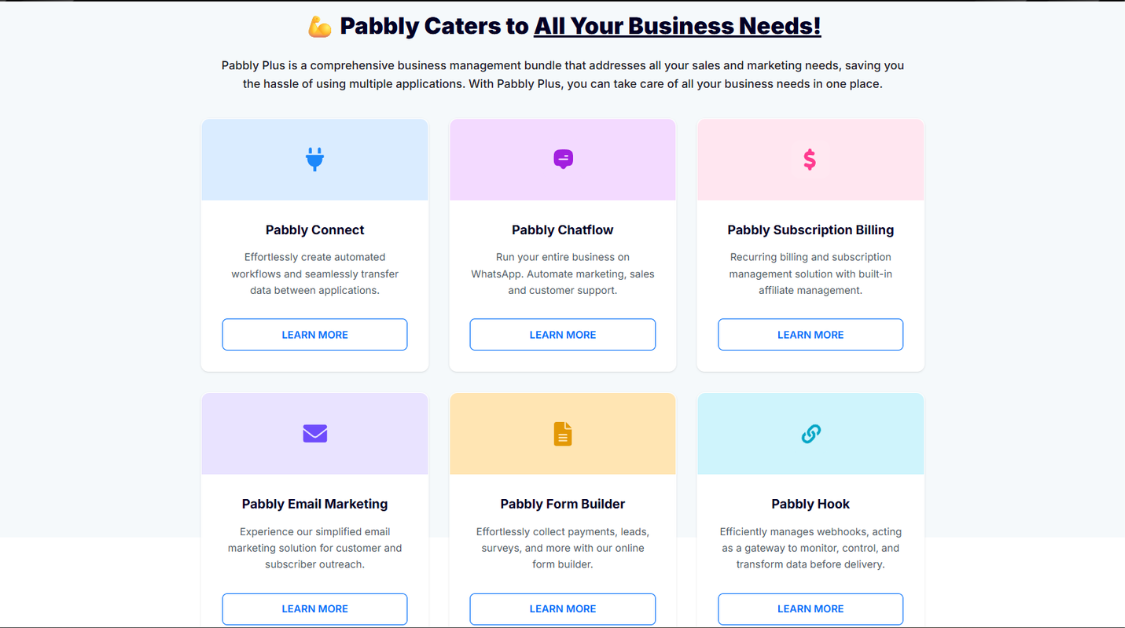
1. What is Pabbly? (The Full-Stack Ecosystem)
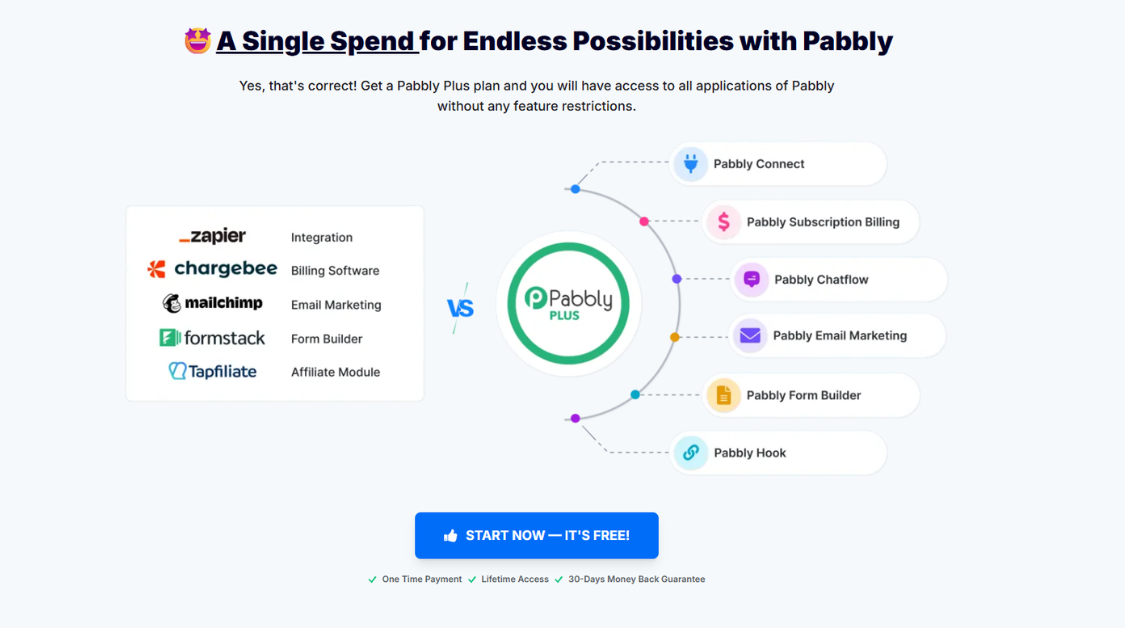
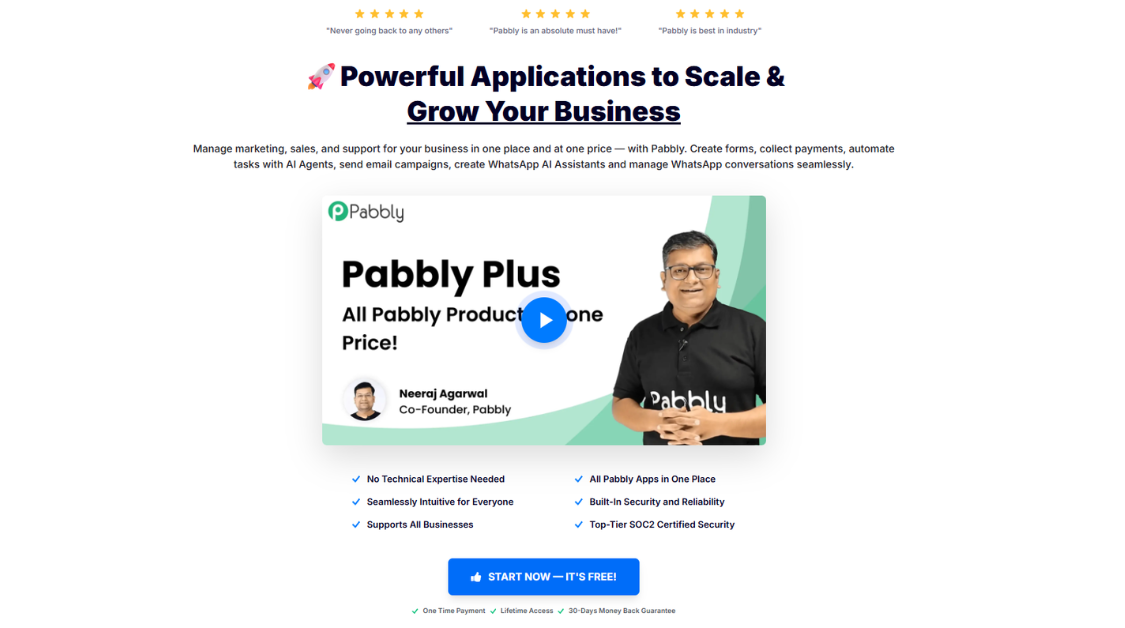
Pabbly is not just a single automation tool; it is a diversified portfolio of 5 essential business applications under one roof. Think of it as an all-in-one trading terminal for your business operations.
Instead of paying separate subscriptions for emails, forms, and billing – which creates “tech slippage” and fragmented data – Pabbly consolidates your workflow into a single dashboard.
The 5 “Core Assets” of the Pabbly Suite:
- Pabbly Connect (The Engine): The heart of the ecosystem. It automates workflows by connecting 1,000+ apps (e.g., syncing a TradingView webhook to a Telegram channel or a Shopify sale to a Google Sheet).
- Pabbly Email Marketing: A high-deliverability platform for bulk outreach. Whether you’re sending a “Weekly Market Outlook” or a holiday promotion, it handles the “execution” smoothly.
- Pabbly Subscription Billing: A robust tool for recurring revenue. It manages taxes, invoices, and multi-tier pricing plans for your services or signal groups.
- Pabbly Form Builder: A lead-magnet creator. Build everything from simple contact forms to complex payment-integrated checkout pages.
- Pabbly Email Verification: Ensures your “data liquidity.” It scrubs your email lists to remove “junk” addresses, protecting your sender reputation and ROI.
The Bottom Line: By centralizing these tools, Pabbly eliminates the need to jump between different platforms, significantly reducing your overhead and operational risk.
2. Pabbly Connect: The “Alpha” Feature for Algorithmic Workflows
If the Pabbly suite is a portfolio, Pabbly Connect is the “Alpha” asset. It is the core engine that automates workflows by bridging the gap between disconnected apps.
Why It’s a “Zero-Commission” Game Changer:
- No “Task Counting” on Internal Steps: This is Pabbly’s massive edge. Competitors like Zapier charge you for every filter, formatter, or logic gate (Internal Steps). Pabbly only counts the “Action” (the final execution). For complex workflows with 5-10 steps, this is like trading with zero spreads – it saves you thousands of dollars as you scale.
- 1,000+ App “Liquidity”: Whether you use mainstream tools (Google Sheets, Slack, HubSpot) or niche financial webhooks, Pabbly Connect offers deep liquidity. It supports almost every major SaaS platform on the market.
- Unlimited “Routers” (Conditional Logic): You can build highly complex “If/Then” scenarios. For example: If a lead comes from the UK, send to Sales Team A; If they come from the US, send to Sales Team B. Pabbly handles this branching logic without extra fees.
- Instant Execution: Workflows trigger in real-time. Whether it’s a TradingView alert or a new Shopify order, the data moves instantly across your ecosystem.
The Strategy: Pabbly Connect allows you to automate the “boring” parts of your business so you can focus on high-leverage decision-making.
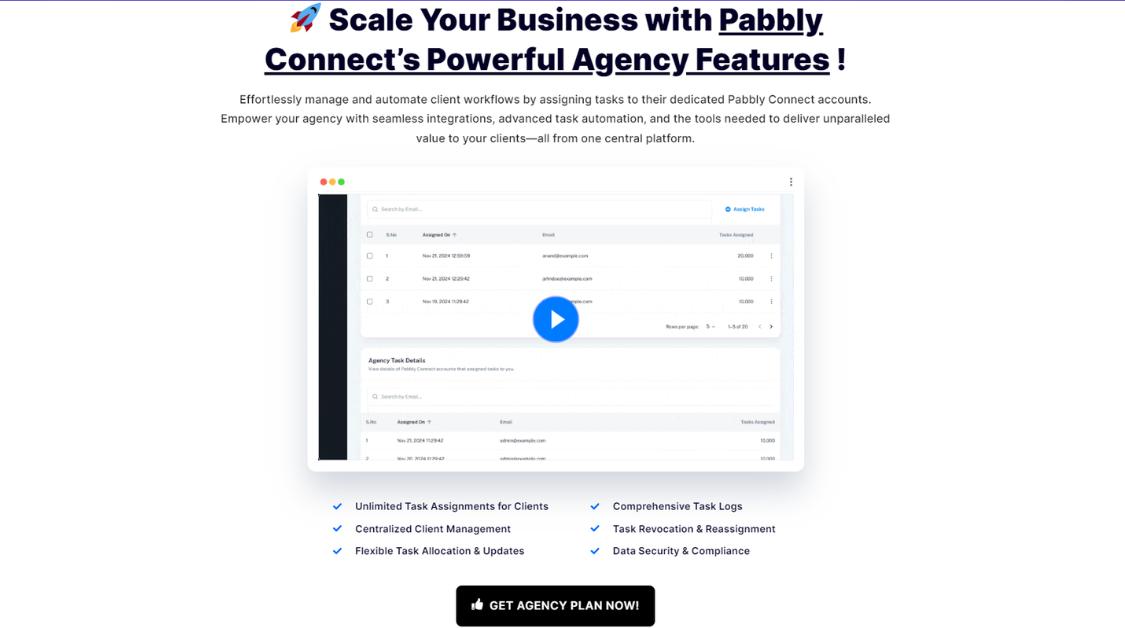
3. Feature Breakdown: The “Engine Room” of Pabbly Connect
In trading, your terminal’s execution speed and toolset define your edge. In automation, it’s about the granularity of your workflow. Pabbly Connect isn’t just a simple bridge; it’s a full “Dealing Desk” with several advanced technical features.
1. Filters & Routers (The “Stop Loss” of Data)
- Filters: Allow you to set specific conditions. For example: Only execute a Telegram signal if the TradingView alert contains the word “BUY.” This prevents “false breakouts” in your data.
Routers: These are advanced branching tools. You can create multiple paths for a single trigger. If a client pays > 500, send them to a VIP onboarding sequence; if < 500, send to a standard sequence.
2. Formatters & Data Transformers (The “Price Converter”)
Data doesn’t always come in the format you need. Pabbly’s Formatter tool allows you to:
- Convert dates/times (perfect for syncing different market session times).
- Perform mathematical operations (calculating commissions or PnL automatically).
- Clean up text (removing extra spaces or formatting currency).
3. Webhooks & API Modules (The “Direct Market Access”)
For pro-users, Pabbly provides Webhooks (Instant data “listeners”) and an API Module. If Pabbly doesn’t have a native integration for your niche financial tool yet, you can use these features to connect almost any software with an open API. This is your “Direct Market Access” (DMA) to the web.
4. Delay & Scheduling (The “Limit Orders”)
- Delay: You can pause an automation for a specific time (e.g., wait 24 hours before sending a follow-up email).
- Scheduling: Set workflows to run at specific times – ideal for generating “End of Day” (EOD) reports or weekly performance summaries.
4. Real-World Use Cases: Turning Strategy into Execution
A tool is only as good as its “live execution.” Whether you are managing a global marketing campaign or a high-frequency trading community, Pabbly Connect acts as the invisible bridge between your data sources.
For General Business & Marketing (The “Broad Market” Play)
- Lead Generation Speed: Instantly sync Facebook Lead Ads or TikTok Ads to your CRM (HubSpot/Salesforce) and notify your sales team via Slack. In sales, “speed to lead” is the primary factor for conversion ROI.
- E-commerce Workflow: When a customer buys on Shopify, Pabbly can automatically create a custom invoice in Xero, add them to a “VIP” email segment, and trigger a personalized “Thank You” SMS.
- Webinar Automation: Automatically register Zoom webinar attendees to an email sequence and a Google Sheet for post-event follow-up.
For Financial & Trading Strategy (The “Expert Edge”)
- Signal Automation (The Classic Setup): Convert TradingView Webhooks into instant Telegram or Discord alerts. When your indicator hits a specific price level or RSI divergence, Pabbly executes the notification to your community in real-time.
- Prop Firm / Fund Management: Sync payout data from your dashboard to a master P&L Google Sheet. Automatically send “Payout Confirmed” emails to your traders, complete with a PDF receipt generated via Pabbly’s document tools.
- News Sentiment Tracking: Automate the collection of financial news from RSS feeds into a private Slack channel. This allows for rapid Fundamental Analysis without manually refreshing dozens of news sites.
The Edge: By automating these repetitive sequences, you eliminate “human slippage” and ensure your business operations run like a high-frequency algorithm – 24/7.
5. The “Backtest”: Pros and Cons
Every high-probability setup has its risks. Before you “go long” on Pabbly, you need to understand where it provides massive Alpha and where you might face some Drawdown.
Pabbly Performance Matrix: At a Glance
| Aspect | The Upside (Pros) | The Downside (Cons) |
| Cost Basis | Zero-task counting on internal steps. | Upfront annual or lifetime capital required. |
| Logic & Flow | Unlimited “Routers” for complex branching. | Steeper learning curve for multi-step logic. |
| Integrations | Massive “Liquidity” with 1,000+ apps. | UI feels slightly “Legacy” (dated design). |
| Execution | Instant, real-time webhooks. | No mobile app for “on-the-go” monitoring. |
The Strengths (The Pros)
Unrivaled Task ROI: This is Pabbly’s “Unique Selling Point.” Competitors like Zapier charge you for “Filters” or “Formatters.” Pabbly treats these as “Internal Steps” and does not count them against your monthly task limit. If your workflow has 5 internal logic steps, you are effectively getting a 5x discount on every execution.
The “Buy and Hold” Lifetime Deal: For a one-time fee, you own the automation engine forever. For a growing business, this eliminates a recurring monthly “burn rate,” significantly boosting your long-term margins.
Deep Integration Pool: With 1,000+ apps, Pabbly has the “Liquidity” to connect almost any tool in your tech stack, from Google Sheets to specialized financial APIs.
The Weaknesses (The Cons)
UI “Slippage”: The interface is functional but lacks the sleek, modern aesthetic of newer AI tools. If you are used to a high-end trading terminal interface, Pabbly might feel a bit like a 2010s web app.
Upfront Capital Requirement: To get the best value, Pabbly pushes you toward Annual or Lifetime billing. This requires more “Initial Margin” compared to the small monthly payments of some competitors.
No Mobile Dashboard: Unlike Zapier, Pabbly lacks a dedicated mobile app. If you need to “check your positions” (monitor your workflows) while away from your desk, you’ll have to rely on a mobile browser, which isn’t as smooth.
The Verdict: Pabbly is a “Value Play.” You trade a bit of UI polish for massive, long-term cost savings and unlimited logic capabilities.
6. Pabbly Pricing 2026: The “Buy and Hold” vs. “Scalping” Strategy
In trading, high commissions can turn a winning strategy into a losing one. The same applies to SaaS. Pabbly’s pricing is designed for those who want to eliminate recurring “commission” costs and lock in long-term operational stability.
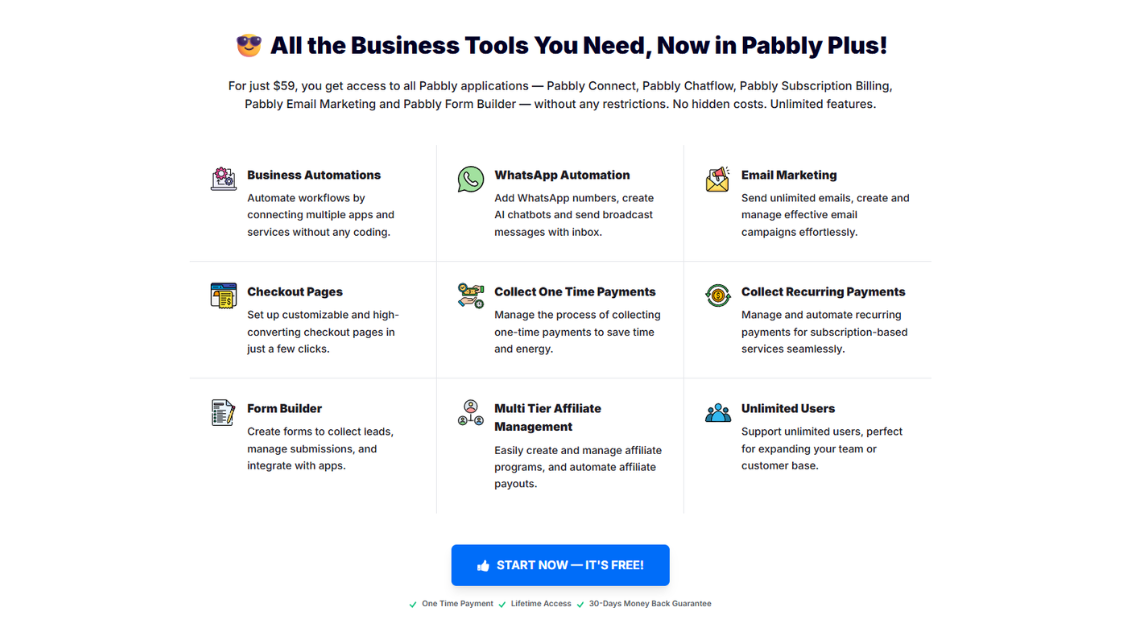
Pabbly’s flagship offering is the Pabbly Plus plan – a “bundle” that gives you unlimited access to all five applications (Connect, Billing, Email Marketing, Forms, and Email Verification) for a single price.
1. Plan Comparison: Free vs. Unlimited (All Apps)
Before committing capital, you need to see the difference in “liquidity” between the entry-level account and the professional suite.
| Feature | Free Plan ($0) | Unlimited Plan (Pabbly Plus) |
| Pabbly Connect | 100 Tasks /mo | Unlimited Tasks |
| Email Marketing | 100 Subscribers | Unlimited Subscribers |
| Subscription Billing | $100 Revenue limit | Unlimited Revenue |
| Form Builder | 1 Form | Unlimited Forms |
| Pabbly Hook | 100 Events | Unlimited Events |
| Execution | Basic | Priority Support & Zero Limits |
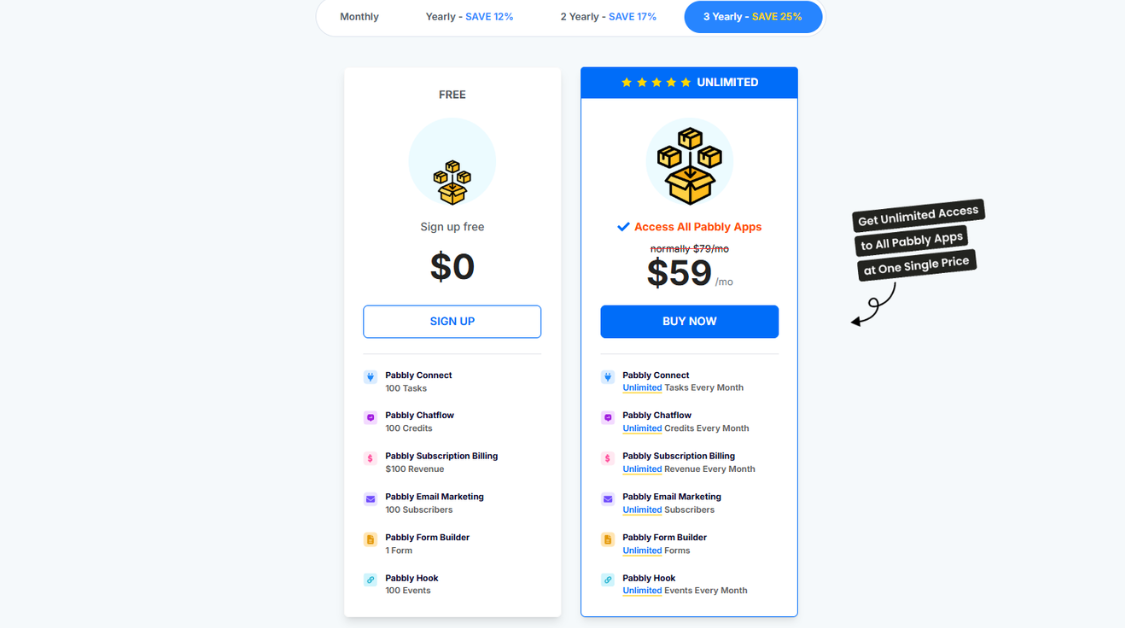
2. Subscription Efficiency: Monthly vs. Multi-Year
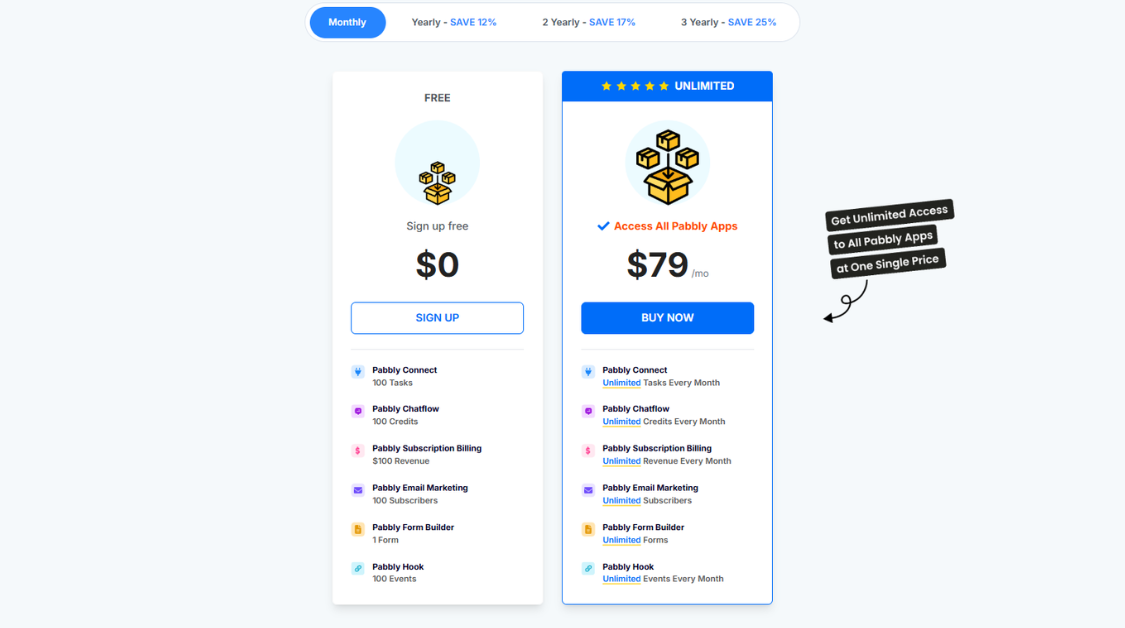
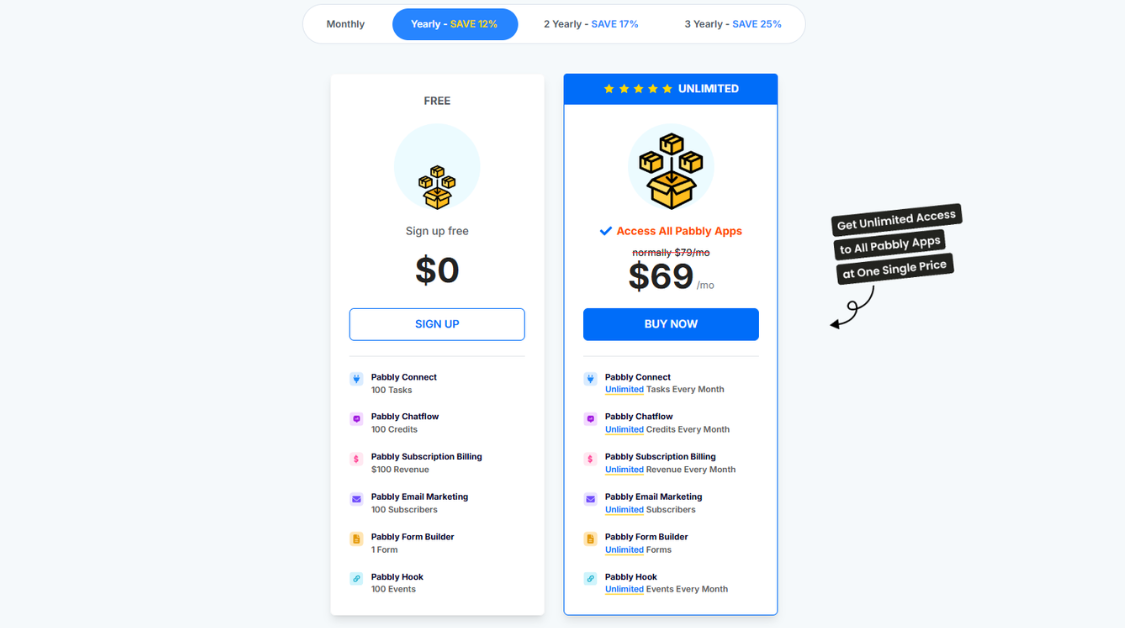
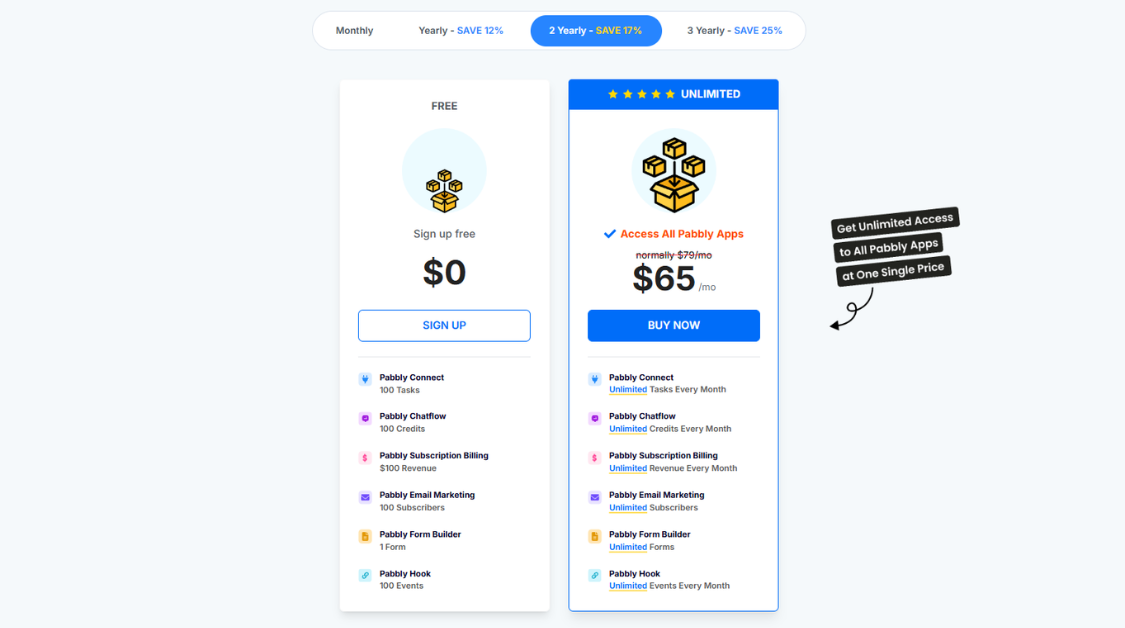
Pabbly incentivizes “Long-Term Holders.” The longer you commit, the lower your average “cost of carry.” Based on the current 2026 data, here is the breakdown of the Pabbly Plus (Access All Apps) pricing:
| Billing Frequency | Price per Month | Total Savings | Total Capital Required |
| Monthly | $79 /mo | 0% | $79 Paid Monthly |
| Yearly (12 months) | $69 /mo | Save 12% | $828 Paid Annually |
| 2-Yearly (24 months) | $65 /mo | Save 17% | $1,560 Paid Every 2 Years |
| 3-Yearly (36 months) | $59 /mo | Save 25% | $2,124 Paid Every 3 Years |
3. Strategic Advice: Which Plan Should You Pick?
Just like choosing a position size, your choice depends on your “account balance” and your long-term goals.
A. The “Demo Account” (Free Plan)
- Best for: Students, total beginners, or those testing a single, low-volume automation.
- Strategy: Use this to “backtest” Pabbly’s logic. If your workflow triggers more than 100 times a month, you’ll hit a “margin call”, and your automation will stop.
B. The “Active Trader” (Yearly Plan – $69/mo)
- Best for: Growing small businesses and active IBs.
- Strategy: This is the most balanced entry. You save 12% compared to monthly, but you don’t lock up too much capital upfront. It gives you the freedom to scale your leads and signals without worrying about hitting task limits.
C. The “Institutional Pro” (3-Yearly Plan – $59/mo)
- Best for: Agencies, Prop Firms, and established e-commerce brands.
- Strategy: This is a high-conviction “Buy and Hold.” By locking in the $59/mo rate (a 25% discount), you are effectively hedging against future price inflation of SaaS tools. If your business relies heavily on automation (10,000+ tasks/month), the ROI on this plan is astronomical.
The Verdict on Pricing: If you are tired of the “pay-as-you-go” traps of Zapier, Pabbly Plus is the ultimate Value Play.
Pro Tip: If you have the capital, the 3-Yearly plan offers the best Risk:Reward. However, if you are just starting to automate your signals or leads, start with the Yearly plan to ensure Pabbly’s ecosystem fits your specific execution style before going “All-in.”
7. Pabbly vs. The Competition: Choosing Your “Exchange”
In the automation market, choosing between Pabbly, Zapier, and Make.com is like choosing between different trading exchanges. One offers the most liquidity (apps), another offers the best technical indicators (complex logic), and the third offers the lowest spreads (cost).
Here is how Pabbly stacks up against the “Blue Chips” of the industry.
Automation Comparison Matrix
| Feature | Pabbly Connect | Zapier | Make.com (Integromat) |
| Best For | ROI & High Volume | Enterprise & Ease of Use | Complex Logic & Devs |
| Pricing Model | Fixed / Lifetime / Annual | Monthly Subscription | Task-based Subscription |
| Internal Step Cost | FREE ($0) | Charged as a Task | Charged as an Operation |
| App Support | 1,000+ (High) | 6,000+ (Massive) | 1,600+ (Moderate) |
| Learning Curve | Low – Moderate | Very Low | High |
| Value Rating | ⭐⭐⭐⭐⭐ | ⭐⭐⭐ | ⭐⭐⭐⭐ |
1. Zapier: The “Institutional Blue Chip”
Zapier is the Goldman Sachs of automation. It has the largest library of apps and the most polished UI.
- The Downside: It is incredibly expensive. Because they charge for every single step (including filters and formatters), your “commission fees” skyrocket as your business grows.
- Verdict: Choose Zapier only if you have an institutional budget and need to connect obscure, niche apps that no one else supports.
2. Make.com: The “Technical Chart Strategist”
Make (formerly Integromat) is for the “Algo Traders” of automation. It uses a visual canvas that allows for hyper-complex branching and data manipulation.
- The Downside: The learning curve is steep. If you aren’t comfortable with technical logic, you might face significant “operational downtime” trying to fix broken workflows.
- Verdict: Choose Make if your workflows require high-level “mathematical” precision and you have the time to master a complex interface.
3. Pabbly Connect: The “High-Alpha Value Play”
Pabbly is the disruptor. By offering zero-cost internal steps and a fixed-price model, it provides the highest “Alpha” (excess return) for your investment.
- The Edge: While it has fewer total apps than Zapier, it covers 99% of the tools that 99% of businesses actually use. It is designed for those who want to scale volume without scaling costs.
- Verdict: Choose Pabbly if you are a “Value Investor” in your business tech stack. It’s the best way to run thousands of tasks without a massive monthly bill.
The Bottom Line: If you want to protect your margins and run a high-frequency automation strategy, Pabbly is the clear winner for ROI.
8. Who Should Use Pabbly?
Just like a high-frequency trading strategy isn’t for a “Buy and Hold” investor, Pabbly isn’t for everyone. Here is our high-conviction breakdown of who should “enter the market” and who should stay on the sidelines.
Who Should Use Pabbly?
- Agency Owners & High-Volume Marketers: If you are running thousands of tasks across multiple clients, Pabbly’s zero-cost internal steps will save you thousands of dollars in “tech slippage.”
- Introducing Brokers (IBs) & Community Leaders: Perfect for automating signal groups, onboarding new members, and managing subscription billing without manual intervention.
- ROI-Obsessed Startups: If you want “Zapier-level” power but are working with a tight “initial margin,” Pabbly’s Lifetime Deal (LTD) is a massive asset.
- “System” Traders: Anyone who wants to automate TradingView alerts, news feeds, or spreadsheet logging without learning complex coding.
The “Short” Bias: Who Should Stay Out?
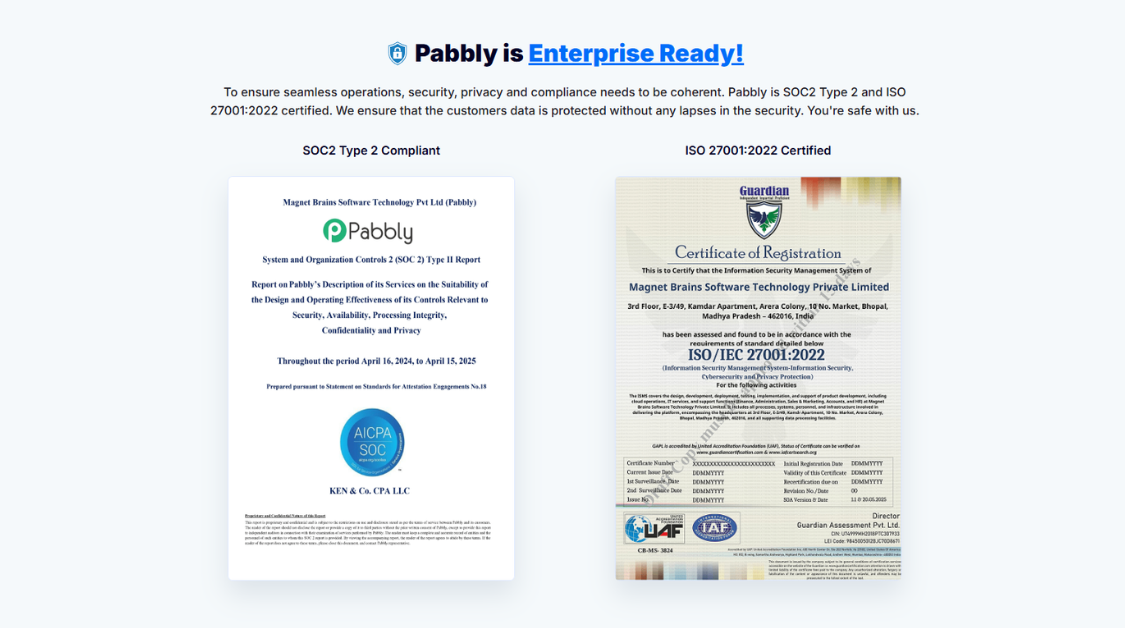
- Corporate “Blue Chips”: If you work for a Fortune 500 company that requires specific enterprise compliance (like SOC 3) or has a 6-figure budget specifically for Zapier, the “legacy” UI of Pabbly might not pass your board’s aesthetic standards.
- The “Mobile-Only” Users: Since Pabbly lacks a dedicated mobile app, it’s not ideal for people who want to build and manage complex workflows entirely from a smartphone.
- Absolute “Tech-Phobes”: While Pabbly is no-code, building complex “Router” logic requires a basic understanding of “If/Then” statements. If you want “one-click” AI that does everything for you, this might feel too manual.
The Strategy: Pabbly is for the “Value Investor” who wants a powerful, scalable engine and is willing to trade a little bit of “UI polish” for massive, long-term Alpha.
9. FAQs about Pabby Connect
Before we close the trade on this Pabbly review, let’s address the most common “market noise” – the frequently asked questions that users have before migrating their infrastructure.
1. Is Pabbly Connect safe for sensitive financial data?
Yes. Pabbly uses industry-standard SSL encryption for all data transfers. However, like any “third-party broker,” you should never pass unencrypted passwords or raw private keys through a workflow. Treat it with the same Risk Management you would use for any cloud-based SaaS.
2. Can I migrate my existing “Zaps” from Zapier to Pabbly?
There is no “one-click” migration tool (yet). You will need to manually rebuild your workflows. However, because Pabbly’s logic is similar to Zapier’s, the “Backtest” and setup process is relatively fast once you get the hang of the interface.
3. What happens if Pabbly doesn’t have the specific app I need?
This is where the “API Module” and “Webhooks” come in. If a native integration isn’t available, you can use a Webhook to “listen” for data or an API request to “push” data. This gives you Direct Market Access to almost any modern software.
4. Is the Lifetime Deal (LTD) really a one-time payment?
Yes. Unlike many “limited-time” promos, Pabbly has maintained its LTD model for years. You pay once, and you own the task credits forever. For a growing business, this is the ultimate “Hedge” against future subscription inflation.
5. Does Pabbly offer a Money-Back Guarantee?
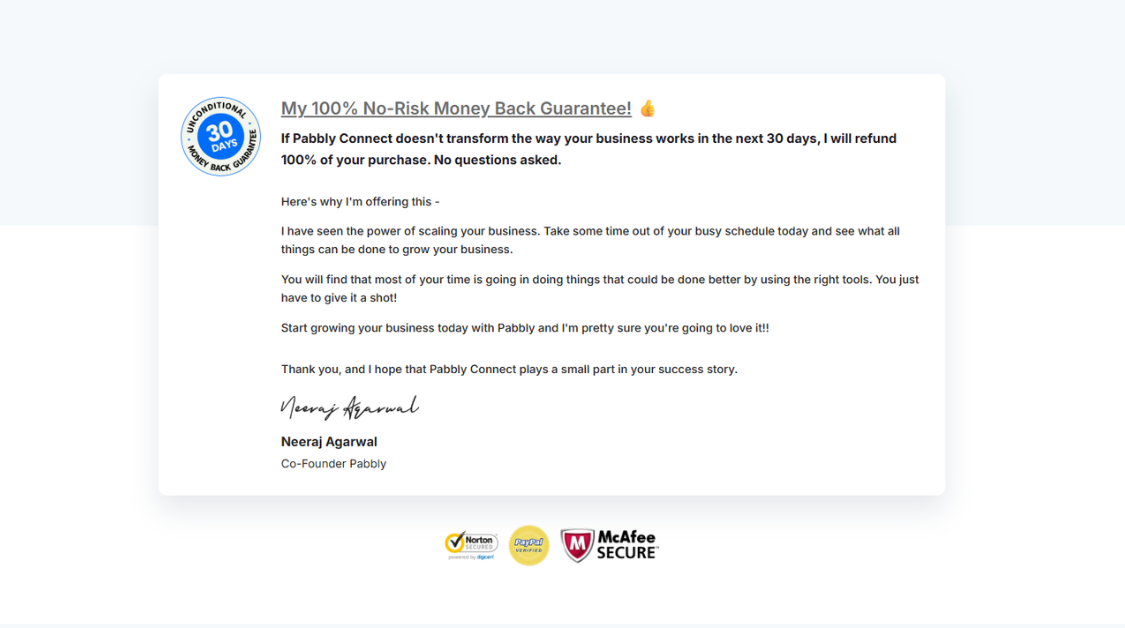
Yes, they offer an “Unconditional 30-Day Money-Back Guarantee.” This allows you to “Paper Trade” the software with zero financial risk. If it doesn’t fit your execution style within the first month, you can exit the position with a full refund.
10. Conclusion: Is Pabbly a “Buy” or a “Hold”?
After analyzing the fundamentals, the pricing “liquidity,” and the technical engine, here is our high-conviction summary:
- The “Bull” Case: Pabbly is the undisputed king of Automation ROI. By eliminating “Internal Task” costs and offering a massive discount on multi-year/lifetime plans, it allows you to scale your business operations without your overheads eating your profits. It is the perfect “Value Play” for agencies, IBs, and signal communities.
- The “Bear” Case: The UI is a bit dated, and the lack of a mobile app might be a deal-breaker for those who want a “sleek” modern experience. If you require 6,000+ obscure enterprise integrations, Zapier still holds the market share.
Final Rating: 4.7/5 (Strong Buy for ROI-focused Users)
NFA (Not Financial Advice): Choosing your automation stack is a strategic decision. If you are currently paying $100+/month to Zapier, you are likely “over-leveraged.” Migrating to Pabbly could be the best “cost-cutting” trade you make this year.
Ready to automate your way to higher margins? [Click here to test Pabbly Connect for free] and start building your first workflow today. Don’t forget to join our community for more “Practical AI & Automation” reviews!
👉 Want to discover more in-depth SaaS reviews and expert comparisons?
Visit https://esapplication.com/ to explore powerful tools, detailed breakdowns, and proven strategies to help you scale your business faster and smarter.