Poppy AI Review 2026: Is This AI Content Creation Platform Worth It?
If you create content regularly, you already know that producing good content is only one part of the job. Before writing a script, social media post, advertisement, email, or landing page, you often need to research competitors, study successful content, identify patterns, understand your audience, develop ideas, and then turn those ideas into something original.
That entire process can become surprisingly time-consuming.
This is where Poppy AI comes in.
Poppy AI is an AI-powered content research and creation platform designed to help creators, marketers, agencies, founders, coaches, and ecommerce businesses research what is already working and use those insights to create new content.
Instead of treating AI as a simple chatbot where you type a prompt and receive an answer, Poppy AI combines research, visual boards, content analysis, brand information, AI models, scripts, ads, images, landing pages, and other content workflows in one workspace.
The platform’s core idea is relatively simple:
Find what is already working → understand why it works → use those insights to create your own content.
Poppy’s current website promotes a $1 seven-day trial, followed by annual pricing starting at $399 per year for the Base plan. Higher tiers are designed for creators, teams, and agencies that need more credits, seats, VSL functionality, custom domains, agents, chatbots, and API access.
But is Poppy AI actually useful, and who should pay for it?
In this Poppy AI review, we’ll examine its features, workflow, pricing, credits, limitations, pros and cons, target users, alternatives, and whether it makes sense to use Poppy AI in 2026.
Quick Verdict
Poppy AI is more than a conventional AI writing tool.
Its biggest strength is the way it combines content research, competitor analysis, visual organization, brand context, and AI content creation into one workflow.
Instead of asking an AI model to randomly generate 20 social media ideas, you can first research successful content, collect relevant examples, analyze the patterns, connect that research to your brand, and then ask Poppy to create content based on the information you’ve gathered.
This makes Poppy particularly interesting for:
- Content creators
- YouTubers
- Social media marketers
- Copywriters
- Marketing agencies
- Coaches
- Founders
- Ecommerce marketers
- Performance marketers
- Teams producing content at scale
Poppy currently offers three main subscription levels: Base, Creator, and Power User. The Base plan is listed at $33 per month when billed annually, or $399 per year. Creator is $189 per month when billed annually, or $2,268 per year. Power User uses custom pricing.
The biggest consideration is price.
At $399 per year, Poppy is not simply a casual AI writing subscription. The value becomes easier to understand when you actually use its research, content intelligence, boards, brand workflows, and production features.
For someone who only wants an AI to write occasional blog posts or emails, Poppy may offer more functionality than necessary.
For someone who produces content continuously and needs a repeatable research-to-production workflow, Poppy can be considerably more relevant.
Bottom line: Poppy AI is best understood as an AI-powered content research and production workspace, rather than just another AI writer.
Poppy AI Overview
| Category | Details |
|---|---|
| Product | Poppy AI |
| Website | GetPoppy.ai |
| Category | AI Content Creation |
| Subcategory | Content Intelligence & Marketing |
| Main Users | Creators, marketers, agencies, founders, coaches, ecommerce |
| Main Workflow | Research → Analyze → Create |
| Base Price | $399/year |
| Creator Price | $2,268/year |
| Power User | Custom |
| Base Credits | 2,000/month |
| Creator Credits | 8,000/month |
| Power User Credits | 16,000/month |
| Base Seats | 1 |
| Creator Seats | 3 |
| Power User Seats | 5 |
| Trial | $1 for 7 days |
| Money-Back Guarantee | 30 days, subject to policy conditions |
| Landing Page Builder | Yes |
| VSL | Creator and above |
| Custom Domain | Creator and above |
| Chatbots | Power User |
| Agents | Power User |
| API | Power User |
Pricing and feature availability are based on Poppy’s current official pricing page.
CTA: Try Poppy AI for $1
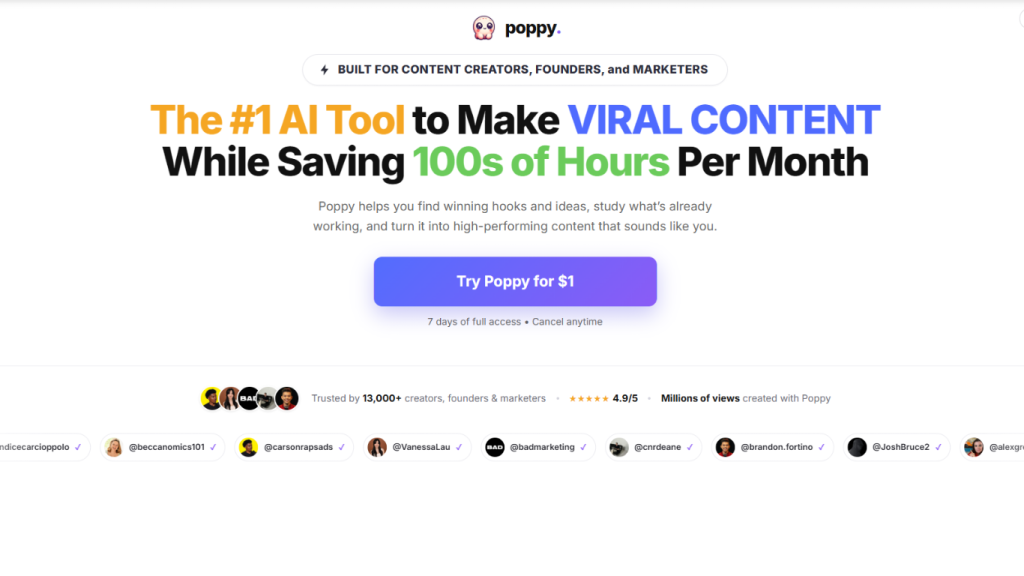
If you regularly research competitors, study viral content, write scripts, create advertisements, or manage multiple content projects, Poppy AI is worth testing through its current seven-day $1 trial.
Try Poppy AI for $1 and explore the full workflow before committing to an annual plan.
The current official offer states that the first seven days cost $1 and the selected plan continues afterward unless canceled.
Table of Contents
- What Is Poppy AI?
- How Does Poppy AI Work?
- Poppy AI’s Core Features
- Content Research
- Competitor Research
- Content Discovery
- Outlier Content
- Visual Boards
- Brand Voice
- AI Content Creation
- Scripts and Hooks
- Advertising Workflows
- Images
- Landing Pages
- VSLs
- Mind Maps
- AI Models
- Prompt Library
- Vault
- Creator Profiles
- Collaboration and Workspaces
- Practical Usage Experience
- Poppy AI Pricing 2026
- Credits and Usage Limits
- Refund and Cancellation Policy
- Pros and Cons
- Who Should Use Poppy AI?
- Who Should Not Use Poppy AI?
- Poppy AI Alternatives
- Which Poppy AI Plan Should You Choose?
- Is Poppy AI Worth Using in 2026?
- FAQ
- Final Verdict
- Final CTA
What Is Poppy AI?
Poppy AI is an AI-powered content research and creation platform.
The easiest way to understand the product is to compare it with a traditional AI chatbot.
With a typical AI chatbot, your workflow might look like this:
Open AI → write prompt → generate content → edit → repeat.
Poppy tries to add another layer before content generation:
Research → collect content → analyze patterns → connect research → create content.
This distinction is important.
For example, imagine you are a YouTube creator in the fitness niche.
Instead of simply asking:
“Write me a YouTube script about losing weight.”
You could first research successful fitness creators, collect relevant videos, examine their hooks and structures, connect the research to your brand, and then ask Poppy to create a new script using those insights.
The objective isn’t simply to generate more words.
It is to create content informed by existing examples and research.
Poppy’s website specifically describes workflows around competitor research, winning-content analysis, content ideas, scripts, campaigns, and brand workspaces.
How Does Poppy AI Work?
Poppy’s workflow can broadly be divided into four stages.
Step 1: Collect
You bring content and information into your workspace.
This could include:
- YouTube videos
- TikTok content
- Instagram content
- LinkedIn content
- Websites
- URLs
- PDFs
- Transcripts
- Images
- Notes
- Existing brand content
- Competitor examples
The objective is to create a centralized research environment.
Instead of opening 15 browser tabs and copying information into separate documents, the content can be organized within the Poppy environment.
Step 2: Analyze
Once content is inside your workspace, you can use Poppy’s AI capabilities to analyze it.
Depending on your workflow, you might investigate:
- Hooks
- Angles
- Topics
- Messaging
- Structure
- Offers
- Audience
- Calls to action
- Content patterns
- Brand voice
This is where Poppy moves beyond being a simple writing assistant.
The goal is to understand why content is useful or interesting, not merely reproduce it.
Step 3: Connect
Research becomes more useful when you connect different sources.
For example:
Competitor video + customer research + your brand voice + product information
can provide substantially more context than a single prompt.
Poppy’s workspace and board approach is designed around this kind of connected research.
Step 4: Create
Once the research is organized, Poppy can be used to produce content.
Depending on your subscription and workflow, this can include:
- Scripts
- Ads
- Images
- Posts
- Emails
- Campaigns
- Landing pages
- VSLs
The official pricing page currently lists boards, scripts, ads, images, AI models, and a landing-page builder in Base, while Creator adds VSL and custom-domain capabilities.
In-Depth Poppy AI Features
1. Visual AI Boards
The board is one of Poppy’s most important concepts.
Rather than forcing every task into a traditional chat interface, Poppy gives you a visual environment where different content sources and ideas can be organized together.
A board can contain research, links, content examples, notes, prompts, AI outputs, and other resources.
This can be useful when you’re working on a large campaign.
For example:
Board: Product Launch
- Competitor ads
- Customer comments
- Product positioning
- YouTube references
- Social posts
- Winning hooks
- Brand information
- Ad concepts
- Landing-page copy
Everything can live in one workspace.
This is particularly useful for projects that would otherwise require multiple tools.
2. Content Research
Research is one of the central concepts behind Poppy.
Instead of starting content creation from a blank page, you can start with content that already exists.
This can include successful content from creators or competitors.
The idea is not simply to copy.
It is to identify patterns that can inform your own content.
For example:
A marketer researching Facebook ads might look at:
Hook → Problem → Promise → Proof → Offer → CTA
A YouTube creator might study:
Title → Opening hook → Story → Value → Pattern interrupt → CTA
Poppy can then be used as part of the workflow for turning that research into new ideas.
3. Competitor Research
Competitor research is another major use case.
Suppose you operate an AI SaaS company.
You could collect content from competing companies and analyze:
- Their messaging
- Their positioning
- Their offers
- Their content topics
- Their hooks
- Their advertising concepts
- Their social media strategy
This is useful because many marketers struggle not with writing itself, but with deciding what to write about.
Poppy attempts to solve that problem by making research a part of the creation process.
4. Content Discovery
Poppy has continued adding content discovery features during 2026.
Its August 2026 changelog introduced Creator Profiles for Instagram, TikTok, and LinkedIn. These profiles can be added to a board and automatically refreshed daily, with options to view recent content or outliers.
This addresses a practical research problem.
Without automatic updating, you might save a creator’s top posts today and then have to manually repeat the process later.
Creator Profiles are designed to reduce that repetitive work.
The workflow can look like:
Find creator → Add profile → Monitor latest/outlier content → Connect profile to chat → Generate content using your brand.
5. Outlier Content
Poppy also introduced an outlier-content workflow for Instagram, TikTok, and YouTube.
The concept is straightforward:
Find content that performs unusually well compared with the creator’s normal content.
For example:
A creator normally gets:
10,000–30,000 views
but one video gets:
800,000 views.
That video is an outlier.
Rather than randomly studying dozens of posts, you can focus your research on unusually successful pieces of content.
This can help identify:
- Strong hooks
- Topics
- Angles
- Formats
- Story structures
- Audience interests
6. Brand Voice
Poppy’s Brands feature is another important part of the platform.
According to its 2026 changelog, Poppy can analyze a user’s Instagram, TikTok, YouTube, or website content to build a brand profile containing information such as speaking style, writing style, identity, offer, phrases, and vocabulary.
This means you can create content without repeatedly explaining:
- Who you are
- What your company does
- Who your audience is
- How you normally write
- What your offer is
For agencies, this can be especially useful.
You could have:
Brand A
Brand B
Brand C
with each client maintaining separate context.
Poppy’s current website specifically states that agencies can have separate workspaces for each brand, client, or project.
7. AI Content Creation
Once your research is complete, Poppy can help generate content.
Potential outputs include:
- Social posts
- Scripts
- Ads
- Emails
- Campaigns
- Landing pages
- VSLs
- Images
This means Poppy can sit in the middle of a content production workflow.
Instead of:
Research tool → ChatGPT → image tool → landing-page tool
you can perform more of the workflow inside one environment.
8. Scripts and Hooks
For creators, scripts are one of Poppy’s most practical applications.
A common workflow is:
Research successful content → identify hook → analyze structure → create new script.
For short-form content, hooks are particularly important.
You might ask Poppy to produce:
- 10 hooks
- 10 alternative openings
- Different angles
- Short-form versions
- Long-form versions
- CTA variations
For YouTube, the same research can be expanded into longer scripts.
Poppy’s current website explicitly states that users employ the platform for long-form YouTube scripts, webinars, VSLs, email sequences, landing pages, full campaigns, and short-form scripts and hooks.
9. Advertising
Poppy is also relevant to performance marketers.
A marketer could research competitor advertising content and organize:
- Hooks
- Angles
- Offers
- Creative concepts
- Messaging
- CTAs
Then use those insights to generate new ad concepts.
This makes Poppy potentially useful for:
- Meta Ads
- Social ads
- Product advertising
- Lead generation
- Ecommerce advertising
However, the platform should be treated as a research and creation assistant rather than a guarantee of advertising performance.
A strong competitor ad does not automatically mean that copying its structural pattern will produce the same result for another brand.
10. Image Generation
Poppy’s Base subscription includes image generation.
This can be useful when you want to move from:
Research → Copy → Visual
without leaving the platform.
For example, a campaign workspace could contain:
- Competitor references
- Ad copy
- Hooks
- Generated images
- Landing page
- Campaign messaging
This can reduce tool switching.
11. Landing Page Builder
The current Base plan includes a landing-page builder, while Creator adds additional VSL and custom-domain functionality.
This makes Poppy more than a pure content-writing platform.
A marketer could potentially move through:
Research → Content → Offer → Landing Page
within the same ecosystem.
For affiliate marketers, lead-generation campaigns, coaches, and product businesses, this workflow can be particularly relevant.
12. VSL Builder
VSL stands for Video Sales Letter.
Poppy includes VSL functionality starting with the Creator plan.
This makes the Creator plan more relevant to marketers who use:
- Funnels
- Info products
- Coaching
- Courses
- High-ticket services
- Lead generation
- Sales videos
If VSLs are not part of your workflow, however, paying for Creator solely for this feature may not make economic sense.
13. Mind Maps
Poppy’s subscription documentation lists mind maps among its base features.
Mind maps can help with:
- Content planning
- Brainstorming
- Campaign structures
- Research organization
- Product positioning
- Topic development
This fits naturally with Poppy’s visual-board approach.
14. Deep Think
The Base subscription documentation also lists Deep Think among the base features.
The practical purpose is to provide a deeper reasoning-oriented workflow for certain tasks rather than relying exclusively on a basic generation process.
The usefulness of this feature will depend heavily on the task and model being used.
15. Multiple AI Models
Poppy’s ecosystem is built around access to multiple AI models rather than forcing every workflow through one model.
This can be useful because different models may behave differently when working with:
- Long-form writing
- Analysis
- Research
- Creative ideation
- Images
- Structured content
Poppy’s own materials have highlighted access to multiple AI models as part of the platform.
The exact model lineup can change over time, so users should check the current product interface rather than assuming a particular model will always remain available.
16. Prompt Library
Poppy introduced a Prompt Library in July 2026.
The feature allows users to save frequently used prompts and retrieve them directly inside Poppy Chat.
According to the changelog, users can:
- Save prompts
- Pin prompts
- Categorize prompts
- Add tags
- Refine prompts with AI
- Remix existing prompts
This is useful for users who repeatedly perform similar tasks.
For example, an agency might maintain prompts for:
- Facebook ads
- LinkedIn posts
- YouTube scripts
- Product descriptions
- Email campaigns
- Client reports
17. The Vault
Another recent feature is The Vault.
Poppy introduced it in August 2026 as a reusable content library.
You can save:
- Links
- Files
- Voice recordings
- Groups
- Frameworks
- Research
- Reference material
Then reuse those resources across boards.
The changelog states that Vault content can remain synchronized across boards and can be attached to Poppy chats as reference material.
For agencies and high-volume creators, this can reduce repetitive copy-and-paste work.
18. Creator Profiles
Creator Profiles are another recent addition.
Poppy can track selected creators on:
- TikTok
and automatically refresh their profiles.
You can switch between:
Latest
and
Outliers
and then connect the creator profile to Poppy Chat.
According to Poppy’s August 27, 2026 changelog, the system can then use that content as inspiration while writing in the selected user’s brand voice.
This is particularly relevant for social media marketers.
19. References
Poppy also introduced an @-based reference workflow in May 2026.
Users can type @ inside chat to access connected sources, search by title/content type, and select sources as references.
The changelog says the feature supports platform-aware labels for sources including TikTok, Instagram, LinkedIn, and YouTube.
This makes it easier to tell the AI exactly which research source you want it to use.
20. PDF and Document Support
Poppy supports content uploads, including PDFs and other documents.
In March 2026, Poppy added document preview functionality so users could inspect uploaded documents inside the platform.
This is useful when your research includes:
- PDFs
- Reports
- Guides
- Research documents
- Internal company documents
- Marketing materials
21. Collaboration
Higher subscription levels are designed for teams.
The current pricing structure provides:
Base: 1 seat
Creator: 3 seats
Power User: 5 seats
For agencies, this allows multiple people to work within a shared environment.
Practical Poppy AI Usage Experience
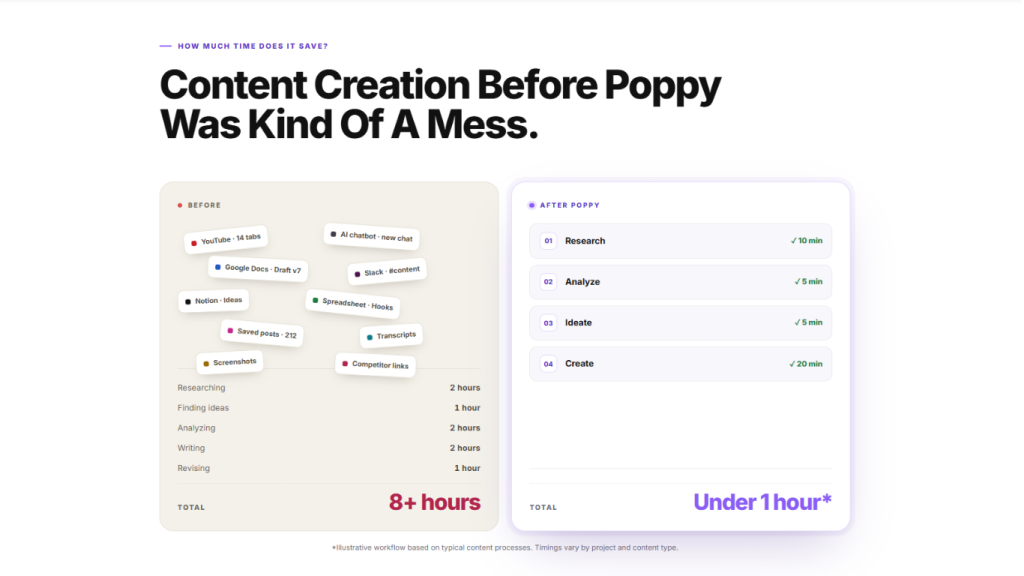
Rather than thinking about Poppy as a single-purpose AI writer, it makes more sense to evaluate it through a complete workflow.
Let’s imagine you run a marketing agency.
You receive a new client in the SaaS industry.
Your traditional workflow might be:
- Research competitors
- Save links
- Watch videos
- Copy notes
- Analyze ads
- Build a strategy document
- Create content prompts
- Generate posts
- Rewrite content
- Build landing page copy
- Create ad concepts
Poppy attempts to bring many of these activities into a single environment.
You could create:
Client Workspace
Then add:
- Website
- Existing social content
- Competitor profiles
- Competitor videos
- Winning posts
- Customer research
- Brand information
- Offers
- Previous campaigns
Next, create a Brand profile.
Then connect the research to Poppy Chat.
Finally, ask Poppy to generate:
- Social posts
- Scripts
- Ad concepts
- Email sequences
- Landing-page copy
This is where the platform’s value proposition becomes clearer.
The primary advantage isn’t necessarily that Poppy writes words better than every other AI model.
The advantage is the workflow around those models.
Poppy AI Pricing 2026
Poppy currently lists three major subscription levels.
Base
$33/month billed annually
$399/year
The Base plan includes:
- 2,000 credits/month
- 1 seat
- Boards
- Scripts
- Ads
- Images
- Poppy AI models
- Landing-page builder
For an individual creator, this is the entry-level plan.
Creator
$189/month billed annually
$2,268/year
Creator includes everything in Base plus:
- 8,000 credits/month
- 3 seats
- VSL builder
- Landing-page builder
- Custom domain
The major difference is the increased credit allowance and additional production features.
Power User
Custom pricing
Power User includes:
- 16,000 credits/month
- 5 seats
- Chatbots
- Agents
- API access
- Creator features
This plan is primarily designed for larger teams and agencies.
$1 Trial
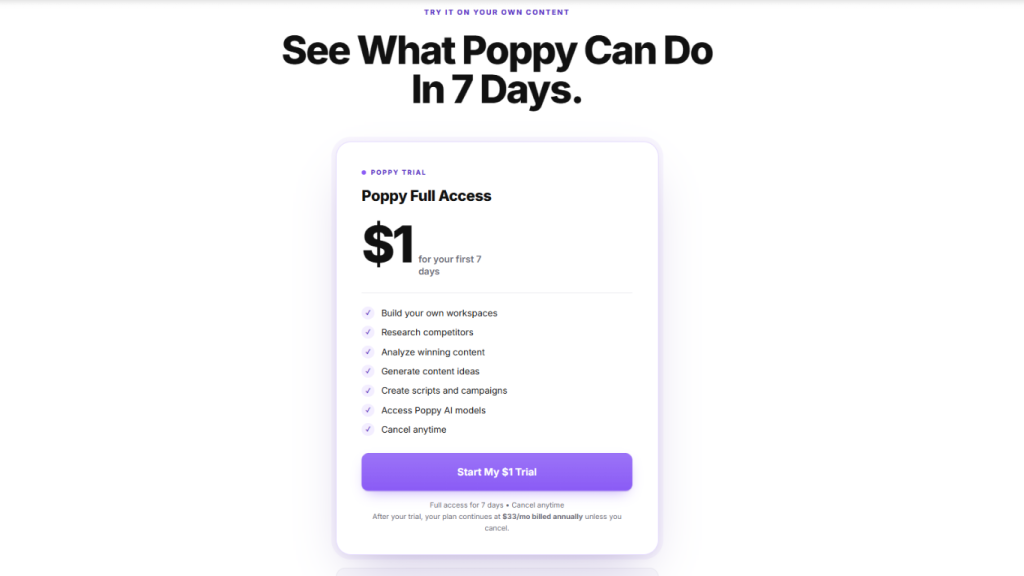
One of Poppy’s current marketing offers is:
$1 for the first 7 days.
The official website says users receive full access during those seven days and then continue on their selected plan unless they cancel.
This is important because the trial is not simply a free account.
You should pay attention to what happens after the trial.
For example:
$1 today → 7-day trial → annual subscription if not canceled.
Costs and Limitations to Consider
Pricing is only one part of the cost.
The most important additional consideration is the credit system.
Credit allowances
| Plan | Monthly Credits |
|---|---|
| Base | 2,000 |
| Creator | 8,000 |
| Power User | 16,000 |
Your actual consumption depends on how you use the platform.
Heavy AI generation, research, image creation, and other operations may consume credits at different rates.
Therefore, you should not assume:
2,000 credits = 2,000 pieces of content.
Credits are a usage resource, not a simple article counter.
Annual Commitment
The main pricing page presents Base and Creator as annual-billing prices.
Base:
$399/year
Creator:
$2,268/year
This means the advertised monthly price can make the product look less expensive than the actual annual payment.
Before purchasing, look at the total amount charged rather than only the monthly equivalent.
Automatic Renewal
Poppy’s subscription terms state that subscriptions automatically renew at the end of the applicable billing period unless canceled.
For annual subscriptions, this means you need to cancel before the renewal date if you do not want another annual charge.
Poppy states that it emails users before annual renewal with the renewal date, price, and cancellation information.
Price Lock
One interesting part of Poppy’s subscription terms is that the subscription price is locked to the rate at which you originally purchased.
The terms state that even if Poppy changes pricing later, your renewal remains at your original purchase price.
That is a useful detail to understand when comparing the annual cost over multiple years.
Refund Policy
Poppy’s current refund policy states that the company provides a 30-day money-back guarantee on the first subscription payment, subject to conditions.
One particularly important condition is that the user must:
Book and attend an onboarding call.
If you do not book and attend the onboarding call, the refund policy states that you forfeit eligibility for the refund.
This is something potential buyers should understand before subscribing.
Renewal payments are non-refundable except where required by applicable law.
Credit purchases are also non-refundable under the current refund policy.
Cancellation
Poppy states that users can cancel at any time.
The cancellation process is:
- Open your profile
- Go to Billing
- Open the Stripe billing portal
- Manage or cancel the subscription
Poppy also states that users can contact support through email or the site’s support chat.
After cancellation, access remains available through the end of the paid billing period.
Pros and Cons
Pros
1. Research and creation in one workflow
Poppy combines research and content production instead of treating them as completely separate processes.
2. Strong competitor research use case
You can collect and analyze competitor content as part of the creative process.
3. Visual workspace
Boards provide a different workflow from a conventional chat interface.
4. Brand context
Brands can store voice, style, offers, and related information.
5. Useful for content-heavy businesses
Creators and agencies can use the same platform for multiple content formats.
6. Multiple AI capabilities
Poppy provides access to multiple AI models and generation capabilities.
7. Growing feature set
Poppy has shipped several significant features during 2026, including Creator Profiles, The Vault, Prompt Library, Brands, References, and Outlier research.
8. Team support
Creator and Power User plans provide multiple seats.
9. Landing pages and VSLs
The platform extends beyond social posts and scripts.
10. $1 trial
The current offer allows users to test the platform for seven days for $1.
Cons
1. Annual cost is significant
The Base plan is $399/year, while Creator is $2,268/year.
2. Credits require attention
Users need to understand how credits are consumed.
3. Potentially excessive for casual users
Someone who only needs occasional AI writing may not use enough of the platform to justify its broader feature set.
4. Learning curve
Boards, references, brands, research, prompts, Vaults, and multiple content workflows can require time to learn.
5. Advanced features are restricted to higher plans
Agents, chatbots, and API access require Power User.
6. Refund conditions matter
The 30-day guarantee has an onboarding-call condition, and renewal and credit purchases are non-refundable under the current policy.
Who Should Use Poppy AI?
Content Creators
If you publish content every day or several times per week, Poppy can help organize your research and production process.
YouTubers
YouTubers can use the platform for:
- Content research
- Competitor analysis
- Hooks
- Scripts
- Topic development
- Repurposing
Social Media Marketers
If your job involves creating large quantities of:
- Instagram content
- TikTok content
- LinkedIn content
- Short-form videos
Poppy can provide a centralized research and generation workflow.
Marketing Agencies
Agencies are one of the more obvious target users.
Separate workspaces can be used for different brands or clients, and higher plans provide additional seats.
Poppy explicitly markets the platform for agencies and says each brand, client, or project can have its own workspace.
Coaches
Coaches who need:
- Social content
- Emails
- VSLs
- Webinars
- Landing pages
- Campaigns
may find the broader feature set useful.
Founders
Startup founders often need to produce marketing content without maintaining a large content team.
Poppy can help with research and content production.
Ecommerce Marketers
Ecommerce teams can use the platform for:
- Product messaging
- Ad concepts
- Hooks
- Social content
- Landing pages
- Creative research
Who Should Not Use Poppy AI?
Poppy may not be the right fit for every user.
Casual AI users
If you only ask AI a few questions per week, a large content production platform may be unnecessary.
Users who only need basic writing
If your only requirement is:
“Write an email.”
or:
“Rewrite this paragraph.”
you may not need Poppy’s broader research workflow.
Very price-sensitive users
At $399/year for Base and $2,268/year for Creator, Poppy is not positioned as the cheapest AI writing solution.
Users who do not research competitors
A significant part of Poppy’s differentiation comes from content research and modeling what is already working.
If your workflow doesn’t involve research, you may not use one of its central capabilities.
Poppy AI Alternatives
Poppy operates in a crowded market, but different alternatives solve different problems.
Poppy AI vs ChatGPT
ChatGPT is a general-purpose AI assistant.
Poppy is more focused on:
- Content research
- Visual organization
- Competitor content
- Brand context
- Content production workflows
If you want general AI assistance, ChatGPT covers a wider range of tasks.
If you want a dedicated content research and production environment, Poppy is more specialized.
Poppy AI vs Claude
Claude is another general-purpose AI assistant with strong writing and reasoning capabilities.
Poppy’s differentiation is less about competing solely on the underlying model and more about how the model is incorporated into a content workflow.
Poppy provides boards, content sources, brand context, research, and specialized production workflows.
Poppy AI vs Miro
Miro is primarily a collaborative visual workspace and whiteboard platform.
Poppy uses a visual canvas but adds AI content research and creation.
Therefore:
Miro → collaboration and visual planning
Poppy → AI content research and production
Poppy AI vs Whimsical
Whimsical focuses on visual thinking, diagrams, flowcharts, wireframes, and collaborative planning.
Poppy is more focused on content research and AI-generated marketing output.
Poppy AI vs Jasper
Jasper is strongly associated with AI marketing and content generation.
Poppy differentiates itself through the visual research workflow and the idea of modeling successful content.
Poppy AI vs Copy.ai
Copy.ai is focused heavily on AI-powered content and GTM workflows.
Poppy’s distinctive angle is its combination of content research, visual boards, competitor discovery, creator profiles, brand voice, and content production.
Poppy AI vs Traditional AI Writers
A traditional AI writing tool often follows:
Prompt → Output
Poppy’s intended workflow is closer to:
Research → Sources → Patterns → Brand → AI → Output
That distinction is important.
The value of Poppy isn’t simply measured by how many words it can generate.
Its value is more closely connected to whether the research workflow saves you time and produces more useful content.
Which Poppy AI Plan Should You Choose?
Base — Individual Creator
The Base plan is the natural starting point for someone who works alone.
You receive:
- 2,000 credits/month
- 1 seat
- Boards
- Scripts
- Ads
- Images
- AI models
- Landing-page builder
Choose Base if you are:
- A solo creator
- A freelancer
- A marketer
- A small business owner
- Testing Poppy for regular use
Creator — High-Volume Creator or Small Team
Creator provides:
- 8,000 credits/month
- 3 seats
- VSL
- Custom domain
- Base functionality
This plan is more relevant if you:
- Publish frequently
- Run ads
- Produce VSLs
- Work with a small team
- Need more credits
- Need custom domains
Power User — Agency and Advanced Workflows
Power User provides:
- 16,000 credits/month
- 5 seats
- Chatbots
- Agents
- API
This is aimed at organizations that need automation or more advanced integration.
Because the price is custom, you should speak with Poppy directly before making a decision.
Is Poppy AI Worth Using in 2026?
The answer depends heavily on how you use AI.
Poppy’s value proposition becomes stronger if your workflow includes several of the following:
- Competitor research
- Content discovery
- Viral-content research
- Brand voice
- Social media
- YouTube scripts
- Advertising
- Landing pages
- VSLs
- Multiple clients
- Content production at scale
If you only need basic AI writing, there are simpler options.
One important consideration in 2026 is that Poppy is actively developing the product.
The official changelog shows a series of additions during 2026, including:
- Outlier content research
- Document preview
- References
- Brands
- Prompt Library
- The Vault
- Creator Profiles
That means the platform is not static.
Its workflow is continuing to expand toward a broader content operating system.
However, users should also recognize the trade-off.
More functionality means:
More features → more complexity → more things to learn.
And because the Base plan is $399/year, the decision should be based on actual usage rather than simply the number of features listed on the website.
Poppy AI FAQ
What is Poppy AI?
Poppy AI is an AI-powered content research and creation platform designed to help users research successful content, analyze patterns, organize information, and create new marketing content.
Is Poppy AI an AI writer?
Partly.
Poppy can generate content, but its positioning is broader than a conventional AI writer.
It combines content research, visual boards, brand information, AI models, scripts, ads, images, landing pages, and other workflows.
How much does Poppy AI cost?
The current Base plan is listed at $33/month billed annually, equivalent to $399/year.
Creator is $189/month billed annually, equivalent to $2,268/year.
Power User uses custom pricing.
Does Poppy AI have a free trial?
The current official website advertises a $1 seven-day trial.
After the seven-day period, the selected plan continues unless canceled.
How many credits does Poppy AI provide?
Current listed allowances are:
- Base: 2,000 credits/month
- Creator: 8,000 credits/month
- Power User: 16,000 credits/month
Does Poppy AI support multiple users?
Yes.
Base has one seat, Creator has three seats, and Power User has five seats.
Does Poppy AI work for agencies?
Yes.
Poppy explicitly supports separate workspaces for brands, clients, and projects.
Can Poppy AI learn my brand voice?
Yes.
Poppy’s Brands functionality can analyze existing content and build a brand profile containing information such as writing style, speaking style, offer, vocabulary, and related context.
Can Poppy AI create YouTube scripts?
Yes.
Poppy’s official website specifically lists long-form YouTube scripts among the types of content users create with the platform.
Can Poppy AI create ads?
Yes.
Ads are included among the content types listed in Poppy’s current Base plan.
Does Poppy AI have a landing-page builder?
Yes.
A landing-page builder is included in the current Base plan. Creator additionally includes custom-domain functionality.
Does Poppy AI have a VSL builder?
Yes.
VSL functionality is included in the Creator plan and above.
Does Poppy AI have an API?
Yes.
API access is currently listed under the Power User plan.
Does Poppy AI have agents?
Yes.
Agents are listed as a Power User feature.
Does Poppy AI have chatbots?
Yes.
Chatbots are listed under Power User.
Can I cancel Poppy AI?
Yes.
Poppy states that users can cancel through the Billing section or contact support. Access continues through the end of the current paid billing period.
Does Poppy AI automatically renew?
Yes.
Subscriptions automatically renew unless canceled before the renewal date. Poppy states that it sends an email reminder before annual renewal.
Does Poppy AI offer refunds?
Poppy currently offers a 30-day money-back guarantee for the first subscription payment, subject to its refund-policy conditions.
One important condition is that the user must book and attend an onboarding call.
Renewal payments and credit purchases are non-refundable under the current policy, except where applicable law requires otherwise.
Is Poppy AI good for beginners?
It can be used by beginners, but its large feature set means that new users may need time to understand the workflow.
The easiest approach is to start with one specific project rather than trying to learn every feature at once.
Is Poppy AI good for agencies?
Poppy is specifically designed to support agency workflows, including separate workspaces for different brands and clients.
Final Verdict
Poppy AI occupies an interesting position in the AI software market.
It is not simply an AI writer.
It is not simply a visual whiteboard.
It is not simply a competitor research tool.
And it is not simply a content generator.
Instead, Poppy combines several of these functions into a single workflow:
Research → Analyze → Organize → Understand → Create.
That is the platform’s central idea.
For creators and marketers who already spend significant amounts of time researching competitors, studying successful content, finding hooks, developing scripts, creating ads, and producing campaigns, this workflow can potentially save considerable time.
The 2026 product updates also show that Poppy is expanding beyond its original content-board concept. Creator Profiles, Brands, The Vault, Prompt Library, References, and Outlier research all push the platform further toward a centralized content intelligence environment.
The biggest issue is cost.
At $399/year for Base, Poppy is a serious subscription rather than an inexpensive AI writing utility.
The Creator plan is considerably more expensive at $2,268/year, making it more appropriate for users who will actually use its higher credit allowance, team seats, VSL capabilities, and custom-domain functionality.
There is also a credit system to understand, automatic renewal to monitor, and a refund policy with an onboarding-call requirement.
So the important question isn’t simply:
A more useful question is:
“Does my content workflow justify a dedicated research-and-production platform?”
If your answer is yes, Poppy becomes much more interesting.
If you only need occasional AI-generated text, a simpler AI solution may be sufficient.
Overall, Poppy AI’s strongest concept is its attempt to turn AI content creation from a blank-page exercise into a research-driven workflow.
Instead of asking:
“What should I create?”
you can start with:
“What is already working, why is it working, and how can I create something original for my own audience?”
That is the problem Poppy AI is designed to solve.
Final CTA
If you are a creator, marketer, agency, founder, coach, or business owner who regularly produces content, you can test Poppy AI through its current $1 seven-day trial.
You can use the trial to explore:
- Content research
- Competitor analysis
- Creator Profiles
- Brand Voice
- AI scripts
- Ads
- Images
- Boards
- Landing pages
- AI models
The official pricing page currently states that the trial provides full access for seven days before the selected plan continues unless canceled.
Try Poppy AI for $1 and see whether its research-to-content workflow fits your business.