CREAO AI Review 2026: Is This AI Super Agent Worth It?
AI software is moving beyond simple chatbots. Instead of only answering questions, writing content, or summarizing documents, a new generation of AI platforms is trying to perform complete workflows on behalf of users.
CREAO is one of the platforms built around this shift.
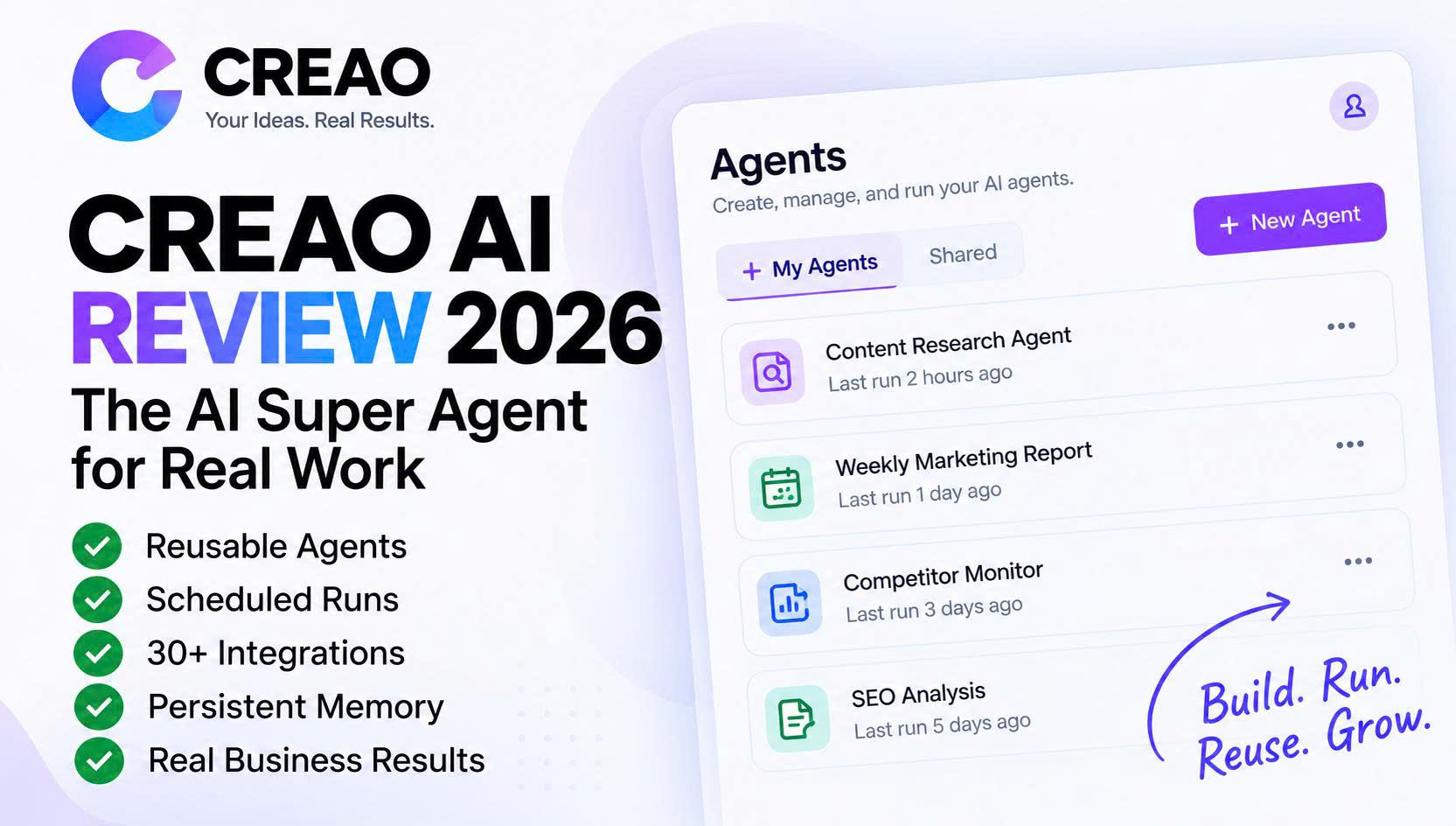
Rather than positioning itself as just another AI assistant, CREAO focuses on AI agents that can execute multi-step tasks, use external tools, connect with business applications, remember useful context, create files, and run recurring workflows automatically.
The idea is attractive. Instead of manually repeating the same competitor research, campaign analysis, reporting, content creation, or administrative process every week, you can potentially turn a successful workflow into a reusable CREAO Agent and run it again whenever you need it.
However, AI agent platforms need to be judged differently from ordinary AI writing tools. Features are only useful if the Agent can execute them reliably, credit usage remains reasonable, integrations work properly, and users can maintain enough control over important actions.
In this CREAO AI review, I will examine what CREAO actually does in 2026, its Super Agent, reusable Agents, automation capabilities, Scheduled Runs, Skills, Connectors, Memory, research and code features, pricing, strengths and weaknesses, user reviews, competitors, and who should consider using it.
CREAO AI Review: Quick Verdict
CREAO is best described as an AI agent and workflow automation platform for recurring knowledge work.
Its biggest strength is not one individual feature. The real value comes from combining the CREAO Super Agent with reusable Agents, Scheduled Runs, Skills, Connectors, persistent Memory, web research, code execution, file creation, browser capabilities, and multiple AI models.
The core workflow is relatively simple:
Describe the job → CREAO performs it → refine the process → save it as an Agent → reuse it or schedule it.
This model can be especially useful for marketers, agencies, affiliate marketers, analysts, consultants, freelancers, eCommerce businesses, sales teams, and solopreneurs who repeatedly perform similar tasks.
If you only need AI for occasional writing, brainstorming, summarization, or simple questions, CREAO may be more powerful than necessary. A general-purpose AI assistant may already be enough.
CREAO Quick Verdict
Best for: Recurring multi-step business workflows
Starting price: Free plan available
Paid plans: From $20/month
Standout features: Super Agent, reusable Agents, Scheduled Runs, Skills, Connectors and Memory
Product Hunt rating: 4.5/5 from 13 reviews at the time checked
Our editorial rating: 4.6/5
Verdict: Worth testing if you want AI to execute repeatable workflows rather than simply respond to prompts.
CREAO at a Glance
| Category | Details |
|---|---|
| Product | CREAO |
| Category | AI Agent & Workflow Automation |
| Core Product | CREAO Super Agent |
| Reusable Agents | Yes |
| Scheduled Runs | Yes |
| Persistent Memory | Yes |
| Skills | Built-in, custom and open-source |
| Connectors | 30+ integrations advertised |
| Web Research | Yes |
| Code Execution | Yes |
| File Creation | Yes |
| Workspaces | Yes |
| Free Plan | Yes |
| Starting Paid Price | $20/month |
Want to See What CREAO Can Automate?
Start with one workflow that you already perform every week and see whether CREAO can reduce the manual work.
Affiliate disclosure: We may earn a commission if you purchase through our link, at no additional cost to you.
What Is CREAO AI?
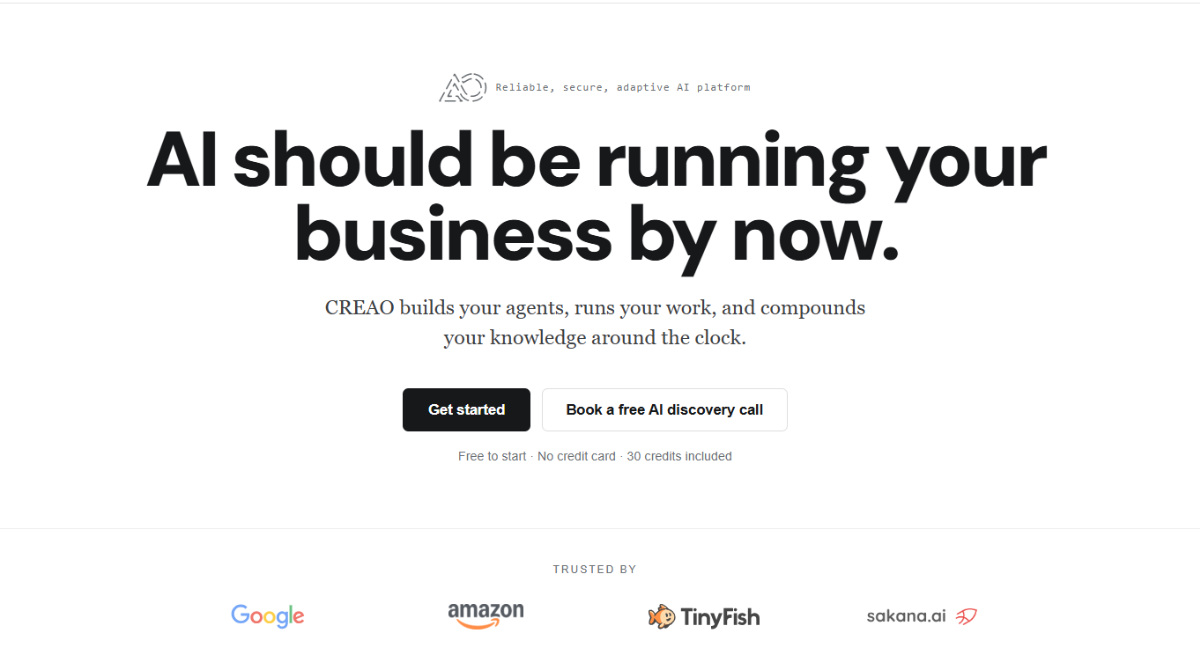
CREAO is an AI platform designed to help users build and operate autonomous or semi-autonomous AI Agents.
The key difference between CREAO and a traditional chatbot is what happens after the user gives an instruction.
With a normal AI assistant, the process often looks like this:
Prompt → Response → User manually handles the next step.
CREAO aims for something closer to:
Goal → Plan → Execute → Use tools → Create output → Save workflow → Repeat automatically.
This distinction matters because many professional tasks are not single prompts. They are workflows made up of several smaller actions.
Consider competitor research. A complete process might involve visiting several websites, identifying pricing, understanding product positioning, comparing features, finding recent changes, organizing the results into a table, and preparing an executive summary.
A conventional AI assistant can help with those tasks, but the user often needs to manage the sequence manually. CREAO is designed to allow an Agent to take responsibility for more of the process.
The platform has also evolved significantly. Earlier descriptions of CREAO often presented it primarily as an AI app builder. In 2026, its positioning is broader and more Agent-focused, with reusable Agents, Scheduled Runs, Skills, Connectors, Memory, Workspaces and execution capabilities becoming central to the product.
That makes CREAO more relevant to users who want AI integrated into recurring business processes rather than simply used as an occasional assistant.
CREAO Super Agent: The Core of the Platform
The CREAO Super Agent is the central execution system behind the platform.
Instead of requiring users to manually switch between different AI tools for research, analysis, coding, file creation and integrations, the Super Agent is designed to coordinate multiple capabilities around a single goal.
This becomes valuable when a request contains several distinct steps.
For example:
Analyze this sales dataset, calculate month-over-month growth, identify unusual changes, create charts, explain the most important findings and prepare a presentation for management.
That request involves more than text generation. The workflow may require reading structured data, cleaning it, performing calculations, identifying anomalies, visualizing results, interpreting findings and producing a final deliverable.
The workflow therefore looks more like:
Read → Calculate → Analyze → Visualize → Interpret → Create.
This is where an execution-oriented Agent can provide more value than a traditional chatbot.
One of the hidden costs of modern AI workflows is tool switching. A user may research something in one application, export the information, upload it to another tool, ask an AI to analyze it, move the results into a spreadsheet and finally create a report or presentation.
CREAO attempts to reduce some of those transitions by allowing the Super Agent to perform more of the process within one environment.
The Super Agent is therefore most useful for tasks combining several activities such as research, data processing, reasoning, content generation and document creation.
For simple tasks such as rewriting a paragraph or generating ten headline ideas, the Super Agent may be unnecessary. CREAO becomes more valuable as the task becomes both more complex and more repetitive.
Reusable Agents: Where CREAO Becomes More Interesting
Reusable Agents are arguably the most important reason to consider CREAO.
A good AI prompt can save time once. A good Agent can potentially save time every time the workflow is repeated.
Imagine a marketer who regularly researches software companies.
The underlying process may always be similar:
Product URL → Company research → Product category → Features → Pricing → Target users → Competitors → Pros and cons → Marketing angles → Final brief.
If this process is performed for 30 or 50 products, repeatedly rewriting the same instructions becomes inefficient.
With CREAO, the workflow can become a reusable Agent.
Example: Product Research Agent
| Input | Example |
|---|---|
| Product URL | example.com |
| Market | United States |
| Content Type | Affiliate Review |
| Research Depth | Detailed |
| Competitors | Automatically identify |
| Output | Structured research report |
The Agent can then execute the same methodology every time a new product is supplied.
The value here is not necessarily that CREAO makes the underlying model dramatically more intelligent. The value is process standardization.
This can become especially useful for teams. Instead of several employees independently deciding how to perform competitor research, a company can build one Agent representing its preferred methodology.
CREAO also supports Agent versioning. That means workflows can be improved over time rather than replaced completely.
For example, Version 1 of an Agent may produce a useful report but perform weak pricing research. Version 2 could introduce stricter source requirements. Version 3 might add a second verification step before pricing is included.
This gives reusable Agents more structure than simply saving a prompt inside a document.
When CREAO Agents Make the Most SenseAgents are most useful when a task is repetitive, multi-step, time-consuming and reasonably standardized.
Examples include competitor research, campaign reporting, SEO analysis, product research, recurring content preparation, lead research, data processing and administrative workflows.
Build Your First CREAO Agent
If you already repeat the same research or reporting process every week, this is the feature I would test first.
Scheduled Runs and Workflow Automation
Reusable Agents save setup time. Scheduled Agents can also reduce manual execution.
CREAO supports recurring workflows that can be configured to run daily, weekly, monthly or according to custom schedules.
This allows a useful Agent to move from something you manually launch to something that operates as part of an ongoing business process.
Example: Weekly Marketing Report
Retrieve campaign data → Compare with previous period → Identify anomalies → Summarize performance → Prepare recommendations.
Example: Competitor Monitoring Agent
Check competitor websites → Identify important changes → Compare pricing and positioning → Produce weekly summary.
Example: Monthly Business Report
Collect data → Calculate results → Compare periods → Identify trends → Generate final report.
This is one of the clearest distinctions between interactive AI and workflow automation.
Instead of asking:
Can you help me prepare this report?
you move toward:
Prepare this report every Monday.
However, there is an important limitation: Scheduled Runs consume credits. Users planning to run many Agents frequently should monitor actual usage carefully.
A simple weekly report and a large daily research Agent may have very different costs.
For this reason, the economics of CREAO should be evaluated based on the cost of successful workflows rather than subscription price alone.
Skills, Connectors and Memory
Three features help turn CREAO from an isolated AI assistant into a more complete workflow platform: Skills, Connectors and Memory.
CREAO Skills
Skills are reusable packages of instructions that teach the Agent how to perform specialized types of work.
CREAO offers built-in Skills and also supports custom and open-source Skills.
These capabilities can cover areas such as research, content creation, spreadsheet work, data analysis, financial modeling, competitive analysis, presentations, document creation, product strategy and other professional tasks.
The concept becomes more valuable when businesses create their own Skills.
For example, an organization could create a Skill representing:
- How our agency performs SEO audits
- How we evaluate competitors
- How we prepare monthly reports
- How our marketing team reviews Google Ads performance
Instead of relying entirely on spontaneous AI reasoning, the Agent receives a repeatable methodology.
CREAO Connectors
Connectors allow CREAO Agents to work with external services.
This is one of the most important capabilities for business users because an AI system that cannot access the tools where work happens remains isolated from the workflow.
CREAO currently advertises more than 30 integrations across productivity, marketing, analytics, communication, project management, research and development.
Examples include services such as:
- Gmail
- Google Calendar
- Google Sheets
- Google Docs
- Google Drive
- Google Ads
- Google Analytics
- Google Search Console
- Slack
- Microsoft Teams
- Outlook
- Notion
- Asana
- Linear
- GitHub
- Semrush
- Perplexity
- Firecrawl
The actual value of Connectors becomes clearer when looking at a workflow.
Without integrations, a marketer may need to:
Open Google Ads → export data → open Analytics → collect additional data → upload everything to AI → explain the context → create report.
With the right Connectors, the process can potentially become:
Retrieve data → Analyze → Report.
That reduction in manual handling can create meaningful time savings.
However, the total number of integrations should not be the main buying criterion. What matters is whether CREAO supports the specific applications your workflow requires.
Before subscribing, identify the three to five most important services in your process and verify that they are supported.
CREAO Memory
Memory solves another common AI problem: repeatedly explaining the same information.
CREAO’s cross-session Memory is designed to retain useful context such as preferences, project details, decisions and working style.
Consider how often AI users repeat instructions such as:
- These are our main competitors.
- This is our target audience.
- Always use this report format.
- Do not include unverified pricing.
- These are our brand guidelines.
If relevant context can persist, recurring Agents don’t need to start from zero each time.
The relationship between CREAO’s core features can therefore be summarized simply:
Skills remember how specialized work should be performed.
Memory remembers relevant context.
Agents remember the process.
Scheduled Runs remember when the process should execute.
That combination is one of the strongest aspects of CREAO’s product design.
Web Research, Code Execution, Browser Use and File Creation
CREAO also includes capabilities that allow Agents to perform work beyond connected applications.
Web Research
Research is naturally suited to Agent workflows because good research rarely consists of one search query.
A proper process often looks like:
Search → Collect → Compare → Verify → Organize → Interpret → Present.
This makes CREAO potentially useful for product research, market research, competitive intelligence, SEO research and content planning.
Code Execution
Code execution allows Agents to handle tasks such as calculations, CSV processing, data cleaning, transformation and structured analysis.
The user does not necessarily need to know how to program. The Agent can use code when programming is the most effective way to complete part of a task.
File Creation
CREAO can also work toward actual business deliverables rather than leaving everything inside a chat response.
Depending on the workflow, Agents can work with documents, spreadsheets, presentations, reports and other structured files.
This is important because professional work usually ends with a deliverable rather than a conversation.
Browser Use
Browser capabilities expand the range of tasks CREAO can potentially perform when a dedicated API or Connector is unavailable.
An Agent may be able to navigate websites, collect information and interact with browser-based interfaces.
However, browser automation is naturally more fragile than API-based integration. Website layouts change, sessions expire and unexpected dialogs can appear.
Browser workflows should therefore be tested carefully before being relied upon for critical operations.
Real-World CREAO Use Cases
The best way to evaluate CREAO is to stop thinking about feature names and start thinking about repetitive jobs.
CREAO for Marketers
Marketing is one of CREAO’s strongest potential use cases because marketers constantly move between data, research, content and reporting.
A campaign-performance Agent could potentially:
Retrieve Google Ads data → compare periods → identify inefficient campaigns → analyze changes → produce recommendations → create weekly report.
An SEO workflow could look like:
Search Console → Semrush → competitor research → identify opportunities → generate SEO brief.
A content Agent might use:
Product research → audience analysis → positioning → Facebook content → LinkedIn content → X content → creative brief.
The important benefit is not simply writing social media content. Many AI tools can already do that. The benefit is automating the workflow around the content.
CREAO for Agencies
Agencies frequently repeat similar processes for different clients.
Client onboarding, competitor research, SEO audits, campaign reports, content briefs and monthly performance reviews are all processes that may benefit from reusable Agents.
A standardized Agent can also improve consistency because employees begin from the same methodology rather than creating completely different workflows for every client.
CREAO for Affiliate Marketers
Affiliate marketing is another strong use case because product research is highly repetitive.
A dedicated Product Research Agent could accept:
Product URL + Affiliate Link
and execute:
Company research → Identify product category → Verify features → Check pricing → Determine target audience → Research competitors → Analyze strengths and weaknesses → Produce marketing angles → Create review brief.
A second Agent could transform the research into Google Ads concepts, Facebook content, LinkedIn posts or X posts.
The value isn’t necessarily that CREAO produces every piece of content better than a specialist tool. The advantage is reducing the repetitive work required between discovering a product and preparing usable marketing assets.
CREAO for eCommerce
Potential eCommerce workflows include competitor monitoring, product research, inventory reporting, recurring performance analysis and marketing-content preparation.
CREAO for Analysts and Consultants
Recurring reporting can be especially suitable for Agents because the methodology often remains the same while the underlying information changes.
An Agent can perform data preparation and initial analysis, leaving the analyst or consultant to focus on interpretation and decisions.
CREAO for Solopreneurs and Freelancers
Independent professionals often perform many small repetitive tasks across sales, research, administration, marketing and client reporting.
CREAO doesn’t need to automate an entire job to create value. Saving 15 or 20 minutes across several recurring tasks can add up to several hours every month.
CREAO AI Pricing in 2026
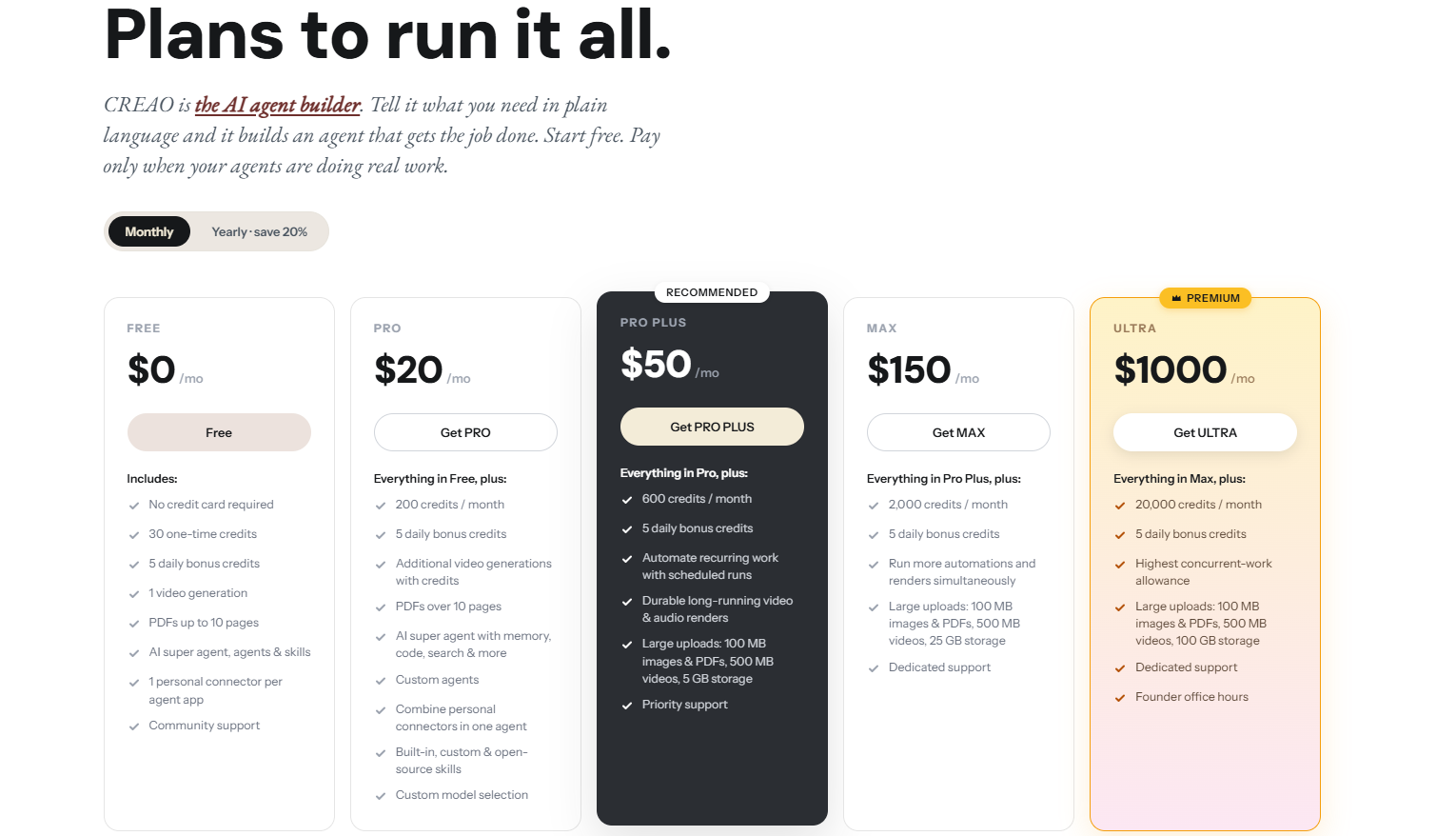
CREAO currently offers four main pricing tiers.
| Plan | Monthly | Annual Equivalent | Credits | Best For |
|---|---|---|---|---|
| Free | $0 | $0 | 30 one-time + 5 daily | Testing CREAO |
| Pro | $20 | $16/month | 200/month + 5 daily | Individuals |
| Pro Plus | $50 | $40/month | 600/month + 5 daily | Regular Agent usage |
| Max | $150 | $120/month | 2,000/month + 5 daily | Heavy usage |
Free Plan
The Free plan is where most new users should start.
Instead of using the credits to test generic writing prompts, choose one real workflow that you already repeat.
If CREAO cannot improve that workflow meaningfully, there is little reason to upgrade.
Pro – $20/Month
Pro is likely the most practical tier for individual professionals.
At $20 per month, CREAO does not need to save huge amounts of time to justify its cost. If an Agent eliminates even a few hours of repetitive work every month, the subscription may already provide positive value.
Pro Plus – $50/Month
Pro Plus provides significantly more credits and is better suited to users who are running several Agents regularly.
This is the level where CREAO is more likely to become part of an ongoing workflow rather than simply an AI experiment.
Max – $150/Month
Max targets substantially heavier usage.
At this level, comparing CREAO with ordinary $20 AI subscriptions is not particularly helpful.
The more useful question is:
How many hours of work are these Agents replacing?
If $150 saves two hours per month, the economics may be poor.
If it saves 20 or 30 hours across a team, the value proposition changes completely.
How to Evaluate CREAO Pricing
Do not look only at subscription price.
Measure credits used + human review time + errors + manual time saved.
The best metric is the cost per successful workflow, not simply the monthly subscription fee.
Not Sure Which CREAO Plan You Need?
Start with the free tier, run one real workflow several times and measure your actual credit consumption.
CREAO Pros and Cons
| Pros | Cons |
|---|---|
| Strong focus on reusable workflows | Credit usage can be difficult to predict initially |
| Scheduled Agents | AI workflows are not perfectly deterministic |
| 30+ advertised Connectors | Complex workflows still require careful setup |
| Persistent Memory | Browser automation can be fragile |
| Built-in and custom Skills | Limited mature third-party review history |
| No-code-friendly approach | Connected apps require careful permission management |
| Free plan available | May be unnecessary for simple AI tasks |
What CREAO Does Well
Reusable workflows provide real value. A successful process does not have to disappear inside a chat history. It can become an Agent that is executed repeatedly.
Scheduling turns Agents into actual automation. A workflow that runs automatically every Monday is significantly more useful than a prompt template that still requires manual initiation.
Connectors make CREAO relevant to real business operations. Integrations with marketing, productivity and analytics tools allow Agents to participate in workflows instead of remaining isolated.
Memory complements the Agent model. Persistent context becomes much more useful when an Agent performs work repeatedly.
The entry barrier is relatively low. Users can begin with natural language rather than starting with technical nodes, APIs and workflow diagrams.
Where CREAO Could Be Better
Credit consumption introduces uncertainty. Users may not immediately know how many credits their recurring workflows will require.
AI automation remains probabilistic. Agent reasoning creates flexibility but can also create inconsistent results. Important workflows should still include review or validation.
No-code does not mean no configuration. High-quality automation still requires clear inputs, expected outputs, good instructions, permissions and failure handling.
CREAO is still relatively young. It does not yet have the ecosystem, community knowledge or large body of independent reviews associated with mature automation platforms.
CREAO Reviews: What Are Users Saying?
Independent user feedback is an important part of evaluating CREAO because the platform is still relatively new.
Product Hunt Reviews
At the time checked, CREAO had a 4.5/5 rating based on 13 reviews on Product Hunt.
Positive feedback tends to focus on CREAO’s flexible natural-language approach, customization and ability to create AI-driven workflows without requiring extensive engineering.
At the same time, an important question remains around execution quality as workflows become more complex.
This is a reasonable concern for any Agent platform.
Producing an impressive one-time demonstration is relatively easy. Running the same workflow reliably over dozens or hundreds of executions is much harder.
Independent Hands-On Feedback
KGen published a 2026 review in which the author reported using CREAO for seven days on workflows including inbox triage, advertising variants and competitor price checks.
The publication rated CREAO 4.6/5 and highlighted output quality and integrations among the strengths, while also mentioning issues such as less predictable credit economics and the need to refine some complex Agents.
This type of feedback is useful because it reflects the reality of Agent automation: natural language makes workflow building easier, but it does not eliminate the need to design and refine a process.
Does CREAO Have G2 Reviews?
At the time of this review, I could not verify a substantial CREAO review base on G2 comparable with established automation products.
The same applies to major software-review platforms such as Capterra.
This does not prove that CREAO is unreliable. It simply means that the independent review ecosystem is still relatively small.
| Platform | Review Evidence |
|---|---|
| Product Hunt | 4.5/5 from 13 reviews |
| KGen | 4.6/5 in reported 7-day test |
| G2 | No substantial verified review base found |
| Capterra | No substantial review base found |
CREAO vs ChatGPT vs Zapier vs n8n
| Platform | Best For | AI Reasoning | Automation | Technical Control |
|---|---|---|---|---|
| CREAO | AI-driven recurring workflows | High | High | Medium |
| ChatGPT | General AI assistance | High | Medium | Medium |
| Zapier | App-to-app automation | Medium | High | Medium |
| n8n | Technical workflow automation | Configurable | Very High | Very High |
CREAO vs ChatGPT
ChatGPT is a stronger fit when the primary goal is general-purpose AI assistance.
CREAO becomes more interesting when the goal changes from:
Help me do this task.
to:
Turn this into a workflow that can be executed repeatedly.
CREAO vs Zapier
Zapier is excellent for predictable trigger-action workflows.
For example:
New form submission → Add CRM contact → Send notification.
CREAO becomes more relevant when interpretation is required:
New request → Understand what the customer needs → Research information → Prepare response → Update workflow.
Traditional automation is generally stronger when rules are completely deterministic. Agent automation becomes more attractive when reasoning is part of the process.
CREAO vs n8n
n8n gives technical users significantly more control over APIs, nodes, conditions and data transformations.
CREAO takes a more AI-native approach, allowing users to begin with natural language and letting the Agent participate in determining how the work should be completed.
Choose n8n if precise technical control is your priority.
Consider CREAO when the workflow contains significant research, analysis, interpretation or content generation.
Who Should Use CREAO?
CREAO is particularly suitable when you regularly find yourself saying:
- I do this every Monday.
- I repeat this for every client.
- I always prepare the same report.
- Someone needs to check this every day.
- This task isn’t difficult, but it consumes too much time.
Those are strong Agent candidates.
CREAO Is Best Suited For
- Digital marketers
- Marketing agencies
- Affiliate marketers
- SEO professionals
- eCommerce businesses
- Freelancers
- Consultants
- Data analysts
- Sales teams
- Solopreneurs
- AI-first businesses
Who Should Skip CREAO?
CREAO may not be necessary if you only use AI occasionally, mainly need simple writing assistance, rarely repeat the same process, require completely deterministic automation, or already have mature workflows in tools such as n8n, Make or Zapier that solve your needs effectively.
The decision should therefore depend less on how interested you are in AI and more on how much repetitive work exists in your current workflow.
Final Verdict: Is CREAO AI Worth It in 2026?
CREAO represents an important shift in how AI software is evolving.
The first stage of mainstream generative AI was largely:
Ask → Answer.
The next stage became:
Ask → Complete a task.
Platforms such as CREAO are pushing toward:
Define a workflow → AI executes it → Save the process → Repeat it automatically.
That is a much more ambitious proposition.
CREAO’s individual features are not necessarily unique on their own. AI models, research, code execution, integrations, memory and scheduling can all be found elsewhere.
What makes CREAO interesting is the way those pieces are assembled around reusable Agents.
The combination of Super Agent + Skills + Connectors + Memory + reusable Agents + Scheduled Runs gives CREAO genuine potential as an AI workflow platform rather than just another chatbot.
The strongest use cases involve repetitive but judgment-heavy work: tasks that are too flexible for simple trigger-action automation but standardized enough to be repeated.
CREAO also has clear limitations. It is still young, its independent review history remains limited, complex Agents may require refinement, credit consumption needs to be monitored and important business workflows should not be given unlimited autonomy without testing.
Despite those concerns, the product’s core proposition is compelling.
Final CREAO Rating: 4.6/5
Best for: Recurring AI-powered business workflows
Best features: Super Agent, reusable Agents, Scheduled Runs, Skills, Connectors and Memory
Biggest strength: Turning successful AI work into repeatable processes
Biggest weakness: Limited mature third-party review history and potentially unpredictable credit consumption for complex workflows
Value for money: Strong when CREAO replaces meaningful manual work
Recommendation: Worth testing
The best way to evaluate CREAO is simple.
Choose one process that currently takes you at least an hour every week. Build it in CREAO. Run the workflow several times. Measure how much correction is required, how many credits it consumes and how much manual time remains.
If CREAO consistently turns one hour of work into ten minutes of review, it has demonstrated real value.
If it does not, the free plan gives you a relatively low-risk way to find out.
Try CREAO AI
Start with one repetitive workflow and see whether CREAO can actually save you time.
Affiliate disclosure: We may receive a commission if you purchase through our referral link, at no additional cost to you.
CREAO AI FAQ
Is CREAO AI free?
Yes. CREAO currently offers a Free plan with 30 one-time credits plus five daily credits. This gives new users an opportunity to test the platform before upgrading.
How much does CREAO cost?
CREAO currently offers Free at $0, Pro at $20 per month, Pro Plus at $50 per month and Max at $150 per month. Annual billing reduces the effective monthly price of the paid plans.
What is the CREAO Super Agent?
The CREAO Super Agent is the platform’s central AI execution system. It can work with tools, files, code, web research, Skills, Connectors and Memory to perform multi-step workflows.
Can CREAO create reusable AI Agents?
Yes. A successful CREAO workflow can be turned into a reusable Agent with structured inputs and outputs, allowing the process to be executed again without recreating the instructions from the beginning.
Can CREAO Agents run automatically?
Yes. CREAO supports Scheduled Runs that allow Agents to execute daily, weekly, monthly or according to custom schedules.
Does CREAO require coding?
No. Many workflows can be created using natural-language instructions. CREAO can also execute code when a task requires more technical data processing.
What apps does CREAO integrate with?
CREAO advertises more than 30 Connectors across productivity, marketing, analytics, communication, development and research tools. Examples include Gmail, Google Sheets, Google Ads, Analytics, Search Console, Slack, Notion, Asana, GitHub and Semrush.
Does CREAO have good reviews?
Early feedback is positive but still limited. Product Hunt currently shows a 4.5/5 rating from 13 reviews, while an independent KGen review reported a 4.6/5 score after a seven-day test. CREAO does not yet have the large independent review base associated with more mature automation platforms.
Is CREAO worth it?
CREAO is worth considering if you regularly perform multi-step work that can be standardized and repeated. It is less valuable if you mainly need occasional writing, brainstorming or simple AI assistance.