
Discover how Expandi, the best LinkedIn automation tool, helps businesses scale their outreach and engagement efficiently. Read our in-depth review to learn more.
[email protected]
11/27/2025
Introduction

In today’s digital marketing landscape, LinkedIn has become the go-to platform for professional networking, B2B marketing, and lead generation. However, manual outreach and engagement can be time-consuming and inefficient. This is where Expandi, a top-tier LinkedIn automation tool, comes in. In this comprehensive review, we will explore how Expandi can help businesses and professionals streamline their LinkedIn activities, boost their outreach, and generate high-quality leads effortlessly.
What is Expandi?
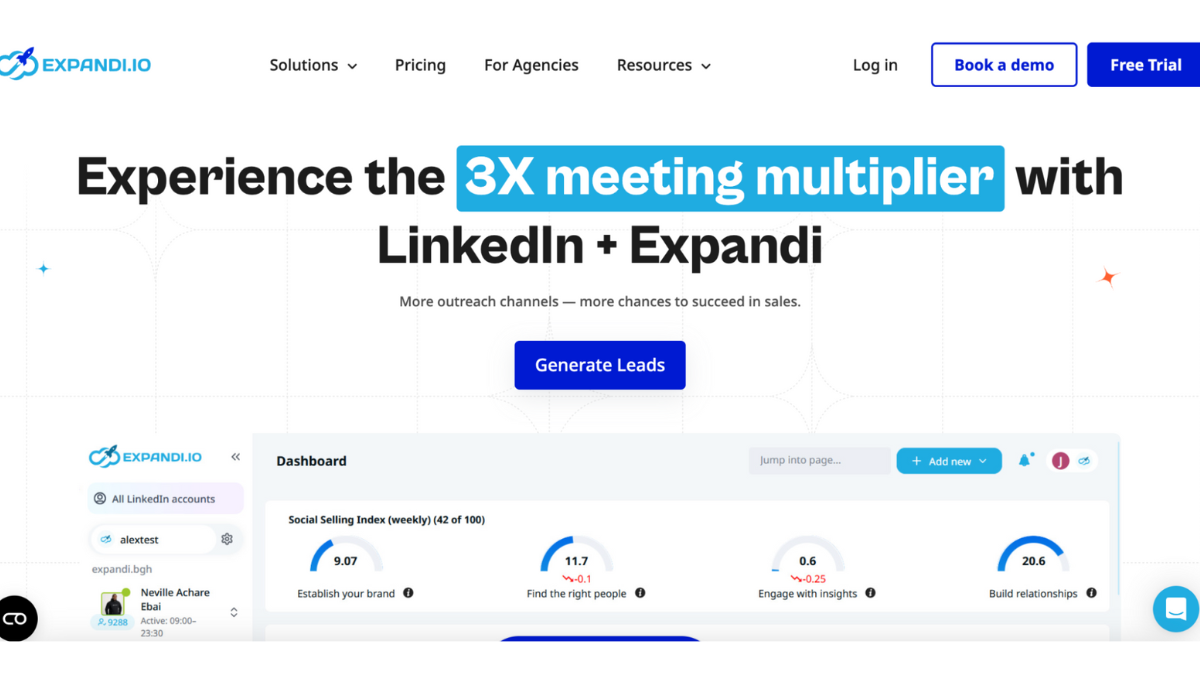
Is a cloud-based LinkedIn automation tool designed to enhance your LinkedIn outreach campaigns while ensuring security and compliance with LinkedIn’s guidelines. Unlike traditional automation tools, Expandi focuses on providing users with smart, personalized interactions that mimic human behavior, reducing the risk of account restrictions or bans.
Key Features
Is packed with innovative features that make LinkedIn automation more efficient and effective. Let’s explore some of its standout functionalities:
1. Smart LinkedIn Outreach Campaigns
Enables users to set up personalized outreach campaigns that send connection requests and follow-up messages in a way that appears natural.
2. Advanced Targeting with LinkedIn Search and Scraping
Allows users to extract and filter LinkedIn contacts based on specific criteria such as job title, location, industry, and company size, ensuring high-quality lead generation.
3. LinkedIn Smart Inbox and Auto Follow-Ups
Managing multiple conversations manually can be challenging. Expandi’s Smart Inbox centralizes all LinkedIn messages, making it easier to track conversations and automate follow-ups without appearing spammy.
4. Personalization and Dynamic Placeholder Technology
Offers a highly personalized outreach experience using dynamic placeholders. This feature enables messages to be customized based on the recipient’s name, company, job title, and more, increasing engagement rates.
5. LinkedIn Post Engagement Automation
Allows users to automate engagement on LinkedIn posts, increasing visibility and enhancing credibility within their network.
6. Safe and Secure Cloud-Based Automation
Unlike browser-based automation tools that risk detection, Expandi operates in the cloud, making it undetectable and ensuring smooth and secure automation without compromising LinkedIn’s guidelines.
How Expandi Works
User-friendly interface allows both beginners and professionals to create and manage LinkedIn campaigns effortlessly. Here’s a simple step-by-step guide:
- Sign up and connect your LinkedIn account securely to Expandi.
- Define your target audience using LinkedIn search or by uploading a CSV file.
- Create a personalized outreach campaign with dynamic placeholders.
- Set automation rules for sending connection requests and follow-ups.
- Monitor campaign performance through real-time analytics.
- Optimize and adjust your campaigns based on engagement metrics.
Pricing Plans
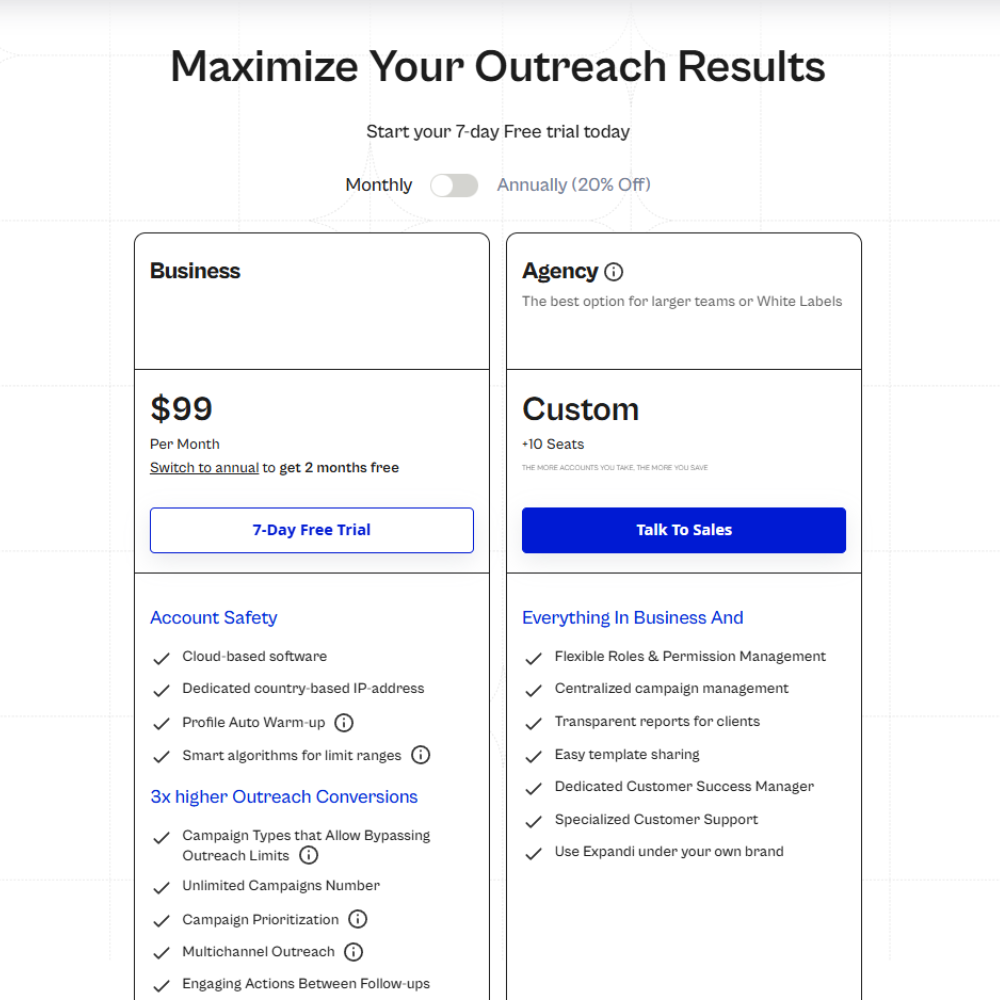
Offers competitive pricing for businesses and professionals looking to automate their LinkedIn outreach. The pricing is structured as follows:
- Standard Plan – $99/month per LinkedIn account, including full access to all features.
- Enterprise Plan – Custom pricing based on business needs, providing bulk campaign management and premium support.
Is Expandi Safe to Use?
Prioritizes security and compliance to ensure safe LinkedIn automation. The tool follows LinkedIn’s daily connection limits, uses smart human-like delays, and operates from a dedicated IP address to prevent account restrictions.
Pros
✅ Automated yet personalized LinkedIn outreach
✅ Smart targeting for precise lead generation
✅ Cloud-based automation for safety and efficiency
✅ Customizable engagement strategies
✅ Robust analytics for campaign tracking
Cons
❌ Monthly subscription may be expensive for small businesses
❌ Learning curve for first-time users
❌ Requires proper configuration to avoid detection
Best Practices for Using Effectively
To maximize the benefits of Expandi, follow these best practices:
- Use personalized messaging instead of generic templates.
- Segment your audience to ensure relevant outreach.
- Monitor analytics to track and optimize campaign performance.
- Follow LinkedIn’s connection request limits to avoid account restrictions.
Expandi vs. Other LinkedIn Automation Tools
There are many LinkedIn automation tools available, but Expandi stands out due to its advanced personalization, safety measures, and robust analytics. Below is a comparison with some popular alternatives:
| Feature | Expandi | Dux-Soup | Linked Helper |
|---|---|---|---|
| Cloud-Based | ✅ | ❌ | ❌ |
| Smart Targeting | ✅ | ✅ | ✅ |
| Dynamic Placeholders | ✅ | ❌ | ✅ |
| Post Engagement | ✅ | ❌ | ❌ |
| Safety & Compliance | ✅ | ❌ | ❌ |
Final Verdict: Is Expandi Worth It?
For businesses and professionals serious about LinkedIn growth,is an excellent investment. It combines smart automation with personalization, ensuring high engagement rates while staying within LinkedIn’s safety guidelines. Whether you’re a marketer, recruiter, or entrepreneur, Expandi offers the tools you need to scale your LinkedIn outreach efficiently.
🚀 Ready to supercharge your LinkedIn growth? Try today and unlock the power of automated networking!
 If you enjoyed this Unraid Review, visit EsApplication.com to discover more reviews of top NAS, server, and automation tools.
Find the right platform to grow your tech, business, and affiliate marketing success!