Explore our 2025 GMass review to discover why it’s the best Gmail email marketing tool for small businesses. Learn about its features, pricing, and how it compares to competitors.
URL: https://esapplication.com//gmass-review-2025-best-gmail-email-marketing-tool
GMass Review 2025: Best Gmail Email Marketing Tool for Small Businesses
In the realm of email marketing, small businesses often seek tools that are both powerful and easy to use. GMass emerges as a leading solution, integrating seamlessly with Gmail to provide robust email marketing capabilities. This review delves into GMass’s features, pricing, and how it stands against competitors, helping you determine if it’s the right fit for your business.
What is GMass?
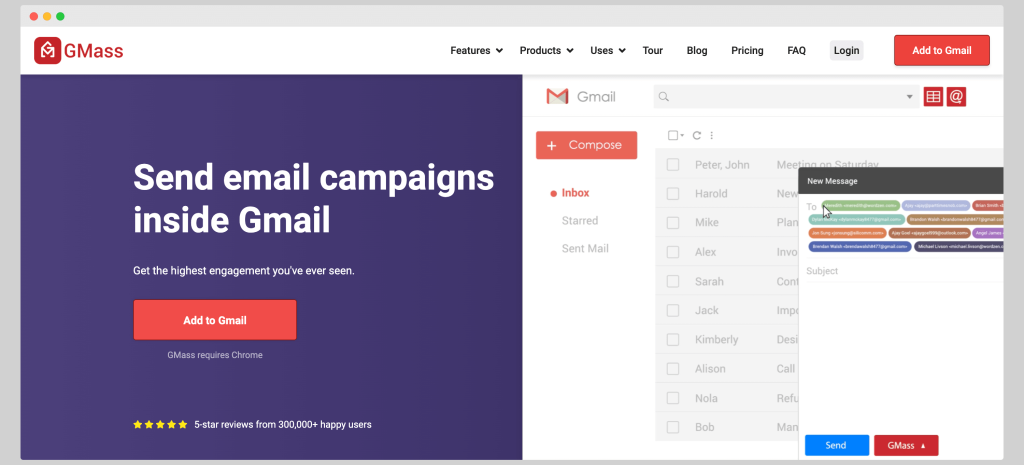
Is a Chrome extension that transforms your Gmail account into a comprehensive email marketing platform. It enables users to send mass emails, automate follow-ups, personalize messages, and track campaign performance—all within the familiar Gmail interface. This integration simplifies the email marketing process, especially for small businesses and individual marketers.
Key Features
1. Seamless Gmail Integration
Operates directly within Gmail, eliminating the need for external platforms. This integration allows users to manage campaigns without leaving their inbox, streamlining workflow and reducing the learning curve.
2. Mail Merge with Google Sheets
One of GMass’s standout features is its ability to perform mail merges using Google Sheets. Users can import contact lists, personalize emails with recipient-specific data, and manage campaigns efficiently. This functionality is particularly beneficial for businesses handling large volumes of contacts.
3. Automated Follow-Ups
Offers automated follow-up sequences based on recipient behavior, such as opens or clicks. This feature ensures consistent communication with prospects, increasing the likelihood of engagement and conversions.
4. Email Scheduling and Throttling
Users can schedule emails to be sent at optimal times, enhancing open rates. Additionally, GMass’s throttling feature helps manage Gmail’s sending limits by distributing emails over time, maintaining deliverability and sender reputation.
Beyond basic mail merge, GMass allows for advanced personalization, including custom fields, images, and attachments. This level of customization helps create more engaging and relevant content for recipients.
Provides detailed analytics on email opens, clicks, replies, and bounces. These insights enable users to assess campaign performance and make data-driven decisions to optimize future emails.
Pricing Plans
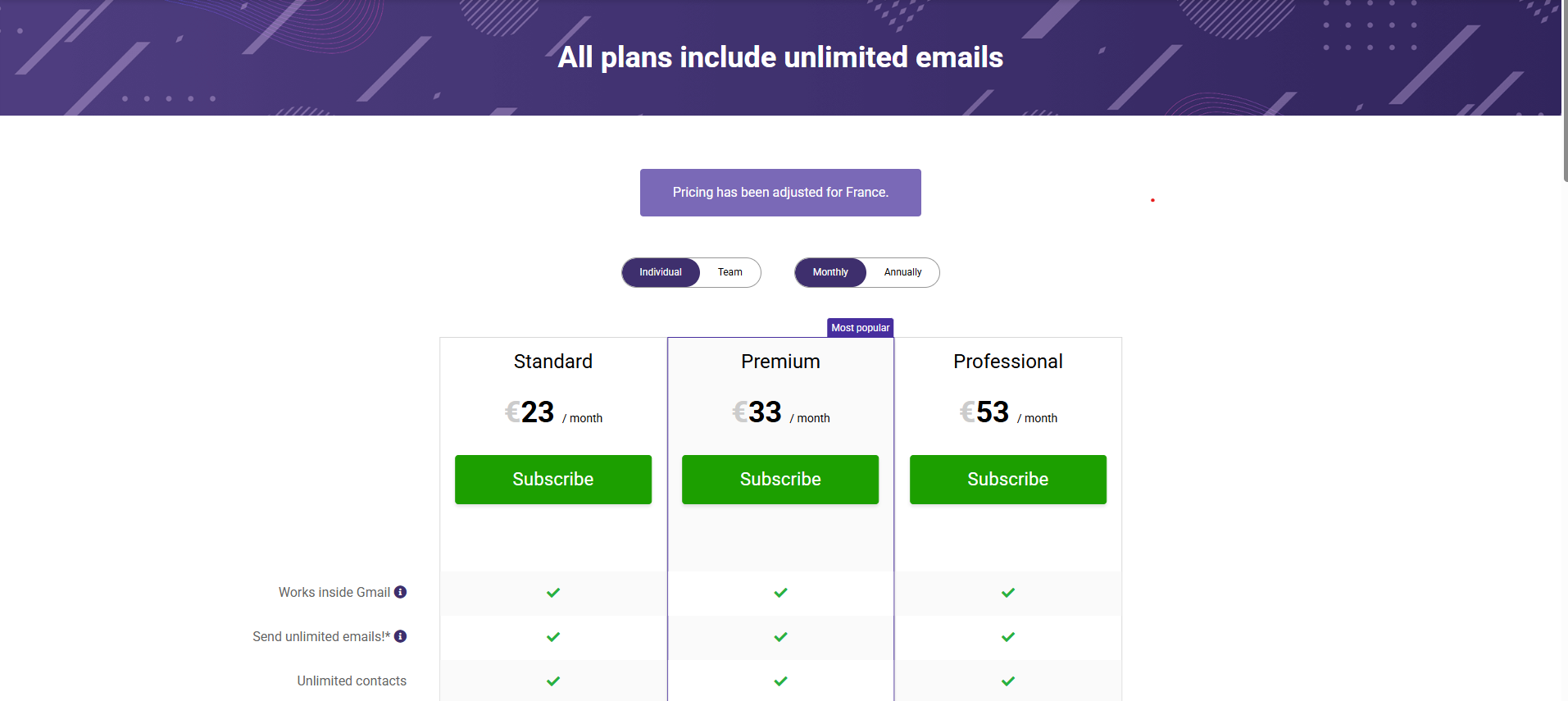
Offers three pricing tiers to accommodate different user needs:
-
Standard Plan: $23/month. Includes core features like mail merge and basic analytics.
-
Premium Plan: $33/month. Adds automated follow-ups, sequences, and API access.
-
Professional Plan: $53/month. Offers advanced functionalities, including high-priority support and “multi-send” capabilities.
These plans provide flexibility for businesses of varying sizes and requirements.
Pros and Cons
Pros
-
User-Friendly Interface: GMass’s integration with Gmail ensures a familiar and intuitive user experience.
-
Cost-Effective: Compared to standalone email marketing platforms, offers competitive pricing, making it accessible for small businesses.
-
Efficient Campaign Management: Features like automated follow-ups and scheduling save time and enhance productivity.
-
Advanced Personalization: The ability to customize emails extensively helps increase engagement rates.
Cons
-
Gmail Dependency: Is designed exclusively for Gmail users, limiting its applicability for those using other email services.
-
Limited Integrations: Currently, GMass primarily integrates with Google Sheets, lacking broader third-party integrations.
-
No Built-In Templates: Users must create their own email templates, which may be time-consuming for some.
GMass vs. Competitors
Vs. Mailchimp
While Mailchimp offers a comprehensive suite of marketing tools, it can be complex and costly for small businesses. GMass, on the other hand, provides essential email marketing features within Gmail at a more affordable price point.
Vs. Sendinblue
Sendinblue supports multi-channel marketing, including SMS and chat, which GMass does not. However, GMass’s deep integration with Gmail and focus on email campaigns make it a more streamlined choice for Gmail users.
Vs. Yet Another Mail Merge (YAMM)
Both GMass and YAMM offer mail merge capabilities with Google Sheets. However, the tool offers more advanced features like automated tracking and detailed analytics, giving it an edge for users looking for comprehensive email marketing tools.
User Feedback
Users appreciate GMass for its ease of use, affordability, and effective campaign management. However, some have noted limitations in integrations and the absence of built-in templates. Overall, GMass receives positive reviews for its performance and value.
Final Verdict
For small businesses and individual marketers using Gmail, offers a powerful yet straightforward email marketing solution. Its features cater to essential marketing needs, and its pricing is accessible for those with limited budgets. Despite some limitations, the benefits make it a worthy choice for Gmail users looking to boost their email marketing efforts.