Online forms are one of the most important elements of modern websites. Whether businesses want to capture leads, collect customer feedback, process payments, or automate workflows, forms are essential tools for interacting with users.
However, creating forms that are flexible, scalable, and integrated with other business tools is not always simple. Many basic form builders offer limited functionality, making them unsuitable for growing websites that require advanced automation and integrations.
This is where Gravity Forms comes in.
In this Gravity Forms Review, we will take a detailed look at one of the most powerful and widely used form builder plugins for WordPress. Gravity Forms has been a trusted solution for developers, marketers, agencies, and businesses for more than a decade.
Unlike simple contact form plugins, Gravity Forms provides advanced capabilities such as conditional logic, payment integrations, automation workflows, and integrations with CRM and marketing platforms.
Because of these features, Gravity Forms has become one of the most respected premium WordPress plugins in the industry.
In this comprehensive Gravity Forms Review, we will explore how the platform works, its most important features, pricing plans, advantages, disadvantages, and how it compares with competitors such as WPForms and Formidable Forms.
What Is Gravity Forms?

Gravity Forms Review: Platform Overview
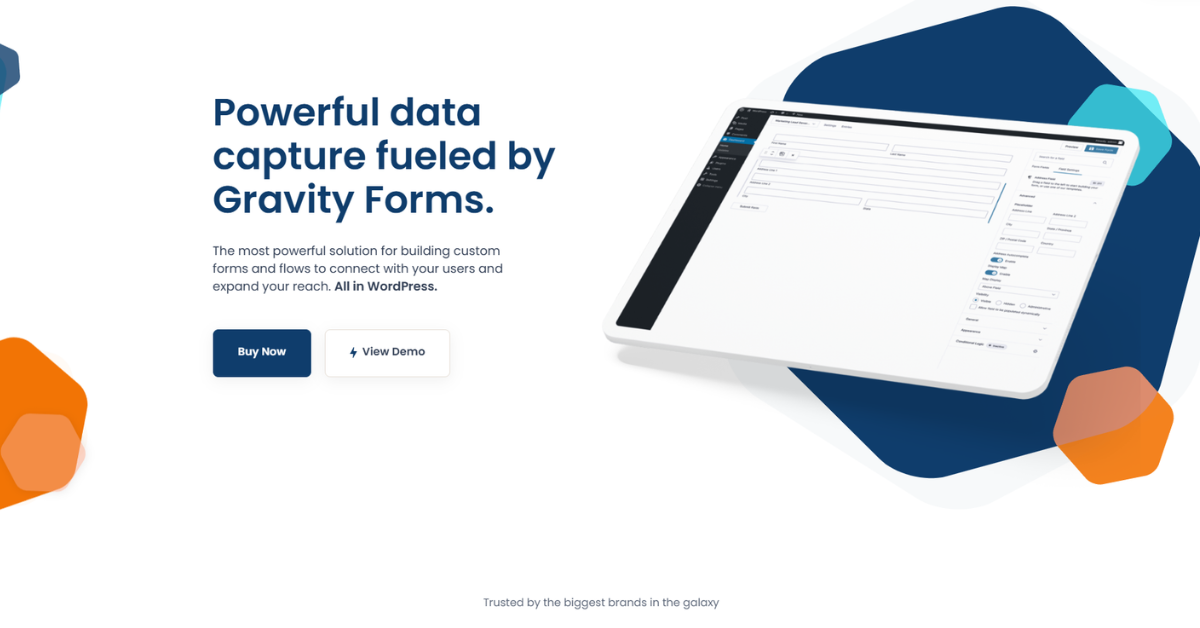
Gravity Forms is a premium WordPress form builder plugin designed to help website owners create powerful and flexible forms without writing complex code.
The plugin allows users to build a wide range of forms including:
-
Contact forms
-
Lead generation forms
-
Customer surveys
-
Registration forms
-
Payment forms
-
File upload forms
-
Application forms
Gravity Forms stands out because it combines ease of use with powerful customization options.
The platform provides a visual drag-and-drop builder that allows users to create forms quickly while also offering advanced functionality for developers and technical users.
Gravity Forms is commonly used for:
-
Collecting customer inquiries
-
Generating marketing leads
-
Accepting online payments
-
Running surveys and quizzes
-
Automating customer workflows
-
Integrating data with CRM systems
For WordPress websites that rely heavily on data collection and automation, Gravity Forms is often considered one of the most powerful tools available.
How Gravity Forms Works
Gravity Forms Review: Platform Workflow
Gravity Forms works as a plugin installed directly inside the WordPress dashboard. Once installed, users can create and manage forms through a dedicated interface.
The typical workflow looks like this.
Step 1: Install the Plugin
Users purchase a license from the official website and download the plugin. It can then be installed in WordPress through the plugin dashboard.
Step 2: Create a New Form
Using the drag-and-drop builder, users can add fields such as:
-
Name
-
Email
-
Phone number
-
Dropdown menus
-
Checkboxes
-
File uploads
-
Payment fields
Each field can be customized with validation rules and display settings.
Step 3: Configure Logic and Notifications
Gravity Forms allows users to set up automated workflows such as:
-
Email notifications
-
Confirmation messages
-
Conditional logic
-
Multi-page forms
Step 4: Embed the Form
Once the form is ready, it can be embedded into any page, post, or widget using shortcodes or WordPress blocks.
Step 5: Manage Submissions
All form submissions are stored within the WordPress dashboard. Users can review entries, export data, or send information directly to integrated platforms.
This workflow makes Gravity Forms powerful yet easy to use for both beginners and experienced developers.
Key Features of Gravity Forms
Gravity Forms Review: Core Features Explained
Gravity Forms includes a wide range of advanced features that make it more powerful than most basic form plugins.
Drag-and-Drop Form Builder
The visual editor allows users to create forms quickly by dragging fields into place.
This makes form creation simple even for users without technical experience.
Conditional Logic
Conditional logic allows fields to appear or disappear based on user responses.
For example:
-
If a user selects Business Inquiry, additional company fields appear.
-
If a user selects Technical Support, support-related questions appear.
This helps create cleaner forms and improves the user experience.
Multi-Page Forms
Gravity Forms allows users to divide long forms into multiple pages with progress bars.
This feature improves completion rates because users are less likely to abandon lengthy forms.
File Upload Capability
Users can upload files through forms.
This feature is useful for:
-
Job applications
-
Customer support tickets
-
Project proposals
-
Document submissions
Payment Processing
Gravity Forms integrates with several popular payment gateways including:
-
Stripe
-
PayPal
-
Square
-
Authorize.net
Businesses can accept donations, product payments, and subscription fees directly through forms.
CRM and Marketing Integrations
Gravity Forms integrates with many marketing and CRM tools including:
-
Mailchimp
-
HubSpot
-
ActiveCampaign
-
Zapier
-
Salesforce
These integrations allow businesses to automate their marketing pipelines.
Automation and Workflow Tools
Gravity Forms can trigger automated actions such as:
-
Sending confirmation emails
-
Assigning leads to sales teams
-
Adding contacts to email lists
-
Creating tasks in project management tools
These capabilities make Gravity Forms an excellent automation tool for business operations.
Pricing
Gravity Forms Review: Pricing Plans Explained
Gravity Forms offers several pricing plans depending on the level of features and number of websites.

Basic Plan – $59 per year
The Basic plan includes:
-
1 website license
-
Core form builder features
-
Standard support
-
Basic integrations
This plan is ideal for small websites or bloggers who only need simple forms.
Pro Plan – $159 per year
The Pro plan includes:
-
3 website licenses
-
Payment integrations such as Stripe and PayPal
-
Zapier integration
-
Additional marketing integrations
For many businesses, the Pro plan offers the best balance of price and functionality.
Elite Plan – $259 per year
The Elite plan includes:
-
Unlimited websites
-
All Gravity Forms add-ons
-
Advanced integrations
-
Priority support
-
WordPress multisite support
This plan is designed for agencies, developers, and organizations managing multiple websites.
Nonprofit License – $129 per year
Gravity Forms also offers a special Nonprofit License designed for registered nonprofit organizations.
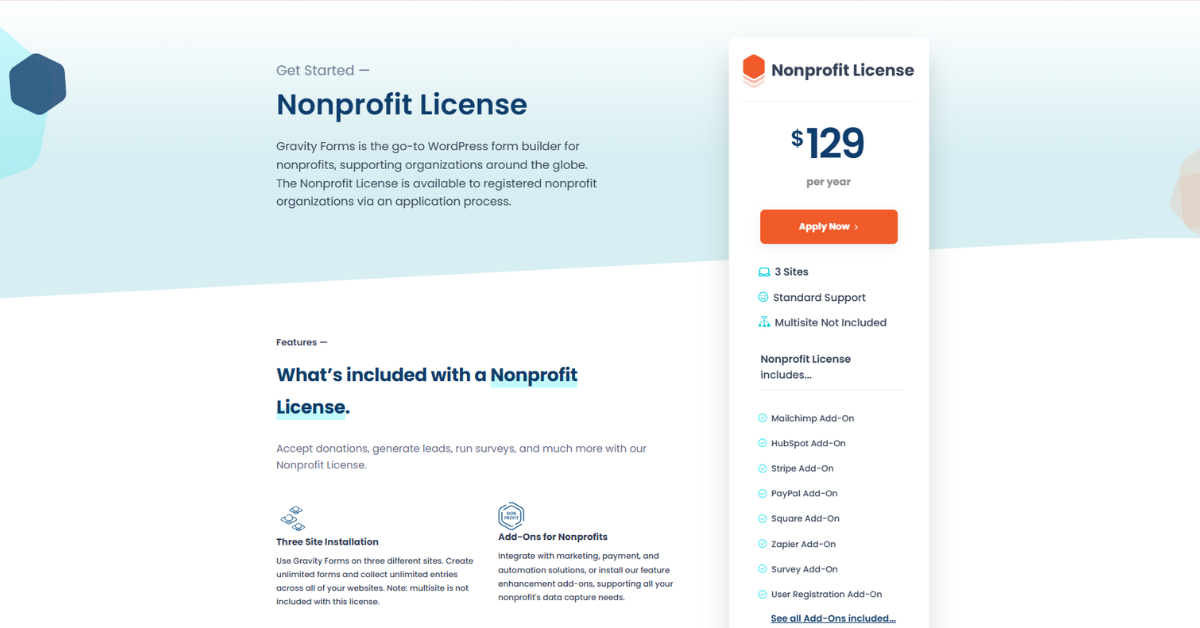
This plan includes:
-
3 website licenses
-
Many premium add-ons
-
Donation and payment integrations
-
Survey and marketing integrations
-
Standard support
However, the nonprofit license requires verification and approval before purchase.
For nonprofit organizations that need donation forms and automation tools, this plan offers strong value.
Who Should Use Gravity Forms?
Gravity Forms Review: Ideal Users
Gravity Forms is suitable for many different types of users.
Businesses
Companies use Gravity Forms to manage customer inquiries, lead capture, and service requests.
Digital Marketers
Marketers rely on Gravity Forms for:
-
Lead generation campaigns
-
Marketing automation
-
CRM integrations
Developers
Developers appreciate the platform’s extensibility and customization capabilities.
Agencies
Agencies use Gravity Forms to manage forms across multiple client websites.
Freelancers
Freelancers often use the plugin for:
-
Client intake forms
-
Service requests
-
Project proposals
Why Should You Use Gravity Forms?
Gravity Forms Review: Key Benefits
There are several reasons why Gravity Forms remains one of the most trusted WordPress form builders.
Powerful Customization
Gravity Forms provides deep customization options for creating complex forms and workflows.
Strong Integrations
The plugin integrates with dozens of popular marketing and CRM tools.
Reliable Performance
Because it runs directly within WordPress, Gravity Forms is stable and reliable.
Scalability
Gravity Forms can support small blogs as well as large enterprise websites.
Developer-Friendly
Developers can extend the plugin through APIs, custom code, and add-ons.
Pros and Cons
Gravity Forms Review: Advantages and Limitations
Pros
-
Powerful form builder
-
Advanced conditional logic
-
Strong payment integrations
-
Excellent CRM integrations
-
Developer-friendly framework
-
Highly scalable solution
Cons
-
No free version
-
Requires WordPress
-
Some features require higher-tier plans
-
Slight learning curve for beginners
Gravity Forms vs Competitors
Gravity Forms Review: Comparison with WPForms and Formidable Forms
Below is a comparison of three popular WordPress form builders.
| Feature | Gravity Forms | WPForms | Formidable Forms |
|---|---|---|---|
| Ease of Use | Moderate | Very Easy | Moderate |
| Drag-and-Drop Builder | Yes | Yes | Yes |
| Conditional Logic | Yes | Yes | Yes |
| Payment Integrations | Yes | Yes | Yes |
| CRM Integrations | Extensive | Moderate | Moderate |
| Developer Flexibility | High | Medium | High |
| Free Version | No | Yes | Yes |
| Best For | Businesses & Developers | Beginners | Advanced Data Forms |
Gravity Forms is often preferred by developers and businesses that require advanced automation and integrations.
Best Alternatives to Gravity Forms
While Gravity Forms is powerful, several alternatives exist.
WPForms
WPForms is known for its beginner-friendly interface and free version.
Ninja Forms
Ninja Forms offers a modular pricing model with flexible add-ons.
Formidable Forms
Formidable Forms is ideal for building advanced data-driven forms and web applications.
Jotform
Jotform is a cloud-based form builder that works outside of WordPress.
FAQ Section
What is Gravity Forms used for?
Gravity Forms is used to create advanced forms on WordPress websites for collecting leads, managing registrations, processing payments, and automating workflows.
Is Gravity Forms free?
No. Gravity Forms is a premium plugin that requires a paid license.
Does Gravity Forms support payment processing?
Yes. Gravity Forms integrates with payment gateways such as Stripe, PayPal, Square, and Authorize.net.
Is Gravity Forms beginner friendly?
Yes. The drag-and-drop builder makes it easy to create forms, although advanced features may require some learning.
Does Gravity Forms integrate with marketing platforms?
Yes. Gravity Forms integrates with many marketing platforms including Mailchimp, HubSpot, ActiveCampaign, and Zapier.
Final Verdict
Gravity Forms remains one of the most powerful and flexible WordPress form builder plugins available today.
Its combination of advanced automation tools, strong integrations, and customization options makes it a top choice for businesses that rely on data collection and lead generation.
Although it does not offer a free version, the features provided by Gravity Forms justify the price for many organizations.
If you need a reliable, scalable, and feature-rich form builder for WordPress, this Gravity Forms Review shows that the platform is definitely worth considering.
Discover More SaaS Reviews
If you want to explore more software tools, SaaS platforms, and detailed product comparisons, visit:
There you will find expert reviews, comparisons, and guides to help you choose the best software for your business.