Melio Review 2025: Discover how Melio helps small businesses streamline bill payments, manage invoices, integrate with QuickBooks, and improve cash flow. Compare Melio with Bill.com, QuickBooks Payments, and Payoneer to see which platform suits your needs best.
Melio Review: The Ultimate Payment Platform for Small Businesses
Running a small business requires more than selling products or services. It means managing invoices, paying vendors on time, and ensuring cash flow is healthy. For many entrepreneurs, the complexity of financial management becomes a bottleneck that consumes valuable time. That’s where Melio enters the picture. In this Melio Review, we will take a deep dive into its features, pricing, competitors, user experience, and whether it’s truly worth your consideration in 2025.
What is Melio?
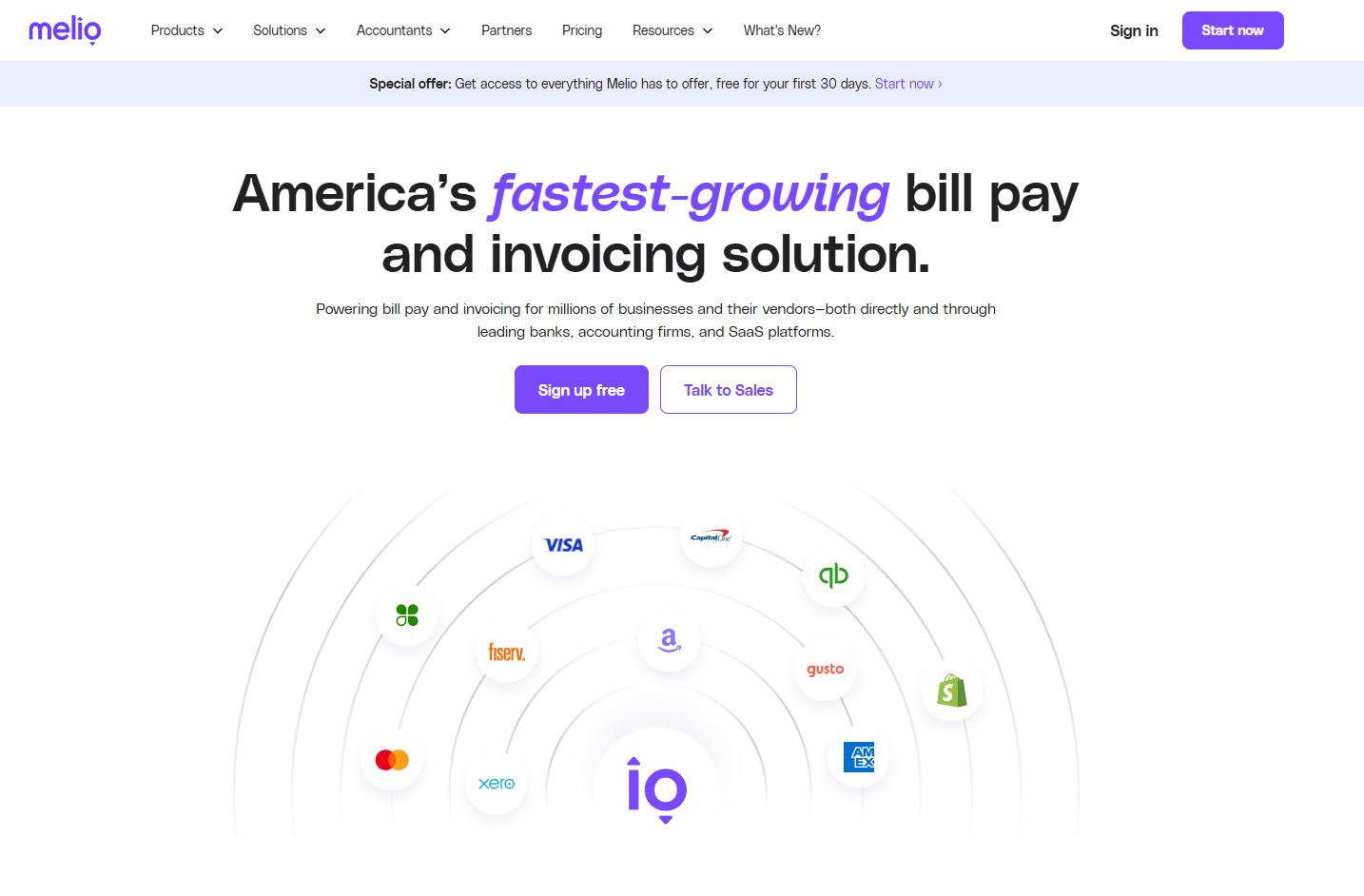
Is a cloud-based bill payment and invoicing platform designed to simplify financial operations for small and medium-sized businesses (SMBs). Instead of navigating outdated banking portals or juggling spreadsheets, Melio offers a centralized solution. This Melio Review reveals that the platform enables:
-
Free ACH transfers for vendor payments.
-
Paying bills with credit cards, even when vendors don’t accept them.
-
Automated recurring payments and reminders.
-
Sending invoices and receiving payments directly.
-
Integration with accounting systems like QuickBooks and Xero.
-
International wire transfers for global suppliers.
-
Multi-user access with role-based approval workflows.
In short, Melio bridges the gap between traditional banking and modern business needs.
Why Businesses Need a Tool Like Melio
This Melio Review would not be complete without addressing why businesses need such a platform. Cash flow remains the number one reason small businesses struggle. Delayed payments, late fees, and poor vendor relationships can cripple operations. Melio addresses these pain points by:
-
Allowing flexibility in payment methods.
-
Centralizing financial workflows in a single dashboard.
-
Automating manual tasks like entering invoices.
-
Providing visibility into upcoming bills and outgoing cash.
Unlike legacy systems, Meliopayments focuses exclusively on SMBs rather than enterprises, ensuring simplicity and affordability.
Key Features
Bill Payments Made Easy
This Melio review highlights how bills can be paid via free ACH transfers or credit cards for a 2.9% fee. Even if vendors prefer checks, Meliopayments will handle printing and mailing on your behalf.
Credit Card Flexibility
Meliopayments allows users to pay vendors with a credit card even if those vendors don’t accept cards. Melio processes the payment and delivers funds as ACH or check. This extends payment timelines, supports cash flow, and lets businesses earn credit card rewards.
Seamless Accounting Integration
QuickBooks and Xero users will find immense value here. Payments automatically sync, ensuring accounting books are always accurate. This Melio review confirms that it eliminates the need for double data entry.
Multi-User Workflows and Approvals
Assigning permissions and setting approval processes ensures accountability. Whether you are a solo entrepreneur or running a small team, Melio provides clarity in payment responsibilities.
International Payments
Meliopayments isn’t limited to domestic vendors. Businesses can send international payments with a flat $20 fee. For SMBs working with overseas suppliers, this feature is vital.
Security and Compliance
Bank-level encryption and U.S. financial compliance standards ensure that all data and transactions remain secure. For this Melio Review, security is a strong selling point.
User Experience and Interface
The design of Meliopayments is clean, intuitive, and requires little training. Many users report that onboarding takes minutes, not hours. In this Melio Review, the dashboard stood out as one of the simplest in the industry.
Features like drag-and-drop invoice upload, AI-powered invoice scanning, and straightforward payment scheduling enhance usability. While mobile apps are not as advanced as desktop, the core features remain accessible.
Pricing
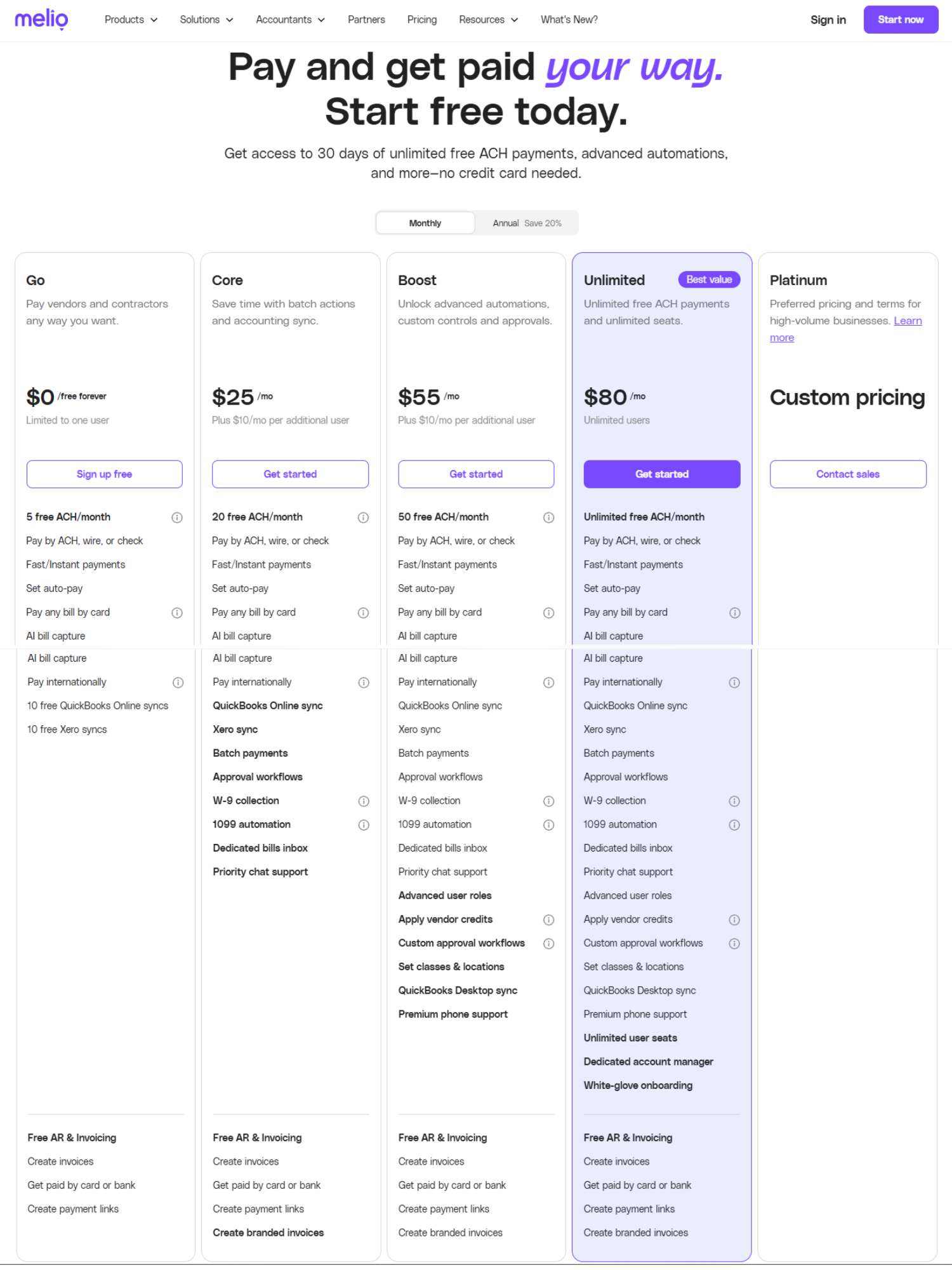
Pricing is often the deciding factor for SMBs. This Melio Review includes the most recent pricing tiers directly from Melio’s official website:
Go Plan (Free)
-
$0 / month
-
1 user
-
5 free ACH transfers per month (then $0.50 per ACH)
-
Basic QuickBooks/Xero sync (10 syncs per month)
-
AI invoice capture and basic invoicing
Core Plan ($25/month)
-
$25/month (or $2.50 first 3 months promo)
-
$10 per additional user
-
20 free ACH per month
-
Batch payments and approval workflows
-
Full QuickBooks and Xero sync
-
W-9 collection and 1099 integration
Boost Plan ($55/month)
-
$55/month (or $5.50 first 3 months promo)
-
$10 per additional user
-
50 free ACH per month
-
Advanced approval workflows and user roles
-
QuickBooks Desktop support
-
Premium phone support
Unlimited Plan ($80/month)
-
$80/month (or $8 first 3 months promo)
-
Unlimited users
-
Unlimited free ACH transactions
-
Dedicated account manager
-
Premium onboarding and support
Platinum (Custom Pricing)
-
Tailored for enterprises with very high transaction volumes
-
Custom features and dedicated service
Transaction Fees
-
Credit card payments: 2.9%
-
International wires: $20 each
-
Instant transfers: 1% fee (capped at $50)
Who Should Use ?
Based on this Melio Review, Meliopayments is best suited for:
-
SMBs that want free ACH transfers and low-cost payment automation.
-
Entrepreneurs who maximize cash flow by paying via credit cards.
-
Teams requiring multi-user access with role-based approvals.
-
Businesses needing QuickBooks or Xero integration.
It may not be the best fit for large enterprises with ERP-level needs, but for SMBs, it strikes the right balance between cost and features.
Melio vs Competitors
Vs Bill.com
-
Bill.com charges monthly fees starting at $45, while Meliopayments offers a free tier.
-
Meliopayments is simpler and cheaper, making it more attractive for SMBs.
-
Bill.com provides more enterprise-level features.
Vs QuickBooks Payments
-
QuickBooks Payments integrates natively but charges higher fees.
-
According to this Meliopayments Review, Meliopayments offers more flexibility and lower costs while still syncing with QuickBooks.
Vs Payoneer
-
Payoneer is designed for freelancers and international client payments.
-
Meliopayments Review shows that Meliopayments is stronger for SMBs managing U.S.-based vendor bills.
Customer Support and Reliability
Support is provided via email, chat, and a knowledge base. Higher-tier plans include premium phone support and a dedicated account manager. Many users highlight responsive service, though real-time phone support in lower tiers could be expanded.
Reliability has also been praised, with high uptime and smooth transaction execution.
Pros and Cons
Pros
-
Free ACH transfers (limits apply).
-
Credit card payments even for vendors that don’t accept cards.
-
Strong QuickBooks and Xero integrations.
-
Transparent, affordable pricing tiers.
-
Intuitive dashboard with minimal learning curve.
Cons
-
2.9% fee for card transactions.
-
$20 fee for international wires.
-
Limited advanced features for large corporations.
Final Verdict – Is Worth It?
After analyzing features, pricing, usability, and competitors, this Meliopayments Review concludes that Melio is one of the top payment platforms for small businesses in 2025. Compared to Bill.com, QuickBooks Payments, and Payoneer, Melio’s affordability and flexibility make it a winning choice.
For SMBs aiming to optimize cash flow, streamline vendor payments, and reduce accounting headaches, Meliopayments delivers excellent value.
📢 Call-to-Action (CTA)
👉 Want more in-depth reviews of SaaS tools and digital platforms?
Visit esapplication.com
to explore expert comparisons, unbiased insights, and guides that help you choose the right software for your business.
At esapplication.com, we cover:
✅ SaaS platform reviews
✅ Affiliate & marketing tools
✅ Hosting & business growth software
✅ Side-by-side competitor breakdowns
Don’t miss out — check out esapplication.com today
for more detailed reviews like this Social Stocks analysis.