StreamYard Review 2025 explores the best browser-based livestreaming platform for creators and businesses. Learn about pricing, features, pros, cons, and StreamYard alternatives.
📝 StreamYard Review 2025: The Ultimate Browser-Based Livestreaming Tool for Creators
StreamYard Review — If you’re looking for an all-in-one livestreaming platform that’s simple, professional, and works right in your browser, StreamYard is one of the best choices in 2025. It allows creators, educators, and businesses to stream high-quality live video across multiple platforms simultaneously — without complicated setup or expensive studio gear.
🧩 What Is StreamYard?
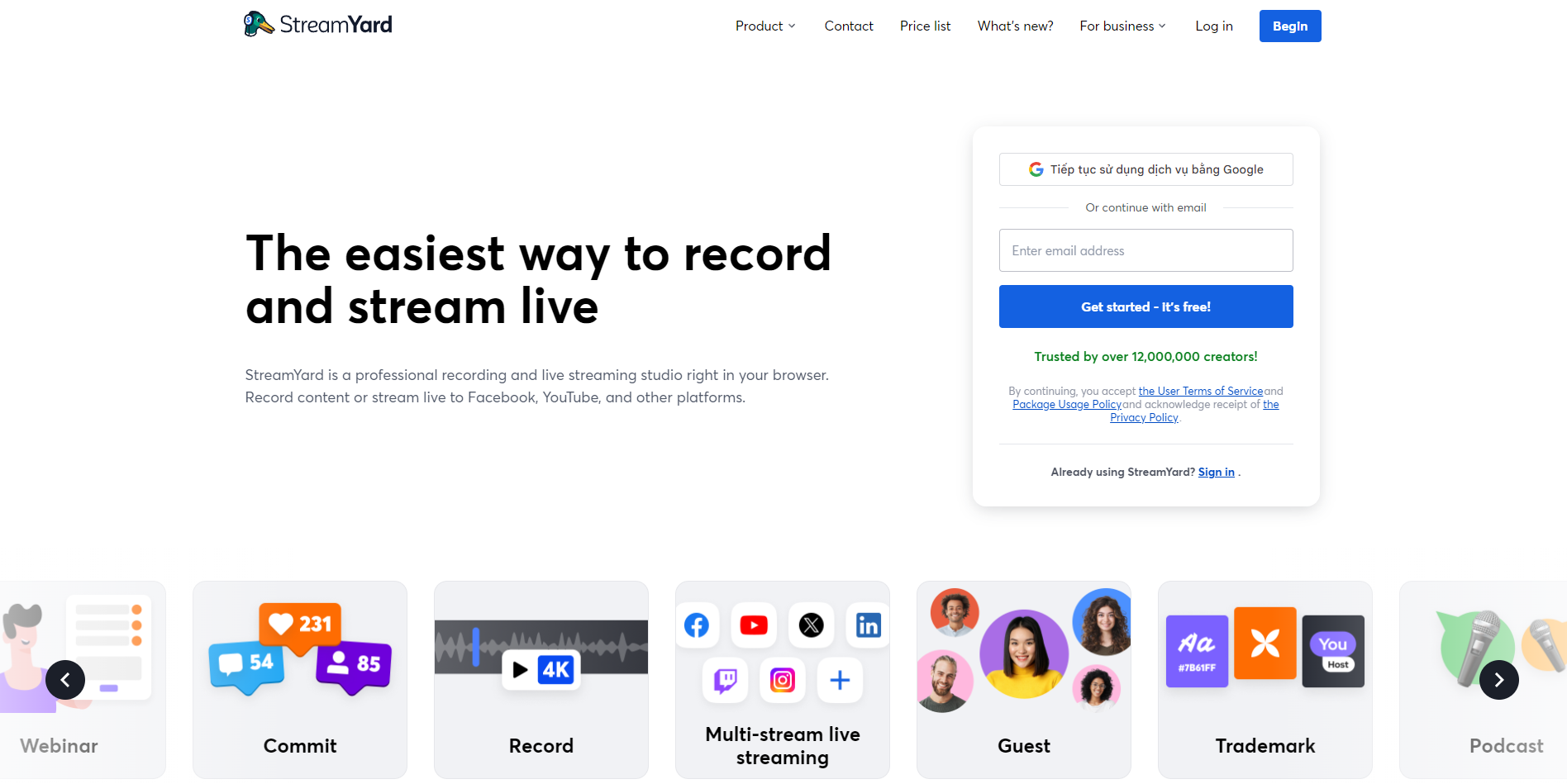
StreamYard is a browser-based livestreaming and recording tool that makes it incredibly easy to go live on YouTube, Facebook, LinkedIn, X (Twitter), Twitch, and other platforms at the same time.
Unlike traditional streaming software that requires installation (like OBS Studio or vMix), StreamYard runs entirely in your browser, meaning there’s no need for downloads or complex configurations.
You can invite guests through a simple link, display comments on-screen, add your brand logo, overlays, backgrounds, or even play intro/outro videos — all within seconds.
💼 Who Is For?
This StreamYard Review shows that the platform is ideal for:
-
Content creators and YouTubers who want to grow their audience with professional live sessions.
-
Businesses and marketers hosting webinars, product demos, or Q&A sessions.
-
Educators and podcasters who need to record or broadcast discussions effortlessly.
-
Churches, nonprofits, and organizations that engage their communities through live events.
Essentially, if you need a professional broadcast experience without a learning curve, StreamYard fits perfectly.
💡 Key Features
🎥 1. Multi-Platform Livestreaming
Stream simultaneously to multiple platforms like YouTube, LinkedIn, and Facebook at once. This boosts reach and visibility across audiences.
🧑💻 2. Browser-Based Simplicity
No downloads, no installations — simply log in and start streaming from Chrome, Edge, or Firefox.
🖼️ 3. Branding Customization
Add your logo, brand colors, overlays, and animated backgrounds to make your live sessions look polished.
🎙️ 4. Guest Invitations
Send a private guest link to invite speakers or co-hosts instantly — even if they have no technical skills.
💾 5. Recording and Replay
StreamYard lets you record sessions for repurposing content — perfect for creating clips, podcasts, or YouTube replays.
💬 6. Audience Engagement
Display viewer comments directly on screen, making your livestreams interactive and community-driven.
💰 Pricing Plans (2025)
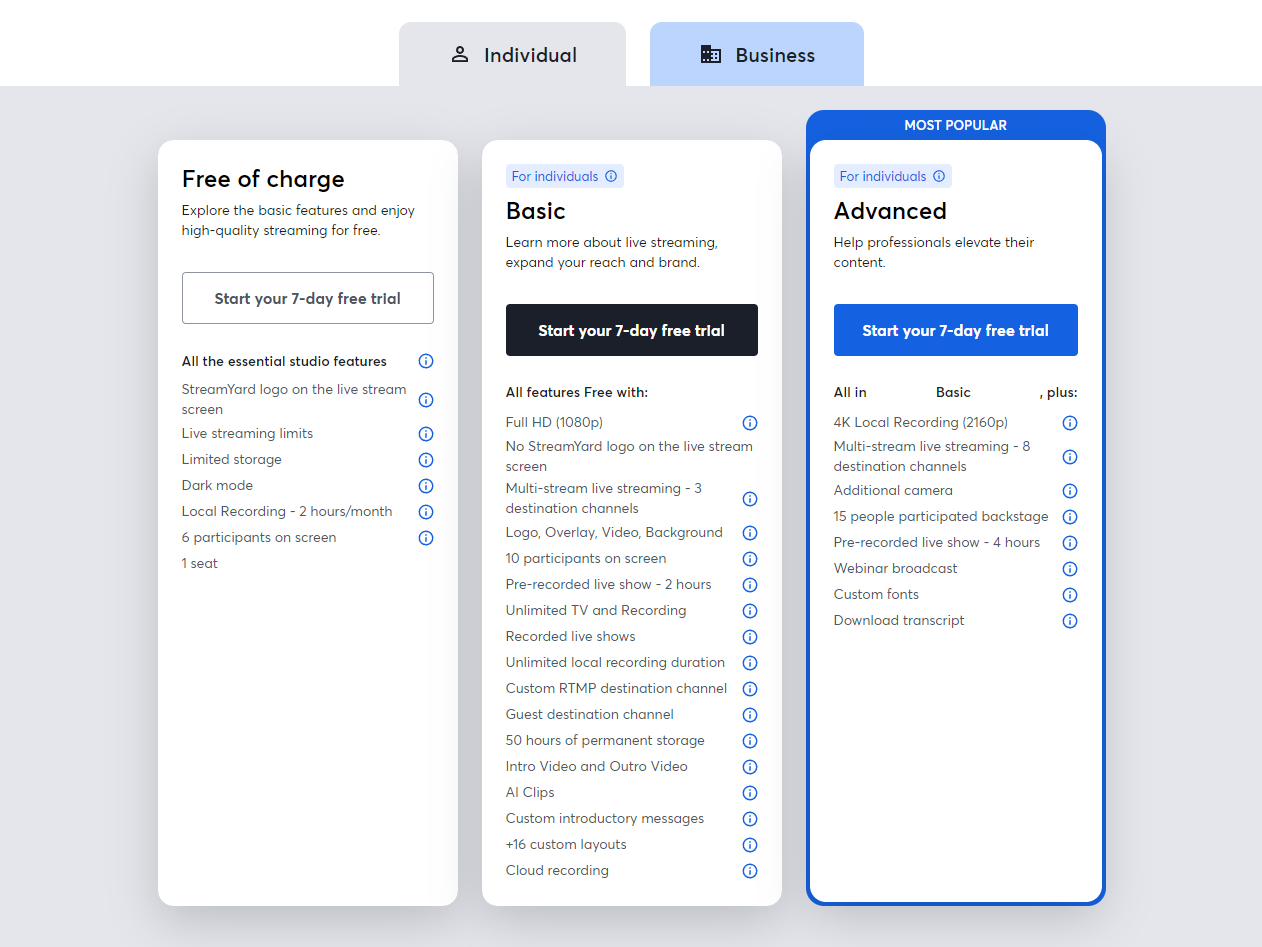
| Plan | Monthly Price | Main Features |
|---|---|---|
| Free | $0 | Stream up to 20 hours/month with StreamYard branding |
| Basic | $25/month | Remove branding, record 4 hours, stream to 3 destinations |
| Professional | $49/month | 1080p quality, 10 destinations, local recordings |
| Business | Custom | Team management, priority support, advanced analytics |
The free plan is great for beginners, while Professional is ideal for regular creators and marketers who need high quality and more destinations.
⚖️ StreamYard vs Competitors
| Feature | StreamYard | Riverside.fm | OBS Studio |
|---|---|---|---|
| Browser-based | ✅ Yes | ✅ Yes | ❌ No |
| Multi-platform streaming | ✅ | ❌ | ✅ (manual setup) |
| Recording quality | High | Very High (separate tracks) | High |
| Ease of use | ⭐⭐⭐⭐⭐ | ⭐⭐⭐⭐ | ⭐⭐ |
| Branding tools | ✅ | Limited | Custom via scenes |
| Free plan | ✅ | ❌ | ✅ (open source) |
Focuses on simplicity and professional branding, while Riverside.fm is stronger in local recording for podcasts. OBS Studio, though free, requires more setup and lacks the browser-based ease.
✅ Pros
-
Extremely easy to use — perfect for beginners.
-
Multistreaming across major platforms in one click.
-
Excellent branding and design tools for professional-looking shows.
-
Reliable performance even on average internet connections.
-
Guest invitations with no login required.
⚠️ Cons
-
Limited customization compared to OBS or vMix.
-
Some features (like HD recording and more destinations) are locked behind paid tiers.
-
Internet quality still affects output — no offline mode.
💬 Real-World Use Cases
-
A digital marketing agency using StreamYard to host weekly webinars.
-
A content creator streaming simultaneously to YouTube, LinkedIn, and Facebook.
-
A startup launching its new product with a live event featuring guests from multiple countries.
These examples show how StreamYard enables high-quality broadcasts that boost visibility and engagement.
🏁 Final Verdict – Should You Use StreamYard?
In 2025, StreamYard remains one of the best browser-based livestreaming tools available. Its focus on simplicity, branding, and multistreaming makes it perfect for creators and businesses seeking a professional online presence.
If you value ease of use, polished design, and strong community interaction, s absolutely worth the investment.
However, if you need studio-grade recording or complex transitions, consider pairing it with tools like Riverside.fm or OBS Studio.
📣 Call to Action
If you enjoyed this Review, visit ES Application to explore more in-depth reviews about the best SaaS, AI, and automation tools that help creators, entrepreneurs, and affiliates succeed online.
Discover more insights, comparison guides, and exclusive affiliate programs updated weekly.