The 20+ Best Digital Marketing Tools in 2025
We independently review the apps we recommend in our best-of lists. If you purchase via some links, we may earn a commission. Learn more.
As a marketer who happily spends weekends wiring up automations and stress-testing new tools, even I get overwhelmed by the sheer number of platforms promising to “10x” your marketing. You don’t have time to trial everything—so which tools are genuinely worth adding to your stack?
Between hands-on testing and thousands of hours evaluating platforms across use cases and budgets, here’s a practical, opinionated list of 20+ digital marketing tools by category—complete with pros, cons, pricing, the scenarios they shine in, implementation tips, and the KPIs to watch. Use it to assemble a lean, integrated stack that fits your goals—not someone else’s.
The best digital marketing tools at a glance
| Category | Tool | Standout features | Pricing (starter) |
|---|---|---|---|
| Building websites | Wix | AI site builder, 800+ templates, built-in SEO basics | Free; from $17/month |
| eCommerce websites | Shopify | Massive app store, optimized checkout, AI (Magic/Sidekick) | From $29/month (+ fees) |
| Keyword research | Ahrefs | SERP analysis, Content Gap, robust backlink index | Free tools; from $108/month |
| Web & social graphics | Canva | Huge template library, brand kits, AI design assists | Free; from $120/year |
| Photo & image editing | Adobe Photoshop | Industry-standard pro editing + generative AI | From $19.99/month |
| Social media management | Buffer | Multichannel scheduling, AI repurposing, clean calendar | Free; from $5/month/channel |
| Email marketing | Mailchimp | Approachable all-in-one with journeys & templates | Free; from $13/month |
| SMS marketing | SimpleTexting | List-based campaigns, polls/surveys, automations | From $33.20/month; +$0.055/credit |
| Live chat | Intercom | No-code bot builder, multilingual inbox, triggers/macros | Custom |
| Automation & AI orchestration | Zapier | Connects 5,000+ apps, AI in every step, Interfaces/Tables | Free; from $19.99/month |
| User-friendly lead mgmt (B2C) | Klaviyo | Drag-and-drop flows, deep eCom data, email+SMS | Free; from $20/month |
| CRM (all-in-one) | HubSpot | Unified CRM + Marketing Hub + reporting | Free; from $15/seat/month |
| Advanced automations | ActiveCampaign | Goal-based journeys, predictive send (upper tiers) | From $15/month |
| Landing pages | Carrd | Lightning-fast LPs, simple editor, ultra-low TCO | Free; $19/year |
| Forms & surveys | Typeform | Conversational UX, logic, embeds & chat-like forms | Free; from $25/month |
| Build your own chatbot | Chatbase | Train on URLs/files/Notion, embed in minutes | Free; from $32/month |
| Presentations | Gamma | AI-generated decks/docs with spotlight & blocks | Free; from $8/user/month |
| Webinars | Demio | Engagement (polls/CTAs/handouts), live/on-demand | From $45/month |
| AI video creation/hosting | Peech | Turn transcripts into branded, captioned clips | Free; from $100/seat/month |
| Research & content generation | ChatGPT | Versatile AI ideation/research/writing | Free; $20/month (Plus) |
| AI SEO writing | Writesonic | SEO tooling + model switching + internal link assist | From $49/month |
Prices change. Always confirm on the vendor site before purchasing.
What are digital marketing tools?
Digital marketing tools are the apps you use to attract, engage, convert, and retain customers online—spanning websites/SEO, social, email/SMS, CRM & automation, webinars/video, and AI content. You’ll rarely find a single tool that does everything well; the goal is a stack: a small set of best-in-class apps that integrate smoothly and deliver measurable ROI.
How to find the best tool for your marketing
-
Start with a 90-day goal: Are you optimizing for organic traffic, qualified leads, first-purchase revenue, repeat orders, or NPS/CSAT?
-
Pick 1 core tool per channel: Website/SEO, Social, Email/SMS, Automation/CRM, and (if relevant) Webinar/Video/AI writing.
-
Design the data path first: Form/checkout → CRM/ESP → journeys → reporting. If you can’t measure it, you can’t scale it.
-
Calculate TCO (total cost of ownership): Subscription + required add-ons + team time + implementation/maintenance.
-
Plan automations & governance: Error handling, alerts, ownership, naming conventions, and documentation.
How we evaluate and test apps
-
Hands-on testing: We set up the tool, run core workflows (e.g., publish LP, send campaign, build automation), and audit reporting.
-
Criteria: time-to-value, integration depth, scalability, UX, data portability, security/compliance, and cost/ROI.
-
Use-case fit: We judge tools in the context they’re actually used for (e.g., Klaviyo in eCom, ActiveCampaign in complex B2B journeys).
-
Independence: No pay-to-rank. If affiliate links are present, we disclose them.
The best digital marketing tools for websites and SEO
Wix (all-around site builder)
Best for: Solo founders/SMBs needing a credible site fast (blog, booking, simple store).
Standout features: AI site setup, 800+ templates, basic SEO panel, app market.
Strengths
-
Extremely fast from “blank” to publish; drag-and-drop editor non-technical teams can own.
-
Built-in features reduce plug-in sprawl (forms, basic analytics, blog, simple eCom).
-
Good enough SEO controls for most SMBs (URL slugs, meta, redirects, schema basics via apps).
Limitations
-
Heavier pages if designs are complex; performance requires discipline (asset sizes, sections).
-
Less granular control than Webflow/WordPress for technical SEO and custom architectures.
Implementation tips
-
Use global styles/brand kits to keep the design consistent and lighter.
-
Pre-plan your URL and heading structure; set 301s before launches.
-
Connect forms to your CRM/ESP via native integrations or Zapier.
KPIs to watch: Core Web Vitals, time to publish, indexed pages, organic CTR.
Pricing: Free (with Wix branding); Light from $17/month (annual).
Shopify (building eCommerce websites)
Best for: DTC brands needing speed, a mature app ecosystem, and high-converting checkout.
Strengths
-
The fastest path to a production-ready store; huge theme and app marketplaces.
-
First-class checkout and payment flows; built-in AI (Magic/Sidekick) speeds content/tasks.
-
Scales well from first sale to multi-SKU, multi-channel operations.
Limitations
-
App costs add up fast; performance can degrade with too many add-ons.
-
Complex analytics/attribution usually require additional tooling.
Implementation tips
-
Standardize product metafields early (attributes, variants, collections).
-
Keep the app list lean; prefer native features or a single app that covers multiple gaps.
-
Wire events to your ESP/CRM for abandoned cart, post-purchase, and replenishment flows.
KPIs: AOV, conversion rate, cart abandon rate, LTV/CAC.
Pricing: From $29/month (+ transaction fees).
Ahrefs (keyword research & SEO)
Best for: Teams serious about content strategy, competitive intel, and link building.
Strengths
-
Reliable keyword metrics, SERP and backlink analysis, and “Content Gap” for topic discovery.
-
Free tools are generous (keyword ideas, rank checker) for small programs.
Limitations
-
True power is in paid plans; budget accordingly.
-
Always pair with Google Search Console for first-party performance and coverage insights.
Implementation tips
-
Build topic clusters by mapping Content Gap findings to search intent (Informational vs. Commercial).
-
Track striking distance keywords (positions 11–20) for quick wins with on-page improvements.
-
Use Link Intersect to find realistic outreach targets.
KPIs: Share of voice, rankings by intent, referring domains quality, organic conversions.
Pricing: Free tools; Lite from $108/month.
The best digital marketing tools for graphics and social media
Canva (web & social graphics)
Best for: Non-designers producing volume content with brand consistency.
Strengths
-
Massive template library for IG/TikTok/YouTube/ads/decks; super fast resizing and exports.
-
Brand kits, shared libraries, and approvals keep teams aligned.
Limitations
-
Pixel-level control and complex compositing trail pro tools.
-
AI edit features are improving but not Photoshop-class.
Implementation tips
-
Create a brand system (typography, colors, post/story/reel templates, thumbnails) once—reuse weekly.
-
Centralize stock assets (product images, icons) and naming conventions.
KPIs: Production time per asset, on-brand rate, engagement lifts by format.
Pricing: Free; Pro from $120/year.
Adobe Photoshop (photo & image editing)
Best for: Brands that need premium visuals, retouching, and advanced compositing.
Strengths
-
Industry-standard for quality; generative AI speeds background/object edits.
-
Layer/mask workflows and plugin ecosystem cover edge cases.
Limitations
-
Steeper learning curve; best with a defined design process and review steps.
Implementation tips
-
Build action presets for repetitive tasks (export sizes, sharpening) and combine with batch processing.
-
Pair with Lightroom for asset management and consistent color grades.
KPIs: Approval cycle time, asset reuse rate, CTR lift from upgraded creatives.
Pricing: From $19.99/month (Photography plan includes Lightroom).
Buffer (social media management)
Best for: Lean teams managing multi-channel calendars and repurposing content.
Strengths
-
Intuitive scheduling, AI caption assistance, tidy calendar and queues.
-
Imports from RSS/Drive/Canva; category queues for a balanced schedule.
Limitations
-
Analytics depth trails enterprise suites; pricing/features have changed historically—review before scaling.
Implementation tips
-
Build content pillars (education, product, social proof, founder’s notes) and schedule cadence.
-
Use UTM templates to keep attribution clean.
KPIs: Reach, saves/shares, link CTR, assisted conversions by post type.
Pricing: Free (3 channels); $5/month/channel (Essentials).
The best digital marketing tools for customer communication
Mailchimp (email marketing)

Best for: SMBs starting or standardizing email with approachable automation.
Strengths
-
Easy journeys (welcome, re-engage, post-purchase), templates, basic LP/forms.
-
Scales through tiers; strong ecosystem and documentation.
Limitations
-
Free tier is limited vs. past years; advanced segmentation and testing require paid plans.
Implementation tips
-
Start with 3 evergreen flows: Welcome (0–7 days), Post-purchase (0–30), Re-engagement (60–90).
-
Segment by behavioral signals (opens/clicks/purchases) and lifecycle stage.
KPIs: Open/click rates, revenue per recipient, unsubscribe/churn, deliverability health.
Pricing: Free (≤500 contacts, limited sends); Essentials from $13/month.
SimpleTexting (SMS marketing)
Best for: Quick list-based SMS campaigns, contests, polls, and surveys.
Strengths
-
Clean UI; built-in survey/poll mechanics; multi-seat collaboration even on lower plans.
-
Away messages and assignment make shared inbox practical.
Limitations
-
Not optimized for 1:1 conversational sales; credits require cost control; ensure compliance (opt-ins, quiet hours).
Implementation tips
-
Mirror your email lifecycle with SMS nudges (cart/browse abandonment, shipping updates, limited offers).
-
Sync segments with your CRM/ESP; tag replies by intent (buying signals, support).
KPIs: Opt-in rate, CTR, reply rate, revenue per SMS, complaint rate.
Pricing: From $33.20/month + per-message credits ($0.055 entry).
Intercom (live chat)

Best for: Product-led and SaaS teams unifying support, lead qualification, and self-serve.
Strengths
-
Excellent inbox: macros, triggers, tags, multilingual replies, user context sidebars.
-
Visual bot builder for branching paths and intent-based routing; rich media supported.
Limitations
-
Premium pricing; you’ll want ROI proofs (deflection rate, CSAT, self-serve completion).
Implementation tips
-
Start with 3 bot paths: pre-sales (demo/FAQ), customer success (how-to), and billing (self-serve + escalation).
-
Pipe summaries and tags to your CRM for revenue attribution.
KPIs: First reply time, deflection %, qualified leads from chat, CSAT/NPS.
Pricing: Custom.
The best digital marketing tools for marketing automation and lead management
Zapier (automation & AI orchestration)
Best for: No-code, cross-app workflows with AI assistance.
Strengths
-
Connects 5,000+ apps; Copilot helps scaffold automations; Interfaces/Tables/Chatbots extend beyond “just zaps.”
-
Perfect for stitching together form → CRM → enrichment → ESP → Slack → reporting.
Limitations
-
Free plan limited to 2-step zaps; mission-critical flows need monitoring, retries, and alerting.
Implementation tips
-
Adopt naming conventions and versioning; use Paths and Filters to reduce noise.
-
Centralize error alerts to Slack/Email; build a runbook for failures.
KPIs: Hours saved, error rate, lead time from capture to first touch, cost per automation.
Pricing: Free; from $19.99/month.
Klaviyo (user-friendly lead management, B2C/eCom)
Best for: Stores running email+SMS with event-driven personalization.
Strengths
-
Drag-drop flows, extensive templates, deep Shopify data (viewed product, add-to-cart, purchase).
-
Easy A/Bs and segment-level experimentation.
Limitations
-
Narrower workflow catalog than enterprise MAPs; best in B2C eCommerce contexts.
Implementation tips
-
Launch browse & cart abandonment, post-purchase cross-sell, and winback first.
-
Build segments by RFM (recency/frequency/monetary) and predict replenishment windows.
KPIs: Flow revenue share, repeat purchase rate, SMS opt-in growth, deliverability.
Pricing: Free (≤250 contacts, email+SMS credits); Email plan from $20/month.
HubSpot (CRM)
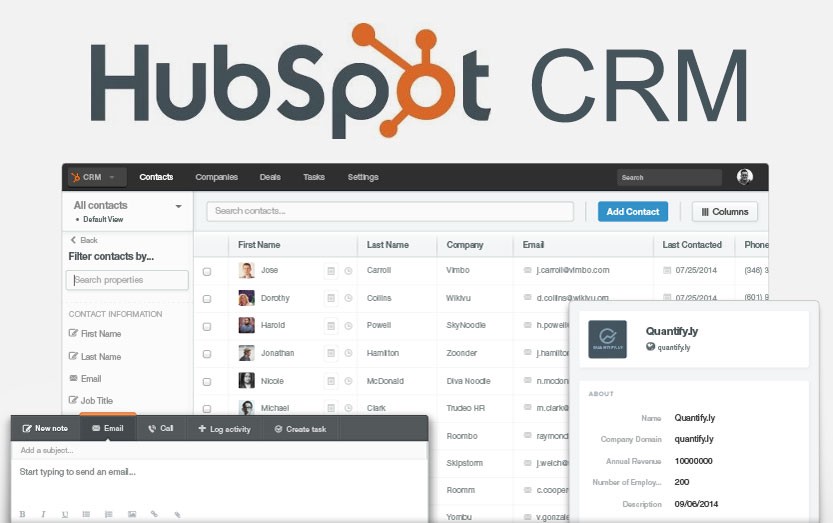
Best for: A single pane for marketing, sales, service, and reporting as you scale.
Strengths
-
Unified contact/company/deal objects; Marketing Hub with blog/SEO/social/ads; huge marketplace.
-
Sales add-ons and pipelines align GTM teams on one dataset.
Limitations
-
Can get expensive as seats/contacts/features scale; advanced automations sometimes need additional hubs.
Implementation tips
-
Define lifecycle stages (Subscriber → MQL → SQL → Opportunity → Customer) and enforce via workflows.
-
Standardize properties (lead source, campaign, UTM) for attribution.
KPIs: MQL→SQL conversion, pipeline velocity, influenced revenue, marketing ROI dashboards.
Pricing: Free (CRM for up to 2 users); Marketing Hub Starter from $15/seat/month.
ActiveCampaign (advanced campaign automations)
Best for: Sophisticated journeys and Goal-based branching (B2B or complex B2C).
Strengths
-
Rich triggers/conditions; Goal lets contacts skip to next stage after an objective (e.g., purchase).
-
Predictive sending (upper tiers) and multilingual workflow library.
Limitations
-
Overkill for simple programs; some AI features gated to higher plans.
Implementation tips
-
Map journeys by buying stage (awareness → consideration → decision); insert Goals at each conversion.
-
Track “no-activity” windows to trigger re-engagement or handoff to sales.
KPIs: Goal completion rate, time-to-goal, automation-sourced revenue.
Pricing: From $15/month (Starter); $49/month (Plus) unlocks more channels.
The best digital marketing tools for landing pages and lead capture
Carrd (building landing pages)
Best for: Rapid market tests, waitlists, simple offers, event RSVPs.
Strengths
-
Ultra-fast editor and deployments; minimal cost; pages load quickly by default.
Limitations
-
Limited native A/B testing and dynamic content; analytics rely on embeds.
Implementation tips
-
Keep sections minimal; use anchor navigation for single-page funnels.
-
Connect forms to your ESP/CRM via embeds or Zapier webhooks.
KPIs: Landing conversion rate, time to first lead, cost per lead (with ad traffic).
Pricing: Free; Pro Standard $19/year.
Typeform (forms & surveys)

Best for: Higher-completion surveys and lead forms with branching logic.
Strengths
-
Conversational, card-by-card flow; strong logic and hidden fields; clean embeds.
-
Tag responses, trigger follow-ups and internal tasks.
Limitations
-
Free plan is limited; response-based pricing can rise with scale.
Implementation tips
-
Use hidden fields for UTMs/referrers; prefill known data to reduce friction.
-
Route submissions by scores/tags to SDRs or nurture paths.
KPIs: Completion rate, lead quality score, time to first follow-up.
Pricing: Free (3 forms × 10 questions); Basic from $25/month.
Chatbase (build your own chatbot)
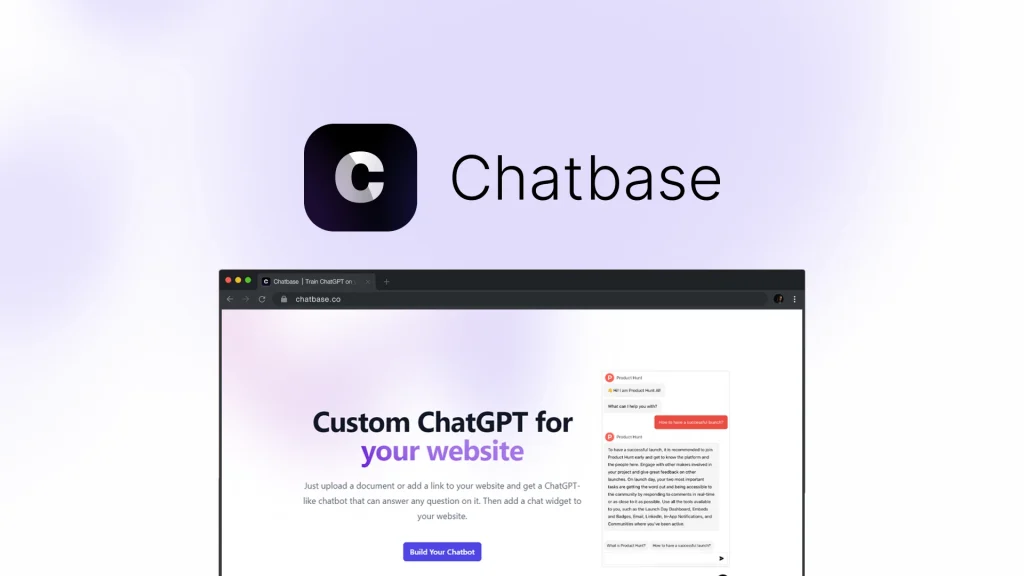
Best for: Self-serve FAQs, lead capture, and simple support deflection.
Strengths
-
Train on URLs/files/Notion quickly; easy embeds; connects to WhatsApp/IG/Messenger/Slack.
-
Practical for SMBs that need a bot today, not next quarter.
Limitations
-
Complex enterprise workflows may need a more advanced bot platform.
Implementation tips
-
Start with top 20 FAQs; add guardrails and a human-handoff path.
-
Log interactions to your CRM with conversation topics/sentiment for insights.
KPIs: Self-serve resolution %, captured leads, handoff volume, CSAT.
Pricing: Free (limited); from $32/month (annual).
The best digital marketing tools for product & content marketing
Gamma (presentations)
Best for: Fast campaign recaps, sales decks, and internal strategy docs.
Strengths
-
Generate draft decks from briefs/outlines; Spotlight to reveal one point at a time; content blocks to collapse details.
-
Consistent styling across decks/docs/mini-pages.
Limitations
-
Still requires editing for brand polish; AI credits vary by plan.
Implementation tips
-
Create a deck blueprint (title, problem, insight, plan, proof, CTA) and reuse.
-
Export to PDF/PowerPoint for stakeholders who prefer traditional formats.
KPIs: Time to first draft, stakeholder approval time, deck reuse rate.
Pricing: Free; Plus from $8/user/month.
Demio (hosting webinars)
Best for: Marketers who want an engagement-first webinar without heavy setup.
Strengths
-
Polls, CTAs, handouts built in; live, series, or on-demand; clean presenter UI.
Limitations
-
Less visual customization than some enterprise platforms.
Implementation tips
-
Build a “2-touch” promo (email + SMS) and a post-event sequence (replay + next step).
-
Insert CTAs at peak attention (after proof/demo), not only at the end.
KPIs: Registration→attendance rate, poll/CTA engagement, SQLs from attendees.
Pricing: From $45/month (annual, 50 attendees).
Peech (AI video creation & hosting)
Best for: Repurposing webinars/podcasts into short social clips at scale.
Strengths
-
Highlight transcript lines → auto-cut clips with subtitles and platform ratios; brand styles for consistency.
Limitations
-
Seat-based pricing; weigh output volume vs. cost.
Implementation tips
-
Define clip archetypes (hook/insight/proof/CTA) and timestamp patterns; templatize subtitles.
-
Track which topics drive watch-through and click-through across channels.
KPIs: Clip production throughput, 3-second and 50% retention, CTR to site.
Pricing: Free (3 uploads/month, watermark); Starter $100/seat/month.
ChatGPT (research & content generation)
Best for: Rapid ideation, research summaries, outlines, first drafts, QA.
Strengths
-
Versatile; great for briefs, content calendars, persona-specific angles, and summarization.
Limitations
-
Always fact-check; build a human edit layer for E-E-A-T and brand voice.
Implementation tips
-
Create a brand voice system prompt (tone, lexical choices, banned words, formatting).
-
Chain prompts: Outline → Section briefs → Draft → Fact check → On-page SEO pass.
KPIs: Draft cycle time, edit ratio (AI→final), organic performance of AI-assisted content.
Pricing: Free (GPT-4o mini); $20/month (Plus).
Writesonic (AI-powered SEO content)
Best for: SEO blog posts and landing copy with integrated SEO checks.
Strengths
-
Works with Ahrefs/Semrush/GSC; chooses models per task; internal link suggestions.
-
Lets editors control length, tone, and structure.
Limitations
-
Lower-tier plan is constrained; still requires human editing and compliance checks.
Implementation tips
-
Build briefs from search intent and SERP outlines; mandate original data/quotes where possible.
-
Track internal link coverage and striking distance improvements after updates.
KPIs: Rankings time-to-improve, organic clicks per article, conversions per article.
Pricing: From $49/month.
Put it all together: starter stacks that work
-
SEO-first: WordPress/Webflow + Ahrefs + Typeform (leads) + Mailchimp + Buffer + Zapier
-
eCommerce-first: Shopify + Klaviyo + SimpleTexting + Canva + Intercom + Zapier
-
Social/UGC-first: Carrd (LP) + Canva + Buffer + Typeform + Mailchimp + Make/Zapier
-
B2B lead-gen: Webflow + HubSpot + Demio + ActiveCampaign + Gamma + Zapier
Checklist before you subscribe
-
Does this tool move your 90-day KPI (traffic, MQLs, AOV, LTV, CSAT)?
-
Will it integrate cleanly with your CRM/ESP/analytics/ads?
-
Is the TCO (subscription + add-ons + team time) sustainable?
-
Does it scale (seats, data volume, permissions, brands)?
-
Can you measure ROI (UTMs, multi-touch, exports, dashboards)?
-
Do you have a maintenance owner and a rollback plan?
FAQs
Is there a single “best” digital marketing tool?
No. The right pick depends on your goal, channel mix, budget, and in-house skills.
Should beginners choose an all-in-one or separate best-of-breed tools?
Start all-in-one if you need speed; move to best-of-breed as you scale and need deeper features.
What’s the minimum viable stack?
Website/SEO + Email (or Email+SMS) + Social scheduler + Automation (Zapier/Make) + Analytics.
How often should I review my stack?
Every 90 days or whenever a tool blocks data flow, reporting, or speed.
Final word
The winning 2025 stack is lean, integrated, and AI-assisted. Choose one strong tool per channel, wire them together with automation, and measure everything. Review quarterly, prune ruthlessly, and double down on what moves your KPIs. That’s how you ship faster, rank higher, and convert better—without drowning in tools.
🔍 Want to dive deeper into digital marketing insights? Visit esapplication.com to explore more expert reviews, guides, and comparisons.