





Table of Contents
Modern B2B cold outbound sales operates in an unforgiving landscape. Following strict anti-spam enforcement guidelines from major email service providers-including Google Workspace, Yahoo, and Microsoft 365-the era of blasting unverified lead lists from a single corporate primary domain is definitively over.
Today, cold email deliverability is an infrastructure engineering discipline. If your domain authentication is misconfigured by a single DNS character, your bounce rate creeps above 2%, or your sending volume spikes unnaturally, your emails will be routed directly to the spam folder or rejected at the gateway level.
Achieving sustained 98%+ inbox placement requires a modern deliverability architecture built on three non-negotiable pillars:
- Isolated DNS Infrastructure: Protecting your primary root domain through dedicated secondary domain clusters.
- Automated Peer-to-Peer Warmup & Inbox Rotation: Distributing outreach volume smoothly across multiple sender mailboxes.
- Multi-Provider Waterfall Data Enrichment & Real-Time Verification: Eliminating invalid emails, spam traps, and catch-all hazards before hitting send.
This playbook provides an exhaustive, practitioner-level framework for building an enterprise outbound machine capable of scaling sales pipeline without risking domain burnout.
1. Core DNS Authentication Protocols
Achieving consistent inbox delivery starts at the DNS record level. Email service providers analyze incoming SMTP handshakes to verify that the sending server is legitimately authorized by the domain owner. Missing, duplicate, or misaligned DNS records will immediately route your messages to the spam folder or trigger hard bounces.
- SPF (Sender Policy Framework): Authorizes specific IP ranges and mail servers to send on your behalf.
- DKIM (DomainKeys Identified Mail): Cryptographic public/private key signature verifying message integrity.
- DMARC (Domain-based Message Authentication): Enforces SPF/DKIM policy alignment and quarantine rules.
- MX Records: Directs inbound mail to valid Google Workspace or M365 mailboxes.
- Custom Tracking Domain (CNAME): Isolates link and open tracking from shared server pools.
Sender Policy Framework (SPF)
SPF specifies which mail servers are authorized to send email on behalf of your domain. To maintain compliance:
- Every sending domain must have exactly one TXT record starting with
v=spf1. Having multiple SPF records causes permanent DNS evaluation errors (PermError). - Keep total DNS lookups under the strict 10-lookup limit imposed by RFC 7208. Exceeding 10 lookups invalidates the SPF record for modern receiving gateways.
- An example production SPF record for Google Workspace sending infrastructure:
Production SPF TXT Record Configuration:
v=spf1 include:_spf.google.com ~all
DomainKeys Identified Mail (DKIM)
DKIM attaches an encrypted digital signature to the email header. The recipient mail server retrieves your public key from your DNS records (selector._domainkey.yourdomain.com) to verify that the message was not tampered with in transit.
- Always generate 2048-bit DKIM keys rather than legacy 1024-bit keys.
- Ensure the DKIM selector aligns with your primary sending domain header (
d=yourdomain.com).
DMARC Alignment and Policy Progression
DMARC ties SPF and DKIM together. Begin with a monitoring policy (p=none) during the initial warmup phase, and gradually advance to quarantine (p=quarantine) once your sending alignment achieves 100% consistency across all outbound streams:
Production DMARC Policy Configuration:
v=DMARC1; p=quarantine; rua=mailto:dmarc-reports@yourdomain.com; pct=100; adkim=r; aspf=r
Command-Line DNS Diagnostics
Before sending any live campaign, verify your DNS records using standard terminal commands:
- SPF TXT Record Verification: Run
dig TXT trycompany.com +shortto confirm proper SPF inclusion. - DKIM Selector Check: Run
dig TXT google._domainkey.trycompany.com +shortto verify the cryptographic key. - DMARC Enforcement Check: Run
dig TXT _dmarc.trycompany.com +shortto check policy status. - MX Routing Verification: Run
dig MX trycompany.com +shortto ensure incoming mail routes properly.
2. Dedicated Outbound Domain Infrastructure
The cardinal rule of modern cold outreach is absolute domain separation: Never send cold outbound prospecting emails from your primary company domain. If your primary domain receives spam complaints, blacklisting, or algorithmic filtering, internal company operations, investor communications, password reset emails, and client billing notices will fail to reach recipient inboxes.
| Infrastructure Parameter | Primary Company Root Domain | Dedicated Outbound Domains |
|---|---|---|
| Primary Operational Role | Internal comms, billing, customer support, investor relations | High-volume outbound sales prospecting & cold campaigns |
| Domain Name Formatting | company.com |
getcompany.com, trycompany.com, companyhq.com, usecompany.io |
| Daily Outbound Volume | Variable based on day-to-day operations | Capped strictly at 30–40 cold emails/day per mailbox |
| Mailbox Provider Mix | Google Workspace or Microsoft 365 Enterprise | Balanced mix of Google Workspace + Microsoft 365 inboxes |
| Risk Profile & Recovery | Zero tolerance for domain blacklisting | Fully isolated risk; burnt domains can be replaced cleanly |
Step-by-Step Outbound Domain Deployment Plan
For an outbound sales development team targeting 300 to 500 outbound touches per day, deploy the following infrastructure matrix:
- Purchase 3 to 5 Secondary Domains: Choose clear, relevant top-level domain variations (e.g.,
.com,.io,.co). Avoid low-reputation vanity TLDs like.xyz,.top, or.click, as many enterprise email gateways automatically assign negative spam weight to non-standard extensions. - Provision 2 Mailboxes per Domain: Create humanized aliases (e.g.,
alex.m@trycompany.comandalex.miller@trycompany.com). Avoid generic aliases such assales@orinfo@. - Configure Forwarding and MX Routing: Point MX records to Google Workspace or Microsoft 365, and set up HTTP 301 redirects on the secondary root domains so any prospect typing the domain into a browser lands smoothly on your primary marketing homepage.
- Configure Custom Tracking Domains (CTD): By default, outbound tools use shared tracking domains for open and click tracking. If other users on that shared domain spam recipients, your deliverability suffers. Setting up a dedicated CNAME record (
track.trycompany.com) isolates your sender reputation completely.
3. Pre-Send Email Validation and Hygiene
High bounce rates are the fastest way to destroy sender reputation. When your campaign hard bounce rate exceeds 2.0%, automated spam filtering algorithms across Google Workspace and Microsoft 365 flag your domain as an untrusted bulk sender. Once flagged, your emails bypass the primary inbox and route directly to spam or the promotional tab.
- Valid / Deliverable: SMTP handshake confirmed with under 0.5% bounce risk.
- Catch-All / Accept-All: Domain accepts all addresses; requires deep SMTP analysis and MX scoring.
- Disposable / Temporary: 10-minute temporary mailboxes; must be purged automatically before sending.
- Toxic / Spam Traps: Honeypot addresses maintained by Spamhaus and Barracuda Networks that trigger instant blacklisting.
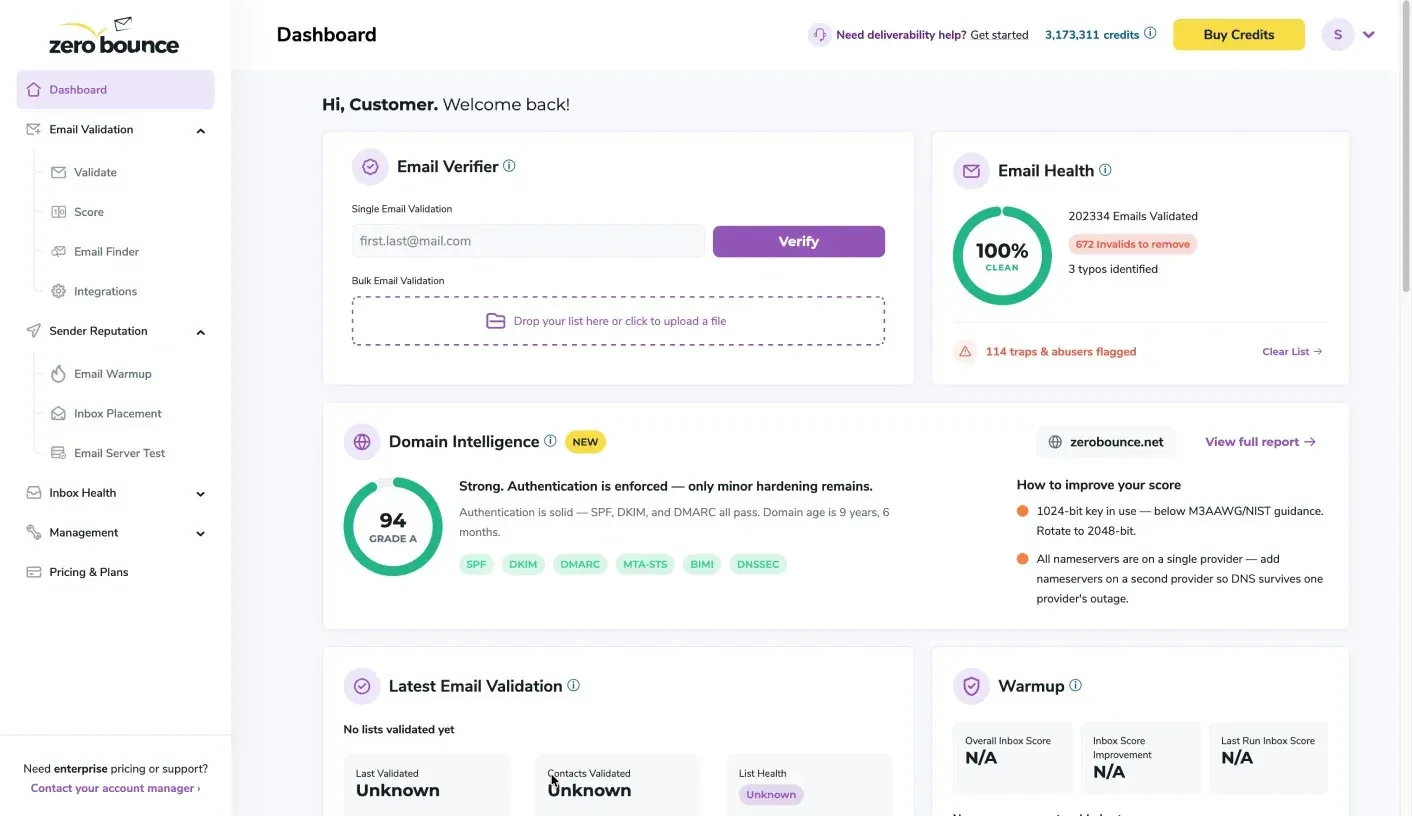 Figure 1: ZeroBounce real-time email verification dashboard detecting catch-all, disposable, and invalid addresses.
To maintain pristine list hygiene, integrate enterprise-grade validation tools like ZeroBounce into your outbound pipeline:
- Real-Time SMTP Handshake Verification: Tests recipient mailboxes without delivering a message to verify mailbox existence and server responsiveness.
- Spam Trap & Honeypot Detection: Cross-references prospective leads against known spam trap networks operated by major cybersecurity vendors.
- Catch-All Email Scoring: Analyzes MX server response latency and historical delivery telemetry to distinguish active mailboxes from generic catch-all configurations.
- Toxic Domain Removal: Flags domains associated with known complainers, litigators, and dead server infrastructure.
Running pre-send verification through ZeroBounce routinely reduces hard bounce rates below 0.8%, protecting your domain from algorithmic filtering and preserving sending bandwidth for genuinely deliverable contacts.
4. Waterfall Lead Enrichment Workflows
Relying on a single B2B data provider often leaves sales teams with missing phone numbers, outdated job titles, and unverified personal emails. Waterfall data enrichment solves this by querying multiple data providers in sequential order until a verified contact is found.
- Step 1 – Initial Lead Input: Prospect name and target company domain are fed into the enrichment pipeline.
- Step 2 – Primary Lookup via Lusha: Query Lusha for verified executive contacts and direct dials.
- Step 3 – Secondary Waterfall Query via FullEnrich: If unverified or missing, cascade requests across 15+ premium databases via FullEnrich.
- Step 4 – Real-Time SMTP Validation: Pass discovered emails through ZeroBounce before queueing into outbound sequences.
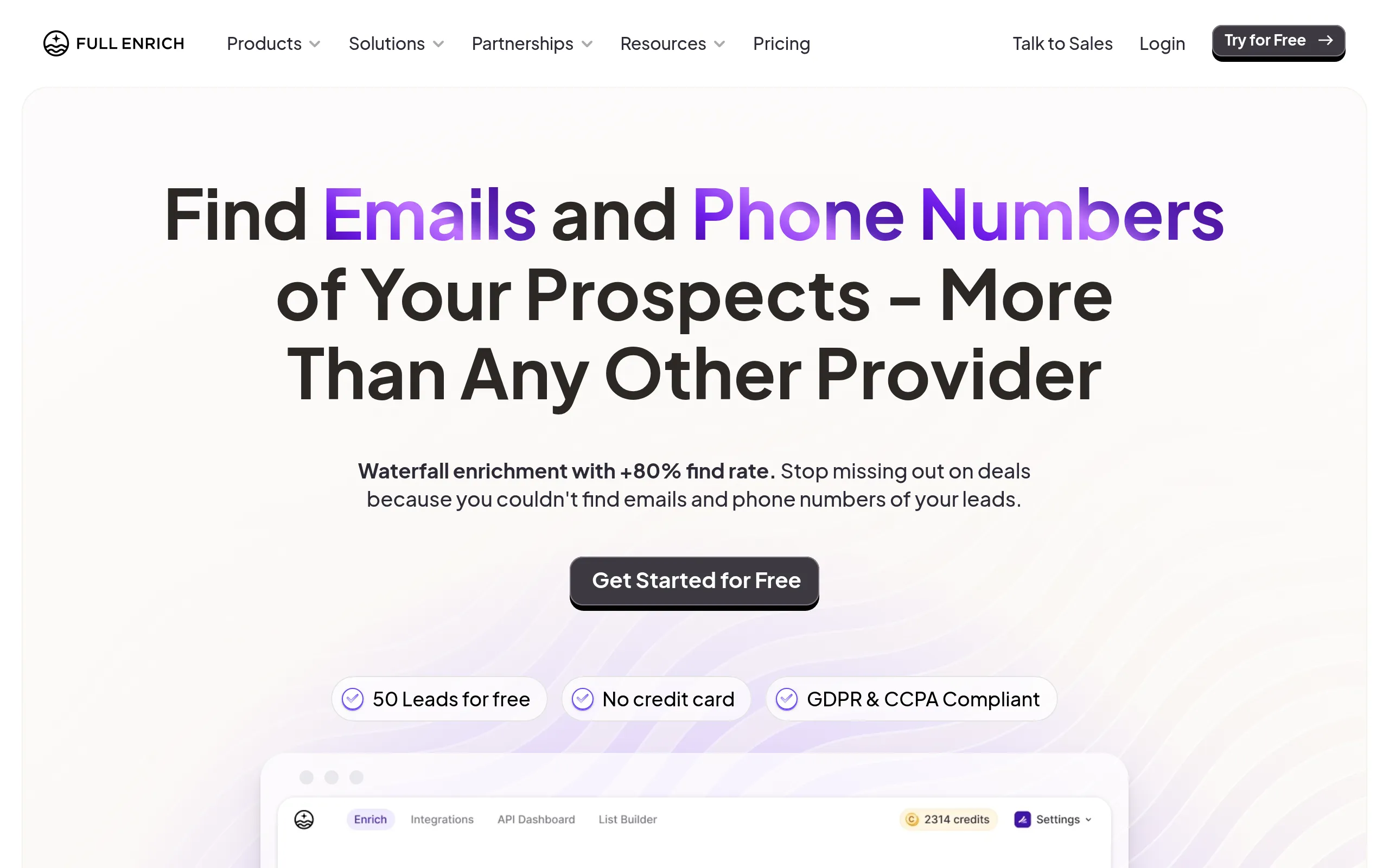 Figure 2: FullEnrich multi-provider waterfall enrichment pipeline verifying direct dials and business emails.
Implementing Waterfall Workflows in Practice
- Primary Enrichment with Lusha: Extract validated LinkedIn executive profiles, direct B2B phone numbers, and company firmographics directly from browser extensions and CRM integrations.
- Waterfall Layering with FullEnrich: When primary lookups return inconclusive or unverified contacts, FullEnrich cascades requests across 15+ premium databases in parallel, testing SMTP handshakes on every result. This lifts total contact match rates from 60% to over 85%.
- Automated Hygiene Output: Filter enriched data through syntax checking and MX validation before uploading leads into sending sequences, ensuring SDRs never spend time chasing dead leads.
5. Mailbox Warmup Ramp-Up Schedules
A newly registered domain has zero historical sending reputation. If you send 100 cold emails on Day 1, receiving mail servers will immediately flag your traffic as suspicious spam activity.
Automated warmup networks (such as Lemwarm inside Lemlist) simulate natural human communication by exchanging peer-to-peer emails with thousands of high-reputation business inboxes.
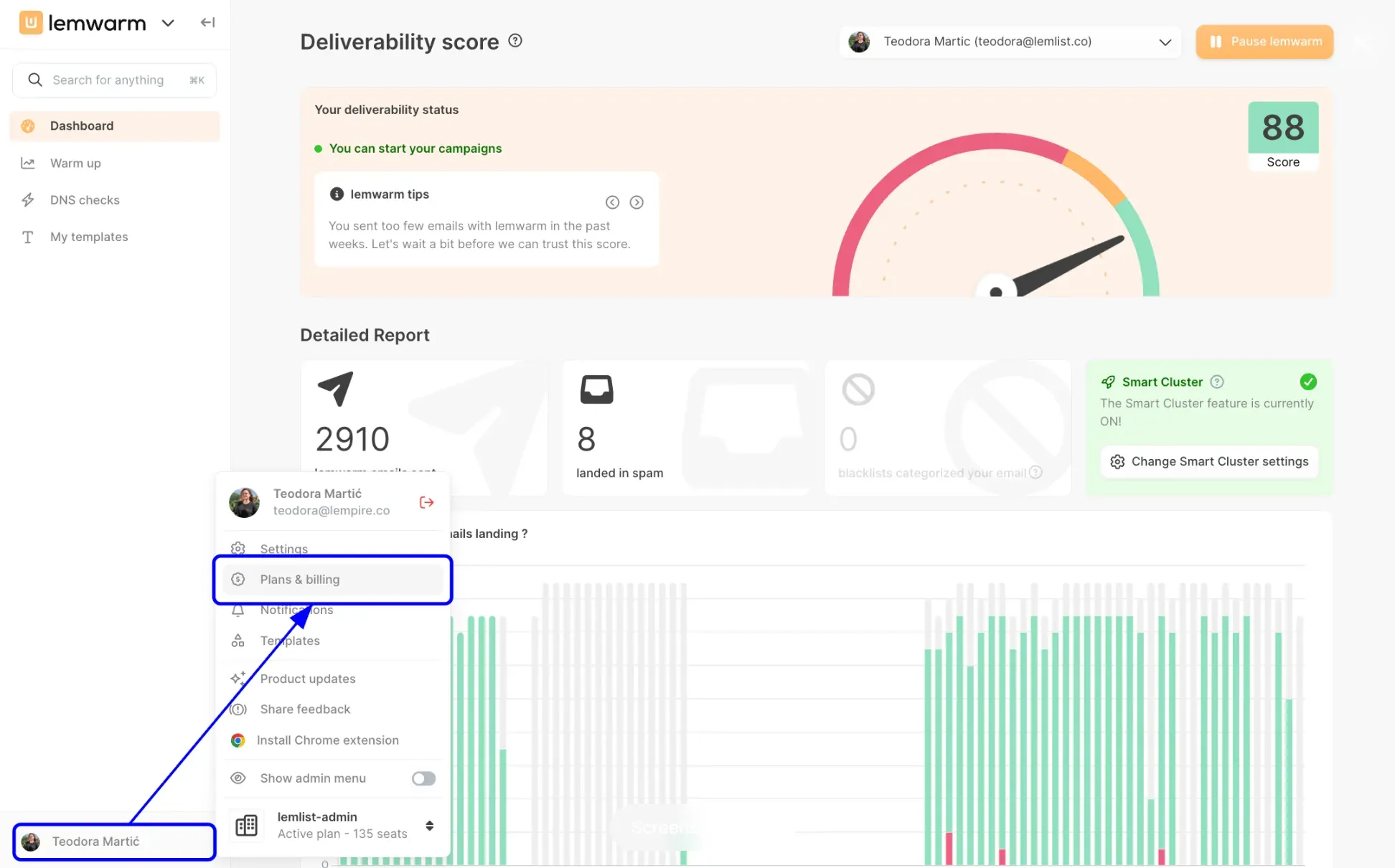 Figure 3: Lemlist automated email deliverability warmup and multichannel sequence workflow.
The 21-Day Ramp-Up Blueprint
| Week / Phase | Warmup Interactions/Day | Live Cold Outreach/Day | Total Daily Volume | Strategy & Milestones |
|---|---|---|---|---|
| Week 1 (Days 1–7) | 5 → 15 emails/day | 0 emails/day | 5–15 emails/day | DNS verification, peer-to-peer inbox warmup only |
| Week 2 (Days 8–14) | 15 → 25 emails/day | 5 → 10 emails/day | 20–35 emails/day | Launch low-volume personalized pilot outreach |
| Week 3 (Days 15–21) | 20 → 25 emails/day | 15 → 25 emails/day | 35–50 emails/day | Monitor bounce rates and open rate stability |
| Week 4+ (Ongoing) | 15 emails/day (Steady) | 30 → 35 emails/day | 45–50 emails/day | Max production volume; enable inbox rotation |
Key Warmup Operational Rules
- Never Turn Off Warmup: Maintain automated warmup at 15 to 20 emails per day even during live campaign execution to maintain high engagement ratios.
- Maintain High Reply Rates: Ensure that warmup networks automatically mark incoming emails as “Important”, move them out of Spam folders, and generate context-aware replies.
- Gradual Scale Only: Never increase sending volume by more than 20% to 30% per week on any single domain.
6. Distributing Outbound Sending Volume
To scale outbound volume safely without triggering per-mailbox rate limits, modern outbound teams deploy Inbox Rotation across multiple connected accounts.
Instead of sending 200 emails from a single mailbox (which quickly triggers Google Workspace automated throttling), modern sales platforms distribute those 200 emails across 6 distinct mailboxes:
- Each mailbox sends only 33 emails per day.
- Sending intervals are spaced randomly between 180 and 360 seconds.
- Every email uses unique spintax variations and personalized merge tags.
Using Lemlist’s multi-inbox sender rotation:
- Connect 5 to 10 distinct sender accounts to a single unified outreach campaign.
- The platform distributes daily emails evenly across all accounts.
- If one inbox detects deliverability anomalies or temporary throttling, the rotation engine automatically re-routes scheduled messages to healthy secondary inboxes without manual intervention.
7. Blending Cold Email with Social Selling
Cold email performs significantly better when combined with social touches. Before sending a cold pitch, warming up the prospect on LinkedIn increases open and reply rates by over 40%.
Integrated Multichannel Workflow Architecture
- Day 1 (Social Touch): Use Aimfox to automatically view the prospect’s LinkedIn profile and like their recent post.
- Day 2 (Social Connection): Send a personalized LinkedIn connection request via Aimfox without an aggressive sales pitch.
- Day 4 (First Cold Email): Send a personalized cold email referencing their industry challenge via Lemlist.
- Day 7 (Multichannel Follow-up): If no email reply is received, send a soft LinkedIn direct message, followed by an email thread follow-up on Day 10.
- Day 14 (CRM Logging): Sync conversation history into Dex to manage relationship timelines and schedule future check-ins.
By distributing touchpoints across multiple channels, your prospect perceives a thoughtful, multi-touch consulting approach rather than repetitive email spam.
8. Writing Spam-Safe High-Converting Copy
Natural language processing (NLP) spam filters scan incoming message content for high-risk marketing phrases, excessive links, and formatting anomalies. Writing high-converting, spam-resistant cold copy requires adherence to strict structural rules:
Framework 1: Problem-Agitate-Solve (PAS)
Subject: Quick question regarding [Company Name]’s outbound data
Hi [First Name],
Noticed [Company Name] is expanding its sales engineering team this quarter.
Most SDR leaders we speak with find that 20%+ of prospect email lists bounce, directly harming domain reputation and slowing down pipeline.
We put together an automated waterfall enrichment workflow that reduced hard bounces below 0.8% for teams like Acme.
Worth a brief 5-minute chat on Tuesday to see how it works?
Best, Alex
Framework 2: Trigger-Event Outreach
Subject: [Company Name]’s recent product launch
Hi [First Name],
Saw your recent announcement regarding the new enterprise analytics tier-congratulations on the release.
When scaling enterprise rollouts, keeping customer onboarding sequences out of spam folders is critical.
We recently published a DNS configuration teardown that helped SaaS teams secure 99% primary inbox delivery.
Happy to send over the 2-page PDF if you’re interested?
Best, Alex
Framework 3: Before-After-Bridge (BAB)
Subject: Outbound conversion rates at [Company Name]
Hi [First Name],
Most B2B outbound teams struggle with sub-40% open rates due to shared tracking domains and unverified email data.
Imagine launching new outbound sequences knowing with 98% certainty that every email lands in the prospect’s primary inbox, generating 3x more qualified sales conversations.
We helped TechCorp achieve that exact transition in under 3 weeks using multi-inbox rotation and waterfall data verification.
Would you be open to reviewing the case study breakdown?
Best, Alex
Core Writing Constraints for Deliverability
- Eliminate Spam Trigger Words: Avoid hype-laden terms such as
100% Free,Guaranteed ROI,Act Now,No Risk, andEarn $$$. - Limit External Hyperlinks: Include at most one clean hyperlink in your email body. Avoid raw URLs, link shorteners, or custom redirect links.
- Keep Body Copy Ultra-Concise: Target 50 to 125 words. Short, conversational plain-text emails generate fewer spam filter flags and significantly higher mobile reply rates.
- Implement Spintax Variations: Use spintax syntax (e.g.,
[Hi/Hello/Hey] [First Name]) to ensure no two sent emails have identical character signatures, preventing pattern-based filtering by Gmail and Outlook algorithms.
9. How to Monitor Deliverability Health?
Maintaining enterprise-grade deliverability requires continuous health tracking. Review these critical indicators weekly:
- Open Rate: Target > 55% (below 40% indicates inbox routing issues).
- Hard Bounce Rate: Target < 1.0% (above 2.0% requires immediate list pausing).
- Spam Complaint Rate: Target < 0.05% (Google and Yahoo enforce a strict 0.1% maximum).
- Domain Blacklist Status: Clean status across Spamhaus, SORBS, and Barracuda.
Action Plan for Spam Routing Recovery
- Pause Outbound Campaigns Immediately: Halt all live cold email traffic on the affected domain.
- Increase Warmup Ratio: Boost automated warmup volume to 30 emails/day while keeping live outreach at zero.
- Verify DNS Health: Run comprehensive SPF, DKIM, and DMARC alignment diagnostics.
- Clean Prospect Database: Run the entire CRM database through ZeroBounce and FullEnrich to purge stale contacts.
- Gradual Relaunch: After 10 days of clean warmup, resume live sending at 5 emails/day per inbox.
Enterprise Infrastructure Operations Summary
Mastering B2B cold email deliverability in 2026 is an engineering discipline built on strict domain isolation, rigorous data hygiene, and disciplined volume management. Secure dedicated outbound domains with flawless SPF, DKIM, and DMARC records, validate every email lead through ZeroBounce, expand data completeness with FullEnrich and Lusha, and rotate sending volume across multiple inboxes using Lemlist and Aimfox.