





1. Reclaiming Email Privacy with Fastmail
For the past two decades, consumer and commercial email ecosystems have been overwhelmingly dominated by two tech conglomerates: Google Workspace and Microsoft 365. While these platforms provide pervasive software suites, they come with substantial hidden compromises: deep behavioral tracking, opaque data retention policies, automated scanning for algorithmic profiling, and increasingly sluggish, bloated web interfaces that consume excessive system memory.
This philosophical independence ensures that your communications, calendar schedules, and contact books remain private, unindexed by third-party ad exchanges, and safeguarded under robust data protection frameworks. For independent creators, technical consultants, legal professionals, and privacy-conscious enterprises, Fastmail represents a refreshing return to email as an open, high-speed, and respectful utility. By prioritizing open standards and client interoperability, Fastmail restores true user agency over personal and commercial communication data.
Furthermore, corporate communication platforms frequently suffer from severe feature bloat. Modern webmail interfaces from legacy providers require hundreds of megabytes of JavaScript just to render a simple message list, resulting in high battery drain and noticeable latency on mobile devices. Fastmail eliminates this excess by adhering to strict web performance engineering, delivering a clean, focused user experience that respects user attention.
Key Takeaway: Fastmail operates on an open-standards subscription model rather than advertising surveillance, delivering lightning-fast, privacy-first email for independent professionals and teams.
2. Fast Webmail Interface with Sub-100ms Search
The core technological foundation that separates Fastmail from virtually every other email service on the market is its adoption of JMAP (JSON Meta Application Protocol, RFC 8620 and RFC 8621). While legacy email servers still rely on the IMAP protocol formulated in 1986-which requires numerous sequential round-trips to authenticate, fetch folder structures, download message headers, and retrieve body content-JMAP handles data queries through streamlined, batched JSON calls over secure HTTP/2 and HTTP/3 transport layers.
| Metric / Benchmark Parameter | Fastmail (JMAP Protocol Engine) | Standard IMAP Email Provider | Google Workspace (Gmail API) |
|---|---|---|---|
| Initial Folder Sync Latency | Under 45 ms | 280 - 650 ms | 120 - 220 ms |
| Full-Text Search (100k Emails) | Under 90 ms | 1,400 - 3,200 ms | 180 - 350 ms |
| Mobile Battery Consumption | Minimal (push payload batched) | Moderate (continuous polling) | Low (native push notification) |
| Network Data Overhead | Batched JSON (85% lower payload) | Chatty text commands | High payload JSON envelopes |
| Connection Reconnect Speed | Instantaneous (1 round-trip) | 4 - 7 sequential handshakes | 2 - 3 handshakes |
The practical impact of this engineering breakthrough is extraordinary. Opening a mailbox containing over 150,000 archived messages happens instantaneously. Full-text search queries execute in real time as you type each letter, indexing message bodies, headers, sender addresses, and attachments with sub-second responsiveness. Furthermore, mobile synchronization uses significantly less battery power and cellular data because JMAP eliminates constant background polling.
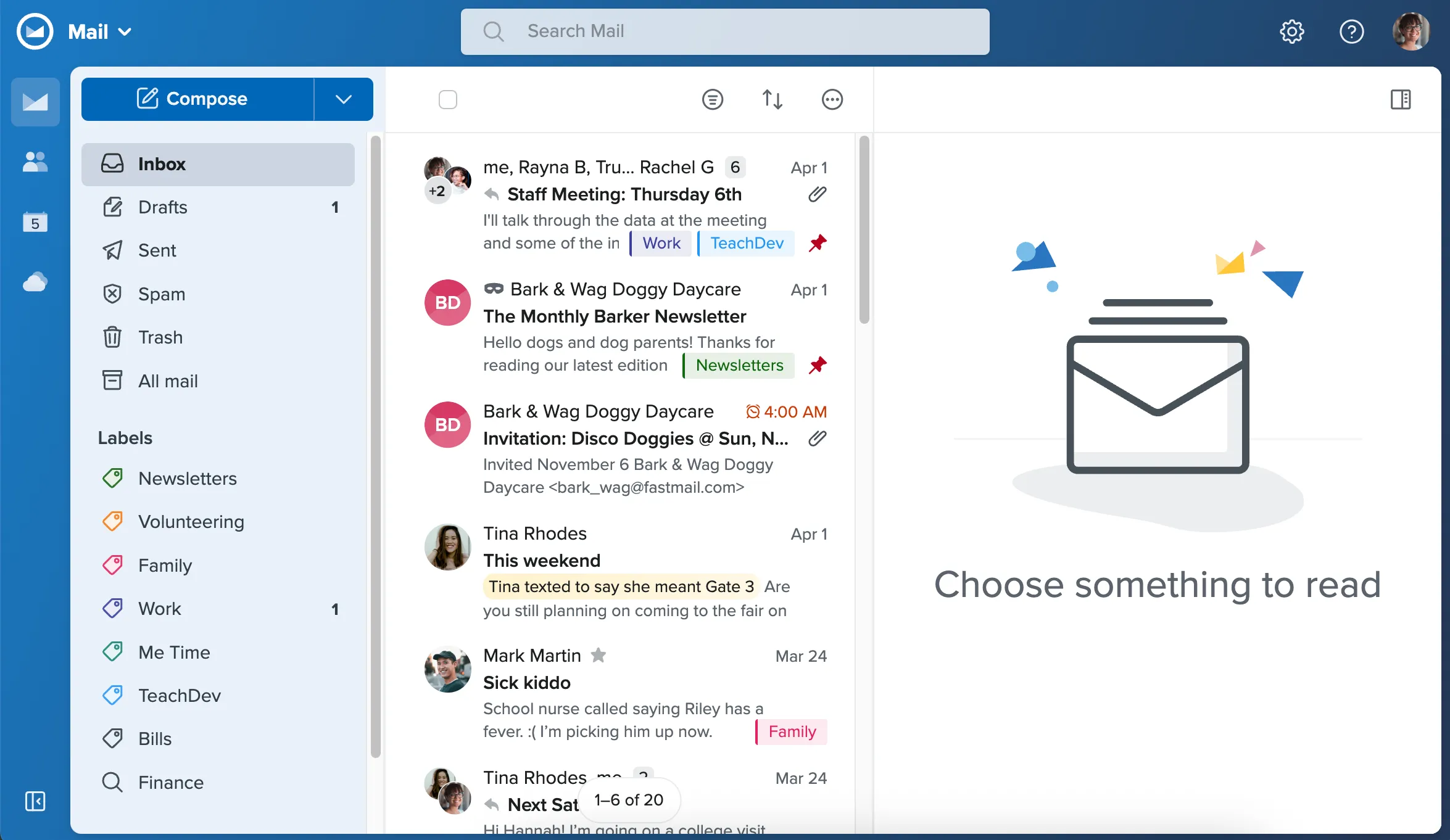 Figure 1: Fastmail modern webmail interface featuring lightning-fast search filtering, thread grouping, and customizable folder organization.
The user interface of Fastmail is built around efficiency and keyboard ergonomics. Every common action-from archiving, snoozing, and labeling to composing with custom templates-is mapped to intuitive single-key keyboard shortcuts (such as ‘j’ and ‘k’ for message navigation, ‘e’ for archive, and ‘#’ for delete), allowing power users to triage hundreds of incoming messages in minutes without touching a mouse.
3. Masked Email Aliases via 1Password Integration
Spam, credential stuffing, and data breaches originate almost exclusively from sharing primary email addresses across hundreds of online ecommerce stores, newsletters, and SaaS registrations. Fastmail solves this structural vulnerability through its industry-leading Masked Email technology, developed in direct collaboration with 1Password.
1Password Masked Email Generation
Whenever a user encounters an email registration form in their browser, 1Password detects the input field and offers to generate a unique, cryptographically random Fastmail address (such as shop-aurora.9k2m@fastmail.com). The incoming email sent to this alias routes directly into your primary Fastmail inbox, while your real address remains completely concealed from the vendor’s database. If that vendor suffers a credential breach or sells their marketing database, you can simply disable or delete that specific masked address with a single click, instantly terminating the spam stream.
Threat Vector Mitigation & Anti-Spam Machine Learning
Fastmail implements advanced statistical Bayesian spam filtering alongside real-time IP reputation checks and SPF/DKIM/DMARC verification. Legitimate transactional emails and password resets arrive within milliseconds, while phishing lures, spoofed headers, and tracking pixels are intercepted before reaching your inbox. This multi-layered filtering architecture operates invisibly without creating false positives on critical business correspondence.
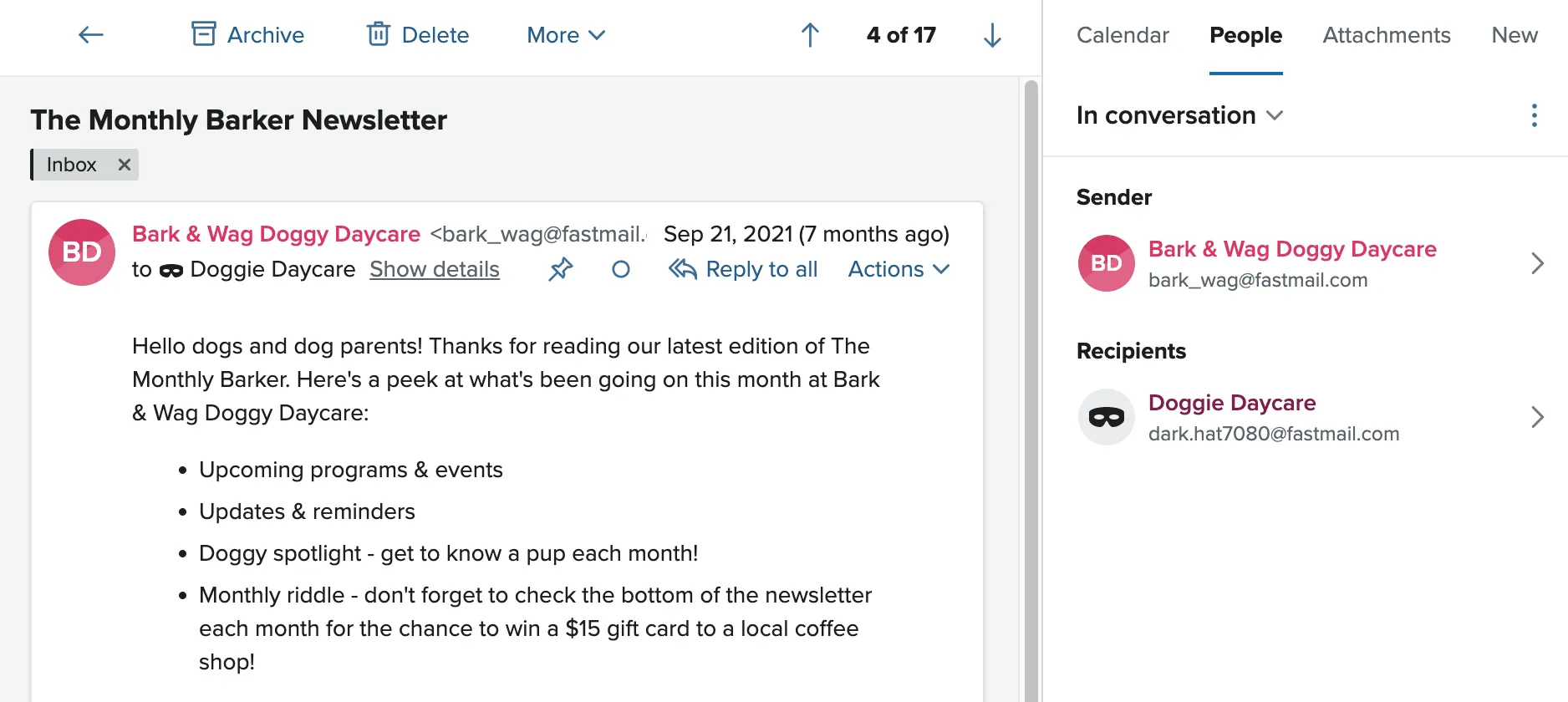 Figure 2: Fastmail masked email integration generating unique disposable email aliases directly synchronized with 1Password.
4. Custom Domains, Multi-User Admin, and DNS Setup
For commercial enterprises, independent agencies, and boutique consultancies, establishing a credible digital identity requires hosting email on custom company domain names. Fastmail transforms complex email authentication and multi-user administration into an automated, error-free workflow.
Key domain administration capabilities include:
- 1-Click DNS Provisioning: Fastmail integrates with major domain registrars (Cloudflare, Namecheap, Google Domains) to automatically publish MX records, 2048-bit DKIM cryptographic keys, strict SPF rules, and DMARC alignment records.
- Unlimited Domain Hosting: Host multiple corporate domain names, secondary project domains, and client staging domains on a single Fastmail account without paying extra per-domain hosting charges.
- Catch-All & Regex Routing: Automatically capture misspelled employee email addresses or routing rules (e.g. ‘billing-’ or ‘support-’) and direct them into specific team triage mailboxes.
- Role-Based Multi-User Accounts: Easily add team members, assign individual storage quotas, delegate shared organizational mailboxes, and manage billing permissions through a centralized administrative dashboard.
5. Calendars, Contacts, and Shared PIM Workspaces
Beyond pure email transport, Fastmail provides a fully integrated Personal Information Manager (PIM) suite encompassing calendar scheduling, address book contact management, collaborative notes, and file storage.
The calendar engine supports open CalDAV standards, ensuring flawless synchronization across macOS Calendar, iOS, Android, and Outlook without requiring proprietary synchronization plugins:
- Multiple Time Zone Views: View overlapping schedules across multiple global time zones simultaneously, ideal for distributed remote teams coordinating across continents.
- Shared Team Calendars: Delegate calendar permissions with granular read/write access controls, color-coded categorization, and automated meeting invite RSVP handling.
- CardDAV Address Books: Centralized contact directories that sync phone numbers, physical addresses, profile photos, and custom notes across all connected smartphones and laptops in real time.
- Notes & WebDAV File Storage: Store plain-text operational documentation and distribute public files directly through secure HTTPS download URLs.
6. Fastmail Pricing Breakdown
Fastmail provides a transparent, flat pricing model with zero hidden fees, advertising upsells, or mandatory long-term lock-in contracts. Users can select plans based on their specific storage requirements and custom domain needs.
| Fastmail Subscription Tier | Monthly Rate (Annual Billing) | Monthly Rate (Month-to-Month) | Storage Quota | Key Features & Inclusions |
|---|---|---|---|---|
| 30-Day Free Trial | $0 (30 Days) | $0 (30 Days) | Full test access | Try all features, test custom domains and webmail |
| Basic Plan | $3.00 / user / mo | $4.00 / user / mo | 6 GB per user | Fastmail domains, webmail & mobile app, ad-free |
| Standard Plan | $5.00 / user / mo | $6.00 / user / mo | 60 GB per user | Unlimited custom domains, 1Password masked email, IMAP clients |
| Professional Plan | $9.00 / user / mo | $10.00 / user / mo | 150 GB per user | Everything in Standard + Email retention archive, legal hold |
The Standard Plan represents the sweet spot for most users, offering 60 GB of high-speed storage, full custom domain hosting, 1Password Masked Email generation, and complete CalDAV/CardDAV synchronization for just $5 per month on annual billing.
7. Fastmail vs ProtonMail, Google, and Apple Mail
Selecting an email provider requires balancing privacy, speed, compatibility, and enterprise ecosystem integration. Here is how Fastmail compares against the top alternatives in the market:
| Evaluation Criteria | Fastmail | Proton Mail | Google Workspace | Apple iCloud+ |
|---|---|---|---|---|
| Core Protocol | JMAP, IMAP, SMTP | Proprietary (PGP Bridge) | Proprietary Gmail API / IMAP | IMAP, SMTP |
| Ad Scanning & Profiling | Strict Zero Tracking | Strict Zero Tracking | Ad personalization / AI parsing | Zero ad profiling |
| Search Performance | Instant server-side JMAP | Client-side decrypted (slower) | Fast server-side index | Moderate IMAP search |
| Masked Email Support | Native (1Password integration) | SimpleLogin integration | None (requires +tagging) | Hide My Email (Apple devices only) |
| Third-Party Client Support | 100% Native IMAP/CalDAV | Requires Proton Bridge app | Native & OAuth support | Native Apple Mail focus |
| Starting Price | $3.00 / mo | $4.99 / mo | $6.00 / user / mo | $0.99 / mo (requires Apple device) |
Unlike Proton Mail-which enforces client-side zero-knowledge encryption that prevents fast server-side indexing and complicates standard desktop email client setups via the Bridge application-Fastmail encrypts data at rest and in transit on its hardened servers. This architectural decision delivers unmatched search speeds and seamless compatibility with all native desktop and mobile mail clients.
8. 4-Step Migration Guide from Gmail and Outlook
Migrating an established email presence with thousands of historical messages, contacts, and calendar entries can feel daunting. Fastmail eliminates migration friction through an automated import engine that operates in four clear phases:
- OAuth Authentication & Service Discovery: Connect your existing Google, Microsoft, Yahoo, or generic IMAP account via secure OAuth authentication without sharing account master passwords.
- Background Historical Synchronization: Fastmail pulls all historical emails, nested folder structures, and attachments in the background without causing rate limits or downtime.
- DNS MX Record Cutover: Update your domain registrar’s MX records to Fastmail servers with zero dropped messages during DNS propagation.
- Automated Alias & Forwarding Handover: Set up automated forwarding rules on the legacy provider to capture straggler communications during the transition period.
9. Fastmail Pros and Cons
Before committing to Fastmail, evaluate the platform’s core advantages and technical limitations:
What We Liked (Pros)
- Next-generation JMAP protocol architecture delivering near-instant inbox sync and search
- Strict privacy commitment with zero targeted advertising, behavioral profiling, or email parsing
- Seamless Masked Email generation integrated natively with 1Password for credential safety
- Multi-domain business management with 1-click DKIM, SPF, and DMARC DNS automated provisioning
- Comprehensive CalDAV and CardDAV synchronization across desktop and mobile devices
Areas for Improvement (Cons)
- No free-tier account option (30-day fully functional free trial provided)
- Native desktop experience is built as a web wrapper rather than a heavy native binary
- No zero-knowledge client-side encryption like Proton Mail (enables instant server-side search)
10. Frequently Asked Questions
Fastmail co-authored and pioneered JMAP (JSON Meta Application Protocol), which replaces legacy, chatty IMAP/SMTP connections with efficient, batched JSON payloads. This reduces network round-trips by over 80%, resulting in instantaneous message rendering and sub-second full-text search across hundreds of thousands of emails.
No. Fastmail operates on a transparent subscription model. Your data is strictly private and is never scanned, mined, sold, or utilized for advertising algorithms or AI model training.
Yes. Fastmail Standard and Professional plans allow you to connect unlimited custom domains with automated DNS record configuration for DKIM, SPF, and DMARC compliance.
Masked Email enables you to generate unique, random email addresses on the fly whenever you sign up for online services. Through a native partnership with 1Password, these addresses are automatically created and saved directly inside your password manager.
Yes. Fastmail includes a high-speed migration tool that securely connects to your existing email provider via OAuth and imports all historical messages, folder hierarchies, calendar appointments, and address books with zero data loss.
Yes. Fastmail fully supports standard IMAP, SMTP, CalDAV, and CardDAV protocols, allowing you to use your preferred desktop and mobile mail clients seamlessly.
11. Should You Switch Your Inbox to Fastmail?
Fastmail sets the benchmark for high-speed, privacy-first independent email hosting in 2026. By pioneering the open JMAP standard and refusing to monetize user communications through advertising or algorithmic surveillance, it delivers a lightning-fast, dependable email and PIM experience.
For professionals, small business owners, software developers, and privacy-conscious organizations seeking a clean, dependable email platform free from big-tech lock-in, Fastmail earns our highest editorial recommendation.


Fastmail
Fastmail is the benchmark for privacy-conscious, lightning-fast email hosting in 2026. Free from invasive ad-tracking algorithms and powered by the modern JMAP protocol, Fastmail offers a superior alternative to Gmail and Microsoft 365 for professionals, privacy advocates, and modern businesses.