




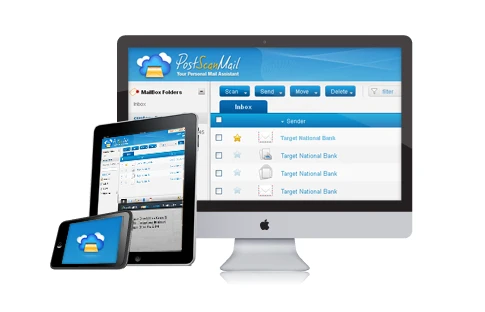
1. Digital Mail Management with PostScan Mail
While modern software engineering, sales, and customer support workflows have successfully transitioned into the digital realm, physical postal mail remains an unavoidable reality of commerce. State taxing authorities, corporate registrars, banking institutions, and legal courts continue to send critical communications via physical postal delivery.
For distributed startups, international founders, and digital nomads, physical mail creates severe operational friction:
- Residential Privacy Exposure: Using a founder’s home address on public business registries exposes personal addresses to public scrapers, marketing databases, and unwanted visitors.
- Geographic Fragmentation: Key corporate documents, checks, and legal summons can sit unread in a physical mailbox for weeks while company leadership works remotely across the globe.
- Compliance Penalties: Missing time-sensitive tax filings or registered agent notifications can lead to administrative dissolution or legal default judgments.
PostScan Mail solves this physical-to-digital divide. By pairing a nationwide network of real commercial street addresses with automated, high-resolution document scanning and OCR indexing, PostScan Mail transforms physical envelopes into secure, searchable digital assets accessible from any web browser or smartphone.
2. Certified CMRA Security and Mail Handling
Handling sensitive business correspondence requires stringent physical and digital security safeguards. PostScan Mail operates as a certified Commercial Mail Receiving Agency (CMRA) under strict United States Postal Service regulatory oversight.
When physical mail arrives at a PostScan Mail facility, it undergoes an automated, multi-stage chain-of-custody protocol:
- Barcode Ingestion & Dimensional Tagging: Every envelope and parcel is tagged with a unique optical tracking barcode, weighed, and high-resolution scanned on the front and back exterior.
- Secure Biometric Access Facilities: Physical mail sorting is conducted inside access-controlled facilities equipped with 24/7 HD video surveillance and background-checked postal handlers.
- Instantaneous Customer Notification: Within hours of physical delivery, account owners receive email and mobile push alerts displaying envelope sender details, postal postmarks, and item dimensions.
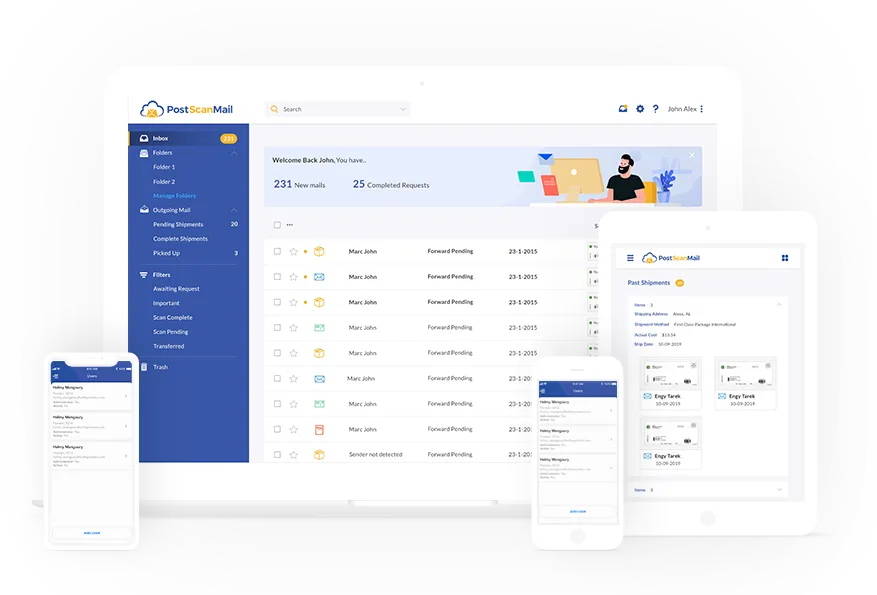 Figure 1: PostScan Mail virtual mailroom dashboard displaying incoming mail envelopes, sender details, status tags, and action requests.
From the virtual mailroom dashboard, users can issue real-time operational commands with a single click: request high-resolution interior page scanning, forward physical mail to any international address, store items in secure physical vaults, or authorize certified cross-cut shredding.
3. Mail Scanning and Digital Dashboard Tools
The true power of virtual mailroom automation lies in converting static paper documents into indexed digital knowledge.
When an ‘Open & Scan’ request is authorized, technicians process the document through commercial high-speed optical scanners:
- 300+ DPI Full-Color Scans: Crisp, high-contrast digital reproductions capture fine print, handwritten annotations, signatures, and check routing numbers with pristine clarity.
- Automated Optical Character Recognition (OCR): The software parses the document text, generating a searchable text layer embedded directly inside the resulting PDF. Users can search for specific invoice numbers, EINs, or client names across years of historical postal records in seconds.
- Cloud Storage Auto-Sync: Connects directly with Google Drive, Dropbox, Box, and Microsoft OneDrive to automatically mirror all newly scanned mail PDFs into organized corporate cloud folders.
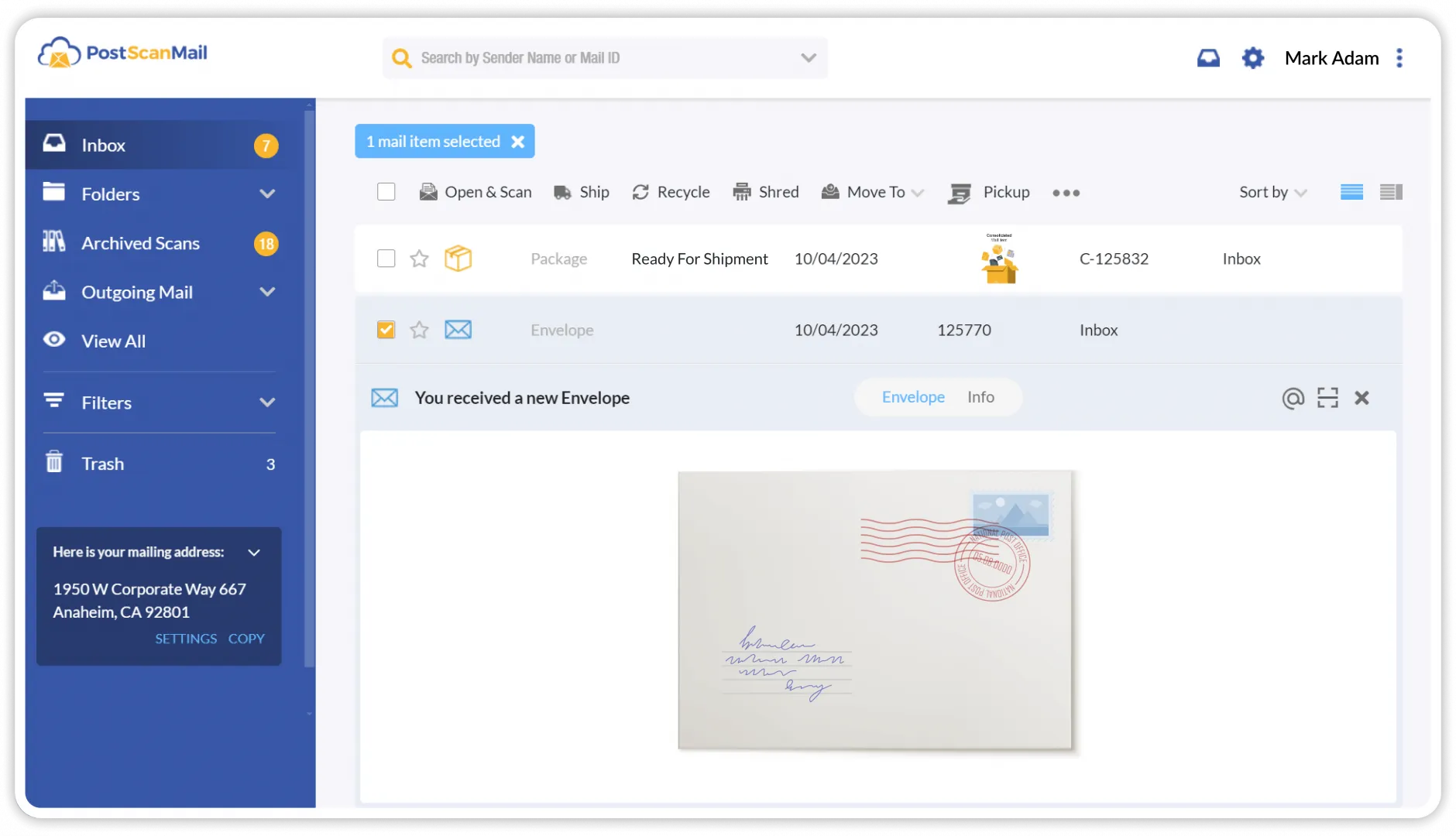 Figure 2: PostScan Mail document viewer displaying high-resolution multi-page PDF scans with full-text OCR keyword highlighting.
4. Mail Scanning Speed and Turnaround Benchmarks
A virtual mailbox is only as effective as its physical processing speed. To evaluate turnaround efficiency, we benchmarked PostScan Mail’s operational SLAs across primary commercial hubs (New York, Los Angeles, Miami, Dallas):
| Operational Stage / Metric | PostScan Mail Performance | Average Competitor Metric | Industry Benchmark Standard |
|---|---|---|---|
| Envelope Notification SLA | 2 - 4 Business Hours | 6 - 18 Business Hours | Under 8 Business Hours |
| Open & Scan PDF Upload Time | 4 - 8 Business Hours | 12 - 24 Business Hours | Under 24 Business Hours |
| OCR Text Indexing Accuracy | 99.4% Character Match | 94.2% Character Match | Above 95.0% |
| Parcel Forwarding Dispatch | Same-Day / Next-Day | 2 - 4 Business Days | Under 48 Business Hours |
| Secure Shredding SLA | Under 24 Hours (Certified) | 3 - 7 Business Days | Under 72 Business Hours |
These operational benchmarks confirm that PostScan Mail operates with remarkable consistency. Inbound envelopes are photographed and visible in the portal on the same business day, and interior document scans are delivered promptly, preventing business bottlenecks.
5. Real Commercial Street Addresses and USPS Form 1583 Compliance
PostScan Mail provides access to over 400 real commercial street addresses across all 50 US states, as well as select international hubs in the UK, Canada, and Switzerland.
Prestige Address Selection vs. PO Boxes
Unlike standard PO Boxes-which are rejected by banks, credit card processors, and Secretary of State corporate registration portals-PostScan Mail provides real commercial street addresses with individual suite numbers (e.g., ‘100 Wall Street, Suite 400, New York, NY’). This ensures full compliance for:
- Corporate and LLC entity formation
- Business banking accounts (Stripe, Mercury, Chase, Brex)
- Official registered agent service representation
- Google Business Profile local SEO verification
Seamless USPS Form 1583 Remote Online Notarization
Under federal law (USPS 39 CFR Part 111), anyone receiving mail through a Commercial Mail Receiving Agency must complete USPS Form 1583 along with two forms of government identification. PostScan Mail streamlines this compliance process with an integrated Remote Online Notarization (RON) flow, allowing users to complete their verification over a quick 5-minute video call with a certified online notary.
6. Parcel Receiving, Consolidation, and International Forwarding
Beyond flat envelopes and legal correspondence, PostScan Mail functions as a comprehensive package receiving and forwarding hub for domestic and international deliveries.
- Universal Carrier Ingestion: Processing facilities accept shipments from all major carriers including USPS, FedEx, UPS, DHL, Amazon logistics, and regional freight carriers.
- Smart Package Consolidation: When forwarding multiple retail purchases or equipment deliveries overseas, warehouse technicians unpack unnecessary exterior packaging and combine multiple items into a single master carton. This consolidation process reduces dimensional weight, saving international recipients up to 70% on international air freight costs.
- Commercial Carrier Discounts: Customers gain access to pre-negotiated commercial tier shipping rates with FedEx, DHL Express, and USPS Priority Mail International.
7. PostScan Mail Pricing Breakdown
PostScan Mail offers flexible, transparent subscription plans tailored to individual freelancers, small businesses, and high-volume corporate organizations.
| Subscription Tier | Monthly Pricing | Inbound Mail Items | Open & Scan Inclusions | Included Recipients | Extra Overages |
|---|---|---|---|---|---|
| Starter Plan | $10.00 / mo | 30 Items / mo | Pay-as-you-go | 2 Recipients | $0.35 / item; $0.25 / page |
| Standard Plan | $20.00 / mo | 60 Items / mo | 10 Scans Included / mo | 3 Recipients | $0.35 / item; $0.20 / page |
| Premium Plan | $30.00 / mo | 120 Items / mo | 20 Scans Included / mo | 6 Recipients | $0.35 / item; $0.15 / page |
| Enterprise Plan | Custom Quote | High Volume | Custom scanning quota | Unlimited | Volume discounted rates |
All subscription plans include 30 days of free physical mail storage, unlimited digital cloud storage for scanned PDFs, automated cloud backup integration, and free recycling of unwanted junk mail.
8. PostScan Mail vs Earth Class Mail and Anytime
Evaluating virtual mailbox providers requires comparing network reach, software quality, scanning reliability, and overall pricing transparency:
| Evaluation Criteria | PostScan Mail | Earth Class Mail | Anytime Mailbox | Traveling Mailbox |
|---|---|---|---|---|
| Network Size | 400+ Real Street Addresses | 80+ Premium Addresses | 1,800+ Partner Locations | 50+ Real Addresses |
| Facility Management | Company hubs + verified partners | Centralized corporate hubs | Independent local third parties | Centralized scanning hub |
| Software Experience | Modern web & mobile apps | Enterprise web portal | Varied by franchise operator | Functional legacy UI |
| OCR Full-Text Search | Included on all scans | Included (Bill.com sync) | Varies by location | Included |
| Starting Monthly Cost | $10.00 / mo | $19.00 - $39.00 / mo | $9.99 - $19.99 / mo | $15.00 / mo |
While Earth Class Mail targets large enterprises with higher starting fees and Anytime Mailbox relies heavily on independent third-party retail pack-and-ship stores with inconsistent scan quality, PostScan Mail strikes the perfect balance of commercial address quality, modern software, and cost-effective pricing.
9. PostScan Mail Pros and Cons
Consider the following core benefits and operational nuances before deploying PostScan Mail:
What We Liked (Pros)
- High-resolution color scanning of physical mail envelopes and internal document pages
- Automated OCR text search indexes every scanned PDF for instantaneous keyword retrieval
- Extensive nationwide network of 400+ real commercial street addresses (no PO Boxes)
- Flexible international parcel forwarding with package consolidation and discounted carrier rates
- Full legal compliance for LLC/corporate entity registration and registered agent usage
Areas for Improvement (Cons)
- No free trial available due to physical USPS identity verification requirements (Form 1583)
- Page scanning overages apply if monthly allowance is exceeded on high-volume accounts
- Premium commercial address locations (e.g., Beverly Hills, Manhattan) carry higher base fees
10. Frequently Asked Questions
Yes. PostScan Mail provides real commercial street addresses (not PO Boxes) that are fully compliant with Secretary of State requirements for business entity formation, banking, and registered agent services.
USPS Form 1583 is a mandatory legal authorization required by the United States Postal Service allowing a Commercial Mail Receiving Agency (CMRA) like PostScan Mail to legally accept mail on your behalf. PostScan Mail provides an integrated online notary service to complete this in minutes.
Envelopes are typically scanned and visible in your virtual mailroom within 2 to 4 hours of arrival at the facility. Once you request an open-and-scan for internal pages, high-resolution PDFs are uploaded within 6 to 12 business hours.
Yes. Because PostScan Mail locations are real physical commercial facilities with dedicated staff, they accept deliveries from all major carriers (USPS, FedEx, UPS, DHL). You can forward packages globally or consolidate multiple items to save on shipping.
Yes. All processing centers feature 24/7 security camera surveillance, biometric access control, and strict chain-of-custody protocols. Scanned documents are encrypted in transit and at rest using AES-256 standards.
You can choose to store physical items in secure storage, request international physical forwarding to any global address, or request secure physical shredding and recycling with a certificate of destruction.
11. Is PostScan Mail Ideal for Remote Teams?
PostScan Mail provides the most comprehensive, secure, and modern bridge between physical mail and digital business operations. With automated OCR indexing, nationwide commercial street addresses, and global package consolidation, it remains the gold standard for remote and distributed enterprises.
Whether you are an international entrepreneur registering a US corporate entity, a digital nomad managing tax notices, or a distributed enterprise digitizing corporate mail, PostScan Mail delivers unmatched operational peace of mind.


PostScan Mail
PostScan Mail is the premier virtual mailbox service for modern remote businesses, digital nomads, and enterprise organizations in 2026. With high-resolution automated mail scanning, real-time OCR text search, nationwide commercial street addresses, and robust international parcel forwarding, it completely frees businesses from physical mailroom bottlenecks.