




1. Resolving the Blind Spot in Enterprise Attribution
Modern digital marketing teams pour tens of thousands of dollars into Pay-Per-Click (PPC) campaigns every month. Dashboards in Google Ads celebrate fifty recorded conversions, yet sales directors frequently report empty pipelines and unqualified leads. This disconnect creates constant executive friction between marketing budgets and commercial sales reality.
Web analytics software records anonymous clicks and superficial page submissions, but completely fails to identify whether inbound phone calls converted into signed contracts. Marketers observe macro traffic trends without knowing which specific creative assets prompted real buyers to call sales representatives directly.
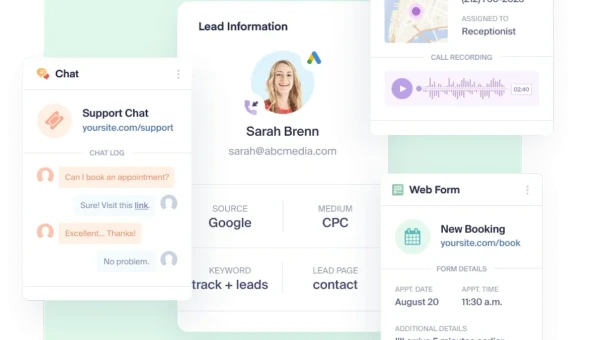
WhatConverts resolves this operational dilemma through lead-centric marketing attribution. Instead of treating conversions as aggregated statistical counters, the platform captures the full identity, conversational context, and financial value behind every customer interaction.
This comprehensive technical WhatConverts review analyzes how the platform unites inbound call tracking, web form parsing, and closed-loop revenue reporting. Organizations gain complete visibility into which marketing channels produce high-value enterprise contracts, eliminating guesswork from budget allocation decisions:
| Attribution Dimension | Superficial Web Analytics | Aggregate Ad Networks | WhatConverts Lead Intelligence |
|---|---|---|---|
| Primary Metric | Pageviews and session bounces | Raw conversion click counts | Individual lead contact profiles |
| Telephony Visibility | Blind to incoming phone calls | Estimated offline conversions | Exact call recordings, caller ID, and duration |
| Revenue Traceability | Disconnected from accounting | Modeled purchase probabilities | Verified quotes and closed sales contract values |
| Data Governance | Sampled aggregated data tables | Walled-garden conversion pixels | First-party identifiable lead records with export |
Marketing agencies managing multiple client accounts encounter severe friction when proving campaign Return on Investment (ROI). Clients dismiss abstract impression reports when cash receipts fail to match reported agency milestones.
Account teams provide the tangible evidence necessary to justify agency retainers through detailed event tracking. Logging actual caller recordings, submitted form parameters, and closed deal values allows agencies to demonstrate verified commercial outcomes across every billing cycle.
Enterprise sales workflows depend heavily on high-intent inbound phone calls. Industry sales benchmarks confirm that buyers calling sales hotlines convert significantly faster than passive web visitors browsing white papers.
Neglecting phone call tracking leaves half of the enterprise sales funnel invisible. WhatConverts closes this tracking void, transforming disjointed telephone conversations into actionable marketing intelligence that sales directors inspect daily.
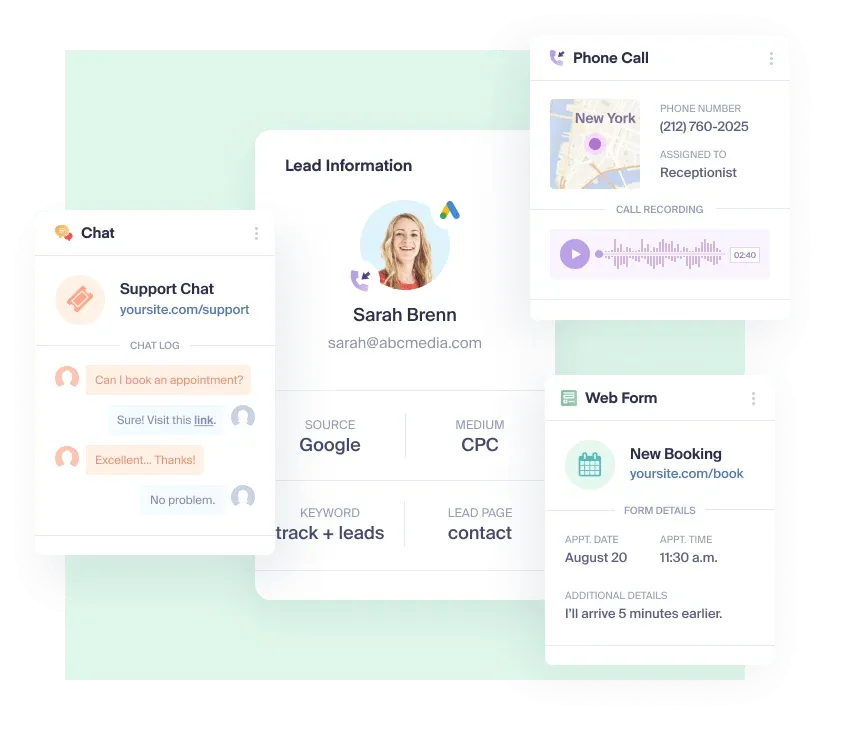 WhatConverts lead tracking interface displaying real-time inbound conversion channels and attribution sources
2. Dynamic Number Insertion Infrastructure for Session Tracking
The technical foundation of phone call attribution rests upon Dynamic Number Insertion (DNI). Speed matters. Client-side JavaScript dynamically swaps hardcoded telephone numbers with temporary tracking numbers without delaying page rendering times.
WhatConverts provisions a pool of virtual phone numbers routed through Session Initiation Protocol (SIP) gateways. As each visitor arrives, the platform binds an unassigned tracking number to the unique browser session cookie. Phone numbers swap instantly, presenting callers with numbers that appear native to their browser viewport.
A persistent tracking window preserves marketing continuity across long customer evaluation phases. WhatConverts maintains a 30-day session tracking window for multi-touch attribution, associating delayed inbound calls with original discovery channels:
- Visitor Entry: A prospect clicks a targeted Google Ads campaign and arrives on an enterprise landing page.
- Script Execution: WhatConverts JavaScript executes asynchronously in the browser, reading query strings and cookies.
- Number Assignment: The platform leases a temporary virtual phone number from the pre-provisioned pool.
- Session Binding: The script records source parameters, Google Click Identifiers (GCLID), and active page paths.
- Caller Dialing: The prospect dials the virtual telephone number displayed on their screen.
- Telephony Routing: Cloud SIP gateways forward the incoming call immediately to the sales department desk.
- Lead Creation: A unified lead profile populates with recordings, transcripts, and complete session metadata.
Configuring the size of the DNI number pool requires analyzing concurrent visitor traffic. Deploying too few numbers causes session collisions, while leasing excessive numbers inflates monthly carrier fees.
WhatConverts recommends DNI pools of 4 to 8 numbers for average concurrent visitors. This allocation guarantees accurate attribution resolution during standard daytime marketing traffic surges:
| Website Traffic Volume | Peak Concurrent Visitors | Recommended DNI Pool Size | Attribution Accuracy Threshold |
|---|---|---|---|
| Low (Under 5,000 monthly visits) | 1 to 3 concurrent visitors | 4 local numbers | 99% session isolation accuracy |
| Medium (5,000 to 25,000 visits) | 4 to 8 concurrent visitors | 6 to 8 local numbers | 99% session isolation accuracy |
| High (25,000 to 100,000 visits) | 10 to 20 concurrent visitors | 12 to 16 local numbers | 98% session isolation under high traffic |
| Enterprise (Over 100,000 visits) | 25+ concurrent visitors | Custom scalable pool | 99% session isolation accuracy |
Session cookies store essential attribution parameters directly within the visitor browser. The script extracts campaign sources, ad group identifiers, landing page paths, and Google Click Identifiers (GCLID) instantaneously.
When the caller dials the displayed virtual number, WhatConverts matches the incoming telephony signal against active browser session tokens. Within milliseconds, the incoming call record populates with the exact search query that triggered the visit.
Marketers who aggregate broad data streams through marketing data pipeline platforms like Supermetrics often need granular conversion details. WhatConverts feeds clean, lead-level records directly into corporate data warehouses for custom multi-channel reporting.
Call routing proceeds without perceptible latency. Telephony carriers hand off audio streams smoothly to internal corporate switchboards, remote call centers, or mobile phones without caller interruption.
3. Multi-Channel Conversion Capture Across Web Ingestion Pipelines
Specialized call tracking tools frequently overlook digital conversion formats like web forms and live chat. Marketers are forced to patch disparate software tools together, fragmenting lead attribution across disconnected vendor silos. This tool sprawl complicates lead audits and wastes valuable marketing team hours.
WhatConverts unifies lead ingestion by monitoring every digital interaction channel simultaneously. Organizations manage inbound phone calls, text messages, form submissions, and chat interactions through a single centralized lead ledger.
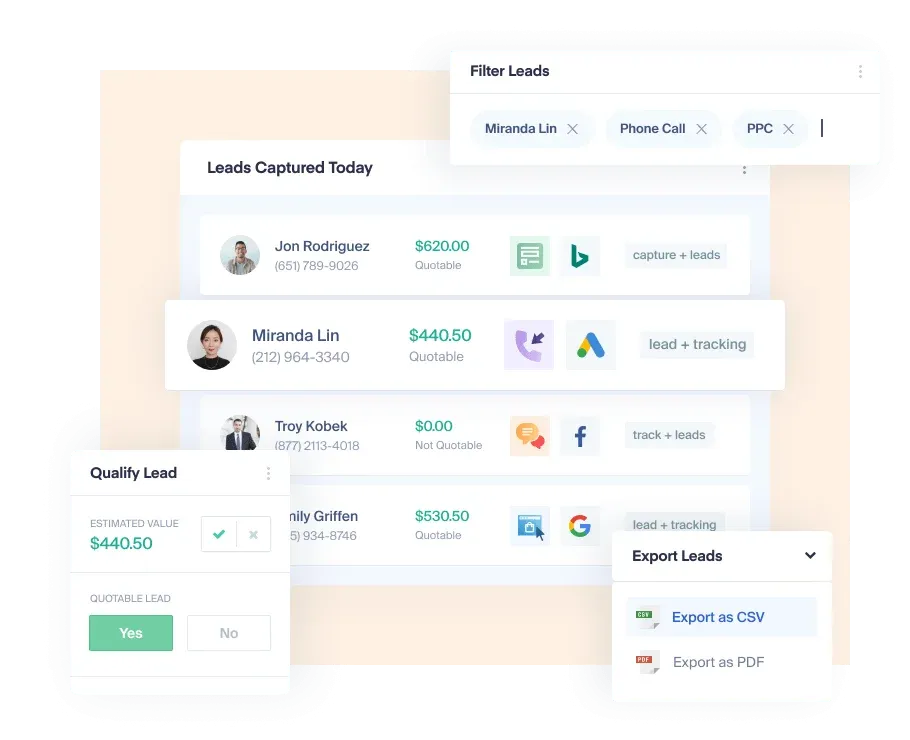 WhatConverts lead management workspace illustrating lead qualification workflows and quotable sales values
Form tracking operates via native JavaScript listeners that monitor DOM submission events. When a user submits an inquiry form, WhatConverts intercepts the field payload without altering underlying form actions or layout scripts.
The platform handles complex web development architectures effortlessly across 4 primary ingestion mechanisms:
- HTML Form Scraping: Automatically detects standard web forms, capturing field names, input values, and validation states upon submission.
- REST API Ingestion: Ingests programmatic conversion payloads from custom frontends, mobile applications, and server-side webhook endpoints.
- Third-Party Chat Integration: Connects seamlessly with live chat providers including Drift, LiveChat, and Zendesk to record conversational leads.
- Telephony SMS Tracking: Captures two-way short message service exchanges sent to assigned tracking numbers, preserving full text communication logs.
Marketing teams capturing inquiries across modern no-code web portals gain turnkey setup. Form fields map automatically to standard contact attributes like full names, business email addresses, and phone numbers.
Spam filtering algorithms protect sales representatives from junk inquiries. Automated spam detection evaluates submission velocities, honeypot fields, and known robocall databases, isolating fraudulent leads before they pollute reporting tables.
Duplicate suppression routines consolidate multiple submissions from the same contact. When a prospect submits a contact form and subsequently calls the sales department, WhatConverts links both events to a unified prospect history.
Multi-channel tracking eliminates manual data reconciliation spreadsheets. Marketing coordinators monitor incoming lead volume in real time, identifying high-performing conversion channels across diverse marketing touchpoints.
4. Lead Qualification Workflows with Quotable Pipeline Valuation
Tracking lead volume provides only half of the marketing equation. Ten inquiries seeking high-end enterprise consulting deliver far more commercial value than one hundred inquiries requesting free consumer troubleshooting. Counting raw volume without valuation distorts campaign effectiveness metrics.
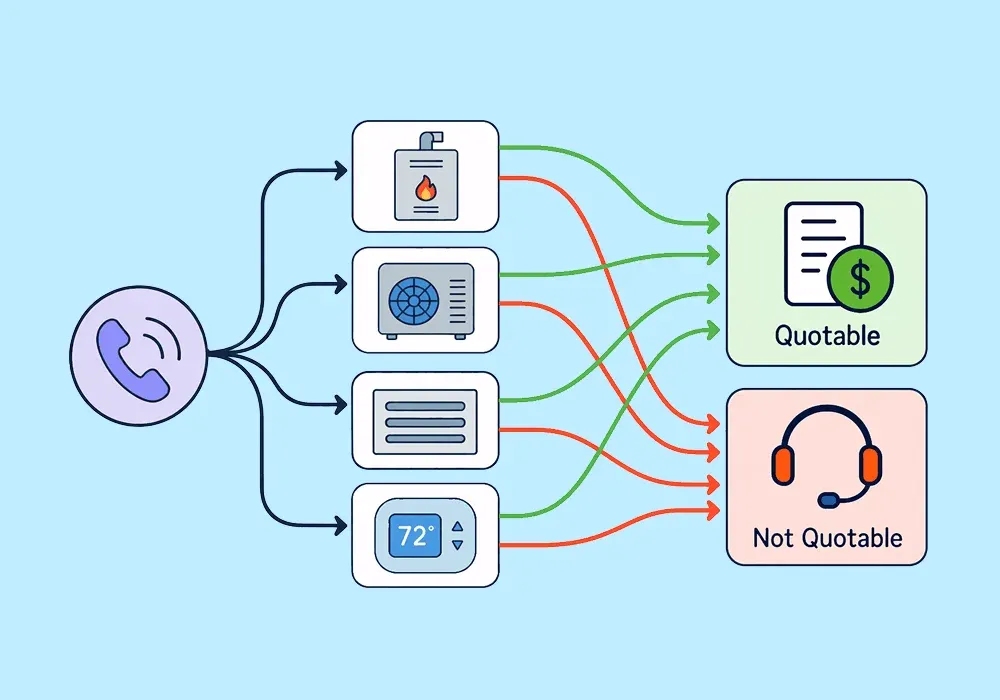
WhatConverts distinguishes itself by centering its architecture around lead qualification and quotable sales values. Sales managers review incoming records, marking prospects as qualified, unqualified, or spam with a single click.
Lead valuation workflows transform abstract cost-per-click metrics into concrete commercial intelligence. When sales representatives issue formal proposals, they log quotable deal figures directly into the WhatConverts lead card:
| Lead Identification Metric | Unqualified Inbound Inquiry | Qualified Enterprise Prospect | Strategic Closed Customer |
|---|---|---|---|
| Contact Completeness | Missing phone or fake email | Verified business email and direct dial | Validated procurement contact |
| Lead Qualification Tag | Marked Unqualified (Support inquiry) | Marked Qualified (Enterprise evaluation) | Marked Sale (Contract executed) |
| Quotable Deal Status | Rejected non-commercial inquiry | Formal enterprise proposal pending | Executed contract booked to revenue |
| Campaign Attribution Source | Organic search navigation query | Paid Search competitor conquest campaign | Targeted LinkedIn sponsored content |
Automated qualification rules accelerate operational workflows for high-volume sales teams. Organizations configure conditional trigger rules that evaluate call duration, pressed IVR keys, or selected form dropdown options:
- Duration Thresholds: Phone calls lasting longer than three minutes receive automatic qualified tags, filtering brief wrong numbers.
- Form Keyword Matching: Inquiries mentioning specific high-value product lines route immediately to designated enterprise account executives.
- Geographic Routing: Inbound calls originating from specific area codes route automatically to regional field sales representatives.
- Negative Keyword Rules: Submissions containing employment inquiry terms receive immediate exclusion from marketing attribution calculations.
Connecting qualification data back to ad networks refines automated bidding algorithms. Platforms like Google Ads optimize toward high-value qualified leads rather than low-quality form clicks, lowering overall Cost Per Acquisition (CPA).
Agency account managers utilize quotable value reporting during monthly client presentations. Instead of debating theoretical click-through rates, agencies present verified pipelines showing millions of dollars in attributed client proposals.
Sales leaders gain clear visibility into lead follow-up velocity. Time-stamped qualification notes show exactly when sales reps contacted prospects, closing accountability gaps between marketing generation and sales execution.
5. Closed-Loop Revenue Attribution via Direct CRM Synchronization
Attribution models achieve maximum utility when synchronized with underlying enterprise database systems. An inquiry recorded in January may take six months of contract negotiations before closing as realized revenue. Disconnecting marketing systems from commercial pipelines guarantees revenue blindness.
WhatConverts enables closed-loop revenue attribution by synchronizing lead records directly with Customer Relationship Management (CRM) databases. Bidirectional integrations bridge the gap between initial ad clicks and final signed contracts.
Synchronizing lead intelligence with enterprise sales pipelines in HubSpot empowers sales representatives with complete context. Reps review original search queries and visited webpage sequences before dialing prospective enterprise clients.
Organizations running modern cloud telecommunications like cloud communication platforms in Dialpad can unify inbound attribution with outbound calling workflows. Front-line agents maintain consistent communication histories across telephone, email, and web chat channels.
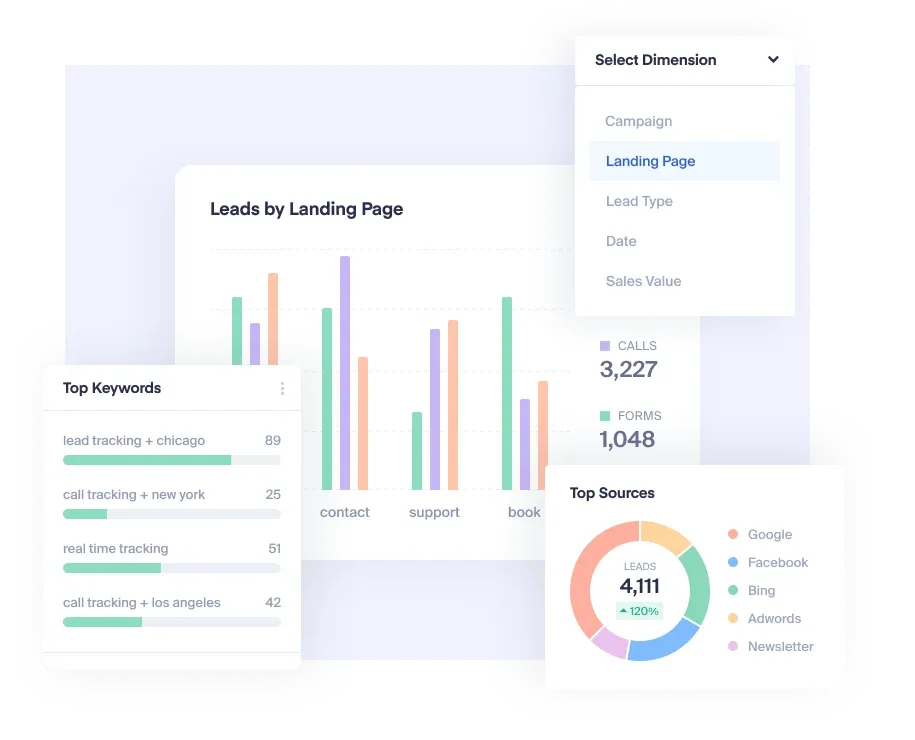 WhatConverts marketing reporting dashboard showcasing source breakdown, conversion types, and return on ad spend metrics
Attribution modeling logic inside WhatConverts supports 4 distinct analytical frameworks:
- First-Click Attribution: Credits the initial discovery marketing channel that introduced the prospect to corporate web properties.
- Last-Click Attribution: Attributes conversion credit entirely to the final touchpoint visited immediately before submitting an inquiry or placing a call.
- Linear Multi-Touch Attribution: Distributes conversion credit equally across every documented marketing interaction throughout the 30-day evaluation window.
- Position-Based U-Shaped Attribution: Assigns forty percent weighting to both first and last touchpoints, distributing remaining credit across middle interactions.
Closed-loop synchronization transmits final sales transaction values back into WhatConverts automatically. When accounting teams mark invoices as paid in corporate billing systems, the revenue ties back to original marketing campaigns.
Reporting dashboards calculate precise Return on Ad Spend (ROAS) across individual ad keywords. Marketing directors safely terminate costly ad groups that generate empty phone calls while scaling profitable campaigns that generate enterprise contracts.
Scheduled email reports deliver automated performance summaries directly to executive stakeholders. Weekly digests highlight top-converting landing pages, cost-per-qualified-lead trends, and total closed contract values.
6. Configuring Advanced Call Flows and Telephony Routing
Beyond passive tracking, enterprise marketing requires intelligent inbound call handling. High-value sales prospects abandon calls quickly when routed to wrong departments or placed on prolonged hold.
WhatConverts incorporates a visual Call Flows builder that allows non-technical marketing managers to configure sophisticated telephony logic. Inbound calls execute custom routing trees instantly based on originating marketing channels or time of day.
 WhatConverts call flows management screen showing custom IVR routing trees, whisper messages, and destination numbers
The Call Flows architecture organizes telephony paths across 4 core operational routing rules:
- Interactive Voice Response (IVR): Configures multi-level dial trees to let callers select departments directly.
- Whisper Announcements: Plays an internal audio prompt informing the sales agent of the exact campaign source before connecting.
- Simultaneous Ring Groups: Rings multiple sales desk phones concurrently to ensure rapid prospect response times.
- After-Hours Schedules: Diverts calls outside standard business hours to mobile phones or automated voicemail boxes.
Interactive Voice Response (IVR) menus allow callers to self-select their target department. The builder lets administrators configure numeric keypad prompts, directing callers smoothly between sales, customer billing, and technical support.
Whisper messages deliver real-time intelligence to sales representatives before the call connects. When an agent answers, WhatConverts plays a private brief audio snippet announcing the specific ad campaign or keyword. Sales teams prepare instantly.
Simultaneous ring groups broadcast incoming calls to multiple team members at once. The first available representative claims the prospect, reducing caller abandonment rates during peak marketing hours.
After-hours routing schedules divert calls to mobile phones or automated voicemail boxes outside standard operating hours. Voice messages transcribe automatically, generating searchable lead records within the unified inbox.
7. Data Privacy Governance Under HIPAA Telephony Protocols
Enterprise data compliance officers scrutinize call tracking platforms to protect sensitive consumer communications. Inbound telephone calls frequently involve confidential credit card numbers, protected health records, and private customer identifiers that require rigorous security governance. WhatConverts satisfies stringent international compliance mandates by implementing automated call redaction, encrypted data transmission, and granular access permission controls.
Organizations operating within regulated healthcare markets require strict adherence to medical privacy guidelines. WhatConverts maintains full compliance with the Health Insurance Portability and Accountability Act (HIPAA) on Pro and Elite subscription tiers. Healthcare practices execute formal Business Associate Agreements (BAAs), ensuring that patient appointment recordings and intake form submissions remain fully protected against unauthorized exposure.
Automated audio redaction algorithms scan call recordings in real time to scrub sensitive consumer payment details. When callers read numerical credit card digits or social security numbers, the system mutes corresponding audio sections and excises numeric strings from written transcripts. Secure cloud vaults protect customer audio recordings with 256-bit AES encryption at rest, guaranteeing compliance with modern corporate privacy standards.
8. WhatConverts Subscription Economics with Per-Unit Telephony Rates
Evaluating WhatConverts requires understanding its hybrid billing model. The platform combines a predictable monthly base subscription tier with transparent consumption-based telephony and lead usage fees.
Every single-business subscription includes a baseline $30 monthly usage credit. This credit offsets virtual phone number leases, call minutes, text messages, and additional lead processing costs automatically.
The platform provides a 14-day free trial without credit card requirement, allowing marketing teams to test tracking script installations and call routing workflows safely before committing financial resources. Hands-on testing helps administrators verify dynamic number swaps across target landing pages prior to deploying paid traffic.
Single-business subscription tiers scale according to feature complexity and attribution depth across 4 tiers. Small teams choose entry plans while scaling agencies adopt advanced data tiers:
| WhatConverts Plan Tier | Base Monthly Cost | Monthly Usage Credit Included | Primary Target Operational Use Case | Key Platform Capabilities Included |
|---|---|---|---|---|
| Call Tracking Plan | $30 per month | $30 monthly credit | Small businesses needing pure phone call tracking | Instant DNI phone numbers, call recording, automated transcription, and API access |
| Plus Plan | $60 per month | $30 monthly credit | Multi-channel lead tracking across forms and chat | Everything in Call Tracking, plus web forms, live chat, e-commerce, and Google Ads sync |
| Pro Plan | $100 per month | $30 monthly credit | Advanced workflows and regulated enterprises | Everything in Plus, plus Call Flows, Custom Report Builder, scheduled reports, and HIPAA BAA |
| Elite Plan | $160 per month | $30 monthly credit | Enterprise multi-touch customer journey mapping | Everything in Pro, plus Customer Journey logs, multi-click attribution, and Lead Intelligence |
Usage exceeding the included $30 monthly credit bills according to standardized per-unit telephony rates. Transparent unit pricing prevents surprise cost overruns across 4 usage categories:
- Local Phone Numbers: $2.50 per month per virtual tracking number plus $0.045 per minute of inbound call time.
- Toll-Free Numbers: $3.50 per month per toll-free virtual number plus $0.065 per minute of inbound call time.
- SMS Text Messages: $0.02 per message sent or received through tracking numbers.
- Form and Chat Tracking Overages: $0.10 per additional lead processed beyond included tier quotas.
Marketing agencies managing multiple client accounts can utilize specialized Agency tiers starting from $500 to $1,250 per month. These enterprise plans unlock custom white-label client portals, unified agency billing, and multi-tenant sub-account management.
Transparent usage billing prevents unexpected invoice surprises. Workspace administrators configure automated usage alerts that notify team managers when account consumption approaches monthly spending thresholds.
The baseline subscription plan absorbs regular calling needs for small local companies. Because the platform applies the $30 usage credit against active phone numbers and talk time, standard marketing campaigns rarely incur surprise overage invoices.
9. WhatConverts Operational Strengths and Practical Limitations
Marketing teams cannot afford attribution tools that treat high-value telephone conversations as generic browser click events. Over 300 agency directors and sales managers on G2 award WhatConverts an outstanding 4.9 out of 5 rating, applauding its quotable pipeline tracking and responsive customer support.
The platform frequently captures the #1 ranking on G2 across competitive categories including Inbound Call Tracking, Marketing Attribution, and Marketing Analytics. Users consistently praise responsive technical support and intuitive lead management workflows.
Operational Advantages
- Unified Multi-Channel Lead Ledger: Consolidates phone calls, form fills, chat conversations, and e-commerce transactions into a single deduplicated interface.
- Accurate Dynamic Number Insertion: Robust session tracking links inbound calls directly to originating keywords and ad campaigns without audio degradation.
- Actionable Quotable Value Tracking: Direct pipeline valuation bridges the communication gap between marketing campaign costs and closed sales revenue.
- Regulatory Compliance Standards: HIPAA compliance and executed Business Associate Agreements protect sensitive healthcare communications securely.
Operational Constraints
- Basic Interactive Voice Menus: Call flow tools handle standard routing, but lack advanced interactive voice response (IVR) capabilities found in dedicated PBX systems.
- White-Label Portal Restrictions: Custom client domains and branded agency interfaces are reserved strictly for high-tier agency packages.
- Telephony Overage Sensitivity: High-traffic viral campaigns can generate substantial per-minute phone charges if number pools are not monitored actively.
Comparing WhatConverts against alternative tracking approaches highlights clear architectural distinctions across 4 operational dimensions:
| Evaluation Dimension | WhatConverts Lead Platform | CallRail Telephony Suite | Google Analytics 4 (GA4) |
|---|---|---|---|
| Inbound Lead Focus | Complete multi-channel lead profile | Primarily phone call tracking | Aggregated anonymous session events |
| Lead Valuation | Built-in quote and sale value fields | Requires external CRM sync | E-commerce transaction revenue only |
| Phone Tracking Setup | Turnkey DNI with $30 usage credit | High monthly base subscription | Requires third-party call integrations |
| Agency Client Portals | Multi-tenant white-label sub-accounts | Multi-company account structure | Separate property access controls |
CallRail remains a capable competitor with deep telephony features, but often charges higher entry prices for multi-channel lead tracking. WhatConverts provides superior overall value by bundling calls, forms, and chats into an integrated lead qualification system.
Google Analytics 4 excels at aggregate web traffic analysis, but remains blind to phone call content and individual lead identities. Enterprise revenue attribution demands the lead-level clarity that WhatConverts delivers consistently.
Operations teams frequently report substantial workflow time savings after consolidating tracking vendors. Instead of logging into four separate platforms to verify marketing outcomes, coordinators inspect one centralized dashboard every morning.
What We Liked (Pros)
- Unifies phone calls, form fills, chats, and transactions into one clean lead ledger
- Dynamic Number Insertion links offline phone conversations directly to keyword sessions
- Native lead valuation and quote tracking reveal true marketing Return on Investment
- Transparent pricing model includes a $30 monthly usage allowance across all tiers
Areas for Improvement (Cons)
- Complex interactive voice response menus require specialized cloud telephony systems
- White-label portal branding is restricted to agency subscription tiers
- Usage overages require active monitoring during unexpected traffic spikes
10. Frequently Asked Questions About WhatConverts
Dynamic Number Insertion assigns temporary tracking phone numbers to active browser sessions, linking subsequent phone calls directly to originating keywords and campaigns.
Yes, WhatConverts sends verified conversion events and financial values directly back to Google Ads and Google Analytics 4 for automated bidding optimization.
Yes, organizations on the Pro and Elite subscription tiers can execute a HIPAA Business Associate Agreement for secure healthcare lead tracking.
The platform captures inbound phone calls, text messages, web form submissions, live chat interactions, and e-commerce transactions in a unified interface.
Automated filtering algorithms detect robocalls, evaluate submission velocities, and block known spam databases before fraudulent events reach reporting tables.
Yes, role-based user seats allow sales managers, account executives, and agency clients to review recordings, assign quote values, and update qualification statuses.
11. Final Editorial Verdict on WhatConverts
WhatConverts delivers unparalleled clarity for organizations seeking true closed-loop revenue attribution across inbound channels. Anchoring marketing metrics to validated human leads rather than anonymous page sessions eliminates the reporting guesswork that typically plagues multi-channel ad spend.
The platform excels in high-touch industries where phone calls and consultative quotes dominate commercial transactions. Home services, healthcare practices, legal firms, and B2B software companies gain precise visibility into which marketing channels produce profitable client contracts.
Dynamic Number Insertion operates smoothly without complex telecom engineering. Marketing teams deploy a single lightweight JavaScript snippet, instantly unlocking session attribution across calls, forms, and web chats.
Native lead qualification features empower sales managers to filter spam inquiries and assign quote values effortlessly. The resulting data closes the loop between advertising expenditures and verified balance sheet revenue.
Organizations requiring enterprise call centers with complex multi-tiered IVR auto-attendants may still need dedicated telecom systems. However, WhatConverts delivers an ideal balance of call tracking, lead qualification, and marketing attribution for growing commercial businesses.
Marketing agencies and data-driven growth teams seeking to prove campaign Return on Investment find that WhatConverts represents an indispensable pillar of modern marketing technology stacks. The platform delivers the clarity necessary to scale profitable advertising campaigns confidently.

WhatConverts delivers superior marketing attribution by uniting inbound call tracking, web forms, and chat sessions with closed-loop revenue reporting.